
This page is not an official page of the app or its developer, but an independent editorial publication created for informational and commentary purposes. Unless expressly stated otherwise, neither the app nor its developer is affiliated with, endorsed by, sponsored by, authorized by, or otherwise officially connected with MWM, Apple, Google Play, the app publisher, or the app's developer, and nothing on this page implies that the app was developed using MWM's services. Any trademarks, logos, screenshots, and other content remain the property of their respective owners.


PhotoGrid: Video Collage Maker
In a crowded digital space, visuals are currency. This tool empowers users to effortlessly craft compelling photo and video narratives that capture attention.
Downloads
25M+User Rating
Total Ratings
603.0KPublisher
Category
Photo & VideoLocales
22Latest Version
9.2.31Size
339.2 MBFirst Released
Aug 1, 2012Key Features Analysis
An in-depth look at PhotoGrid's core functionalities for visual content creation.
Extensive Collage Creation
The app provides access to over 20,000 diverse collage templates, enabling users to re-mix up to 16 photos into personalized layouts, design unique filmstrips, cool photo stitches, and customize scrapbooks with freestyle pic stitches for both social media and memory keeping.
Premium Feature Set
The premium plan unlocks access to over 20,000 elements, enables the creation of video grids up to 15 minutes long in high-quality full HD 4K, allows free aspect ratio decisions for photos, and provides an ad-free experience with watermark-free sharing.
Robust Photo Editing Capabilities
It features a powerful suite of photo editing tools, allowing users to crop, rotate, resize, blur, and beautify images with ease. It supports framing images in Instagram's 1:1 aspect ratio and offers options to add stickers, text, backgrounds, graffiti, borders, mosaic effects, and adjust brightness, contrast, saturation, and layout.
Versatile Video Editing & Grids
This tool enables users to combine photos and videos into dynamic video grids, trim video clips efficiently, and add blurred backgrounds without cropping. It allows synchronization of video clips and supports up to 9 videos in a standard grid, with premium options for up to 15-minute, full HD 4K video grids.
Frequently Asked Questions
Everything you need to know about PhotoGrid: Video Collage Maker
What is PhotoGrid: Video Collage Maker?
PhotoGrid: Video Collage Maker is an app designed to create stunning image and video collages, social media content, and edit photos and videos. It offers extensive templates, editing tools, and features for various platforms.
Can PhotoGrid: Video Collage Maker combine photos and videos into grids?
Yes, PhotoGrid: Video Collage Maker can combine photos and videos to create video grids. Users can also trim videos and synchronize video clips to align to the same moment in time.
How many photos or videos can PhotoGrid: Video Collage Maker combine in a single layout?
PhotoGrid: Video Collage Maker allows users to remix up to 16 photos at a time. For video grids, it supports combining up to 9 videos in the free version.
Does PhotoGrid: Video Collage Maker offer pre-designed collage templates?
Yes, PhotoGrid: Video Collage Maker provides over 20,000 different collage templates. Users can also design their own photo creations, filmstrips, photo stitches, and personalized scrapbooks.
What social media marketing features does PhotoGrid: Video Collage Maker include?
PhotoGrid includes features like custom watermarks, adding Instagram/Facebook/WhatsApp logos, and various popular ratios for social media platforms such as Facebook cover, Apple Watch, A4, and A3 sizes.
Can users add custom text and fonts within the PhotoGrid: Video Collage Maker app?
Yes, PhotoGrid allows users to add any font they want and apply beautiful curved texts to their photos. The app offers a selection of over 1000 fonts.
Does PhotoGrid: Video Collage Maker include comprehensive photo editing tools?
Yes, PhotoGrid offers powerful photo editing tools. These include crop, rotate, resize, blur, beautify, stickers, text, backgrounds, graffiti, boarders, mosaic, and adjustments for brightness, contrast, saturation, and layout.
What benefits does a PhotoGrid: Video Collage Maker Premium Plan offer?
PhotoGrid Premium provides access to over 20,000 elements, video grids up to 15 minutes long, high-quality full HD 4K video grids, flexible aspect ratio selection, an ads-free experience, and sharing without watermarks.
How do users manage or cancel a PhotoGrid: Video Collage Maker Premium subscription?
Users manage and turn off auto-renewal for a PhotoGrid Premium subscription in their Apple Account Settings. Cancellation must occur at least 24 hours before the period ends to avoid auto-renewal.
Is a refund available after purchasing PhotoGrid: Video Collage Maker Premium?
No, PhotoGrid: Video Collage Maker does not offer refunds after a Premium Plan purchase. All purchases are final and non-refundable.
Can PhotoGrid: Video Collage Maker remove backgrounds or objects from photos?
Yes, PhotoGrid features 'AI Removal' for objects and 'Cutout & Change Backgrounds' functionality. This allows users to easily isolate subjects and modify their photo backdrops.
Does PhotoGrid: Video Collage Maker support creating slideshows?
Yes, PhotoGrid includes a 'Slideshow Maker' feature. Users can combine images and add elements to create dynamic slideshows within the app.
How many stickers are available in PhotoGrid: Video Collage Maker?
PhotoGrid: Video Collage Maker provides over 15,000 stickers for users to enhance their photos and collages. These can be added as part of the powerful photo editor features.
The following screenshots and description are sourced directly from the app's official store listing and are the property of the app developer.
App Store
Screenshots
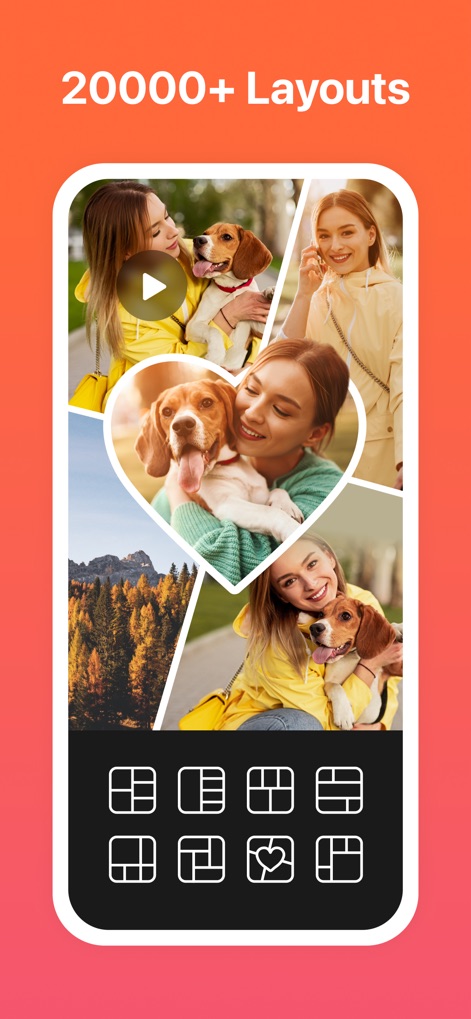
Creative Collage Layouts
Discover the app's vast library of 20000+ collage templates and the intuitive grid for selecting the perfect layout for any photo combination.
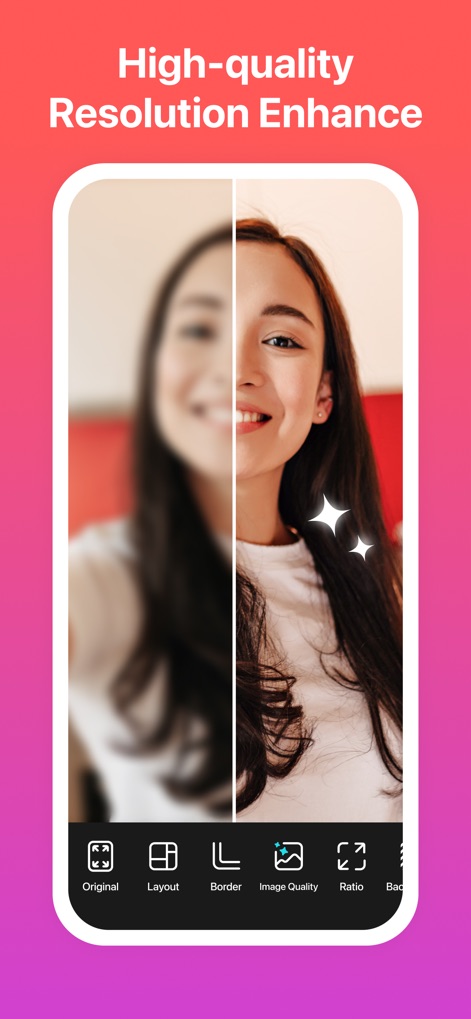
Enhance Image Quality
Witness the impressive resolution enhancement feature that transforms blurry originals into sharp images, alongside accessible options for layout, border, and image quality adjustments.
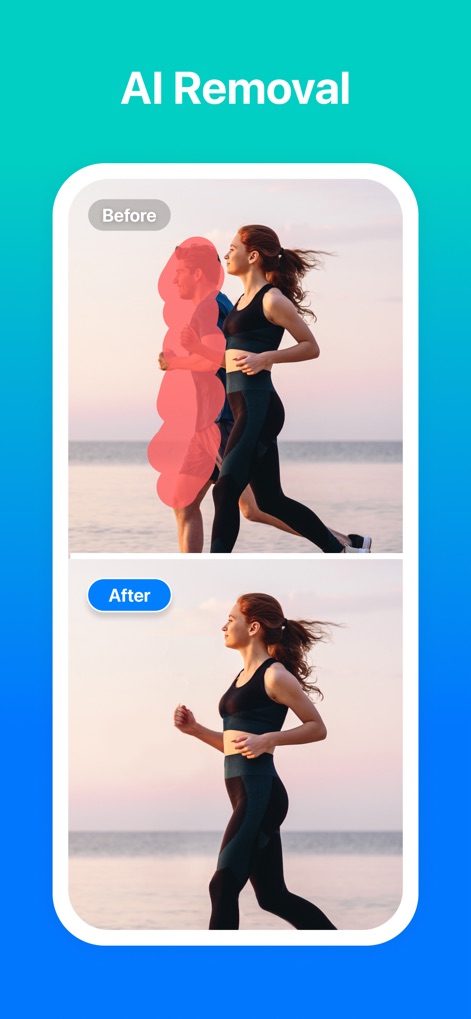
Smart Object Removal
Experience the power of AI Removal as unwanted elements are effortlessly eliminated, showcased by a clear before-and-after comparison of image transformations.
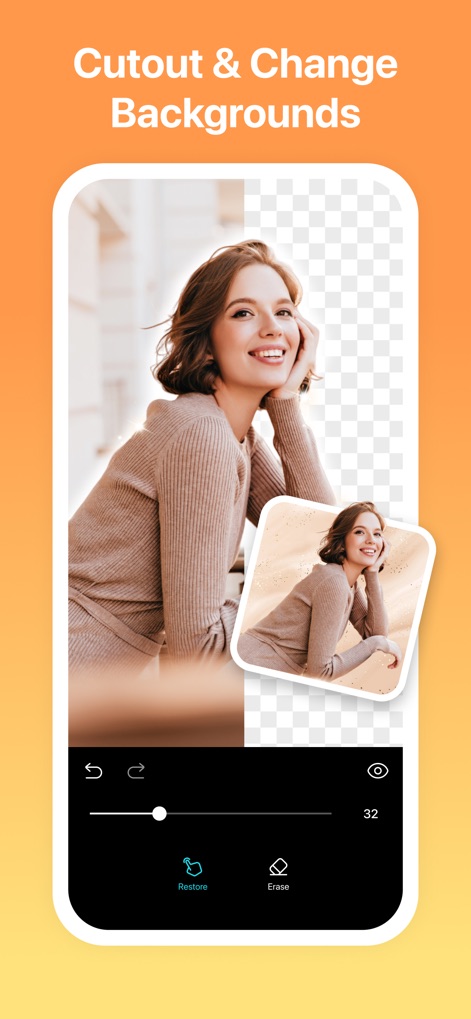
Background Freedom
This tool offers a precision cutout feature, allowing users to easily isolate subjects and achieve dynamic background replacement with intuitive 'Restore' and 'Erase' controls.
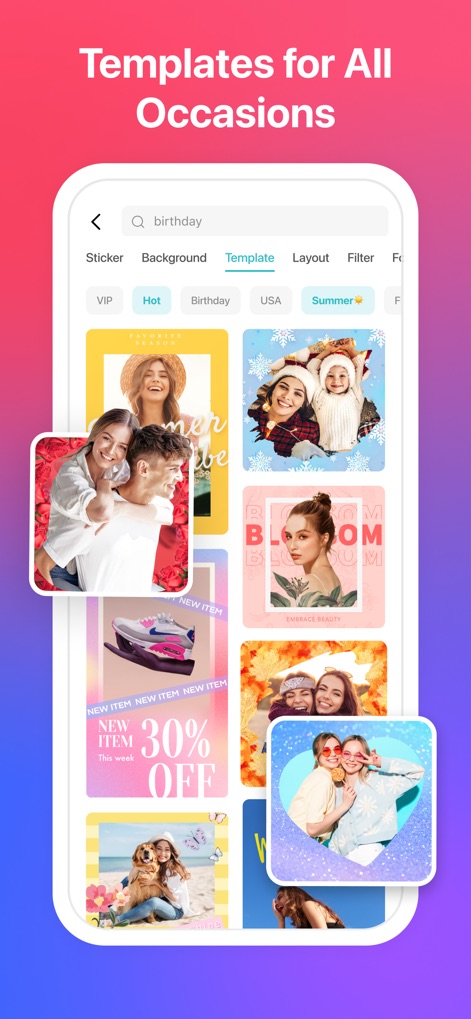
Diverse Design Templates
Explore an extensive range of template categories, from "Birthday" to "Summer," providing users with visually diverse design templates for every creative need.
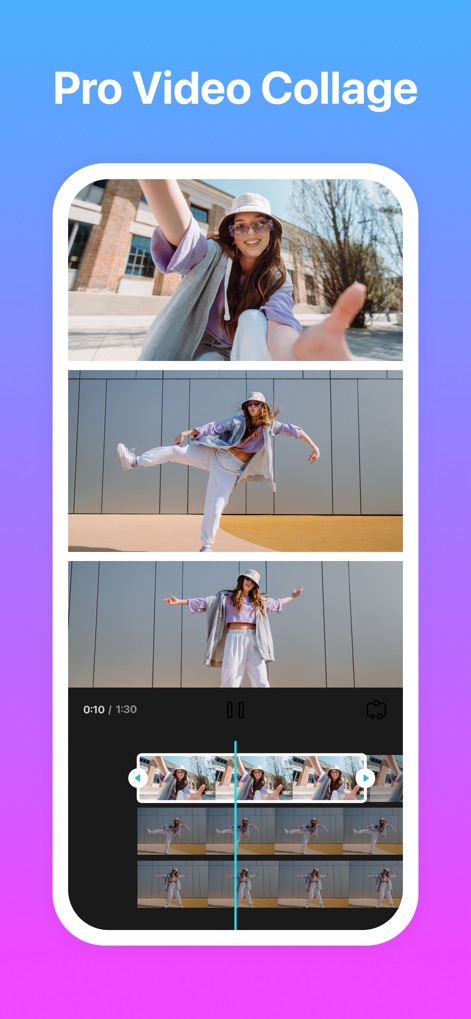
Dynamic Video Grids
Create dynamic video grids by combining multiple video clips into stunning arrangements, empowered by an advanced video timeline for precise editing and synchronization.
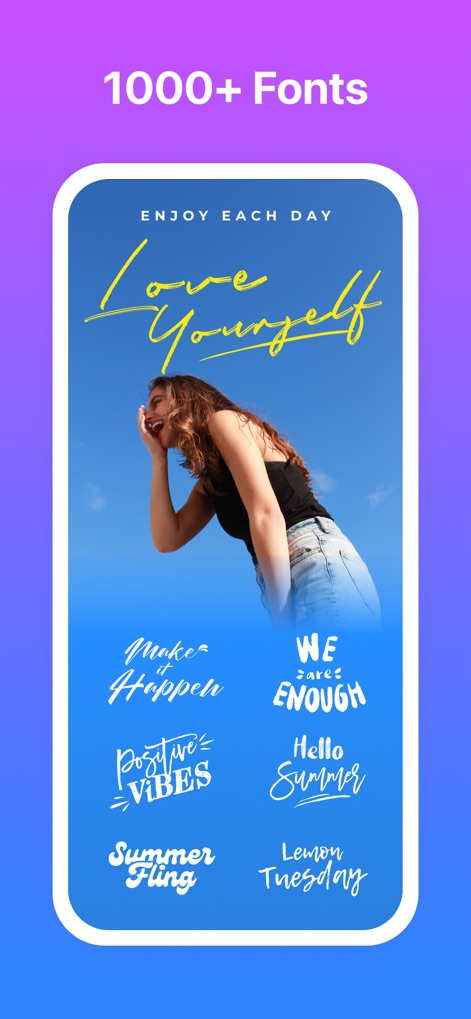
Expressive Typography
Access a rich array of 1000+ typography options, enabling users to choose from diverse font style previews to perfectly convey any message.
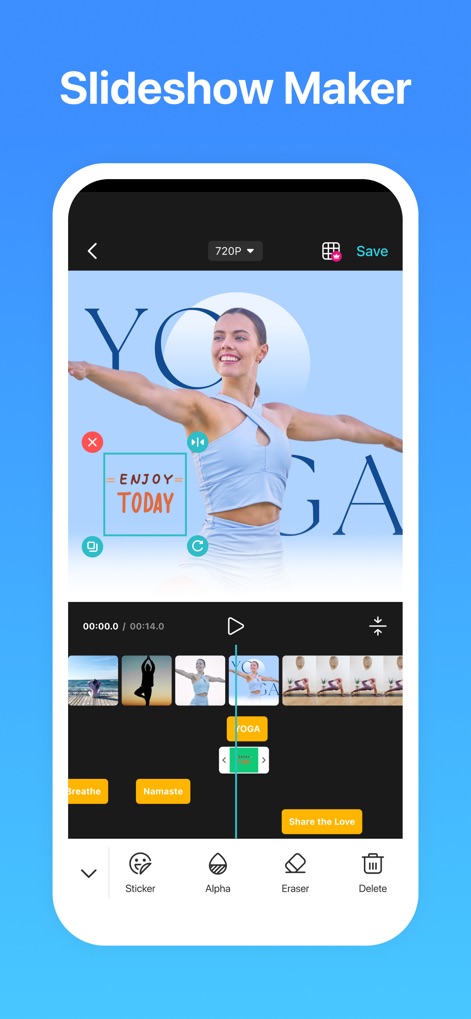
Seamless Slideshows
Craft comprehensive slideshows with ease, utilizing an intuitive timeline editing interface that offers options for adding stickers, adjusting alpha, and erasing elements.
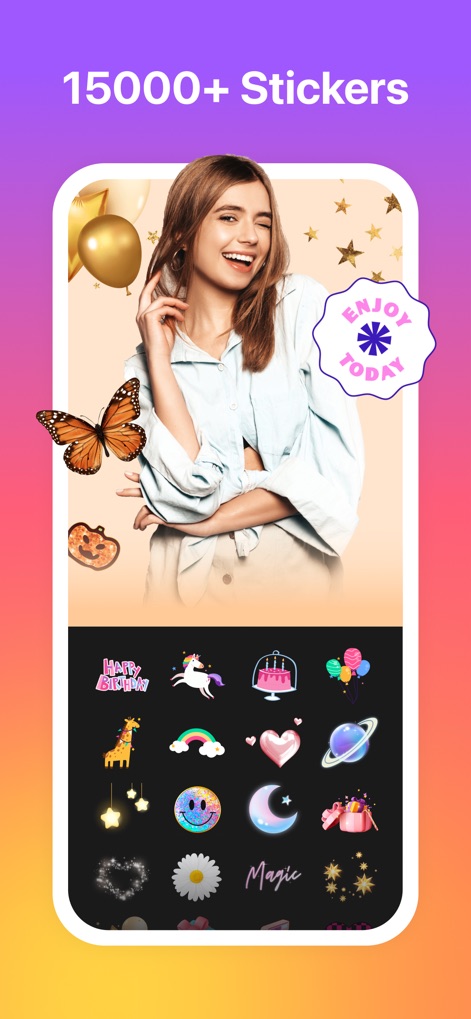
Creative Sticker Collection
Unleash creativity with an expansive sticker library featuring 15000+ options, easily navigable through categorized sticker selection to enhance any visual project.
Description
Download
More Like This
Apps with similar features and user experience

SCRL: Photo Collage Maker
Appostrophe AB

Layout for Instagram: Collage
Shamble, Inc.

Photo Collage Maker: InCollage
SHANTANU PTE. LTD.

TicPic
Zhuhai Kuxiong Network Technology Co., Ltd.

Collage Maker: CollagePlus
Shamble, Inc.

Photo Collage Montage Maker
Honk Honk Punch Pty Ltd

Photo Collage Maker & Creator
Honk Honk Punch Pty Ltd

Photo Collage Montage & Layout
Honk Honk Punch Pty Ltd

Jane - Art Collage & Video
Shanghai Ruishixinyan Information Technology Co., Ltd
This page is not an official page of the app or its developer, but an independent editorial publication created for informational and commentary purposes. Unless expressly stated otherwise, neither the app nor its developer is affiliated with, endorsed by, sponsored by, authorized by, or otherwise officially connected with MWM, Apple, Google Play, the app publisher, or the app's developer, and nothing on this page implies that the app was developed using MWM's services. Any trademarks, logos, screenshots, and other content remain the property of their respective owners.