
This page is not an official page of the app or its developer, but an independent editorial publication created for informational and commentary purposes. Unless expressly stated otherwise, neither the app nor its developer is affiliated with, endorsed by, sponsored by, authorized by, or otherwise officially connected with MWM, Apple, Google Play, the app publisher, or the app's developer, and nothing on this page implies that the app was developed using MWM's services. Any trademarks, logos, screenshots, and other content remain the property of their respective owners.


Color Themes: App Icons,Widget
Unleash your iPhone's true aesthetic potential. It offers total control over visual identity, transforming a generic device into a statement.
Downloads
2.5M+User Rating
Total Ratings
7.6KPublisher
Category
Graphics & DesignLocales
11Latest Version
2.0.8Size
349.2 MBFirst Released
Sep 17, 2020An analysis of the key features driving aesthetic customization for iOS users.
Core Personalization Capabilities
Personalized Icon Packs
It allows users to remove default application icons and replace them with a wide range of custom icon packs, including popular social and entertainment apps, enabling a unique expression of personal style.
Advanced iOS16 Widget Customization
The app features a comprehensive Widgets Kit designed for iOS16, allowing users to add and extensively customize various lock and home screen widgets such as Mood Boards, Time, Date, Battery, and Weather, with options to change backgrounds, fonts, and add images.
Diverse Aesthetic Themes
This tool provides a vast variety of aesthetic themes, including warm, beautiful, cartoon, neon, and trendy options, enabling users to quickly and easily transform their iPhone's home screen with a cohesive design.
Extensive HD Wallpaper Collection
It offers a diverse collection of HD wallpapers, spanning dozens of styles like solid colors, flowers, Japanese manga, animals, and scenic views, allowing users to customize their phone's background to match their personal aesthetic.
Frequently Asked Questions
Everything you need to know about Color Themes: App Icons,Widget
What features does Color Themes: App Icons,Widget offer?
Color Themes: App Icons,Widget provides aesthetic themes, customizable app icons, diverse wallpapers, and lock screen widgets for iOS16. Users personalize their home and lock screens with various styles and functional widgets.
How can I customize widgets with Color Themes: App Icons,Widget?
Color Themes: App Icons,Widget allows customization of widgets. Users add pictures, change backgrounds, fonts, and colors to create unique lock and home screen widgets, including Mood Board, Time, Date, and Weather.
Does Color Themes: App Icons,Widget offer custom icon packs?
Yes, Color Themes: App Icons,Widget offers personalized icon packs. Users remove default icons and apply custom designs for various applications, including popular social and entertainment apps like Instagram and TikTok.
What types of wallpapers are available in Color Themes: App Icons,Widget?
Color Themes: App Icons,Widget provides HD wallpapers in styles like solid colors, flowers, Japanese manga, animals, city, nature, and scenery. Users customize their phone with exclusive wallpapers.
Is Color Themes: App Icons,Widget free to use?
No, Color Themes: App Icons,Widget requires a subscription for unlimited access to all features and content. The subscription charges on a monthly or annual basis.
How does Color Themes: App Icons,Widget personalize the lock screen?
Color Themes: App Icons,Widget personalizes the lock screen with new iOS16 widgets. These include Mood Board, Time, Date, Battery, Calendar, Quotes, and Weather, allowing users to access information directly from the lock screen.
Where can I find the Privacy Policy for Color Themes: App Icons,Widget?
The Privacy Policy for Color Themes: App Icons,Widget is available at https://widget.funnyplay.me/widget/ET_Privacy_Agreement.html. This link provides details on data handling and user privacy.
The following screenshots and description are sourced directly from the app's official store listing and are the property of the app developer.
App Store
Screenshots
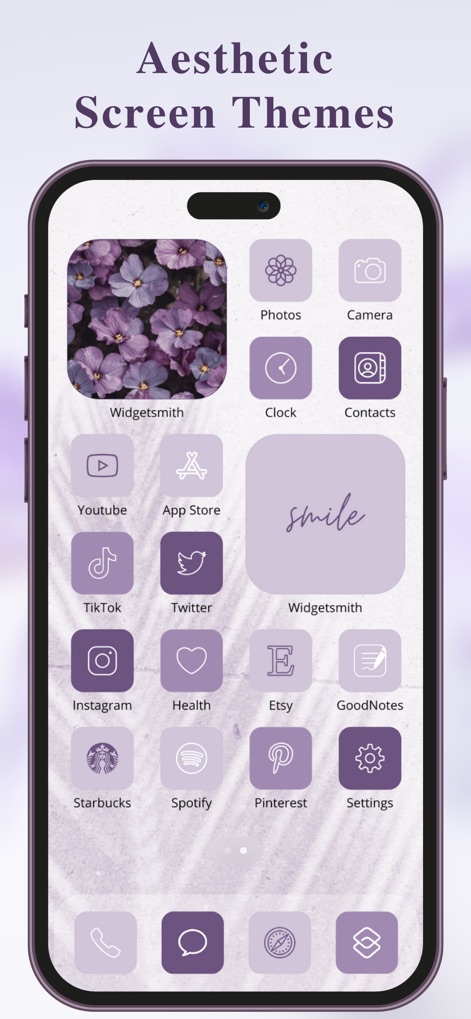
See how the app allows users to personalize their home screen with cohesive aesthetic themes and custom app icons, as shown with the vibrant purple flower widget.
Aesthetic Home Screens

This tool offers multiple icon packs to achieve a unified digital style, seamlessly integrating diverse app icons and weather widgets for a personalized look.
Diverse Icon Packs
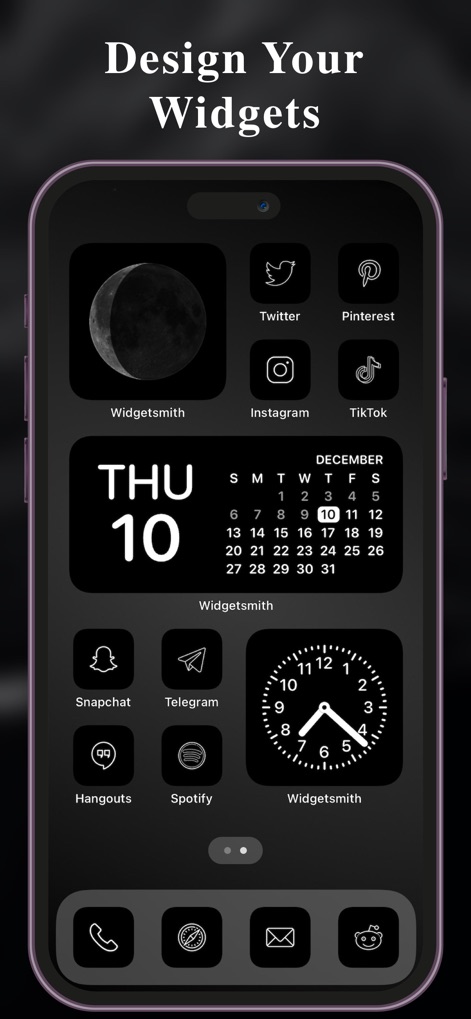
Explore the app's powerful customization features, allowing users to design unique widgets like the prominent calendar and analog clock to match any aesthetic, including dark mode.
Custom Widget Creation

Unleash creativity with the DIY puzzle wallpaper feature, enabling users to craft unique lock screens with custom photo collages and distinctive time displays.
Creative Lock Screens

Discover a collection of stylish wallpapers that elevate the lock screen, such as this elegant architectural image complementing the custom time display for a refined aesthetic.
Curated Wallpapers
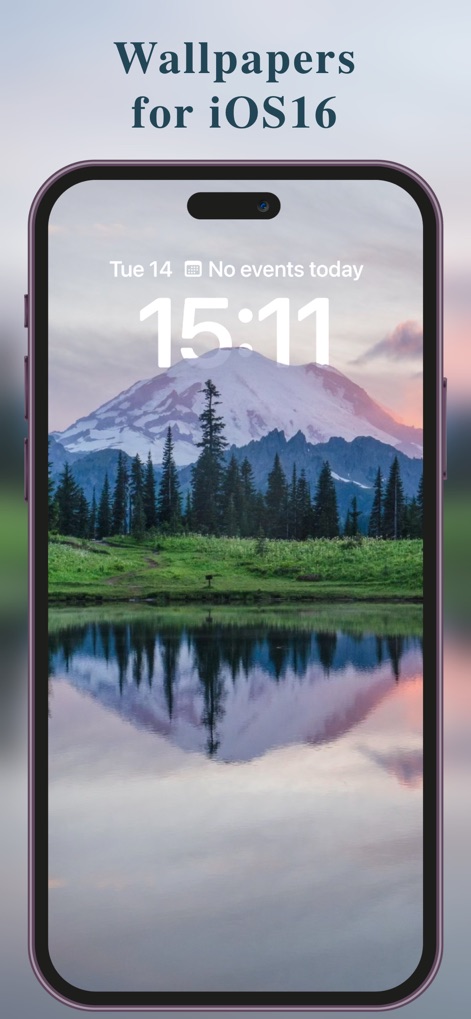
Experience the app's seamless integration with iOS16, offering breathtaking wallpapers like this serene mountain landscape and clearly displaying essential information such as time and events.
Dynamic Lock Screens
Description
Download
More Like This
Apps with similar features and user experience

iScreen - Widgets & Wallpaper
Xiamen ShenZhuo Information Technology Co., Ltd.

Top Widgets⁺ Icons & Themes
Chengdu Tiange Technology Co., Ltd

Colorful Widget- Widget&Themes
Guangzhou ZHIFENG Information Technology Co.,Ltd.

最美壁纸-手机动态主题AI壁纸
文彬 黄

Clockology Watch Faces
Clockology, LLC

全能实况 - 实况壁纸制作器&视频转实况动态壁纸
Xiamen Infinity Starway Technology Co., Ltd.

Fun Widgets-Widgets&Wallpapers
Beijing Curious Cat Co.Ltd

屏幕精灵 - 个性的动态壁纸&充电动画&来电壁纸秀
Guangzhou Shuhong Network Technology Co., Ltd.

Themes - Widget & Icon Themes
S.HOUSING INTERIOR ARCHITECTURE COMPANY LIMITED
This page is not an official page of the app or its developer, but an independent editorial publication created for informational and commentary purposes. Unless expressly stated otherwise, neither the app nor its developer is affiliated with, endorsed by, sponsored by, authorized by, or otherwise officially connected with MWM, Apple, Google Play, the app publisher, or the app's developer, and nothing on this page implies that the app was developed using MWM's services. Any trademarks, logos, screenshots, and other content remain the property of their respective owners.