
This page is not an official page of the app or its developer, but an independent editorial publication created for informational and commentary purposes. Unless expressly stated otherwise, neither the app nor its developer is affiliated with, endorsed by, sponsored by, authorized by, or otherwise officially connected with MWM, Apple, Google Play, the app publisher, or the app's developer, and nothing on this page implies that the app was developed using MWM's services. Any trademarks, logos, screenshots, and other content remain the property of their respective owners.

Color Widgets
Generic screens restrict. The app puts users in absolute command of their device's visual identity, turning every display into a personal manifesto.
Downloads
25M+User Rating
Total Ratings
1.2MPublisher
Category
UtilitiesLocales
17Latest Version
8.1.0Size
137.7 MBFirst Released
Sep 17, 2020Key Features of Color Widgets
An Analytical Overview for Aesthetic-Driven Mobile Personalization
Unlimited Widget Customization
It allows users to design widgets exactly to their aesthetic preference with various elements like photos, fonts, and colors.
Extensive Theme & Wallpaper Library
The app provides access to thousands of pre-designed themes and wallpapers for quick, comprehensive device makeovers.
Custom App Icon Packs
It allows users to easily change app icons to match themes, enhancing the overall personalized look of the device.
Predesigned & Custom Widget Creation
This tool features both ready-to-use widgets for quick application and tools to create unique designs from scratch.
Free Basic Access
The app allows users to explore and enjoy many customization options without initial cost.
Privacy-First Design
The app ensures user data is protected, allowing customization without privacy concerns.
Cross-Device Compatibility
This tool functions seamlessly across various Apple devices, ensuring a consistent experience.
Health Data Widget Integration
It allows for integration with the iOS Health app to display personal health data directly on widgets.
Frequently Asked Questions
Everything you need to know about Color Widgets
What is Color Widgets?
Color Widgets is an app that allows users to customize their Home Screen and Lock Screen. It provides aesthetic widgets, icon packs, themes, and wallpapers to transform the device's appearance.
Is Color Widgets a free application?
Yes, Color Widgets is free to download and use. An optional Pro upgrade is available, which includes a 3-day free trial before renewing at USD$2.92/month when billed yearly.
Can I customize widgets with my own photos in Color Widgets?
Yes, Color Widgets allows extensive widget customization. Users can add photos, select styles, edit fonts, and create unique color schemes for each widget to personalize its appearance.
Which devices are compatible with Color Widgets?
Color Widgets is compatible with iPhones, iPads, and Macs. It requires iOS 14 or later for mobile devices and macOS 11 or later for Mac computers to function.
Does Color Widgets integrate with Apple Music and Spotify?
Yes, Color Widgets supports Apple Music and Spotify integration. It provides dedicated widgets that can display music information and controls directly on the Home or Lock Screen.
How does Color Widgets protect user privacy?
Color Widgets operates with a privacy-first policy, collecting and storing minimal personal information. A detailed privacy policy and terms of service are available at colorwidgets.app/privacy.
Can Color Widgets show my health data?
Yes, Color Widgets can display health data if health widgets are enabled. It integrates with the iOS Health app to show data such as daily step count or activity progress from an iPhone or Apple Watch.
How many themes and wallpapers are available in Color Widgets?
Color Widgets offers a vast collection of over 14,000 themes and wallpapers. These include user-crafted designs that combine widgets, icon packs, and wallpapers, with new themes added daily.
Can I customize app icons with Color Widgets?
Yes, Color Widgets allows users to customize their app icons. Users can apply custom-themed icon packs through a quick setup within the app or save icons to their camera roll for use with Shortcuts.
Does Color Widgets support Lock Screen customization?
Yes, Color Widgets provides extensive Lock Screen customization. Users can add various widgets, apply themes, and utilize custom wallpapers to personalize their device's Lock Screen.
The following screenshots and description are sourced directly from the app's official store listing and are the property of the app developer.
App Store
Screenshots
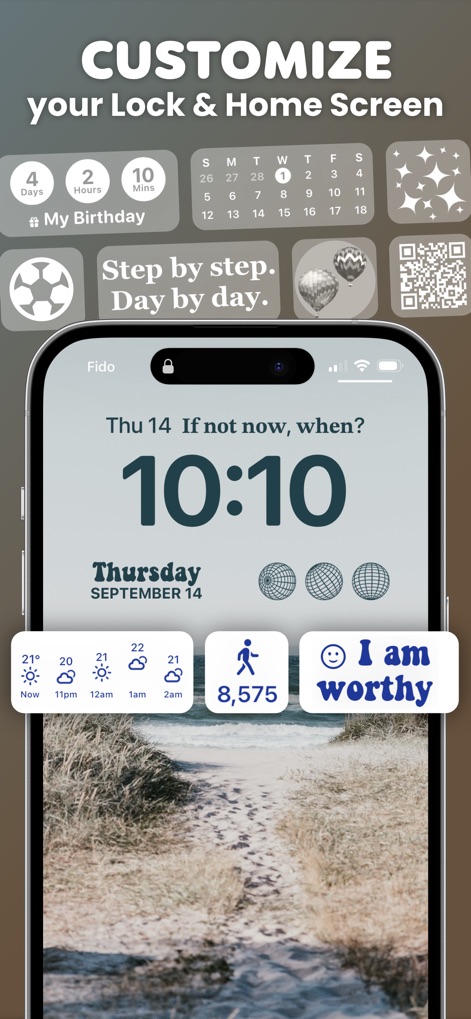
Lock Screen Personalization
This tool showcases a dynamically customized Lock Screen featuring personalized widgets like a countdown timer and a daily steps tracker.

Thematic Home Screen
Observe a beautifully themed Home Screen, demonstrating cohesive app icon designs and integrated aesthetic photo widgets for a unified look.

Aesthetic Harmony Display
Explore the app's capability to create a harmonious green aesthetic, combining a prominent calendar widget with perfectly matched, custom-designed app icons.
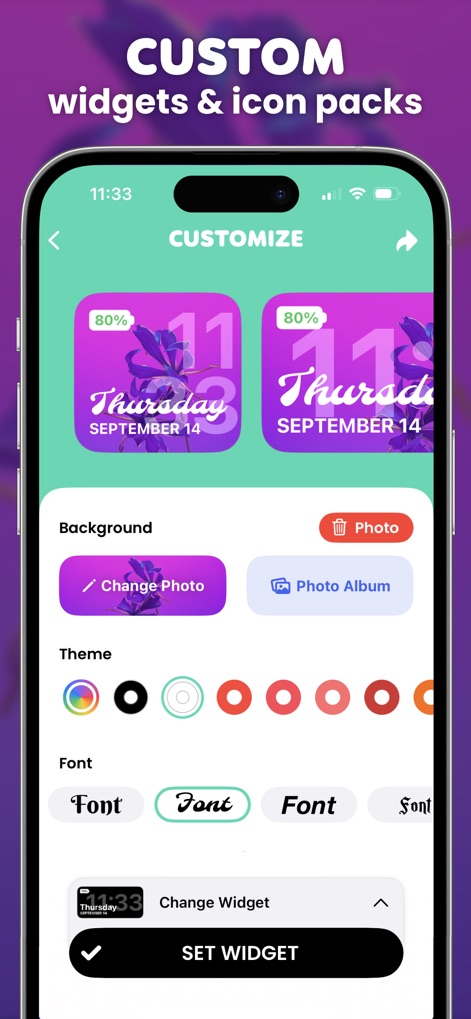
Design Interface Explored
This view reveals the intuitive widget customization interface, allowing users to effortlessly select from various fonts and theme colors to personalize their designs.

Minimalist Design Showcase
Discover how the app enables a sleek monochrome aesthetic across the Home Screen, featuring essential utility widgets like a clock and battery tracker for refined functionality.

Music Integration Unveiled
Witness the seamless integration of music widgets, including a retro-styled player, alongside a comprehensive weather display directly on the Home Screen.
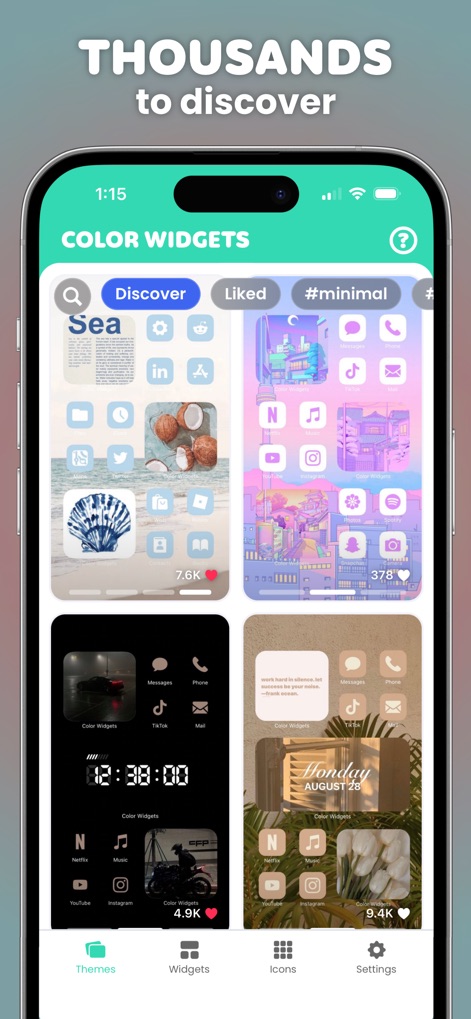
Content Discovery Hub
The app presents an expansive content hub where users can explore thousands of pre-designed themes, ranging from minimalist layouts to vibrant pastel aesthetics.
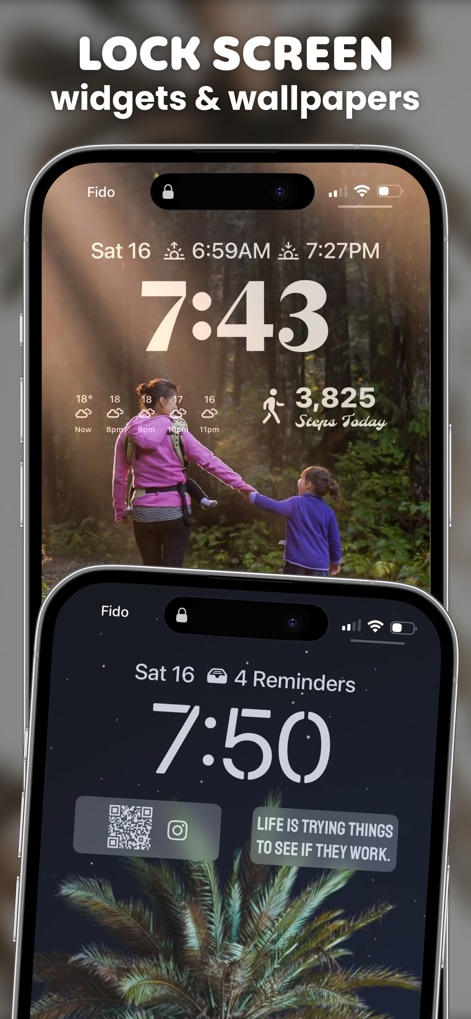
Dynamic Lock Screens
View two examples of dynamically styled Lock Screens, each featuring a unique background image and specialized widgets such as a step counter and a QR code for quick access.

Icon Transformation Mastery
See how the app facilitates a complete aesthetic overhaul with themed app icon packs and complementary photo widgets, creating a cohesive blue-toned Home Screen.

Endless Customization Canvas
This final view highlights the app's boundless customization, allowing users to feature personal photos as backgrounds and integrate practical widgets like anniversary countdowns.
Description
Download
More Like This
Apps with similar features and user experience

iScreen - Widgets & Wallpaper
Xiamen ShenZhuo Information Technology Co., Ltd.

Top Widgets⁺ Icons & Themes
Chengdu Tiange Technology Co., Ltd

Colorful Widget- Widget&Themes
Guangzhou ZHIFENG Information Technology Co.,Ltd.

最美壁纸-手机动态主题AI壁纸
文彬 黄

Clockology Watch Faces
Clockology, LLC

全能实况 - 实况壁纸制作器&视频转实况动态壁纸
Xiamen Infinity Starway Technology Co., Ltd.

Fun Widgets-Widgets&Wallpapers
Beijing Curious Cat Co.Ltd

屏幕精灵 - 个性的动态壁纸&充电动画&来电壁纸秀
Guangzhou Shuhong Network Technology Co., Ltd.

Themes - Widget & Icon Themes
S.HOUSING INTERIOR ARCHITECTURE COMPANY LIMITED
This page is not an official page of the app or its developer, but an independent editorial publication created for informational and commentary purposes. Unless expressly stated otherwise, neither the app nor its developer is affiliated with, endorsed by, sponsored by, authorized by, or otherwise officially connected with MWM, Apple, Google Play, the app publisher, or the app's developer, and nothing on this page implies that the app was developed using MWM's services. Any trademarks, logos, screenshots, and other content remain the property of their respective owners.