
This page is not an official page of the app or its developer, but an independent editorial publication created for informational and commentary purposes. Unless expressly stated otherwise, neither the app nor its developer is affiliated with, endorsed by, sponsored by, authorized by, or otherwise officially connected with MWM, Apple, Google Play, the app publisher, or the app's developer, and nothing on this page implies that the app was developed using MWM's services. Any trademarks, logos, screenshots, and other content remain the property of their respective owners.


Commerzbank Banking
No more banking in the dark. This app puts financial command in your pocket.
Downloads
2.5M+User Rating
Total Ratings
483.5KPublisher
Category
FinanceLocales
2Latest Version
26.3.6Size
392.7 MBFirst Released
Apr 13, 2010An evaluation of core functionalities for digitally-savvy German users.
Commerzbank Banking App Analysis: Key Features
Security Guarantee
The app offers a strong assurance, promising full reimbursement for financial losses not caused by user negligence, significantly building trust in its digital platform.
Biometric Login
It allows users to log in securely and rapidly using fingerprint or facial recognition (Touch ID/Face ID), providing both convenience and robust authentication.
Advanced Payment Options
This tool streamlines payment processes by offering speedy and secure transfers with photoTAN and Instant Payment, alongside photo transfers via QR Codes, remittance slips, and invoice scans.
Financial Overview
The app provides a comprehensive view of all account balances and transactions, enabling users to quickly grasp their financial situation for efficient management.
photoTAN Security
It integrates photoTAN, an innovative and highly secure method for authorizing transfers, which is a cornerstone of trusted German online banking practices.
Real-time Account Alerts
The app delivers real-time push notifications about account movements directly to the user's mobile device, enhancing awareness and facilitating proactive financial monitoring.
In-App Card Management
This tool enables users to manage their payment cards effectively by allowing them to easily change their PIN or block a card instantly in case of an emergency.
Apple Pay Integration
It offers seamless integration with Apple Pay, facilitating encrypted transactions without the need to share card details or PINs, thus enhancing security and convenience for mobile payments.
Frequently Asked Questions
Everything you need to know about Commerzbank Banking
Does the Commerzbank Banking app provide a financial overview?
Yes, the Commerzbank Banking app offers a financial overview, displaying all account balances and transactions at a glance.
How do I log in to the Commerzbank Banking app quickly?
The Commerzbank Banking app supports quick login using biometric methods such as fingerprint (Touch ID) or facial recognition (Face ID).
Can I manage my cards within the Commerzbank Banking app?
Yes, the Commerzbank Banking app allows users to manage cards. You can easily change your PIN or block your card in an emergency directly from the app.
What transfer options are available in the Commerzbank Banking app?
The Commerzbank Banking app offers speedy and safe transfers with photoTAN and Instant Payment. It also supports photo transfers using QR Codes, remittance slips, and invoice scans.
Can I manage standing orders using the Commerzbank Banking app?
Yes, the Commerzbank Banking app allows you to view, change, create, or delete your standing orders directly within the application.
Does the Commerzbank Banking app provide real-time account notifications?
Yes, the Commerzbank Banking app features an Account Alarm that sends real-time push notifications about account movements directly to your mobile device.
Can I locate ATMs and Commerzbank branches with the app?
Yes, the Commerzbank Banking app includes a 'Finder' function to help you locate nearby ATMs and Commerzbank branches conveniently.
Does the Commerzbank Banking app offer a security guarantee?
Yes, the Commerzbank Banking app provides a security guarantee. Financial losses not caused by user negligence will be fully reimbursed by Commerzbank.
What is photoTAN in the Commerzbank Banking app?
photoTAN is an innovative security method integrated into the Commerzbank Banking app. It ensures secure transfers and protects your financial transactions.
Is Apple Pay supported by the Commerzbank Banking app?
Yes, the Commerzbank Banking app supports Apple Pay, allowing for encrypted transactions without sharing your card details or PINs for enhanced security.
Can I view my account balance in the Commerzbank Banking app?
Yes, the Commerzbank Banking app displays your current account balance, such as your PremiumKonto, and recent transactions on the financial overview screen.
Does the Commerzbank Banking app offer financial analysis tools?
Yes, the app includes a 'Financial Assistant' feature, as seen in screenshot #3, which helps analyze finances, track income/expenses, and offers tools for wealth building and cashback.
What services are available in the Commerzbank Banking app?
The Commerzbank Banking app provides a comprehensive service section. Users can change personal details, manage contact info, adjust card settings, and access information on online banking, accounts, payments, and savings.
Can I trade shares using the Commerzbank Banking app?
Yes, the Commerzbank Banking app supports 'Smart trading' functionalities, allowing users to trade shares, as illustrated by the Netflix share trading example.
Does the Commerzbank Banking app have a digital mailbox?
Yes, the Commerzbank Banking app includes a 'Digital Postbox' feature. You can activate it to receive your electronic mail, statements, and other documents digitally.
Can I contact Commerzbank customer service directly from the app?
Yes, the Commerzbank Banking app provides a direct call function to the service center. This allows for personal consultation directly from within the application.
Why does the Commerzbank Banking app require camera access?
The Commerzbank Banking app requires camera access for photo transfers. This allows the app to read invoices, remittance slips, or QR codes for easier transactions.
Why does the Commerzbank Banking app need microphone access?
The Commerzbank Banking app requires microphone access to enable the call-from-within-the-app function, allowing users to contact support directly.
Why does the Commerzbank Banking app request location access?
The Commerzbank Banking app requests location approval to enable its 'Finder' feature, which helps users search for nearby ATMs and Commerzbank branches.
Does the Commerzbank Banking app access my contacts?
Yes, the Commerzbank Banking app requests access to your contacts. This permission enables you to send money to your contacts directly through the app.
The following screenshots and description are sourced directly from the app's official store listing and are the property of the app developer.
App Store
Screenshots
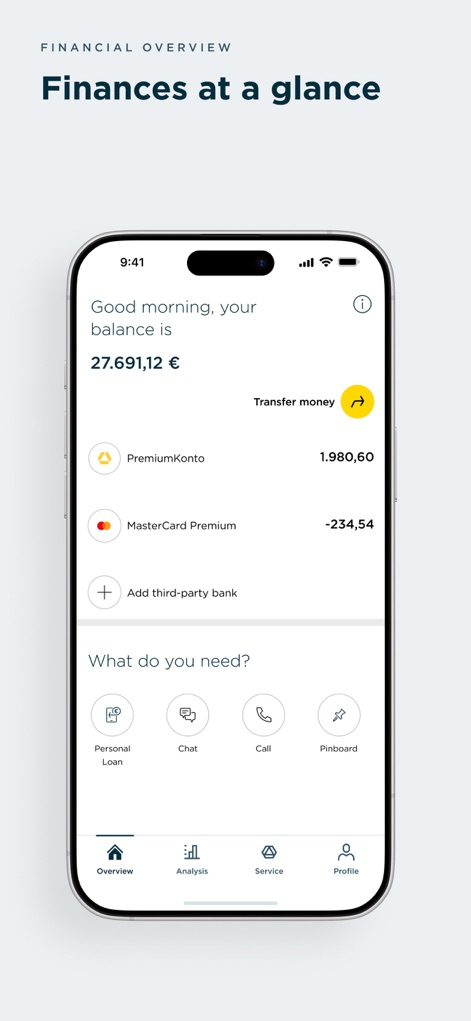
The app provides a clear financial overview, displaying total balances and quick access to transfer money features.
Instant Financial Snapshot
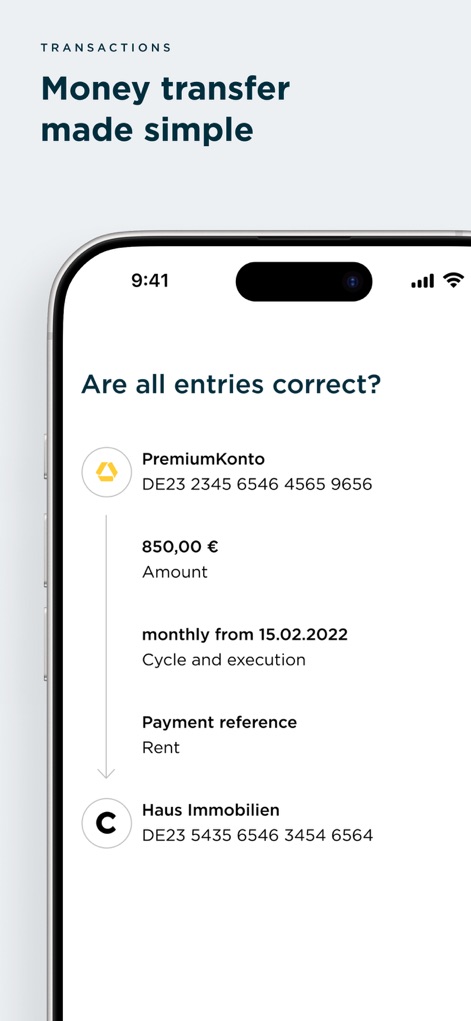
Users can effortlessly confirm transaction details like the amount and payment reference before execution, ensuring accuracy.
Seamless Money Transfers
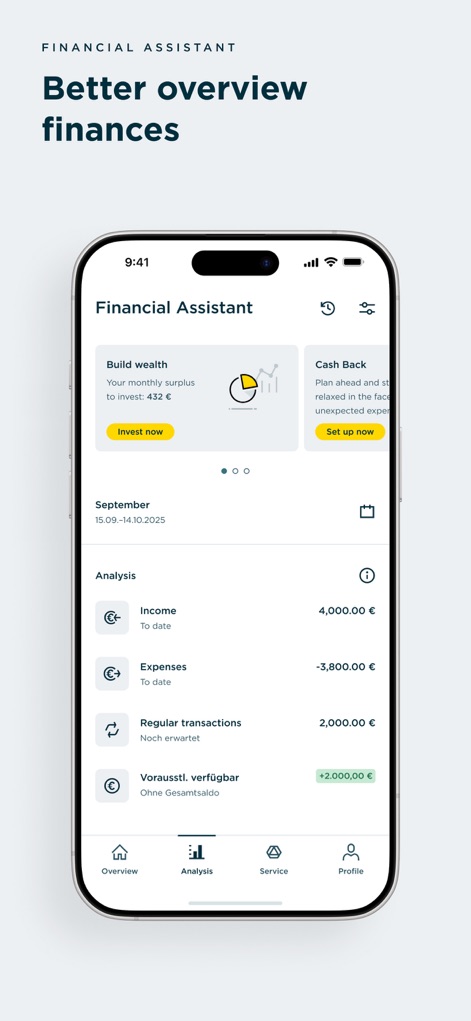
This tool helps users manage finances with a personalized 'Build wealth' investment card and detailed income and expense analysis.
Smart Financial Insights
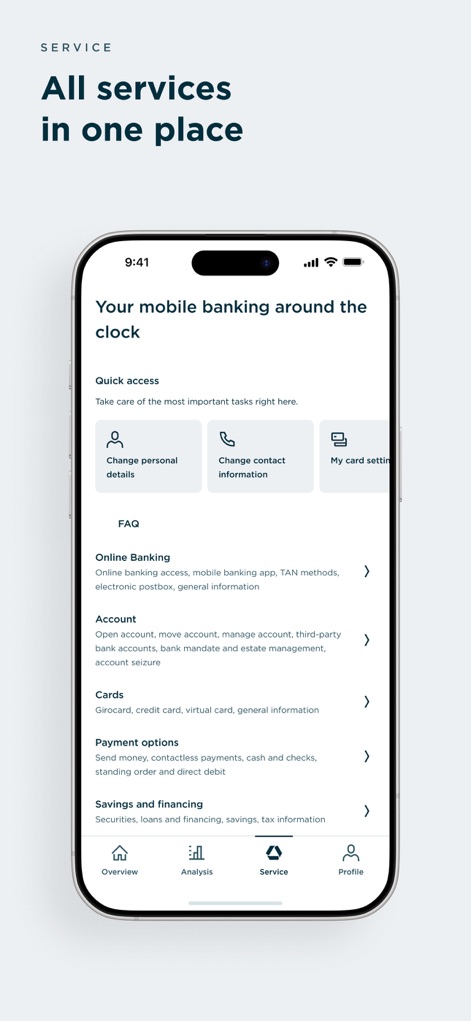
The app consolidates essential services into one place, offering quick access shortcuts and clearly categorized options for online banking and card management.
Comprehensive Service Hub
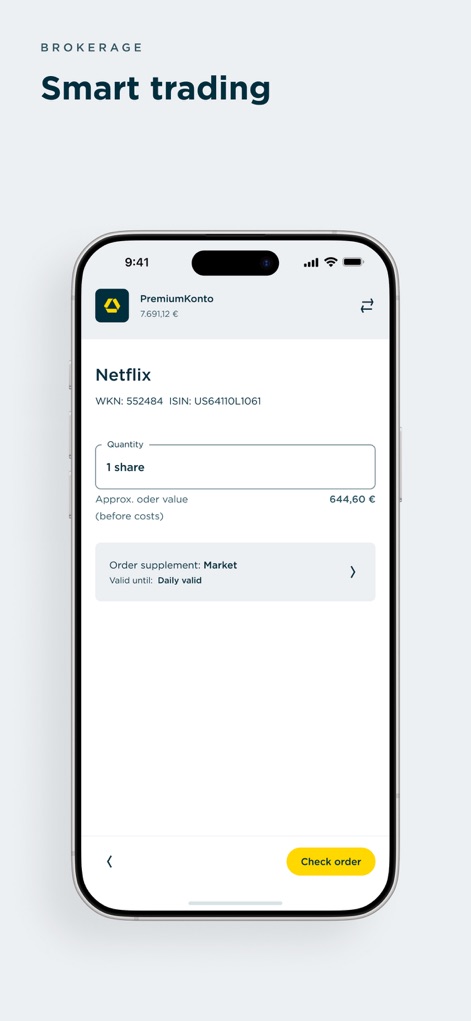
Users can easily manage investments with a clear interface for selecting share quantity and viewing order supplements like market and validity.
Effortless Smart Trading
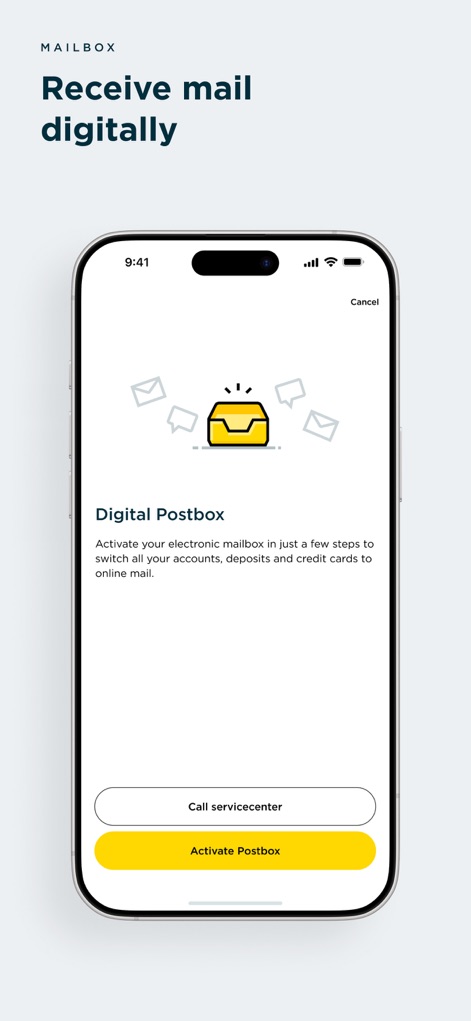
The app introduces a Digital Postbox activation screen, enabling users to seamlessly receive all their banking documents electronically.
Digital Document Center
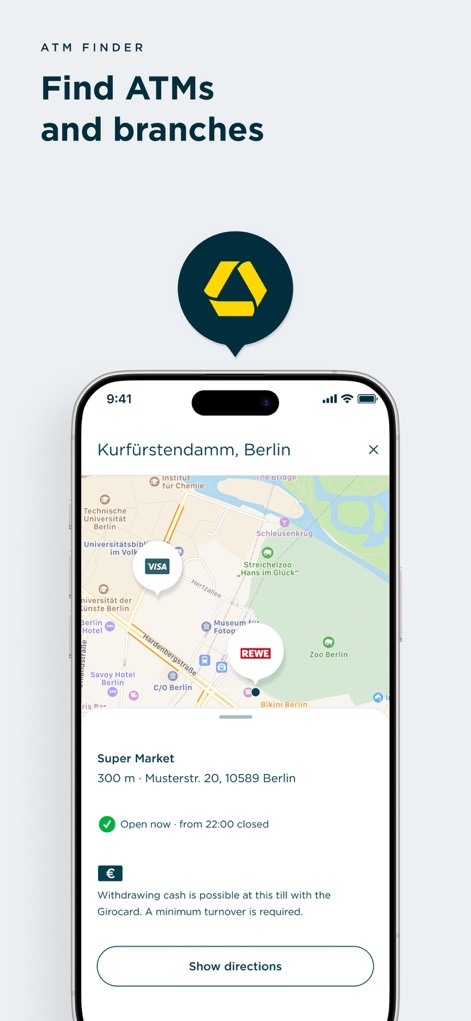
The app includes an integrated map for finding nearby ATMs and branches, complete with address details and opening hours for convenience.
Location Finder Map
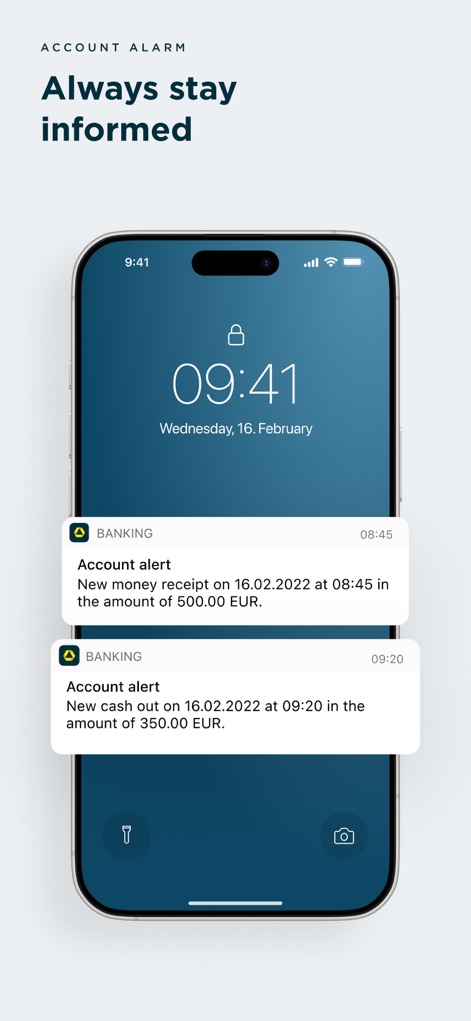
Users receive instant push notifications for account movements, clearly displaying details like money receipts and cash out events directly on the lock screen.
Real-time Account Alerts
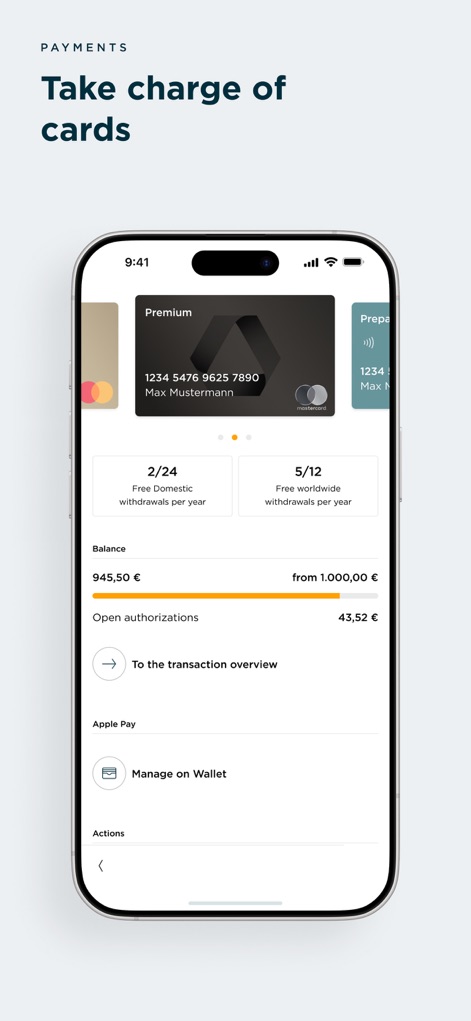
The app provides comprehensive card management, allowing users to view details such as available withdrawals per year and current balance.
Intuitive Card Control
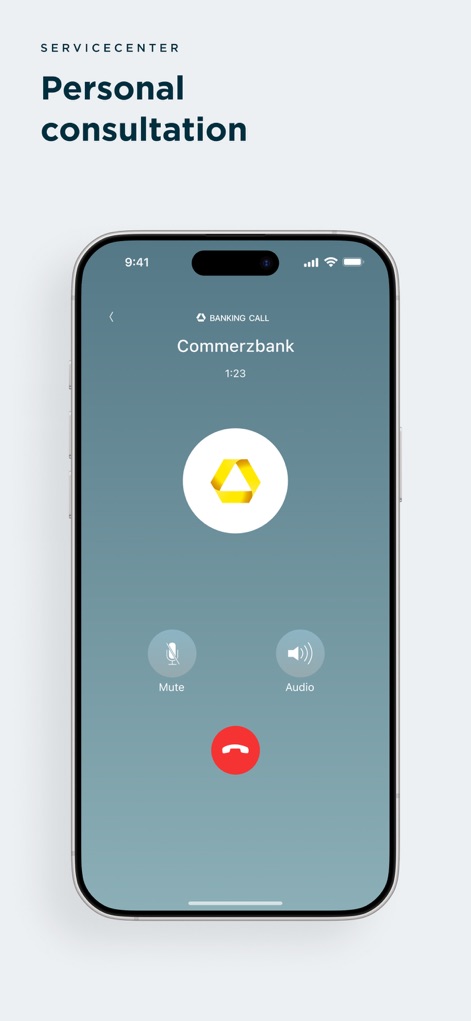
This tool offers a direct in-app call interface for personal consultation, providing essential controls like mute and audio options during calls.
Direct Consultation Access
Description
Download
More Like This
Apps with similar features and user experience

Enpara Bank Cep Şube
Enpara Bank Anonim Sirketi

Alinma App - تطبيق الإنماء
Alinma Bank

Huntington Mobile Banking
The Huntington National Bank, Inc

國泰世華網路銀行CUBE
Cathay United Bank

中國信託行動銀行
CTBC Bank Co., Ltd.

FNB Banking App
FirstRand Bank Limited

Riyad Bank App
Riyad Bank

CIMB OCTO MY
CIMB Bank Berhad

Regions Mobile
Regions Financial
This page is not an official page of the app or its developer, but an independent editorial publication created for informational and commentary purposes. Unless expressly stated otherwise, neither the app nor its developer is affiliated with, endorsed by, sponsored by, authorized by, or otherwise officially connected with MWM, Apple, Google Play, the app publisher, or the app's developer, and nothing on this page implies that the app was developed using MWM's services. Any trademarks, logos, screenshots, and other content remain the property of their respective owners.