Contact Backup - Contact Sync

Contact Backup - Contact Sync

Logo of Contact Backup - Contact Sync

Contact Backup - Contact Sync: Smart Management for Professionals

Take full control of your address book with AES-encrypted backups, one-tap duplicate cleanup, and professional exports to Excel, CSV, or PDF.

Publisher

Jal Dungarani

Category

Utilities

Downloads

100+

User Rating

1.0/5

Total Ratings

0

Locales

20

Control at a Glance

Discover the interface used by 100+ users.
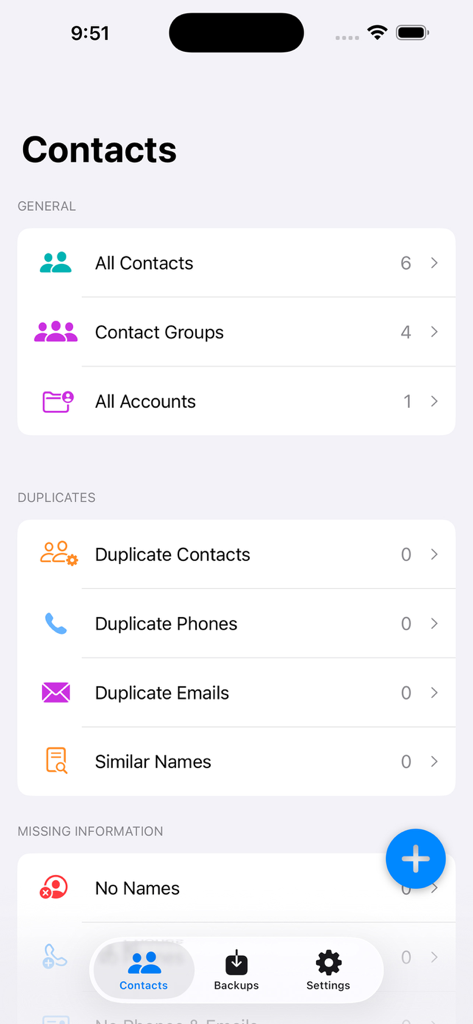
Main dashboard of the Contact Backup app displaying contact groups and duplicate cleanup options on an iPhone interface.

Main dashboard of the Contact Backup app displaying contact groups and duplicate cleanup options on an iPhone interface.

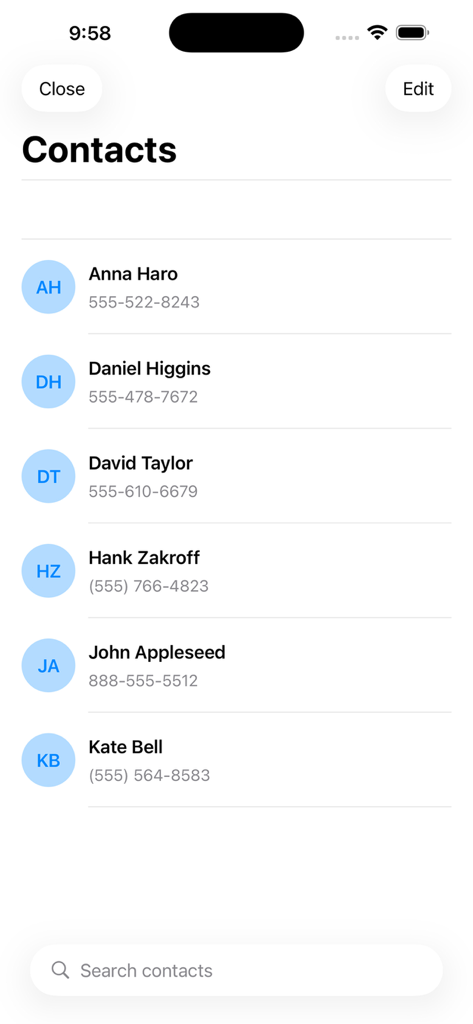
Mobile app interface displaying a list of contacts with names phone numbers and a search bar

Mobile app interface displaying a list of contacts with names phone numbers and a search bar

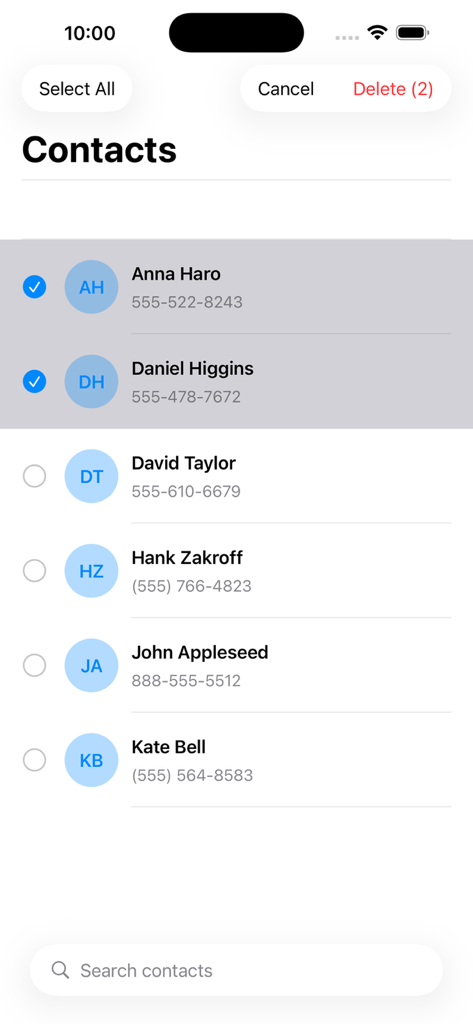
Interface of the Contact Backup app showing multiple contacts selected for bulk deletion.

Interface of the Contact Backup app showing multiple contacts selected for bulk deletion.

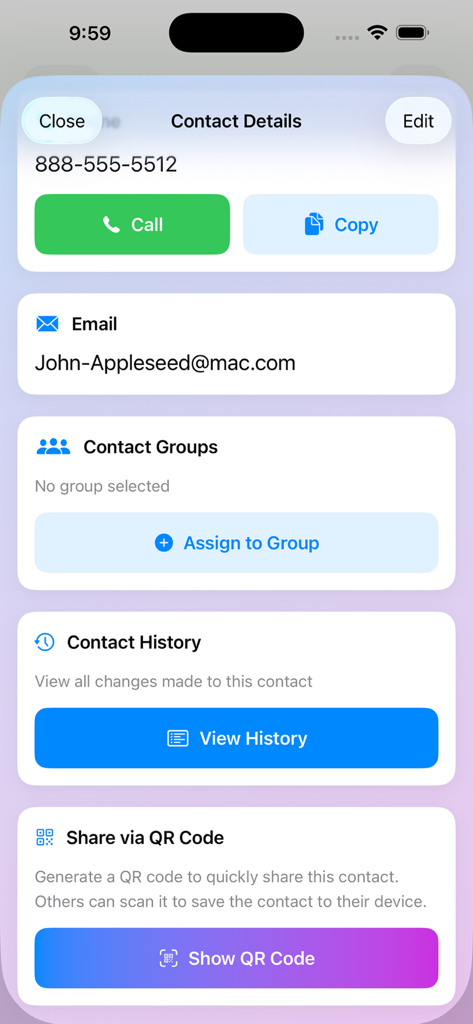
Interface showing contact details with options for calling, emailing, managing groups, viewing history, and sharing via QR code.

Interface showing contact details with options for calling, emailing, managing groups, viewing history, and sharing via QR code.

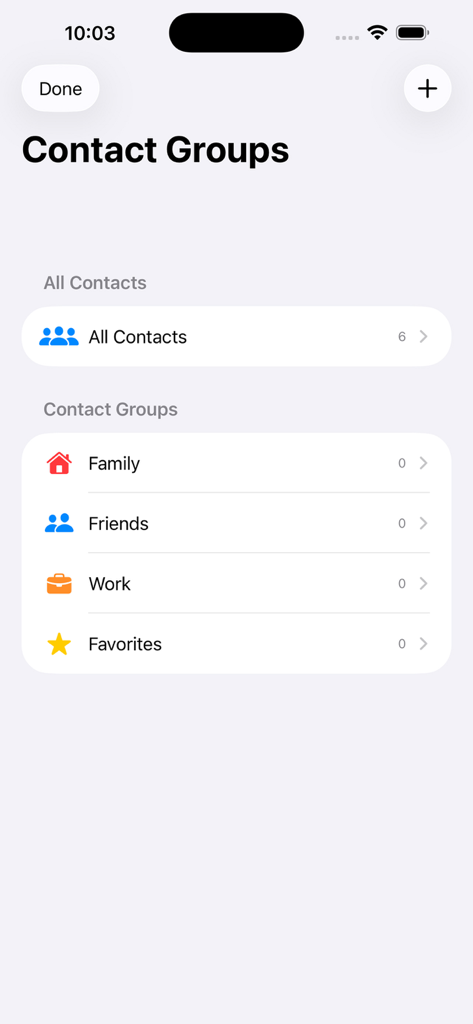
Interface showing categories for organizing contacts into family friends and work groups

Interface showing categories for organizing contacts into family friends and work groups

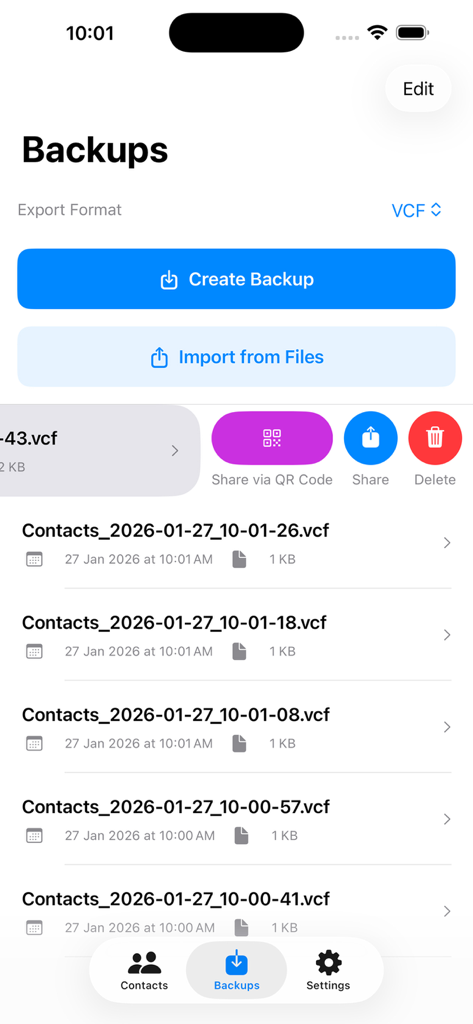
The backups screen showing a list of contact files and options to create or import data

The backups screen showing a list of contact files and options to create or import data

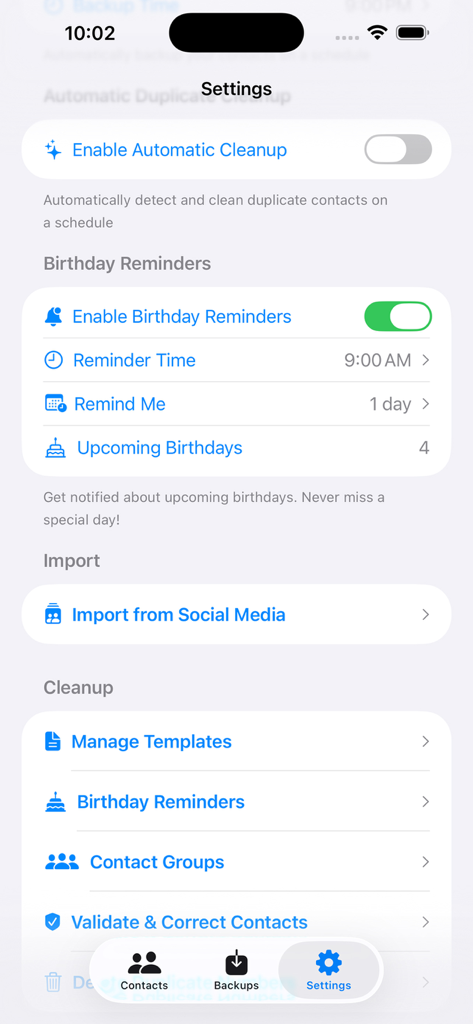
Settings screen of Contact Backup app showing birthday reminders and contact cleanup options

Settings screen of Contact Backup app showing birthday reminders and contact cleanup options

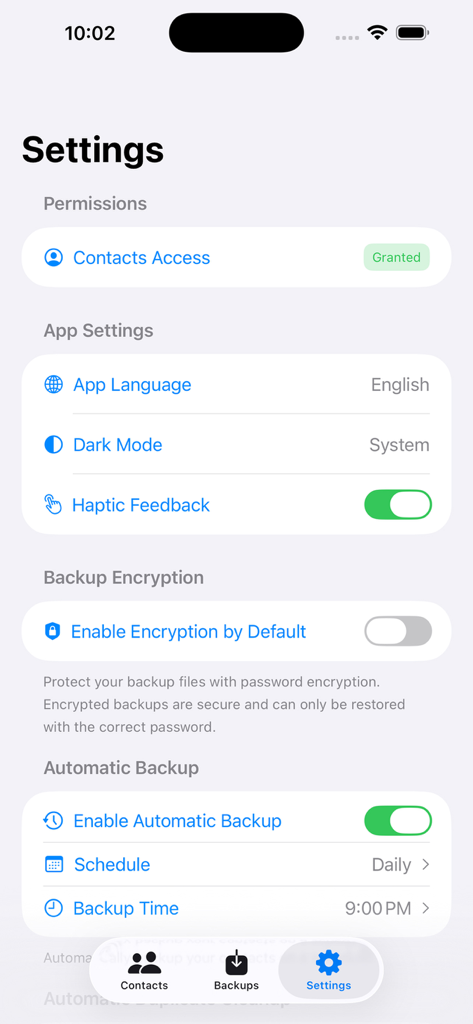
Settings screen of the Contact Backup app showing automatic backup schedules and encryption options.

Settings screen of the Contact Backup app showing automatic backup schedules and encryption options.

Master Your Connections

The tools that make this app stand out, trusted by 100+ users.

📊

Professional-Grade Exports

Convert your contact list into Excel, CSV, or PDF formats. Seamlessly bridge your mobile network with your desktop CRM or professional spreadsheets.

🧹

Smart Duplicate Cleanup

Eliminate years of digital clutter. Our intelligent engine identifies and merges duplicate entries across iCloud, Gmail, and Outlook in seconds.

🛡️

Bank-Grade Security

Protect your privacy with AES-256 encryption and password-secured backups. Your sensitive data stays on your device, not on a third-party server.

About the app

Everything you need to know about Contact Backup - Contact Sync.

Description

Contact Backup – Secure & Smart Contact Manager Contact Backup is a powerful and privacy-focused iOS app that helps you manage, organize, back up, and restore your contacts effortlessly. Designed with a modern SwiftUI interface, the app gives you complete control over your contacts with advanced tools for backup, duplicate cleanup, and organization. Whether you’re switching devices, cleaning up your address book, or safeguarding your data, Contact Backup makes it simple and secure. 
 Key Features Contact Management • View, search, add, edit, and delete contacts • Manage contacts across multiple accounts (iCloud, Gmail, etc.) • Detailed contact profiles with full information • Group-based contact organization Smart Search & Filtering • Real-time search by name, phone, email, company, job title, address, and more • Advanced filters for quick access • Highlighted search results Insights & Statistics • Total contact count • Detect contacts with missing details • Identify similar names and incomplete entries • Performance-optimized statistics dashboard Duplicate Detection • Find duplicate contacts, phone numbers, and emails • Merge or delete duplicates easily • Manual and automatic duplicate cleanup options Backup & Restore Secure Contact Backup • Create backups in multiple formats: – VCF (vCard) – CSV – Excel (XLSX) – PDF • Optional password-protected encrypted backups • Backup with or without contact photos • View backup history, size, and date Automatic Backups • Schedule backups: – Daily – Weekly – Monthly • iCloud Drive support • QR code backup sharing Restore Contacts • Restore from VCF, ZIP, CSV, and encrypted backups • Selective contact import • Duplicate detection during restore • Photo restoration supported Extra Tools That Matter • Birthday reminders with notifications • Contact templates for faster creation • Contact validation & quality checks • QR code generation for backup sharing Widgets & Shortcuts • Home screen widgets (Small, Medium, Large) • View contact count & last backup • Quick backup actions • Siri Shortcuts & App Intents support
 
How It Works Creating a Backup
 • Tap the Create Backup button
 • Your contacts are exported into a standard VCF (vCard) file
 • The backup is safely stored on your device
 • Share the file anytime using the built-in share option Restoring a Backup 
• Open your backup list 
• Swipe left on any backup and tap Restore 
• Or choose Import from Files to select a backup manually
 • Contacts are re-imported directly into your device Sharing Backups
 • Swipe left on a backup
 • Tap Share
 • Select AirDrop, Email, Drive, or any available option
 • VCF files work across all major platforms Designed for iOS • Modern SwiftUI design • Dark Mode (System / Light / Dark) • Smooth animations & haptic feedback • iPhone & iPad support • Accessibility & Dynamic Type ready Global & Secure • Supports 20+ languages • AES-encrypted backups • Keychain-based password storage • Full permission transparency • No data is shared without your consent Why Choose Contact Backup? • Fast & reliable • Secure by design • Easy to use • Built for privacy • Made for power users and everyday users alike Take full control of your contacts today — backup smarter, organize better, and stay protected. 
Privacy Policy: https://infizer.com/privacy-policy/ Terms of Use: https://infizer.com/terms-condition/

Latest Version

1.3.0

Size

17.5 MB

First Released

Nov 14, 2025

Ready to Master Your Digital Address Book?

Join thousands of professionals who trust Contact Backup to eliminate duplicates, encrypt their data, and export to Excel in seconds. Take full control of your network today.

App information, icons, screenshots, and descriptions displayed on this page are sourced from the Apple App Store and are the property of their respective developers. Download estimates and rankings are based on MWM's proprietary models and may not reflect actual figures. This page is provided for informational and analytical purposes only.

Believe this page infringes your intellectual property? File a dispute