Contact Pics Adder
Contact Pics Adder
Download on App Store

This page is not an official page of the app or its developer, but an independent editorial publication created for informational and commentary purposes. Unless expressly stated otherwise, neither the app nor its developer is affiliated with, endorsed by, sponsored by, authorized by, or otherwise officially connected with MWM, Apple, Google Play, the app publisher, or the app's developer, and nothing on this page implies that the app was developed using MWM's services. Any trademarks, logos, screenshots, and other content remain the property of their respective owners.


Logo of Contact Pics Adder
Download on App Store

Contact Pics Adder

Say goodbye to boring gray initials. Instantly find, crop, and add high-quality faces and logos from LinkedIn or the web to your contacts. 100% private, no ads, and no subscriptions.

Key Figures

Downloads

5K+

User Rating

4.8/5

Total Ratings

0

Publisher

Volker Koch

Category

Photo & Video

Locales

1

Latest Version

3.6.2

Size

1.7 MB

First Released

Feb 24, 2021
Features

Elevate Your Digital Connections

Say goodbye to gray initials. Effortlessly add high-quality photos to your contacts for a more personal, professional, and visually stunning iPhone experience.

One-Tap Image Discovery

Instantly find professional headshots or company logos using integrated web search and social media shortcuts like LinkedIn and Instagram.

Instant Caller Recognition

Identify clients and friends at a glance. High-quality photos sync across Phone, Messages, FaceTime, and your Home Screen widgets.

The following screenshots and description are sourced directly from the app's official store listing and are the property of the app developer.

App Store

Screenshots
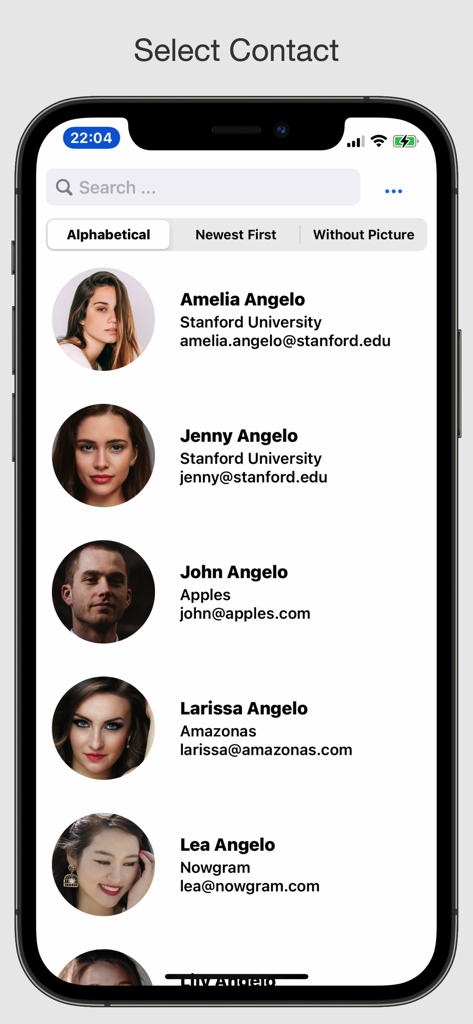
Contact Pics Adder - Interface of the Contact Pics Adder app showing a list of contacts with their profile pictures and details
Interface of the Contact Pics Adder app showing a list of contacts with their profile pictures and details

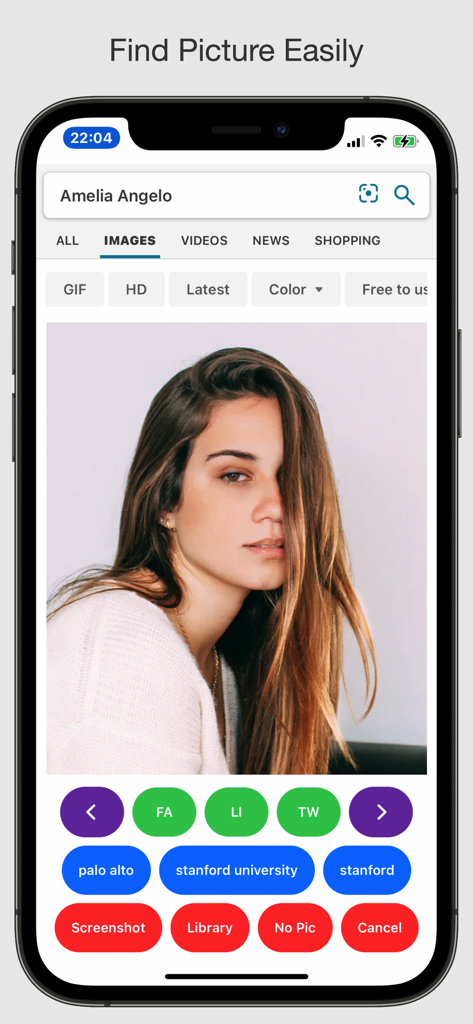
Contact Pics Adder - Contact Pics Adder app showing an image search for a contact with social media sync shortcuts
Contact Pics Adder app showing an image search for a contact with social media sync shortcuts

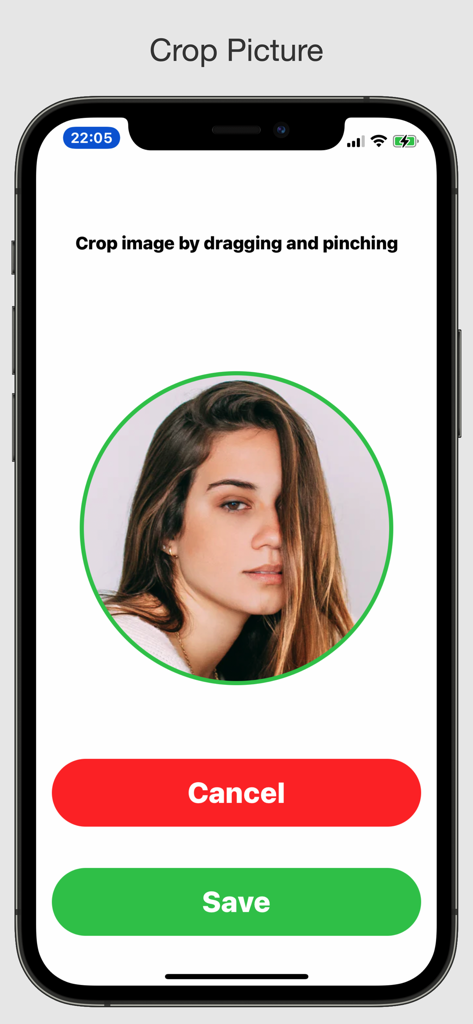
Contact Pics Adder - A user interface for cropping a contact photo in a circular frame with save and cancel buttons.

A user interface for cropping a contact photo in a circular frame with save and cancel buttons.

Description

Contact pictures can be enjoyed in various apps (Mail, Messages, Phone, FaceTime and Contacts). They look great in widgets, too. And you can see the face of the person when you get a phone call as well as in notifications. It's just so much nicer to have pictures instead of initials. It makes your apps way more personal. But how many contacts with pictures do you have? This app makes it easy for you to add pictures to your contacts from the web or from your library. It has a clean design, is easy to use, and it works astonishingly well. The app does not automate the process: Manual selection and cropping of images is still necessary, giving the user full control. ***** Contact Pics Adder made it to the list of Best Contact Apps for 2025 on Tom's Guide! https://www.tomsguide.com/round-up/best-contact-apps Contact Pics Adder made it to the list of Best iPhone Apps of 2023 on TechRadar! https://www.techradar.com/best/best-iphone-apps-2021/8 ***** How it works: - Tap a contact to do an image web search for the name of the contact - Add search words like city, email domain or company with one tap - After logging in, you can do searches on various social media sites with one tap - You can select most web pictures by just tapping them (not on iPad) - If this does not work, take a screenshot (by tapping the button labeled "Screen") - Optionally, add a picture from your Photos library - Crop an image before saving it Performance: - The app was tested on an (old) iPhone 6s with 10'000 contacts. Privacy and pricing: - Highest level of privacy: The developer does not collect any data from this app and your contacts are not uploaded. The app itself does not require signing up. Sign-in to social media sites happens within the browser so that the developer does not know about your sign-in credentials. - No costly subscription, no in-app purchases, no ads Tutorial: - https://www.tapsmart.com/tips-and-tricks/contact-pics-adder/ Customer feedback: - Reviewed by cirerebew (Thailand) ***** Simple, easy to use, very effective. A must-have app for tired boring Contacts (thumbs up, clap) - Reviewed by therealCuedaddy (USA) ***** Awesome App! This is a GREAT app! I can add photos of family and friends as well as logos of companies or stores to my phone list. I can identify callers quickly to decide if I want to take the call. I LOVE this app!!! - Reviewed by SolarEnergyEngineer (France) ***** Great app - does the job efficiently! Great app and good support from the developer. I spent a couple hours updating my contacts with LinkedIn photos in just a few days. App looks stable so far although I have 3000 contacts. Only downside : default search is using Bing and the photos shown by Bing are in my case completely irrelevant. - Reviewed by heolesgyn (Australia) ***** A great app. I saw the benefits of using the app a little while ago but it needed some tweaking and so, after a few discussions with the developer, the changes were made and the result (version 2.3.1) is a fully functional app. I'm now very happy to give it 5 stars and to highly recommend it. Get it!! - Reviewed by "jtylerhartley" (USA) ***** Great Product ***** This app is great, makes it so easy to add contact [picture]s. There is support for facebook, LinkedIn and Instagram. Very pleased overall! - Reviewed by "OSF" (Colombia) ***** Great app! ***** I love that you made this, it’s just so much better to have your own contact pics set! Acknowledgement: - The images used in the App Store and for the app icon are from unsplash.com.

Download

Download on App Store

This page is not an official page of the app or its developer, but an independent editorial publication created for informational and commentary purposes. Unless expressly stated otherwise, neither the app nor its developer is affiliated with, endorsed by, sponsored by, authorized by, or otherwise officially connected with MWM, Apple, Google Play, the app publisher, or the app's developer, and nothing on this page implies that the app was developed using MWM's services. Any trademarks, logos, screenshots, and other content remain the property of their respective owners.








