
This page is not an official page of the app or its developer, but an independent editorial publication created for informational and commentary purposes. Unless expressly stated otherwise, neither the app nor its developer is affiliated with, endorsed by, sponsored by, authorized by, or otherwise officially connected with MWM, Apple, Google Play, the app publisher, or the app's developer, and nothing on this page implies that the app was developed using MWM's services. Any trademarks, logos, screenshots, and other content remain the property of their respective owners.


Contact to Excel, Vcf, Pdf
The ultimate tool for real estate agents, recruiters, and small business owners to bridge the gap between mobile and desktop. Convert your contact list into professional Excel, CSV, or PDF files in seconds.
Downloads
0User Rating
Total Ratings
0Publisher
Category
ProductivityLocales
1Latest Version
1.15Size
20.9 MBFirst Released
Dec 17, 2021Take Control of Your Professional Network
Bridge the gap between your mobile contacts and your business tools. Export, import, and organize your network with professional-grade flexibility and speed.
Business-Ready Excel Exports
Transform your contact list into professional spreadsheets. Ideal for managing leads, updating your CRM, or running email marketing campaigns without manual data entry.
Secure Data Sovereignty
Don't rely solely on cloud-sync. Create durable VCF or PDF backups of your entire network to ensure your client details are safe during device upgrades or office transitions.
The following screenshots and description are sourced directly from the app's official store listing and are the property of the app developer.
App Store
Screenshots
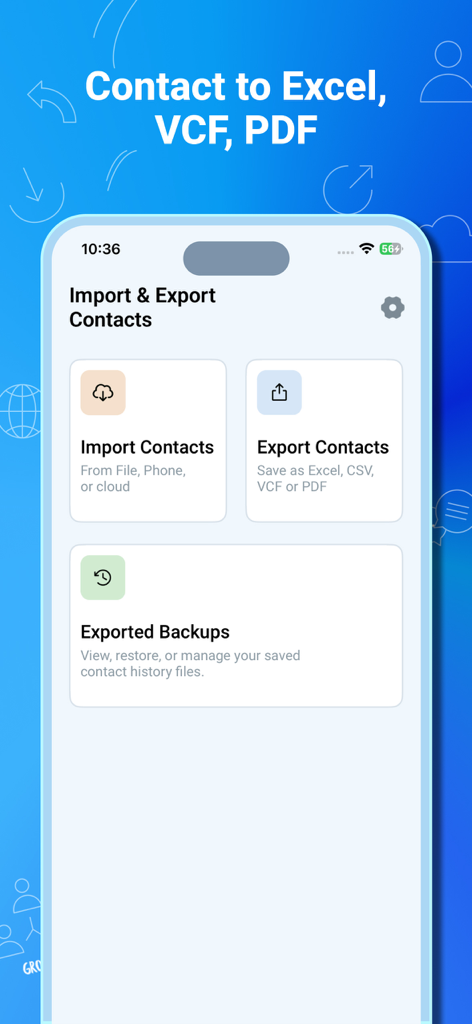
Main menu of the app showing options to import contacts, export contacts to Excel and PDF, and view exported backups
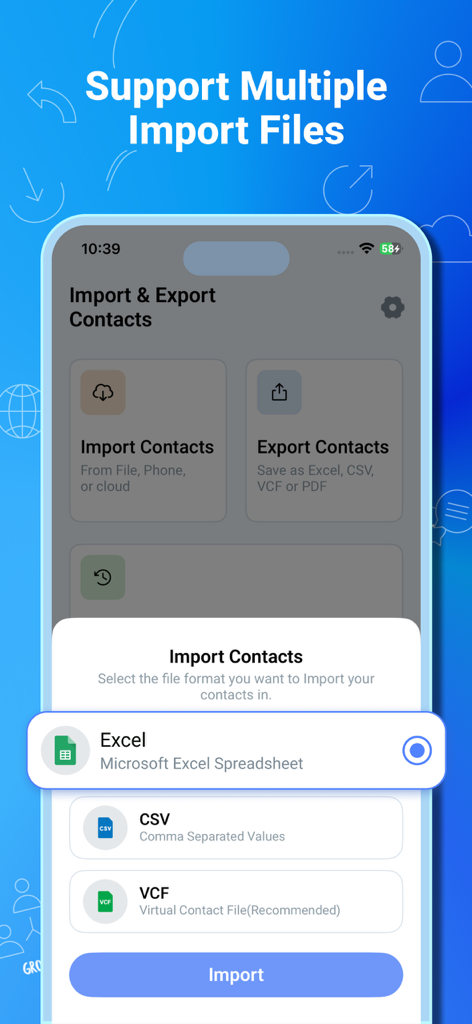
A mobile app screen showing options to import contacts from Excel, CSV, and VCF file formats.
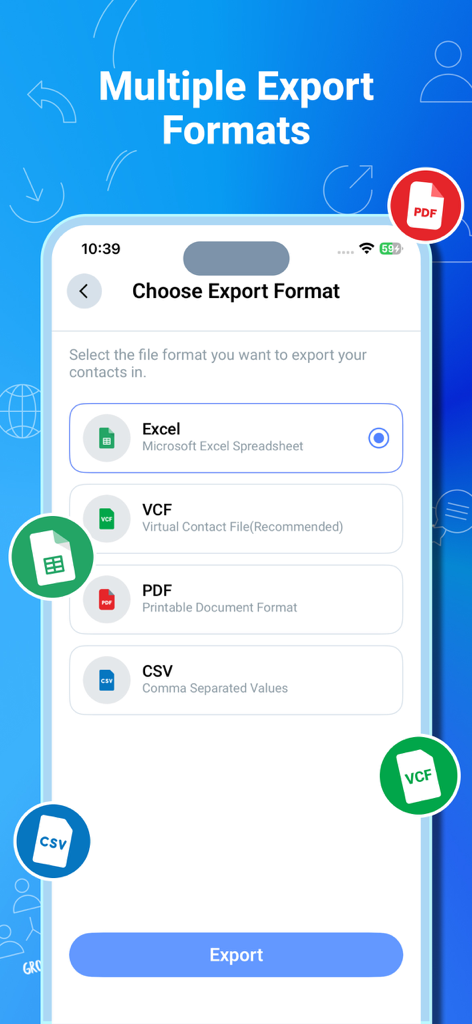
Mobile app screen showing options to export contacts into Excel, VCF, PDF, or CSV formats
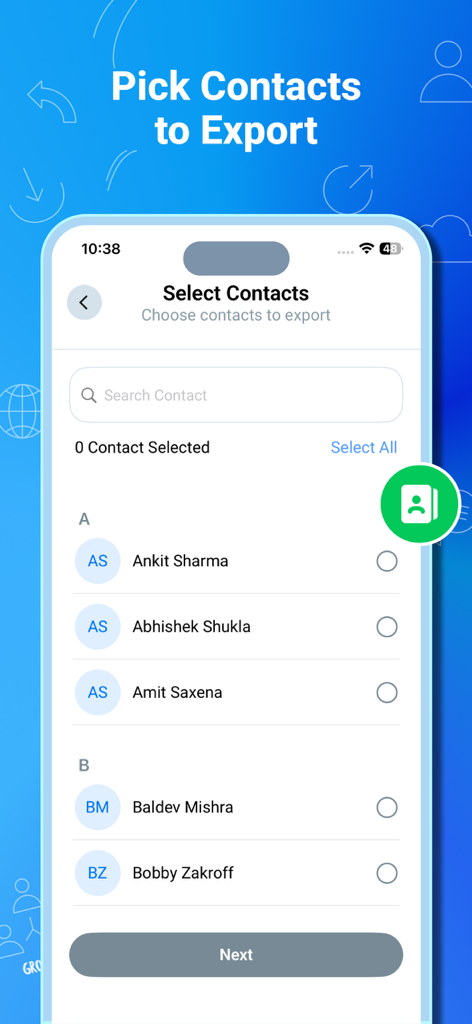
Interface of the app showing a list of contacts with checkboxes to select individuals for exporting to Excel or PDF.
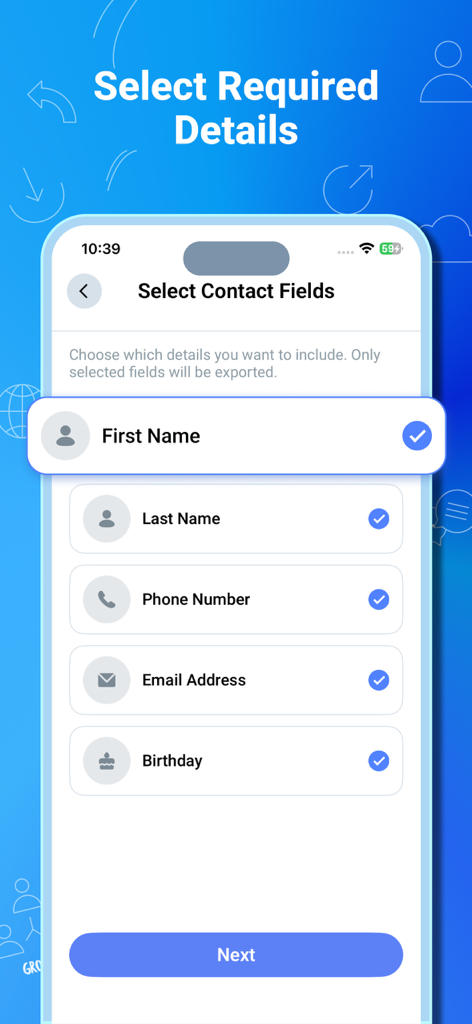
Interface for selecting specific contact fields like name phone number and email for excel export
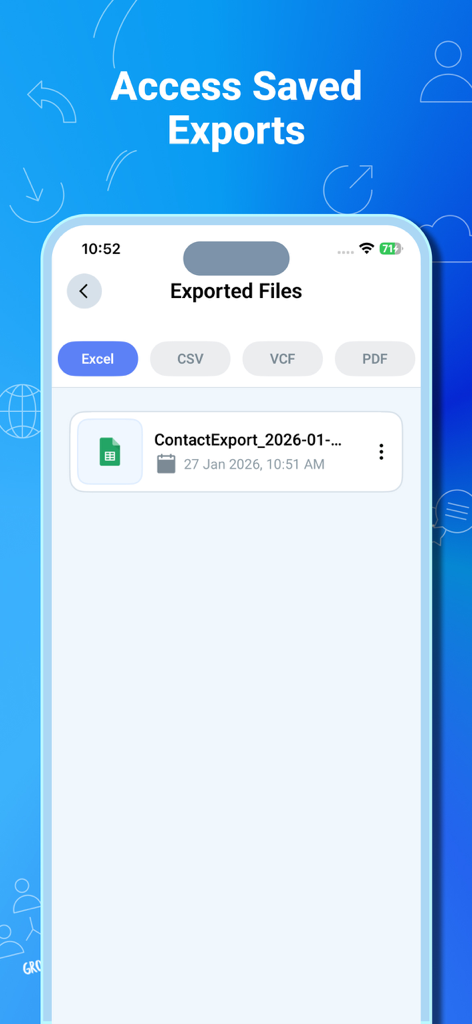
Interface displaying a list of exported contact files in Excel format
Description
Download
More Like This
Top-ranked apps in the same category

Google Gemini
Google LLC

ChatGPT
OpenAI OpCo, LLC

Claude by Anthropic
Anthropic PBC

Gmail - Email by Google
Google LLC

千问 - 阿里最强大模型官方AI助手
Shanghai Zhixin Puhui Technology Co., Ltd.

Grok - AI Chat & Video
X.AI Corporation
Google Drive
Google LLC

Microsoft Authenticator
Microsoft Corporation
Google Sheets
Google LLC
This page is not an official page of the app or its developer, but an independent editorial publication created for informational and commentary purposes. Unless expressly stated otherwise, neither the app nor its developer is affiliated with, endorsed by, sponsored by, authorized by, or otherwise officially connected with MWM, Apple, Google Play, the app publisher, or the app's developer, and nothing on this page implies that the app was developed using MWM's services. Any trademarks, logos, screenshots, and other content remain the property of their respective owners.