Contacts Mover
Contacts Mover
Download on App Store

This page is not an official page of the app or its developer, but an independent editorial publication created for informational and commentary purposes. Unless expressly stated otherwise, neither the app nor its developer is affiliated with, endorsed by, sponsored by, authorized by, or otherwise officially connected with MWM, Apple, Google Play, the app publisher, or the app's developer, and nothing on this page implies that the app was developed using MWM's services. Any trademarks, logos, screenshots, and other content remain the property of their respective owners.

Logo of Contacts Mover
Download on App Store

Contacts Mover

The #1 choice for professionals to bridge the gap between Outlook, iCloud, and Google. Keep your network perfectly organized with automated 2-way sync and total control over every change.

Key Figures

Downloads

100K+

User Rating

4.7/5

Total Ratings

3K+

Publisher

Playa Apps

Category

Productivity

Locales

1

Latest Version

4.2.3

Size

20.3 MB

First Released

Dec 14, 2012
Features

Master Your Professional Network

Contacts Mover bridges the gap between your work and personal life, ensuring every client, colleague, and friend is exactly where you need them on your iPhone or iPad.

Universal Account Bridge

Effortlessly sync or move contacts between Outlook, iCloud, Google, and Exchange. Perfect for merging corporate directories into your personal ecosystem without manual entry.

24/7 Background Automation

Set it and forget it. Our premium background sync keeps your address book updated across all platforms around the clock, so you always have the latest info when a client calls.

The following screenshots and description are sourced directly from the app's official store listing and are the property of the app developer.

App Store

Screenshots
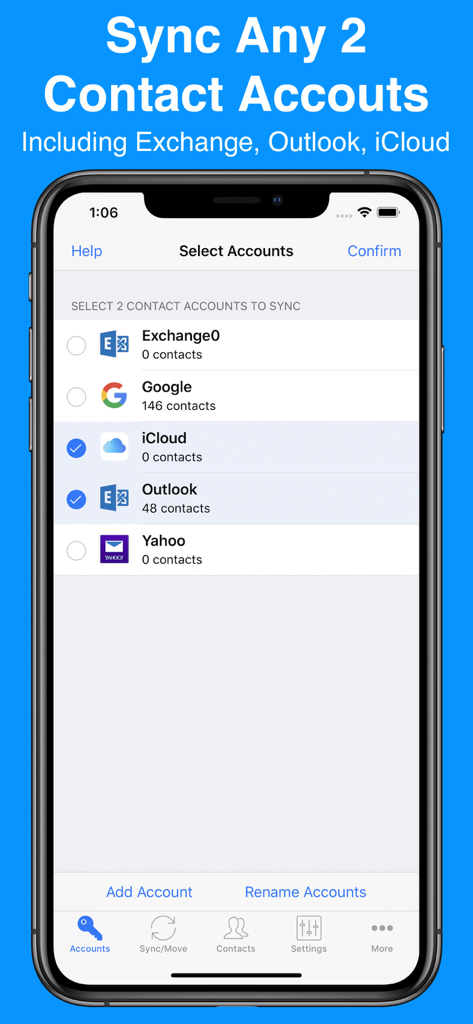
Contacts Mover - Interface of Contacts Mover app showing account selection to sync iCloud and Outlook contacts.
Interface of Contacts Mover app showing account selection to sync iCloud and Outlook contacts.

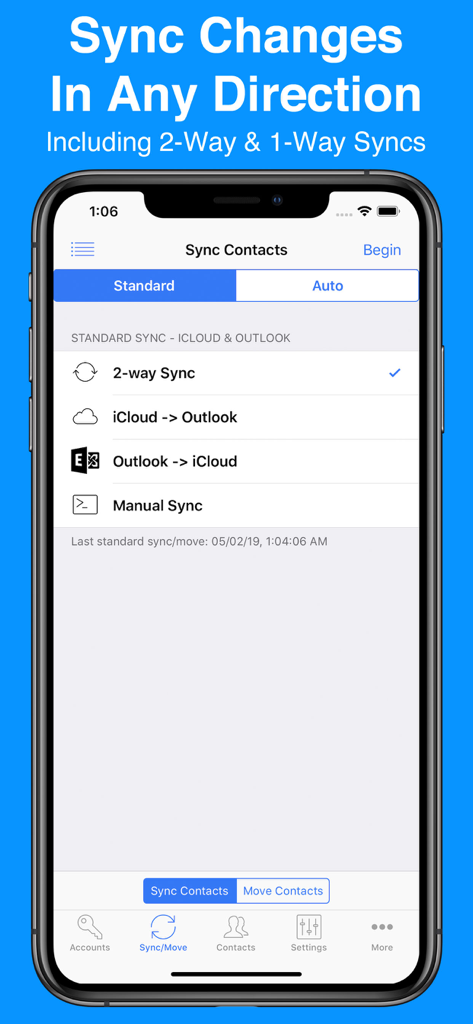
Contacts Mover - Contacts Mover app screen showing options for two way and one way sync between iCloud and Outlook

Contacts Mover app screen showing options for two way and one way sync between iCloud and Outlook
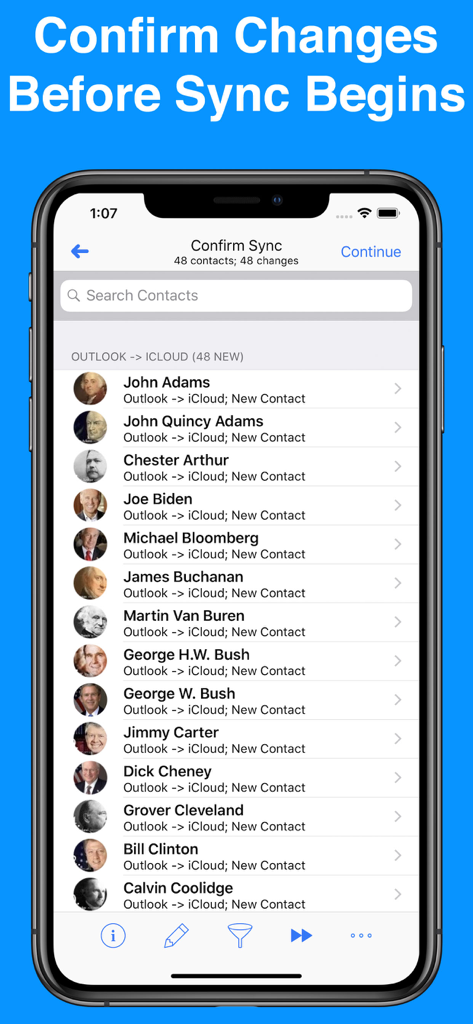
Contacts Mover - Contacts Mover app interface showing a list of contacts to be synced from Outlook to iCloud with a confirm changes heading
Contacts Mover app interface showing a list of contacts to be synced from Outlook to iCloud with a confirm changes heading

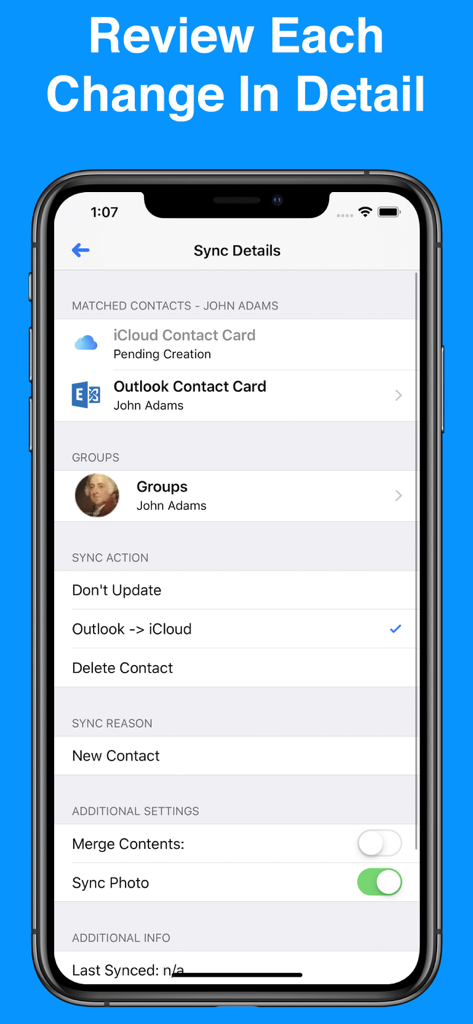
Contacts Mover - Review contact sync actions between Outlook and iCloud in Contacts Mover
Review contact sync actions between Outlook and iCloud in Contacts Mover

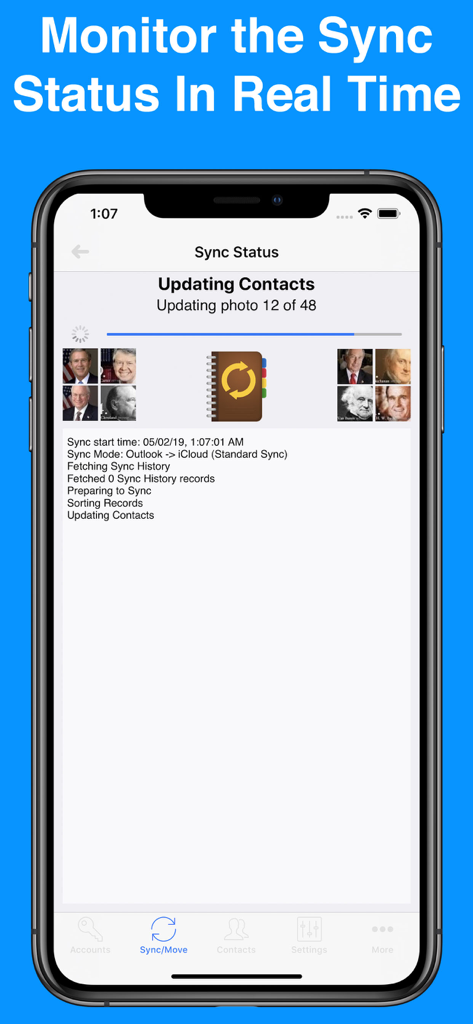
Contacts Mover - Contacts Mover app screen showing real time sync status and progress log of contacts moving from Outlook to iCloud

Contacts Mover app screen showing real time sync status and progress log of contacts moving from Outlook to iCloud

Description

Contacts Mover allows you to quickly and easily sync or move contacts between any pair of contact accounts on your iPhone. Most commonly, the app is used to merge corporate Outlook contacts into iCloud. The app can handle any type of account configured on your iPhone including Outlook, Exchange, iCloud, Google, Yahoo, or a CardDAV account. SYNC & MOVE OPTIONS: • Sync or move any pair of iPhone/iPad contact accounts including Exchange, Outlook, iCloud, Google, Facebook, Yahoo, Local, & CardDAV • With a true 2-way sync, you can merge changes you've made to each contact account • Choose from one of the following sync modes: 2-way sync, 1-way sync, & manual sync • Choose from one of the following move types: 1-way move & manual move APPLY FILTERS • Choose to sync selected groups only • Choose to ignore new contacts including those without an email or phone AUTO ADD TO GROUP: • Automatically add synced contacts to a specified group such as “Modified by Contacts Mover” CONFIRM CHANGES: • Review each change before the sync/move actually begins • Easily override changes SYNC/MOVE HISTORY: • Monitor the results of the current sync or move, and review the results of the last 100 syncs/moves SYNCS/MOVES ALL FIELDS: • Syncs/moves all fields including names, phonetic names, nicknames, email addresses, phone numbers, postal addresses, company names, job titles, departments, birthdays, anniversaries, events, notes, web page addresses, relationships, instant messaging accounts, & social profiles • Syncs/moves contact photos • Syncs/moves custom labels & custom fields AUTOMATIC SYNC/MOVE: • Automatically syncs/moves contacts in the background 24/7 SUPPORT: • In the case that you need support, our friendly American customer support team usually answers emails within 4 hours SUBSCRIPTIONS: • Contacts Mover offers a "Premium" subscription which unlocks all of the premium features in the app, including the ability to sync an unlimited number of contacts and to auto sync in the background. • Without an upgrade, the app will sync no more than 40 contacts, nor will it move more than 10 contacts • The "Premium" subscription is priced at $3.99 USD and the subscription length is 1 year • Payment will be charged to your iTunes Account at confirmation of purchase • Subscription automatically renews unless auto-renew is turned off at least 24-hours before the end of the current period • Account will be charged for renewal within 24-hours prior to the end of the current period, at a cost of $3.99 USD • Subscriptions may be managed by the user and auto-renewal may be turned off by going to the user's Account Settings after purchase • Any unused portion of a free trial period, if offered, will be forfeited when the user purchases a subscription to that publication, where applicable • Terms of use: https://playaapps.zendesk.com/hc/articles/360004359533 • Privacy Policy: https://playaapps.zendesk.com/hc/articles/115006325267

Download

Download on App Store

This page is not an official page of the app or its developer, but an independent editorial publication created for informational and commentary purposes. Unless expressly stated otherwise, neither the app nor its developer is affiliated with, endorsed by, sponsored by, authorized by, or otherwise officially connected with MWM, Apple, Google Play, the app publisher, or the app's developer, and nothing on this page implies that the app was developed using MWM's services. Any trademarks, logos, screenshots, and other content remain the property of their respective owners.