
This page is not an official page of the app or its developer, but an independent editorial publication created for informational and commentary purposes. Unless expressly stated otherwise, neither the app nor its developer is affiliated with, endorsed by, sponsored by, authorized by, or otherwise officially connected with MWM, Apple, Google Play, the app publisher, or the app's developer, and nothing on this page implies that the app was developed using MWM's services. Any trademarks, logos, screenshots, and other content remain the property of their respective owners.


Contacts Sync: Google & More
No more digital contact chaos: This app grants users total control over their diverse contact ecosystems.
Downloads
7.5M+User Rating
Total Ratings
35.7KPublisher
Category
ProductivityLocales
11Latest Version
10.5.6Size
32.9 MBFirst Released
Aug 22, 2011A comprehensive analysis of the "Contacts Sync: Google & More" application for professional contact management.
Key Features: Contacts Sync for Professionals
Automated Background Synchronization
It keeps contact lists consistently current across all devices and services, eliminating manual intervention for professionals who value efficiency and real-time updates.
Bidirectional Data Synchronization
The app provides true bidirectional synchronization, ensuring any changes made on either synced platform (iPhone or Google/Outlook) are accurately reflected across all accounts, maintaining data integrity and preventing discrepancies.
Comprehensive Field Synchronization
This tool features comprehensive synchronization of all contact fields, including photos, custom labels, and custom fields, ensuring that no valuable contact information is lost during transfers between platforms.
Multi-Platform Contact Synchronization
The app provides seamless synchronization capabilities for Google, iCloud, and Outlook contacts with iPhone, addressing the need for cross-platform compatibility for users with multiple digital accounts.
Duplicate Contact Elimination
It allows users to identify and remove duplicate contacts directly from within Google, and then sync these changes to iPhone, streamlining contact lists and improving data hygiene.
Category and Label Synchronization
This tool features the ability to synchronize Google labels and Outlook categories with iPhone lists, preserving organizational structures and facilitating easy group-based communication.
Pre-Sync Change Review
It allows users to review and confirm all proposed changes before the synchronization process begins, providing an essential layer of control and preventing unintended data alterations.
Advanced Contact Filtering
The app provides advanced filtering options, including group filters and new contact filters, giving users granular control over which specific contacts or groups are synchronized.
Frequently Asked Questions
Everything you need to know about Contacts Sync: Google & More
What is Contacts Sync and what does it do?
Contacts Sync is an iOS app that synchronizes contacts between iPhone and services like Google, iCloud, and Outlook. It provides reliable, fast, and easy-to-use two-way synchronization for your contact data.
Does Contacts Sync support syncing multiple Google accounts?
Yes, Contacts Sync supports syncing multiple Google accounts with your iPhone. This feature allows users to manage and combine contacts from both work and personal accounts seamlessly.
What types of synchronization does Contacts Sync offer?
Contacts Sync offers three types of synchronization: 2-Way Sync for changes in both directions, 1-Way Sync for changes in one direction, and Manual Sync for specific contacts.
Can Contacts Sync automatically update contacts?
Yes, Contacts Sync includes an Automatic Sync feature. This capability allows the app to sync contacts continuously in the background, ensuring they remain updated 24/7.
Is user data private and secure with Contacts Sync?
Yes, Contacts Sync ensures 100% privacy and security. It operates without servers or cloud storage, does not resell data, and keeps all user data exclusively on the iPhone.
Does Contacts Sync integrate with contact groups?
Yes, Contacts Sync integrates with contact groups by syncing Google labels or Outlook categories with iPhone lists. This enables users to easily send group emails or messages.
What contact information does Contacts Sync synchronize?
Contacts Sync synchronizes all contact fields. This includes names, phone numbers, email addresses, postal addresses, company details, birthdays, photos, custom labels, and custom fields.
How much does the Contacts Sync Premium subscription cost?
The Contacts Sync Premium subscription is priced at $1.99 USD weekly, $2.99 USD monthly, or $9.99 USD yearly. This subscription unlocks unlimited contact syncing and auto sync features.
Can I confirm changes before Contacts Sync begins?
Yes, Contacts Sync allows users to review every proposed change before the synchronization process starts. This feature ensures user confirmation for all contact updates.
What is the contact synchronization limit without a Premium subscription in Contacts Sync?
Without a Premium subscription, Contacts Sync limits synchronization to a maximum of 40 contacts. Upgrading to Premium removes this limit and enables additional features like auto sync.
The following screenshots and description are sourced directly from the app's official store listing and are the property of the app developer.
App Store
Screenshots
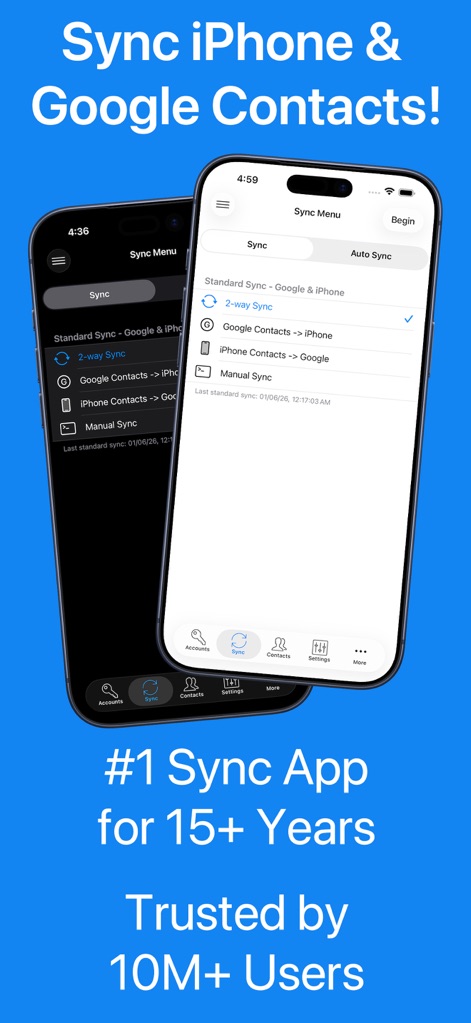
Observe the intuitive sync menu featuring options like "2-way Sync" and "Manual Sync," demonstrating the app's flexible synchronization capabilities.
Effortless Two-Way Sync
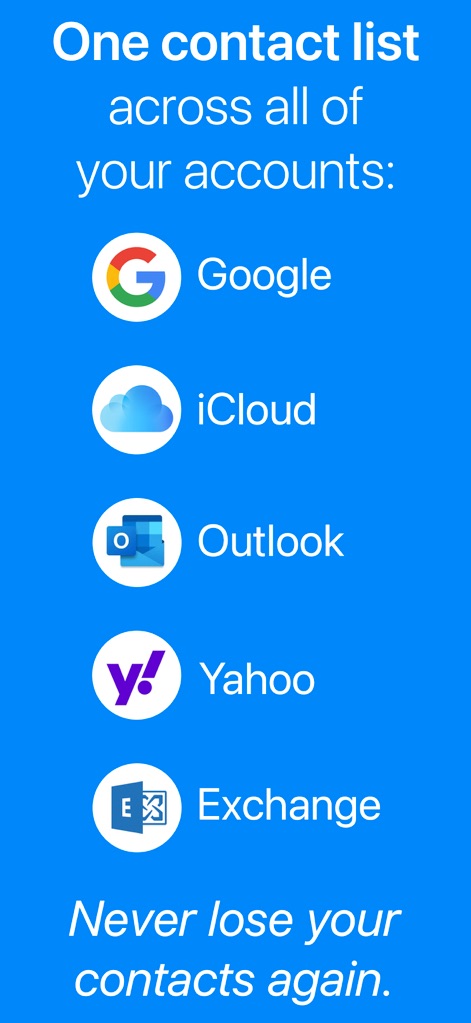
This screenshot highlights the app's broad compatibility, visually listing integration with major services like Google and iCloud, ensuring a unified contact list across platforms.
Universal Account Support
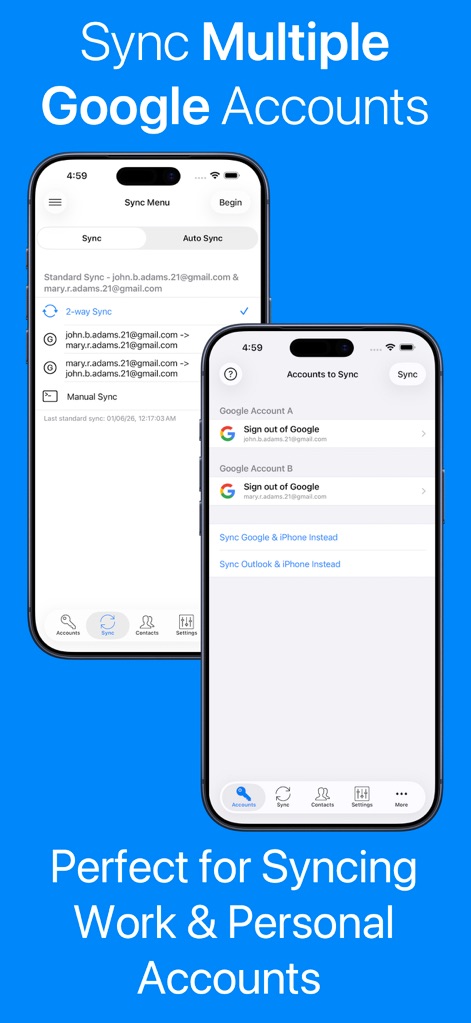
Discover how the app facilitates syncing multiple accounts, exemplified by the clear distinction between "Google Account A" and "Google Account B" within the "Accounts to Sync" interface.
Multi-Account Management
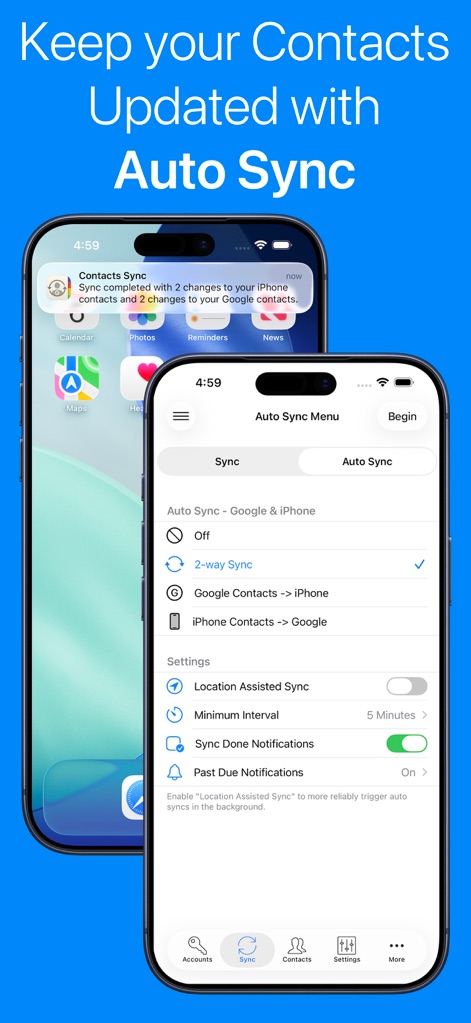
Witness the convenience of automatic updates, showcased by the "Sync completed" notification and configurable "Location Assisted Sync" and "Minimum Interval" settings in the "Auto Sync Menu."
Seamless Auto Sync
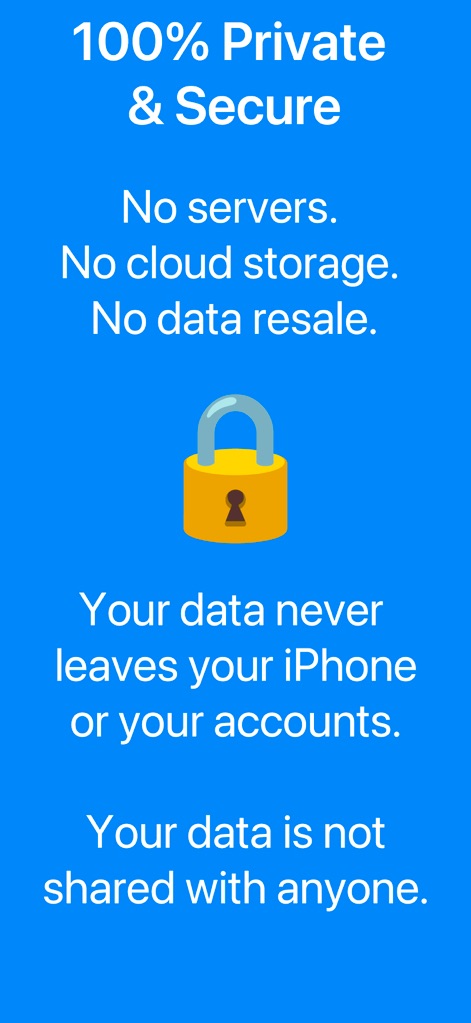
The app emphasizes stringent data security, clearly stating "No servers. No cloud storage." and showcasing a prominent padlock icon to assure users of privacy.
Uncompromised Data Privacy
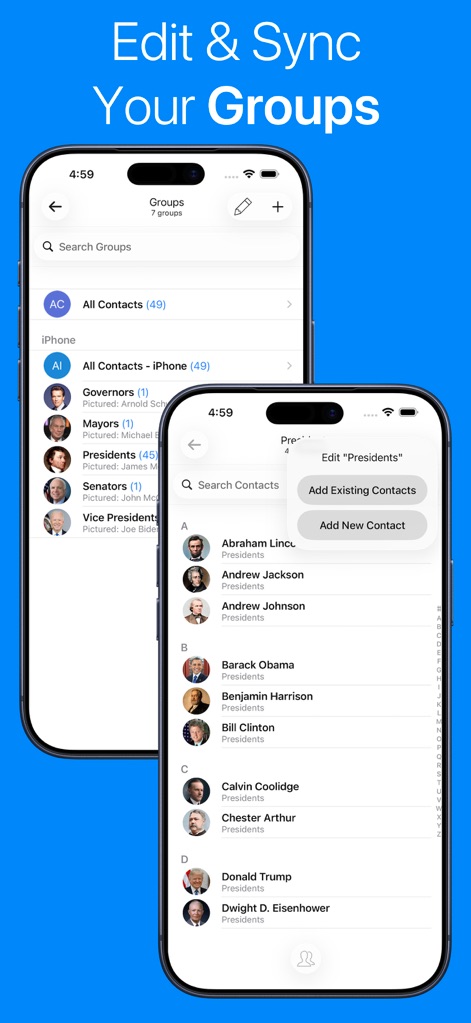
Explore the app's robust group editing features, allowing users to view existing "Groups" like "Presidents (45)" and easily "Add Existing Contacts" or create new ones.
Organized Group Management
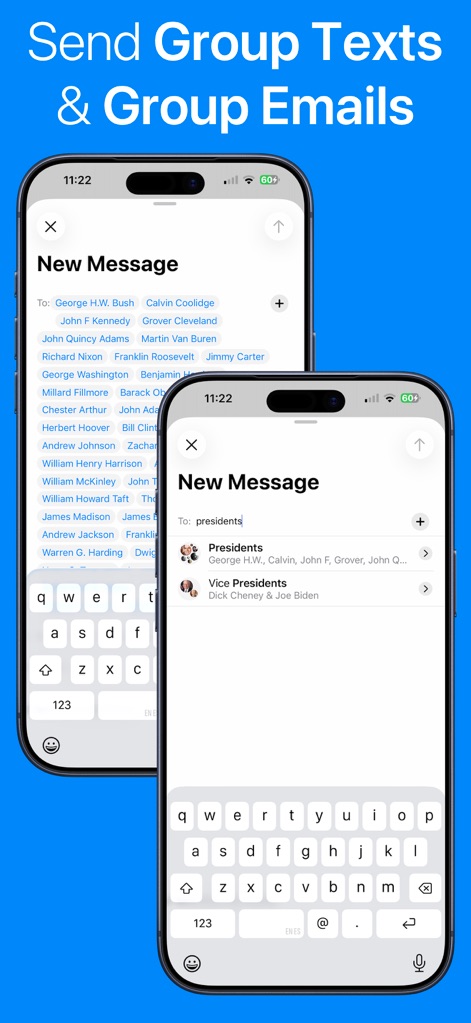
This tool streamlines communication, demonstrated by the ability to send messages to individual contacts listed in the 'To:' field or instantly to entire "Presidents" groups.
Efficient Group Messaging
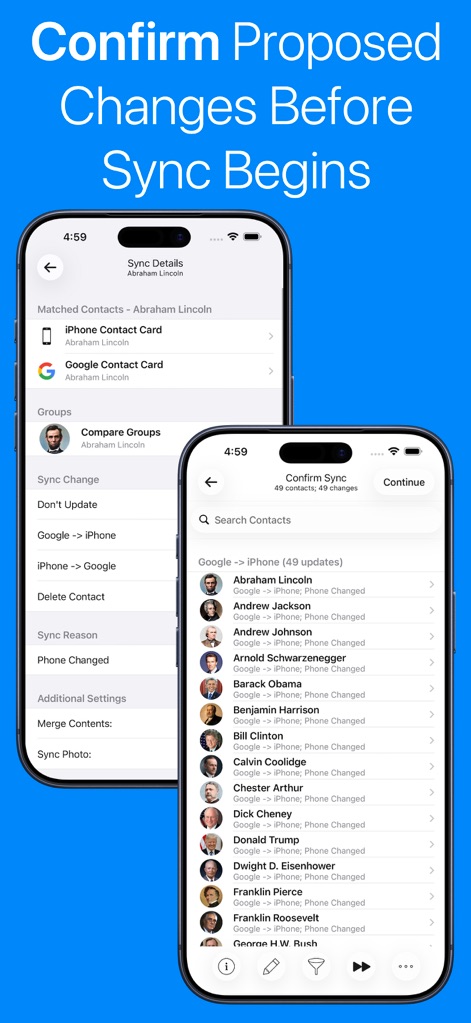
Users can meticulously review changes before sync, as shown by the "Sync Details" for matched contacts and the "Confirm Sync" screen listing "Google -> iPhone (49 updates)."
Precise Sync Confirmation
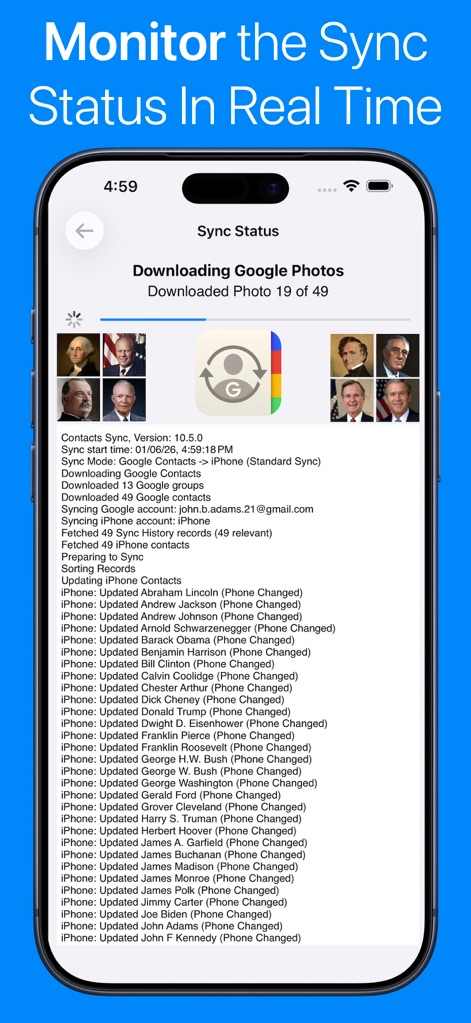
The app provides clear progress updates, displaying "Downloading Google Photos" and a comprehensive log of "Updating iPhone Contacts" in the "Sync Status" screen.
Real-Time Sync Monitoring
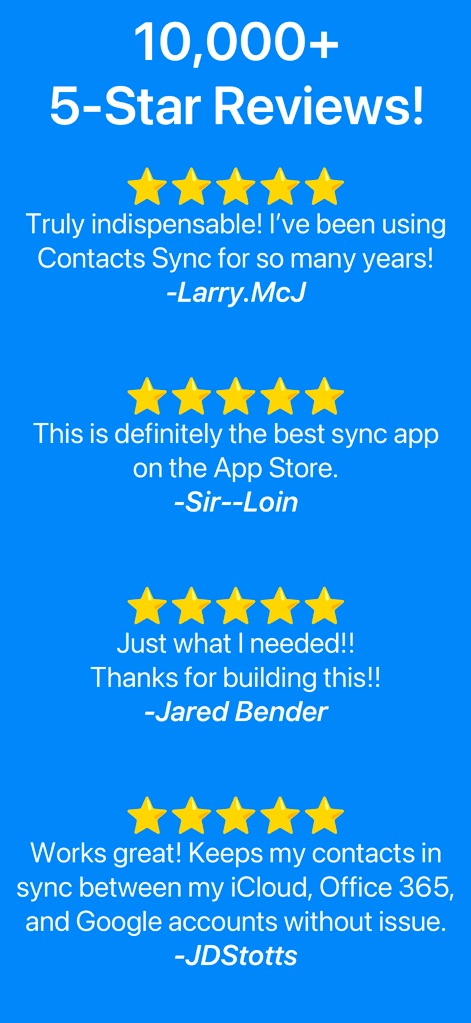
The app's consistent performance is underscored by "10,000+ 5-Star Reviews!" and positive user testimonials from individuals like "Larry.McJ."
User-Proven Reliability
Description
Download
More Like This
Apps with similar features and user experience
Delete Contacts+
Shanghai Jia Feng Software Co. Ltd.

Contact.s Back Up
Symon Johnson
Contacts Backup + Transfer
One Wave AB
Contacts Backup Pro & Restore
AppRover
Export Contacts to Excel, CSV
LE NGUYEN QUANG PHUOC

My Contacts Backup
GLOBILE BILISIM BILGISAYAR HIZMETLERI ILETISIM DANISMANLIK SANAYI TICARET LIMITED SIRKETI

Simple Backup Contacts
Giacomo Guglielmi
Contacts Backup and Transfer⁺
serkat ret
Sync Contact for Google & more
Reena Williams
This page is not an official page of the app or its developer, but an independent editorial publication created for informational and commentary purposes. Unless expressly stated otherwise, neither the app nor its developer is affiliated with, endorsed by, sponsored by, authorized by, or otherwise officially connected with MWM, Apple, Google Play, the app publisher, or the app's developer, and nothing on this page implies that the app was developed using MWM's services. Any trademarks, logos, screenshots, and other content remain the property of their respective owners.