
This page is not an official page of the app or its developer, but an independent editorial publication created for informational and commentary purposes. Unless expressly stated otherwise, neither the app nor its developer is affiliated with, endorsed by, sponsored by, authorized by, or otherwise officially connected with MWM, Apple, Google Play, the app publisher, or the app's developer, and nothing on this page implies that the app was developed using MWM's services. Any trademarks, logos, screenshots, and other content remain the property of their respective owners.

Coordinates – GPS Converter
The ultimate professional toolkit to convert, manage, and navigate with 50+ coordinate formats. Reliable, offline-ready, and built for high-stakes fieldwork and backcountry exploration.
Downloads
2M+User Rating
Total Ratings
7K+Publisher
Category
NavigationLocales
17Latest Version
9.11.3Size
116.3 MBFirst Released
Jan 18, 2012Professional-Grade Precision in Your Pocket
The ultimate toolkit for surveyors, engineers, and outdoor professionals who demand more than just a map. Precise, reliable, and built for the most technical field requirements.
Universal Coordinate Conversion
Instantly switch between UTM, MGRS, USNG, Lat/Long, and over 50 global datums. The ultimate translator for any professional grid system.
Mission-Critical Offline Tools
Navigate with confidence in dead zones. Download offline map tiles, track real-time elevation, and use the speedometer without a cell signal.
Frequently Asked Questions
Everything you need to know about Coordinates – GPS Converter
What is Coordinates – GPS Converter used for?
Coordinates – GPS Converter is a powerful tool for viewing, converting, and managing geographic locations. It supports a wide range of global coordinate formats, datums, and offers features for navigation, measurement, and field work.
Which coordinate formats does Coordinates – GPS Converter support?
Coordinates – GPS Converter supports numerous formats, including UTM, MGRS, Georef, Latitude/Longitude (DD/DM/DMS), what3words, Geohash, and many others. It handles various geodetic and projected systems.
Can Coordinates – GPS Converter be used offline?
Yes, Coordinates – GPS Converter supports offline use. Users can download map tiles for specific cities or define custom areas to access maps without an internet connection.
Is Coordinates – GPS Converter free to use?
Yes, Coordinates – GPS Converter is completely free to use for most of its features. A subscription is available to remove ads. Price may vary by location.
Can Coordinates – GPS Converter convert multiple coordinates at once?
Yes, Coordinates – GPS Converter includes a Batch Converter feature. This allows users to quickly convert multiple coordinates or files in one streamlined action.
Does Coordinates – GPS Converter support datum conversion?
Yes, Coordinates – GPS Converter supports datum conversion. It can transform coordinates using EPSG, ESRI, and IAU2000 references, including X/Y, geodetic, and projected systems.
What measurement tools are available in Coordinates – GPS Converter?
Coordinates – GPS Converter offers tools to measure distance, bearings, and area. Users can mark points or draw lines directly on the map to perform these measurements.
Does Coordinates – GPS Converter integrate with PROJ.4?
Yes, Coordinates – GPS Converter features a PROJ.4 Calculator. This allows conversion between systems, supporting datum shifting and custom projections using the PROJ.4 library.
Can users add notes and media to saved locations in Coordinates – GPS Converter?
Yes, Coordinates – GPS Converter allows users to add notes, photos, and media to any saved object like pins, shapes, or measurements. This helps keep data organized and context-rich.
What file types can Coordinates – GPS Converter import and export?
Coordinates – GPS Converter supports importing and exporting .gpx, .geojson, and .kml file types. This enables easy sharing and data management for location data.
Does Coordinates – GPS Converter include a speedometer?
Yes, Coordinates – GPS Converter features a built-in speedometer. It tracks and displays the user's current speed in real-time directly within the application.
What kind of units can be converted using Coordinates – GPS Converter?
Coordinates – GPS Converter includes a Unit Converter that handles over 40 unit types. These categories include distance, pressure, radiation, electric current, heat density, and many others.
The following screenshots and description are sourced directly from the app's official store listing and are the property of the app developer.
App Store
Screenshots
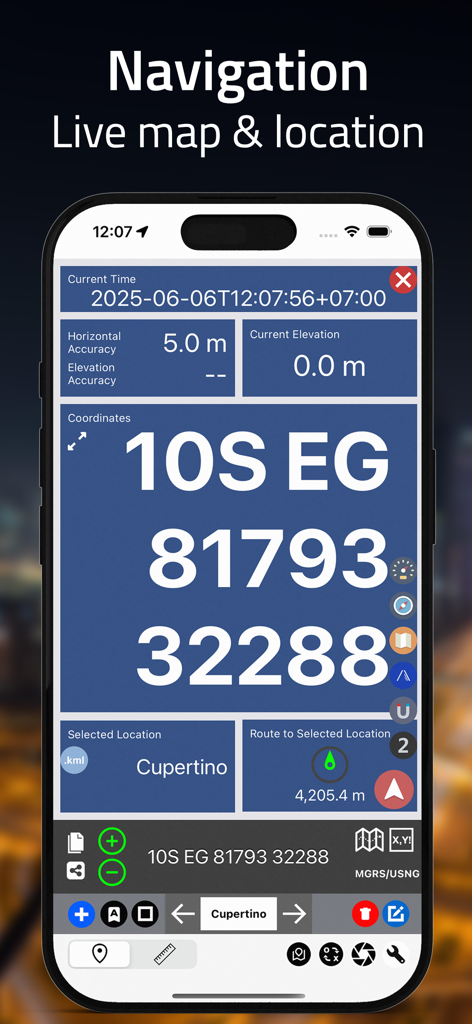
Live navigation screen showing MGRS coordinates and location accuracy.
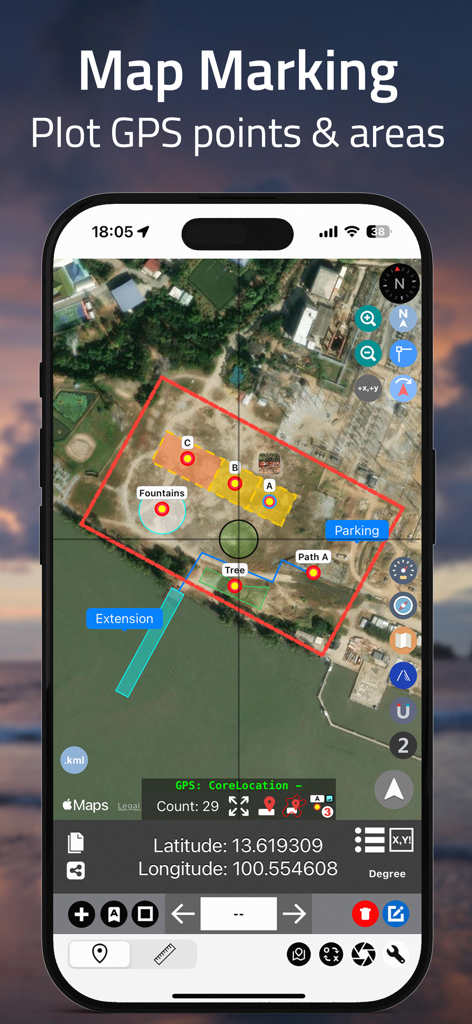
Coordinates app interface showing satellite map marking with plotted GPS points and color coded land areas
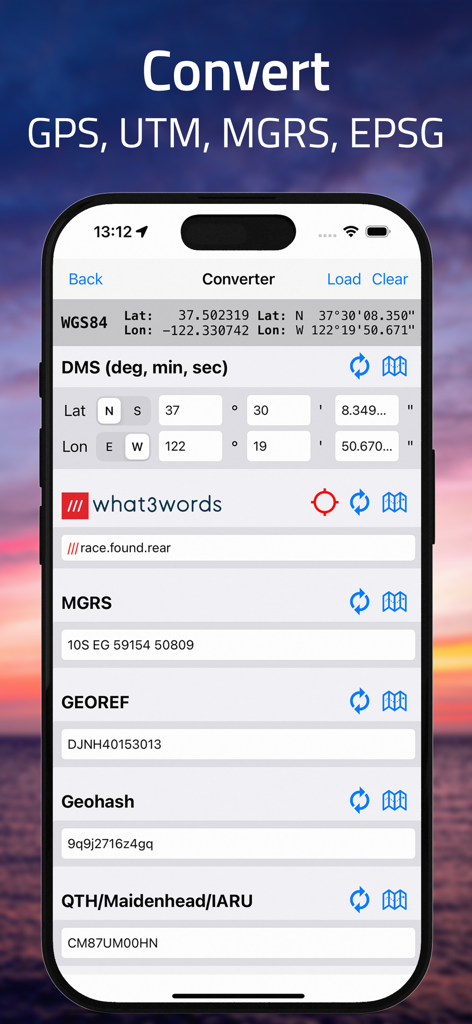
iPhone screen showing coordinate conversion between DMS MGRS and what3words formats
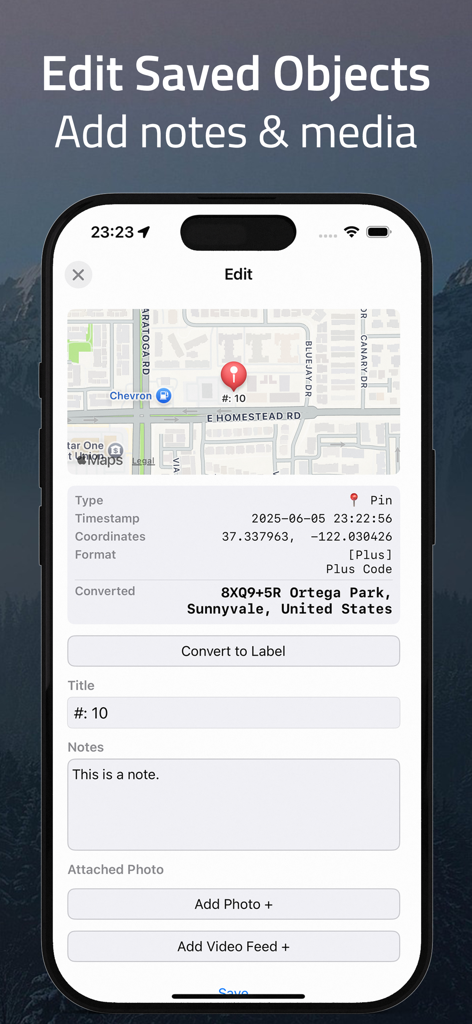
Interface of the Coordinates app showing how to edit saved objects by adding notes and attaching media to GPS pins.
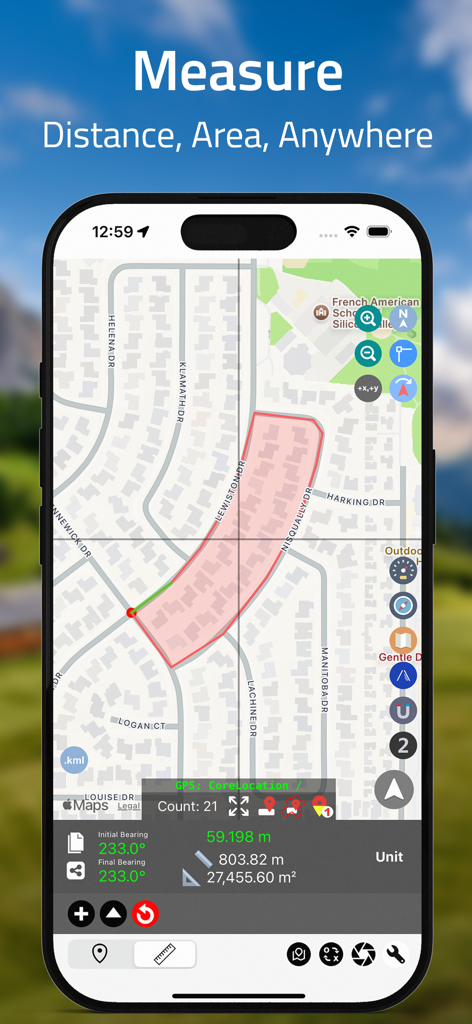
iPhone screen showing Coordinates app measuring land area and distance on a residential map.
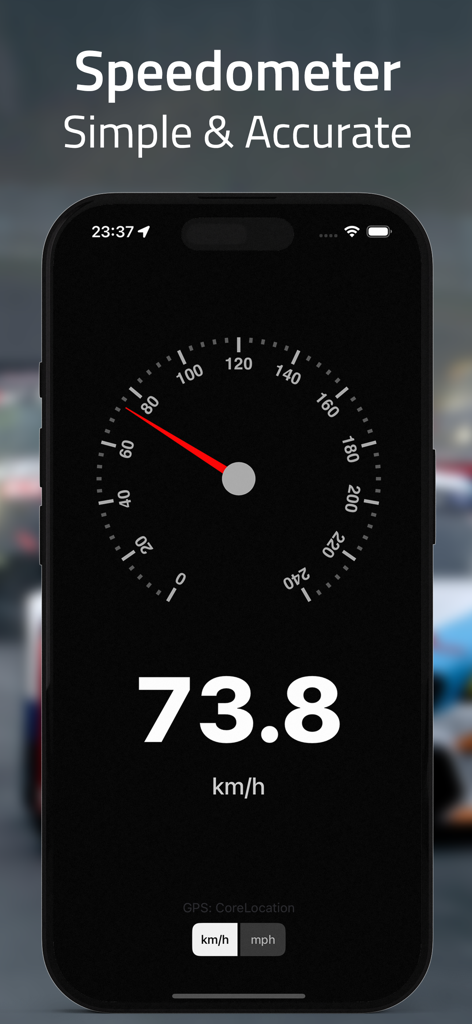
A screenshot of the Coordinates app displaying a precise digital and analog speedometer showing 73.8 kilometers per hour.
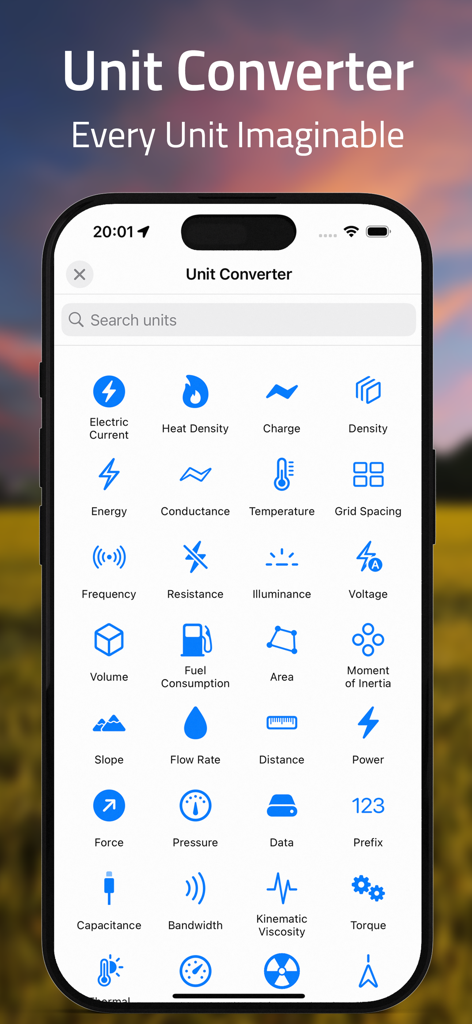
A mobile app interface for unit conversion showing categories like pressure, energy, and distance.
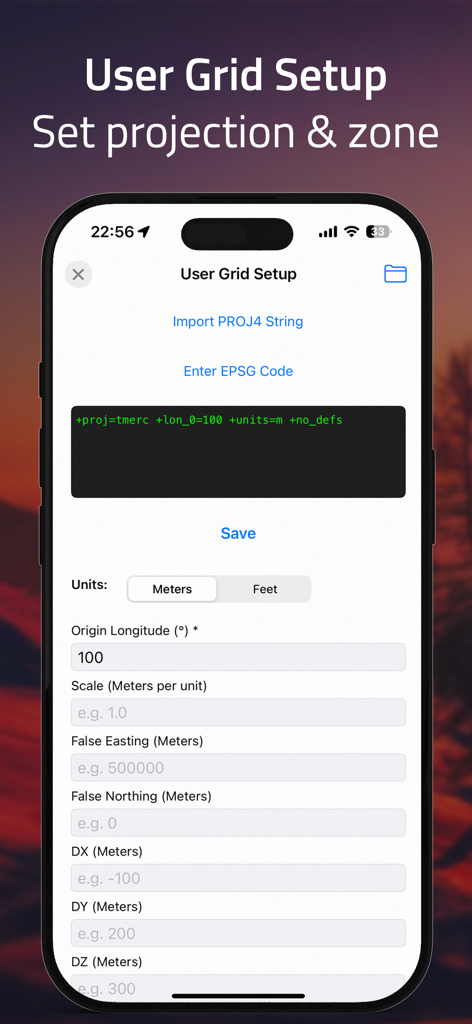
User grid setup screen for setting custom projections and zones in the GPS converter app.
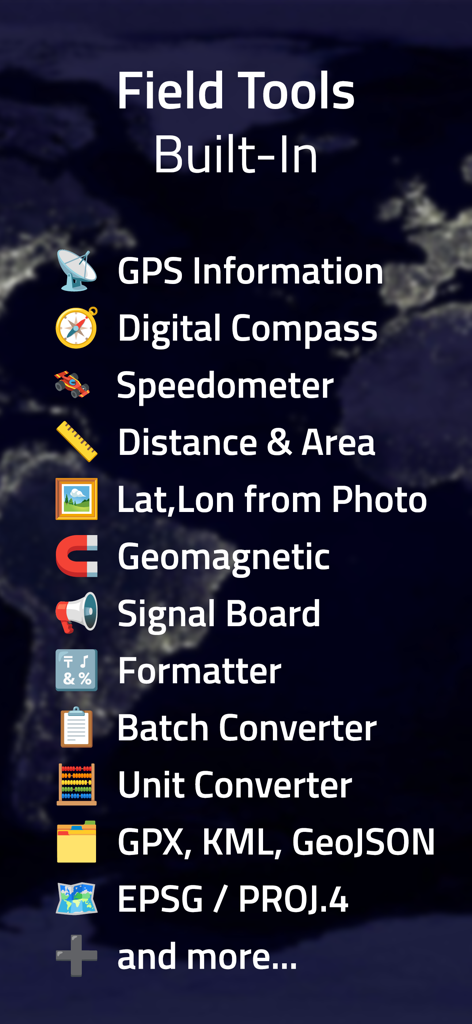
A list of built-in professional field tools including a digital compass, speedometer, and batch coordinate converter.
Description
Download
More Like This
Apps with similar features and user experience
MilGPS
Cascode Labs Pty Ltd

SEAiq Pilot VPP
Sakhalin, LLC
Cartograph Maps 3
Harald Meyer

新知卫星地图-路线规划,高清地图导航
Chongqing Xinzhi Space Technology Co., Ltd.

Mgrs & Utm Map
Vahid Cataltas

DeepStateMap
Heorhii Karpenko

Map Plus
Miocool Inc.
Compass 55. Map & GPS kit.
Kalimex-Consulting s.r.o.

Vetus Maps
Andrey Fetisov
This page is not an official page of the app or its developer, but an independent editorial publication created for informational and commentary purposes. Unless expressly stated otherwise, neither the app nor its developer is affiliated with, endorsed by, sponsored by, authorized by, or otherwise officially connected with MWM, Apple, Google Play, the app publisher, or the app's developer, and nothing on this page implies that the app was developed using MWM's services. Any trademarks, logos, screenshots, and other content remain the property of their respective owners.