Count Widget

Count Widget

Download on App Store
Logo of Count Widget

Count Widget: Track Anything, Anywhere, in One Tap

Customize your Home Screen with beautiful, aesthetic counters for your habits, fitness, and hobbies. Monitor your progress instantly without ever opening an app.

Download on App Store

Publisher

Francis Bonnin

Category

Utilities

Downloads

2K+

User Rating

3.5/5

Total Ratings

0

Locales

8

Every Count, Visualized

Discover the interface used by 2K+ users.
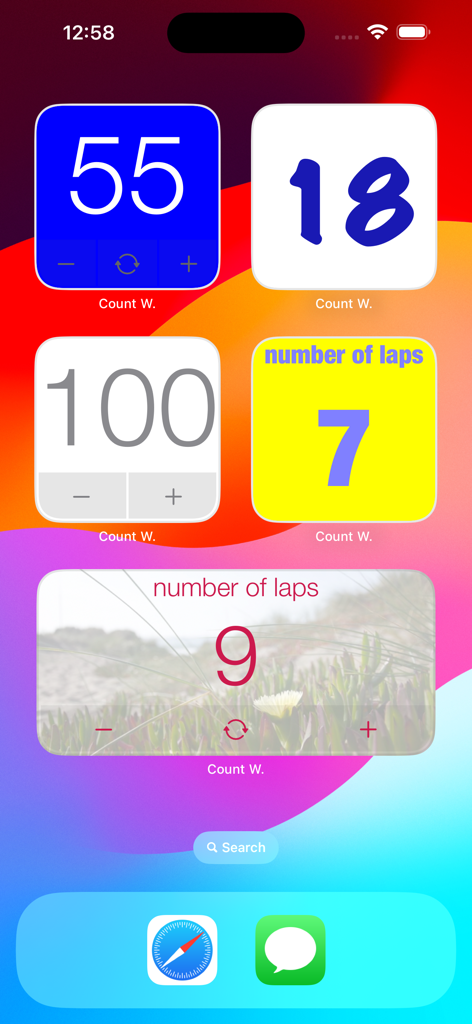
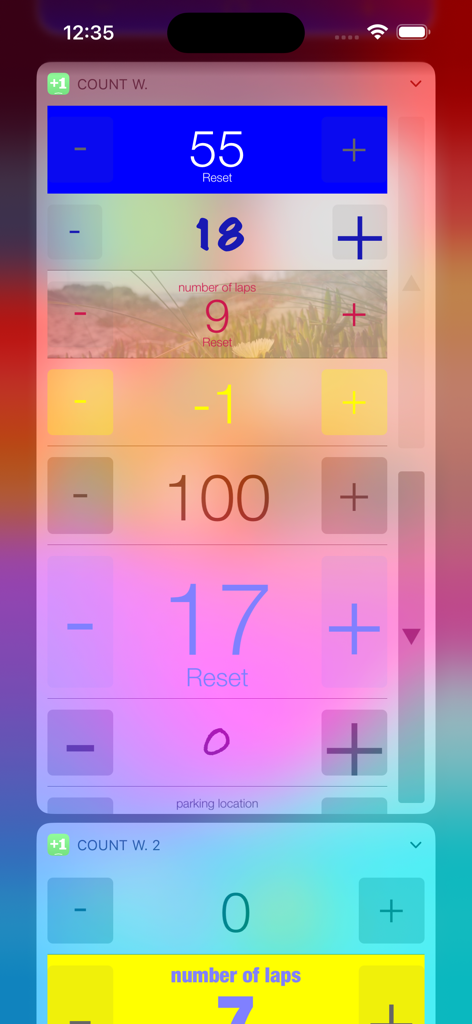
Multiple customizable Count Widget counters in various colors and styles displayed on an iPhone home screen.

Multiple customizable Count Widget counters in various colors and styles displayed on an iPhone home screen.

A variety of customized tally counter widgets on an iPhone Home Screen with plus and minus buttons

A variety of customized tally counter widgets on an iPhone Home Screen with plus and minus buttons

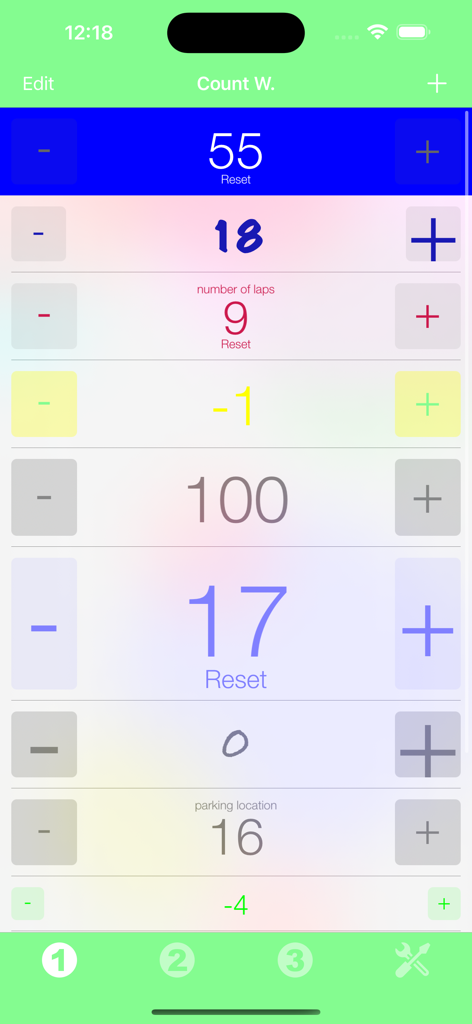
iPhone app interface showing a list of multiple customizable counters with plus and minus buttons

iPhone app interface showing a list of multiple customizable counters with plus and minus buttons

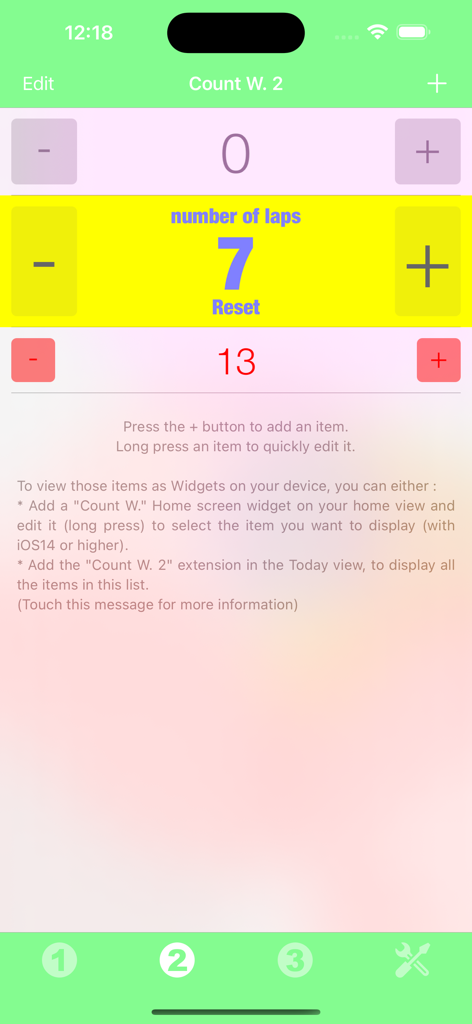
Count Widget app interface showing multiple customizable counters for tracking habits or tasks

Count Widget app interface showing multiple customizable counters for tracking habits or tasks

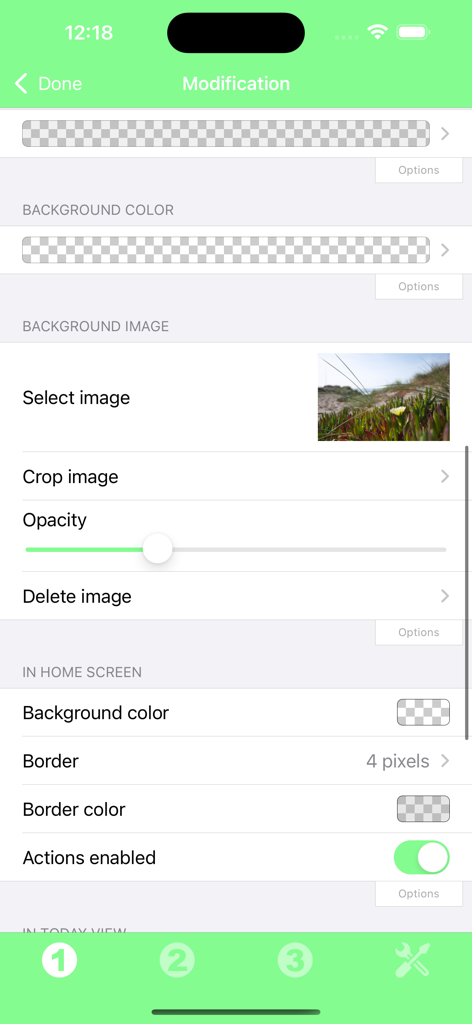
Customization screen of the Count Widget app showing options for background color, background image selection, opacity, and border settings.

Customization screen of the Count Widget app showing options for background color, background image selection, opacity, and border settings.

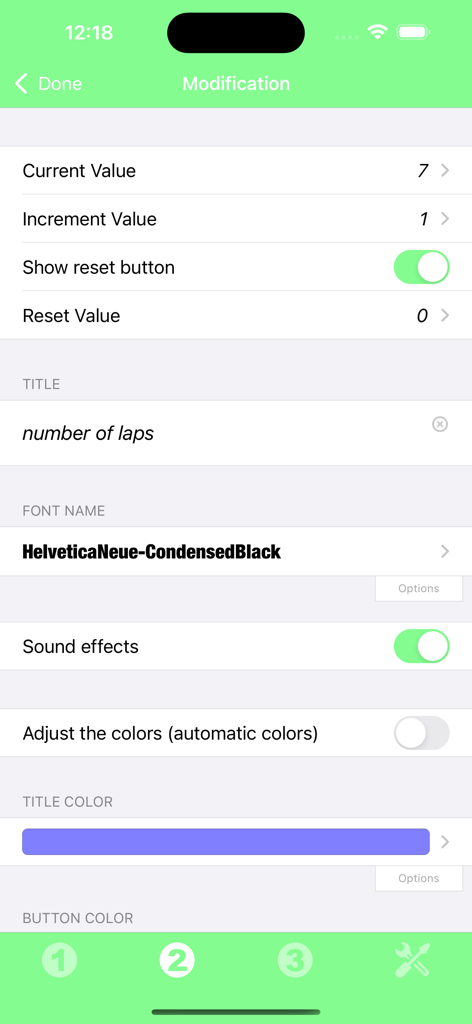
Customization screen for Count Widget showing settings for counter title font and colors

Customization screen for Count Widget showing settings for counter title font and colors

Effortless Tracking, Right Where You Need It

The tools that make this app stand out, trusted by 2K+ users.

Instant One-Tap Tracking

Increment or reset your counters directly from your Home Screen. No more digging through menus—just tap and go.

🎨

Tailored to Your Aesthetic

Customize names and styles to blend perfectly with your iOS layout. Tracking your progress has never looked this good.

🎯

Built for Every Goal

From tracking gym reps and water intake to counting knitting rows, our widgets adapt to any project or habit you choose.

About the app

Everything you need to know about Count Widget.

Description

Thanks to this application (and the other Widget apps from PacoLabs), you can now customize the Home screen and the Today view of your device, by adding custom widgets for some specific purposes. From anywhere in your device, you'll have access to your own information and actions. Each Count widget allows to manually count the various events or the things of your choice. The values of your counters can be incremented, decremented and also reset by touching the dedicated buttons. A custom name can be displayed and the look can be customized. Those Widgets are compatible with the new iOS 14 Home Screen Widgets. The application is really easy to use and is adapted to the fresh look of your device. Dark mode of iOS13 is supported. In Today view: You can add as many widgets as you want and they will be displayed in up to 3 different lists. Those same lists will be available in the Today view and in the application (although it is possible, if you want, to hide some widgets in the Today view). To avoid overloading the Today view, when too many widgets are displayed, an intuitive control will allow you to navigate from one widget to another. Even if the main purpose of the app is to view the widgets in the Today view, it can also be very handy to view them directly in the application (a long press on a widget in the Today view will open it directly in the main application).

Latest Version

6.2

Size

12.8 MB

First Released

Nov 2, 2014

Ready to Count Your Success?

Join the community of organized optimizers and habit-trackers. Download Count Widget today to turn your home screen into a personalized, frictionless command center for everything you track.

Download on App Store
FAQ

Frequently Asked Questions

Everything you need to know about Count Widget

What is the Count Widget app?

Count Widget is an application that allows users to create custom widgets for their device's Home screen and Today view. It manually counts events or items, offering increment, decrement, and reset functions.

Can I customize the appearance of Count Widgets?

Yes, Count Widget allows extensive customization of its appearance. Users can modify background colors, images, borders, font names, title colors, and button colors for each widget.

Does Count Widget support iOS 14 Home Screen Widgets?

Yes, Count Widget is compatible with the new iOS 14 Home Screen Widgets. Users can add custom counter widgets directly to their home screen for easy access.

How do I change the value of a counter in Count Widget?

Count Widget allows users to manually increment, decrement, and reset the values of their counters. Dedicated buttons are available for these actions directly on the widget interface.

Can I have multiple Count Widgets?

Yes, users can add as many widgets as they want in the Today view, organized into up to three different lists. These lists are also available within the application itself.

Does the Count Widget app support Dark Mode?

Yes, Count Widget supports Dark mode of iOS 13 and later. The application adapts to the fresh look of the device, including system-wide theme settings.

How can I view my Count Widgets?

Count Widgets can be viewed on the Home screen, in the Today view, and directly within the application. A long press on a Today view widget opens it in the main app.

Can I set a custom increment value for my counters in Count Widget?

Yes, Count Widget allows users to set a custom increment value for each counter. This option is available in the widget's modification settings alongside other customizable properties.

App information, icons, screenshots, and descriptions displayed on this page are sourced from the Apple App Store and are the property of their respective developers. Download estimates and rankings are based on MWM's proprietary models and may not reflect actual figures. This page is provided for informational and analytical purposes only.

Believe this page infringes your intellectual property? File a dispute