
This page is not an official page of the app or its developer, but an independent editorial publication created for informational and commentary purposes. Unless expressly stated otherwise, neither the app nor its developer is affiliated with, endorsed by, sponsored by, authorized by, or otherwise officially connected with MWM, Apple, Google Play, the app publisher, or the app's developer, and nothing on this page implies that the app was developed using MWM's services. Any trademarks, logos, screenshots, and other content remain the property of their respective owners.

Countdown
Missed events are over. This app grants precise control over every significant moment ahead, turning anticipation into certainty.
Downloads
12.5M+User Rating
Total Ratings
336.4KPublisher
Category
UtilitiesLocales
18Latest Version
6.1.2Size
44.2 MBFirst Released
Sep 11, 2018Countdown App Evaluation: Key Features
An analytical overview of features designed to enhance personal and professional event management.
Unlimited Event Creation
The app allows users to create an unrestricted number of countdowns, ensuring no important event, personal or professional, is left untracked.
Advanced Reminder Options
It provides robust reminder settings, allowing users to receive notifications at the event time, as well as 1 day or 1 week prior, crucial for preparation and avoiding missed deadlines.
iCloud Sync
This tool features iCloud synchronization, ensuring all event countdowns are consistently available and updated across a user's Apple devices, promoting seamless management.
Recurring Event Support
The app enables the setting of countdowns to repeat daily, weekly, monthly, or yearly, simplifying the tracking of regular milestones and anniversaries.
Home Screen Widgets
It allows users to place customizable widgets anywhere on their Home Screen, providing immediate visibility to the most crucial upcoming events at a glance.
Tag-Based Event Organization
This tool features a tagging system, empowering users to efficiently categorize and manage a large volume of diverse events for better organization.
Lock Screen Widgets
The app provides widgets that can be displayed on the Lock Screen, offering quick access to event statuses without unlocking the device.
Apple Watch Integration
It allows users to glance at their events directly from their Apple Watch, enhancing convenience for quick checks on the go.
StandBy Mode Widgets
This tool features widget support for iOS StandBy mode, enabling users to view their countdowns elegantly while the device is charging horizontally.
Countdown Sharing
The app supports sharing countdowns with friends and family, facilitating coordination and shared anticipation for group events.
Frequently Asked Questions
Everything you need to know about Countdown
What is the Countdown app?
The Countdown app is a free, user-friendly tool designed to create and manage countdowns and reminders for important events and dates in your life.
Is the Countdown app free to use?
Yes, the Countdown app is free to download and use. However, some advanced features like Lock Screen widgets, StandBy widgets, Home Screen widgets, and custom countdown formats are Premium features.
How many events can I add to the Countdown app?
The Countdown app allows users to create an unlimited number of events. You can add as many countdowns as you like for various occasions.
Does the Countdown app offer widgets for the Lock Screen or Home Screen?
Yes, the Countdown app provides widgets for both the Lock Screen and Home Screen to view your most important events. These widget features require a Premium subscription.
Can the Countdown app send reminders for events?
Yes, the Countdown app provides notifications when an event is due. It also offers reminders one day before or one week before the event.
Can I share my countdowns with others using the Countdown app?
Yes, the Countdown app allows you to easily share your personalized countdowns with friends and family directly from the app.
Can I customize the background color of my countdowns in the Countdown app?
Yes, the Countdown app enables users to pick any color they desire for their countdown background, allowing for personalized event displays.
Does the Countdown app sync events across multiple devices?
Yes, the Countdown app syncs your events across all your devices using iCloud, ensuring your countdowns are always up-to-date everywhere.
Can the Countdown app track past events?
Yes, the Countdown app can count up from past events. This feature is available directly on each countdown page to show elapsed time since the event occurred.
The following screenshots and description are sourced directly from the app's official store listing and are the property of the app developer.
App Store
Screenshots
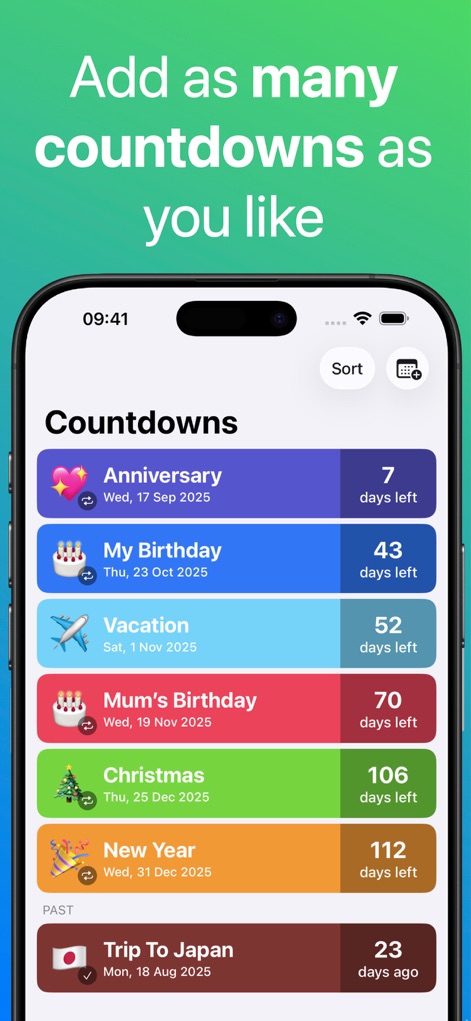
Event Management Hub
Users can effortlessly track numerous important dates, clearly displaying days remaining and past event durations with personalized color coding.
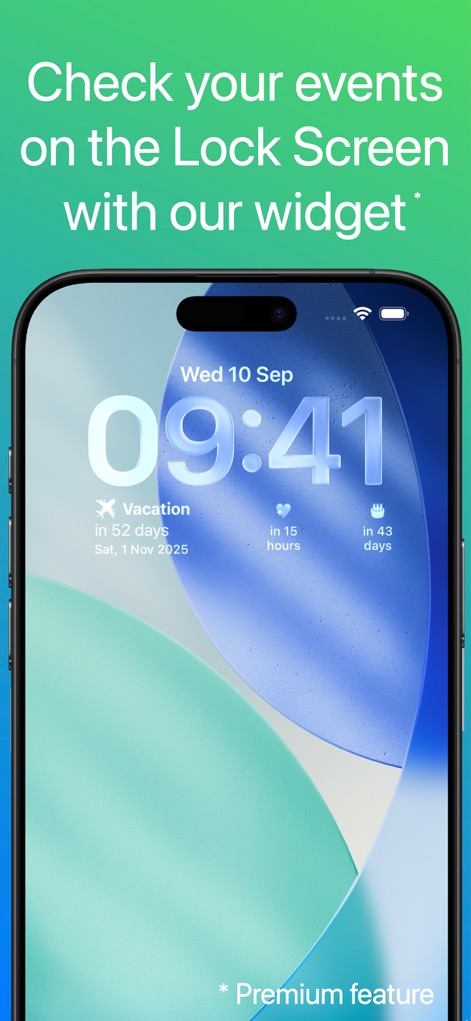
Lock Screen Glance
This tool provides convenient Lock Screen widgets, allowing users to quickly view precise event countdowns and key time metrics like hours remaining.
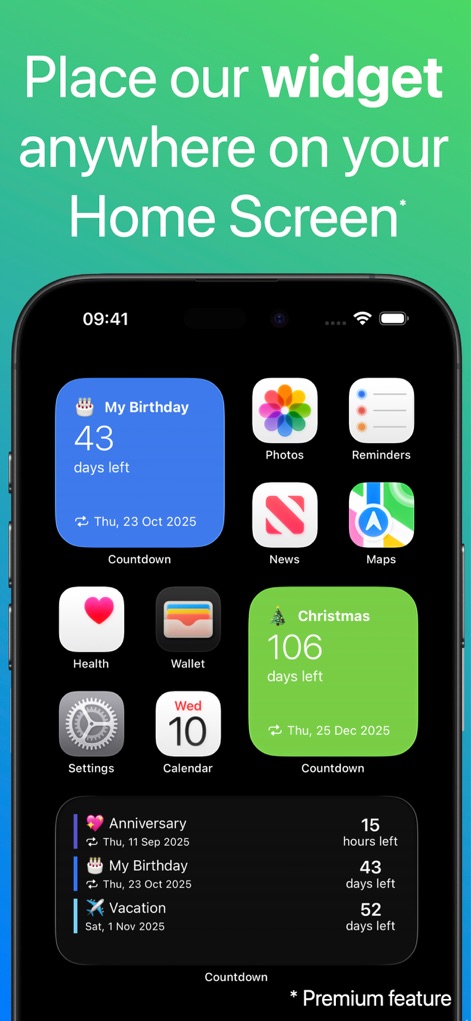
Home Screen Integration
The app offers versatile Home Screen widgets, enabling users to prominently display significant events and their remaining days in various sizes.
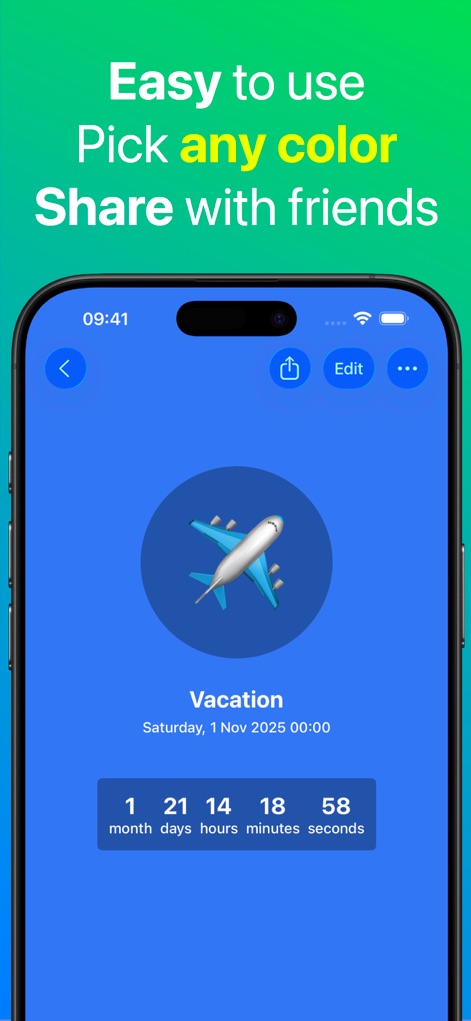
Personalized Countdown Detail
Users can customize individual countdowns with specific background colors and share these detailed event timelines with friends and family.
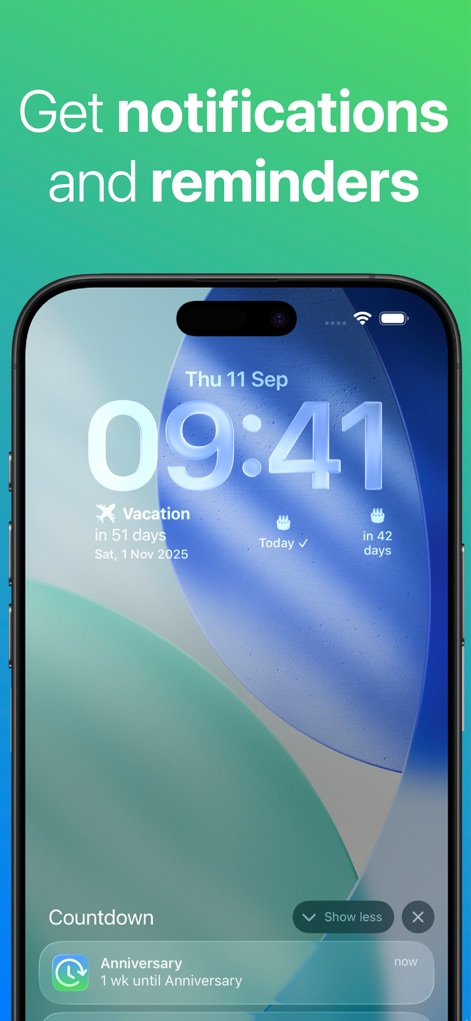
Timely Event Reminders
This tool ensures users never miss an event by providing timely notifications and visual countdown updates directly on the Lock Screen.
Description
Download
More Like This
Apps with similar features and user experience
倒数日 · Days Matter
iDaily Corp.
Days since - Countdown
Inner Grow Limited
Countdown°
rongsheng li

Days • Countdown & Widgets
MD Apps LTD

Days Matter Air - Countdown
iDaily Corp.
MyDays - Countdown days life
凤 袁

Bears Countdown
Isuru Wanasinghe
Birthday Countdown • Reminder
HAPPYPIXEL - LDA
SomeDay - CountDown & CountUP
炯 李
This page is not an official page of the app or its developer, but an independent editorial publication created for informational and commentary purposes. Unless expressly stated otherwise, neither the app nor its developer is affiliated with, endorsed by, sponsored by, authorized by, or otherwise officially connected with MWM, Apple, Google Play, the app publisher, or the app's developer, and nothing on this page implies that the app was developed using MWM's services. Any trademarks, logos, screenshots, and other content remain the property of their respective owners.