
This page is not an official page of the app or its developer, but an independent editorial publication created for informational and commentary purposes. Unless expressly stated otherwise, neither the app nor its developer is affiliated with, endorsed by, sponsored by, authorized by, or otherwise officially connected with MWM, Apple, Google Play, the app publisher, or the app's developer, and nothing on this page implies that the app was developed using MWM's services. Any trademarks, logos, screenshots, and other content remain the property of their respective owners.


Countdown°
Time slips away. This app grants users total command over their personal timeline.
Downloads
7.5M+User Rating
Total Ratings
368.8KPublisher
Category
UtilitiesLocales
9Latest Version
1.7.0Size
88.9 MBFirst Released
May 27, 2015An analytical review of core functionalities enhancing time management and personalization for the tech-savvy user.
Countdown° App Evaluation: Key Features
Dynamic Widgets with Theming
The app provides dynamic iOS widgets with customizable themes, allowing users to monitor critical countdowns directly from their home screen for immediate access and personalized aesthetics.
Seamless iOS Calendar Sync
It allows users to import and export events directly from and to their native iOS Calendar, ensuring all important dates are consolidated and easily managed within one ecosystem.
Tailored Event Reminders
This tool features highly customizable reminders and daily event alerts, enabling users to receive notifications precisely when needed for various milestones, holidays, or personal deadlines.
Secure iCloud Backup
The app offers iCloud backup functionality, ensuring that all event data and customizations are securely stored and synchronized across devices, providing peace of mind for tech-savvy users.
Aesthetic Customization Options
It allows users to personalize their countdowns with custom themes, background images, and changeable date formats, catering to individual preferences for a clean and modern digital experience.
Event Sharing Capabilities
This tool enables users to easily share their countdown events with others, facilitating coordination for joint activities or celebrating shared milestones with friends and family.
Recurring Event Management
The app provides functionality for setting up repeat event cycles, simplifying the tracking of annual events, recurring deadlines, or other routine milestones without manual re-entry.
Built-in Date Calculator
It features an integrated date calculator, allowing users to quickly determine durations between dates, which is useful for planning and organizing future events.
Frequently Asked Questions
Everything you need to know about Countdown°
What is the primary purpose of the Countdown° app?
Yes, the Countdown° app reminds users of important schedules and events. It tracks and notifies users about upcoming dates and special occasions.
Can users share events from the Countdown° app?
Yes, users can share events directly from the Countdown° app. This feature allows sharing specific countdowns with friends.
Does Countdown° include a date calculator?
Yes, the Countdown° app includes a date calculator. Users access this function by swiping left from the main screen to calculate past, future, or day differences.
Is the Countdown° app optimized for iOS14?
Yes, the Countdown° app is optimized for iOS14. It features blur effects and vector images to enhance the user interface.
Can I customize the background of my countdowns in the Countdown° app?
Yes, users can customize background images in the Countdown° app. The app allows selecting custom themes or loading images from the camera roll.
Does the Countdown° app offer a widget feature?
Yes, the Countdown° app offers a widget function. Users can display their countdowns directly on the iOS Today View for quick access.
How does Countdown° help organize events?
Countdown° helps organize events by allowing users to sort them and create custom categories. This keeps important schedules and reminders neatly arranged.
Can Countdown° secure access with biometric authentication?
Yes, Countdown° supports unlocking with Touch ID for secure access. It also provides pattern lock protection as an additional security feature.
Does Countdown° support iCloud backup?
Yes, Countdown° supports iCloud backup. This ensures that user event data is securely stored and can be restored if needed.
Can Countdown° integrate with the iOS calendar?
Yes, Countdown° supports importing and exporting iOS calendar events. This feature synchronizes schedules between the app and the device's native calendar.
The following screenshots and description are sourced directly from the app's official store listing and are the property of the app developer.
App Store
Screenshots
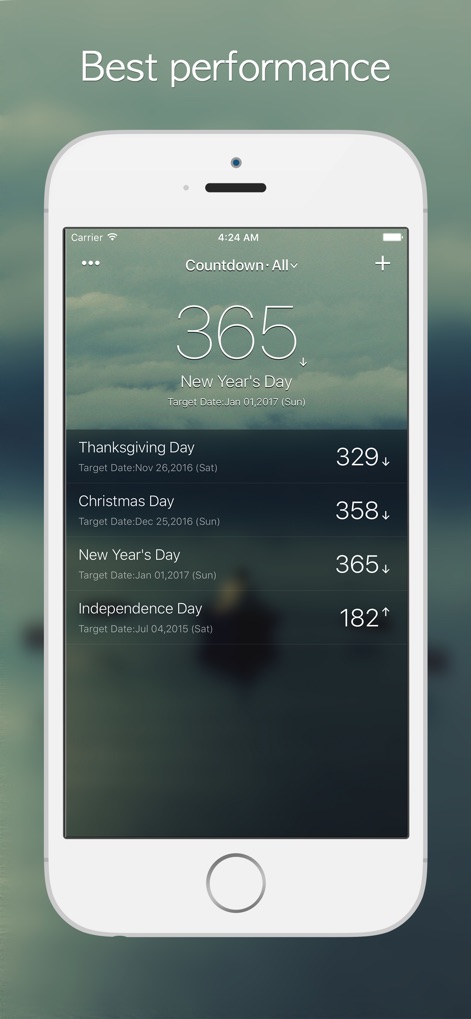
See how the app prominently displays the main event countdown and organizes multiple upcoming dates in a clean list.
Event Countdown Overview
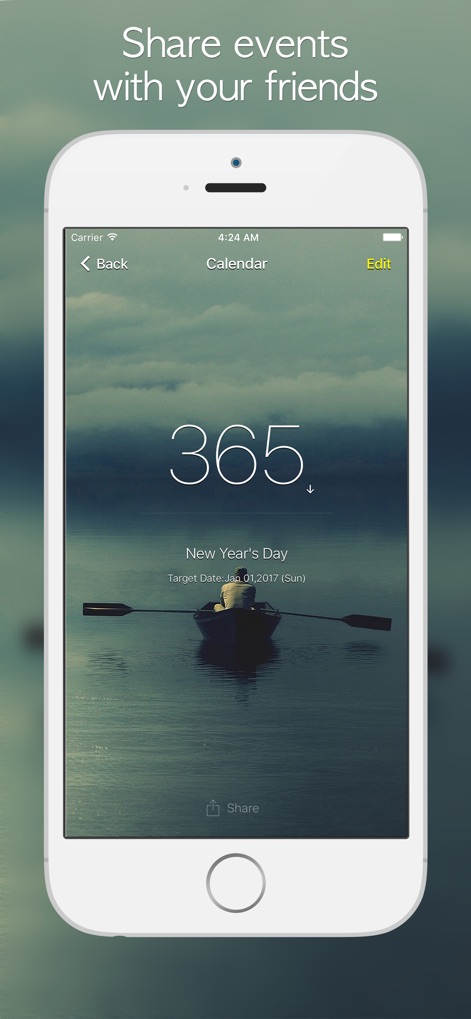
This tool allows users to easily share individual event countdowns directly from the dedicated event screen, complete with a prominent countdown display.
Effortless Event Sharing
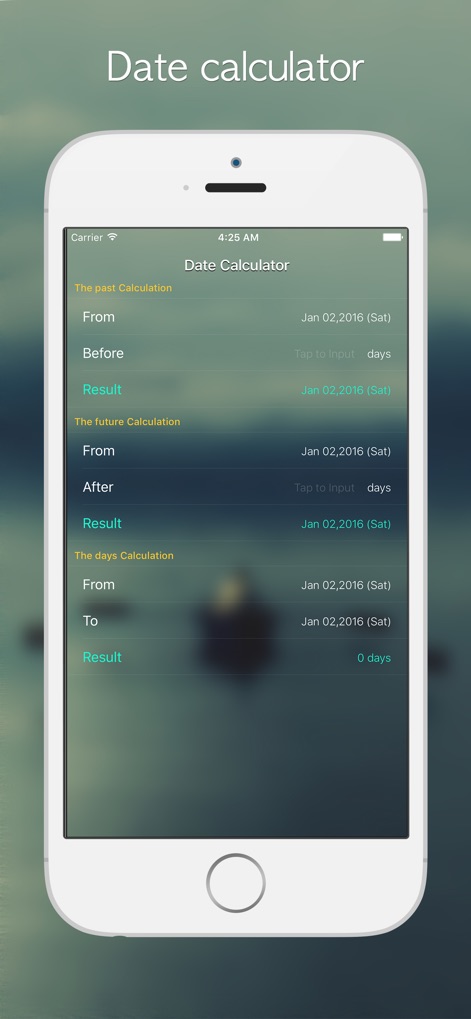
Discover the powerful date calculator feature, offering past and future calculations alongside precise day-count functionality through intuitive input fields.
Advanced Date Tools
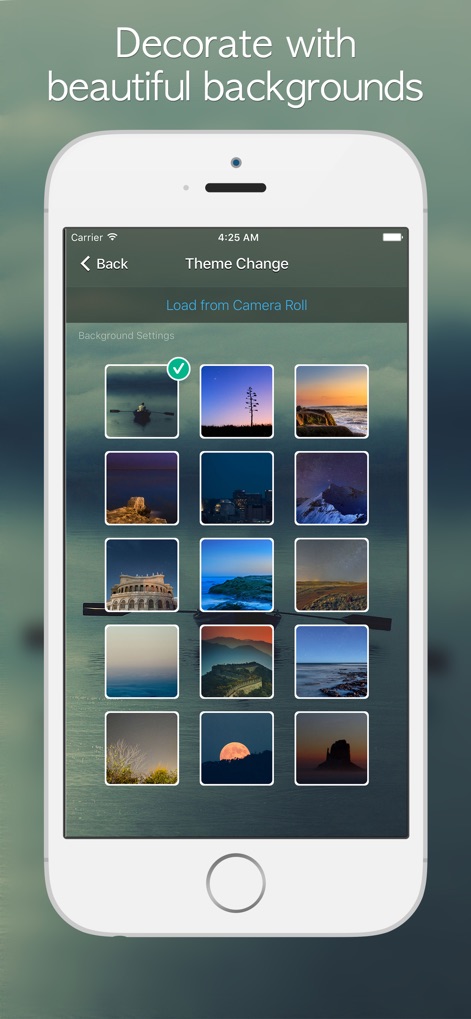
Users can customize the app's appearance by selecting from a curated grid of background images or by loading personal photos directly from their camera roll.
Personalized Aesthetics

Experience seamless integration with iOS widgets, offering both single-event and multi-event displays with interactive 'Show More/Less' toggles for detailed views.
Dynamic Widget Integration
Description
Download
More Like This
Apps with similar features and user experience
倒数日 · Days Matter
iDaily Corp.
Countdown
Find Appiness LLC

Days since - Countdown
Inner Grow Limited

Days • Countdown & Widgets
MD Apps LTD

Days Matter Air - Countdown
iDaily Corp.
MyDays - Countdown days life
凤 袁

Bears Countdown
Isuru Wanasinghe

Birthday Countdown • Reminder
HAPPYPIXEL - LDA

SomeDay - CountDown & CountUP
炯 李
This page is not an official page of the app or its developer, but an independent editorial publication created for informational and commentary purposes. Unless expressly stated otherwise, neither the app nor its developer is affiliated with, endorsed by, sponsored by, authorized by, or otherwise officially connected with MWM, Apple, Google Play, the app publisher, or the app's developer, and nothing on this page implies that the app was developed using MWM's services. Any trademarks, logos, screenshots, and other content remain the property of their respective owners.