
This page is not an official page of the app or its developer, but an independent editorial publication created for informational and commentary purposes. Unless expressly stated otherwise, neither the app nor its developer is affiliated with, endorsed by, sponsored by, authorized by, or otherwise officially connected with MWM, Apple, Google Play, the app publisher, or the app's developer, and nothing on this page implies that the app was developed using MWM's services. Any trademarks, logos, screenshots, and other content remain the property of their respective owners.


Cubbily:Shared Family Calendar
Complexity crumbles. The app grants users the power to orchestrate household chaos into calm.
Downloads
250k+User Rating
Total Ratings
797Publisher
Category
ProductivityLocales
2Latest Version
2.3.5Size
84.2 MBFirst Released
Nov 23, 2022An evaluation of core functionalities designed to streamline family and work schedules for busy households.
Cubbily: Shared Family Calendar - Key Feature Analysis
Centralized Shared Family Calendar
The app provides a comprehensive, color-coded shared calendar that allows families to see everyone's plans at a glance, facilitating event creation with reminders and integration with external calendars like Apple and Google.
Integrated Shift Work Scheduling
It allows users to easily add rotating or night shifts and view them alongside family plans, ensuring all members are aware of complex work schedules and promoting better coordination, especially for shift workers.
Collaborative Lists & Task Manager
This tool features shared to-do lists, shopping lists, and chores, enabling assignment of items and notifications upon completion, which streamlines household management and shared responsibilities.
Seamless Cross-Device Synchronization
The app ensures that all family members see the same up-to-date schedule through automatic sync across devices and seamless integration with external calendars like Apple and Google Calendar.
"Little Things" Care Notes
The app allows users to store crucial small details such as allergies, shoe sizes, or favorite snacks, ensuring caregivers and family members have vital information readily available for effective care.
Family Milestones & Reminders
It helps families track significant events like birthdays, first day of school, and other milestones with countdowns and reminders, displaying them directly on the calendar to keep everyone informed.
Frequently Asked Questions
Everything you need to know about Cubbily:Shared Family Calendar
What is Cubbily?
Cubbily is a shared family calendar app that centralizes family schedules, work shifts, to-dos, grocery lists, and reminders into one organized view, accessible across all devices.
What calendar views does Cubbily offer?
Cubbily offers color-coded day, week, month, and task views for family schedules. Cubbily Pro provides additional intuitive calendar views, enhancing planning flexibility.
Can Cubbily manage shift work schedules?
Yes, Cubbily includes a shift calendar for complex work schedules. Users can add rotating or night shifts and view them alongside family plans, which is ideal for various shift workers.
Does Cubbily include task management features?
Yes, Cubbily provides shared to-dos, shopping lists, grocery lists, wish lists, chores, and packing lists. Users can assign items and receive notifications upon task completion.
Is Cubbily compatible with other calendars like Google Calendar?
Yes, Cubbily supports subscribing and syncing with Apple Calendar, Google Calendar, and other external calendars. Cubbily Pro offers enhanced Google Calendar sync controls.
What is Cubbily Pro?
Cubbily Pro is an optional subscription unlocking premium features for larger or busier families. Benefits include Multi-View, an ad-free experience, widgets, more color options, and advanced search.
How do I subscribe to Cubbily Pro?
To subscribe to Cubbily Pro, start a 7-day free trial. Payment charges to your Apple ID upon purchase confirmation and auto-renews unless canceled 24 hours before the current period ends.
Does Cubbily have privacy features?
Yes, Cubbily functions as a private family organizer, without public profiles or social media features. Cubbily Pro allows making events visible only to selected family members for enhanced privacy.
Can Cubbily help track family milestones?
Yes, Cubbily helps track "Big Days" such as birthdays and move-in dates with countdowns and reminders. It displays these important milestones directly on the calendar.
Does Cubbily provide family widgets for the home screen?
Yes, Cubbily offers family calendar home screen widgets for quick access to schedules. Cubbily Pro includes additional widgets and multiple reminders for critical information.
Can Cubbily manage multiple families?
Yes, Cubbily supports managing multiple family calendars using a single account. Users can easily switch between extended families or separate groups with a tap.
The following screenshots and description are sourced directly from the app's official store listing and are the property of the app developer.
App Store
Screenshots
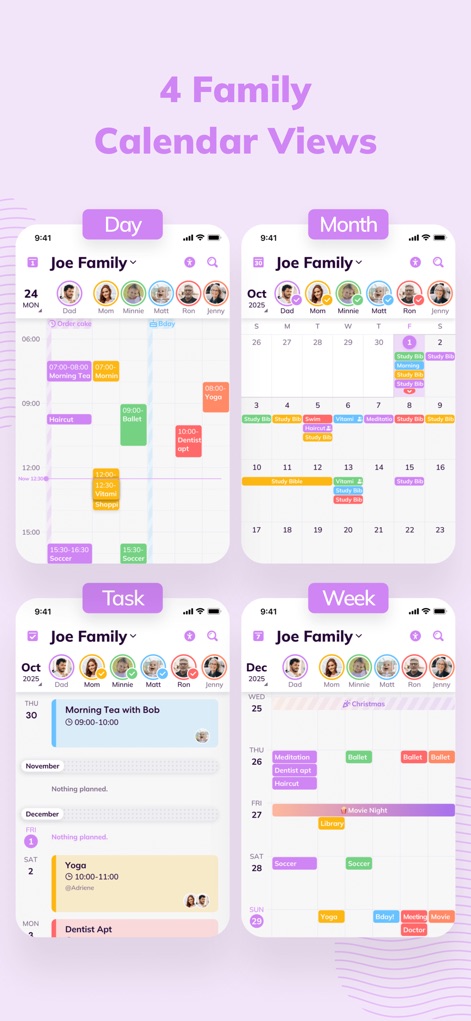
The app presents family schedules through a highly intuitive interface, offering clear day and month views for easy coordination.
Diverse Calendar Views
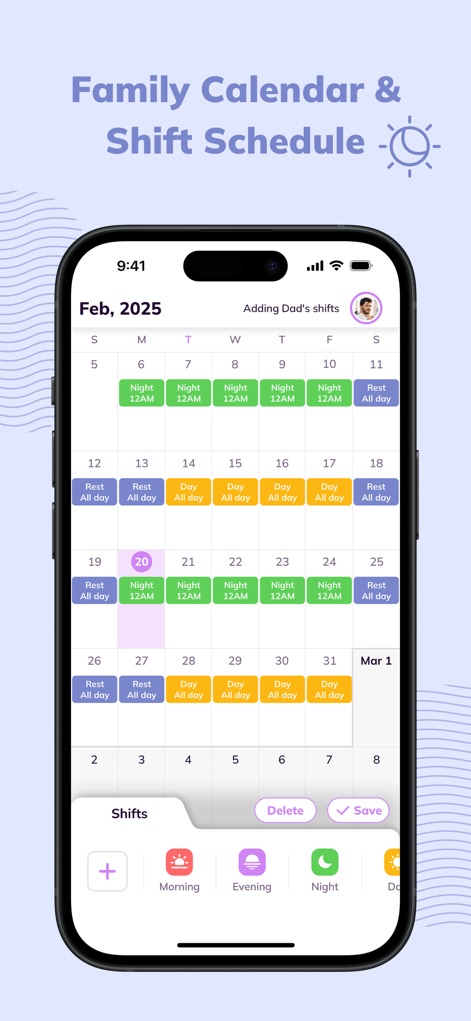
This tool streamlines complex work schedules, displaying detailed night and day shifts alongside family plans within the calendar.
Integrated Shift Planning
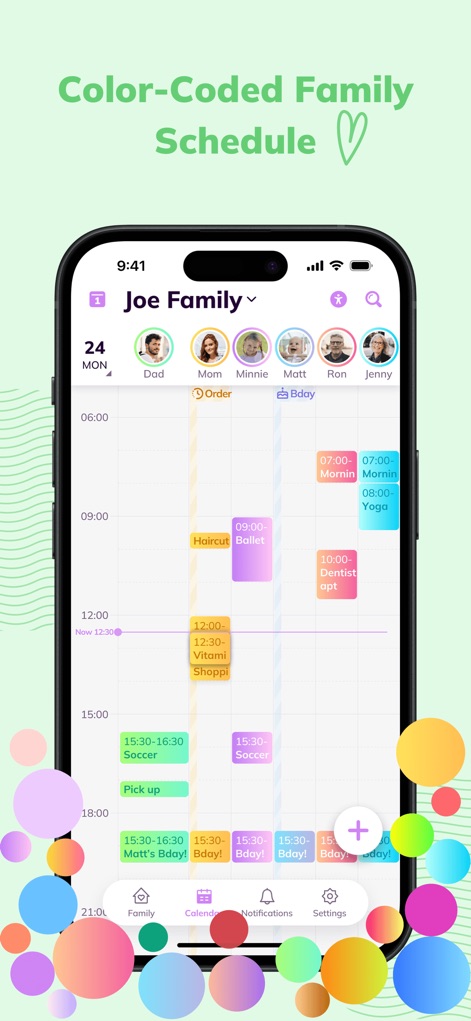
Users can instantly grasp their family's daily activities, thanks to the app's distinctive color-coded events and dedicated family member avatars.
Visual Schedule Organization
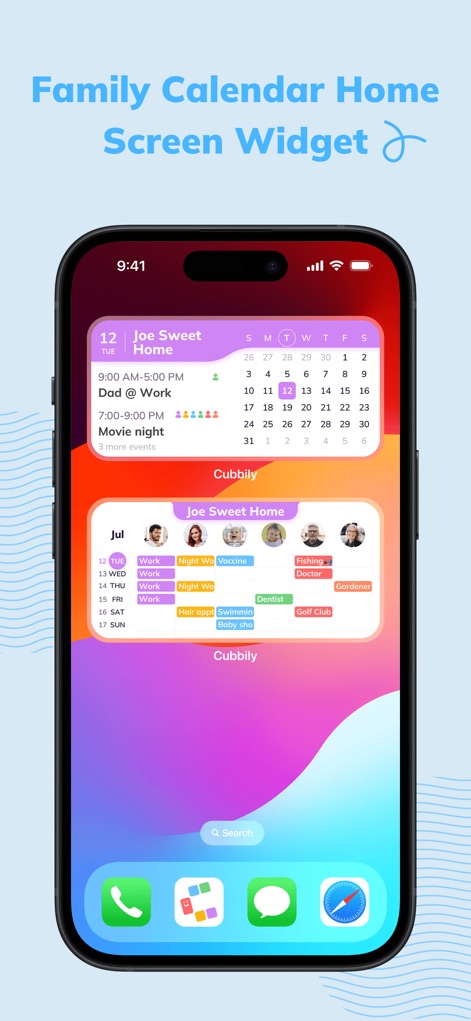
The app offers glanceable home screen widgets, providing a quick overview of upcoming events and a concise mini-calendar display.
Convenient Home Widget
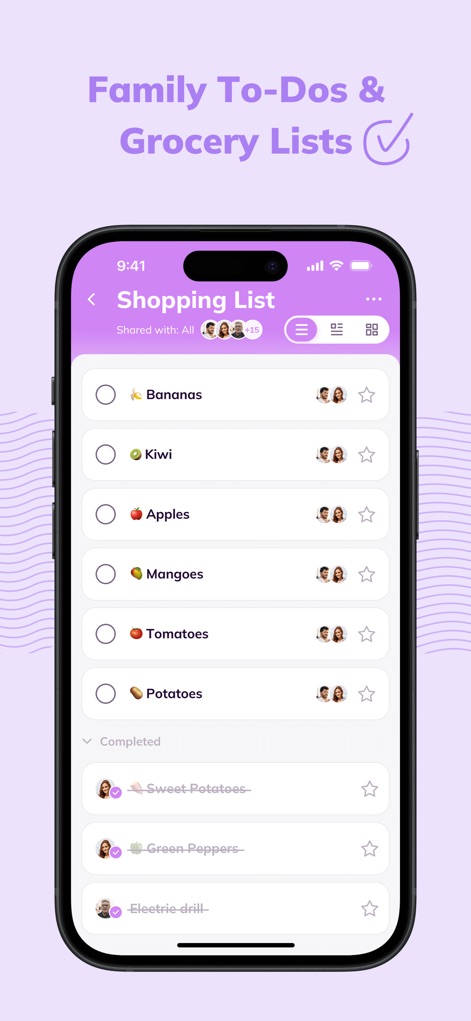
This tool facilitates household organization with collaborative shopping lists and assignable tasks for shared responsibilities.
Collaborative List Manager

The app ensures everyone stays informed with instant lock screen notifications for event edits and new additions.
Real-Time Event Alerts
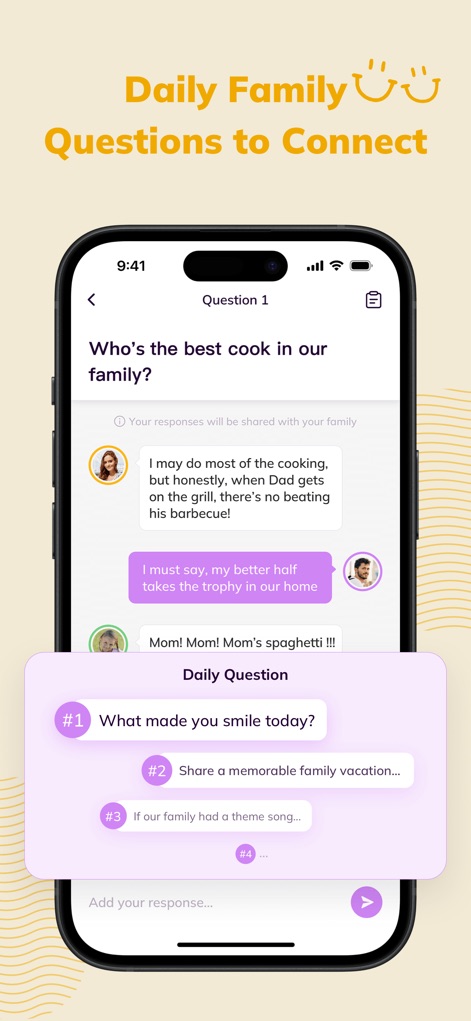
This unique feature encourages family interaction through daily questions and a chat-like response system, promoting connection.
Engage with Questions
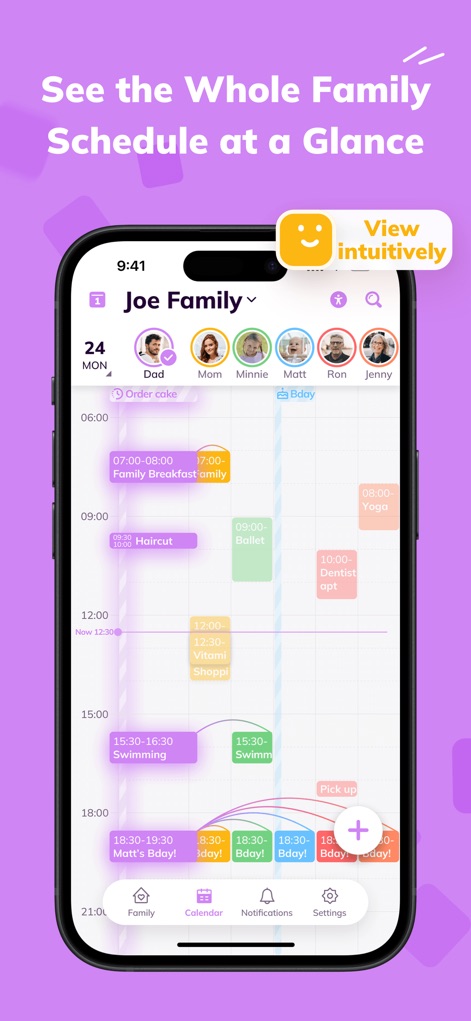
Users can effortlessly review the day's entire family schedule, featuring individual family member columns and clear event blocks.
Effortless Family Overview
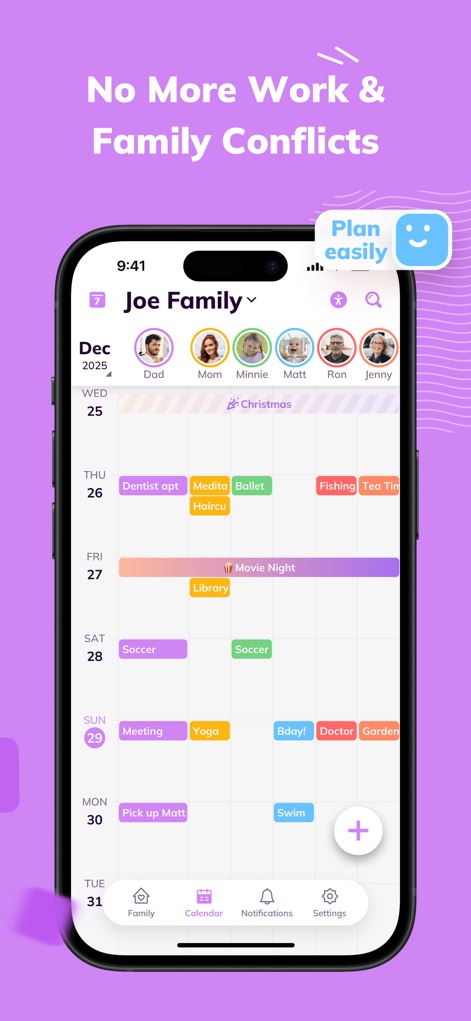
The app helps families avoid scheduling conflicts with its clear week view and easily adjustable event placements.
Streamlined Conflict Resolution

Cubbily consolidates essential family management tools, including shared calendars and task lists, simplifying household coordination.
Centralized Family Hub
Description
Download
More Like This
Apps with similar features and user experience

FamilyWall: Family Organizer
Family & Co

Cozi Family Organizer
Cozi

Shared Family Calendar: FamCal
Hangzhou Beesoft Information Technology Co., Ltd.

Christmas Gift List Tracker
LW Brands, LLC

ienon:Family&Couples Organizer
Dear Inc.

SuperFam - Shared Family App
Rosharan Technologies PRIVATE LIMITED

WeDo: Shared To-Do & Planner
hiroshi sakamoto

Lubble: Couple Calendar&To-do
kyujin yum

Flatastic: Households Manager
Flatastic GmbH
This page is not an official page of the app or its developer, but an independent editorial publication created for informational and commentary purposes. Unless expressly stated otherwise, neither the app nor its developer is affiliated with, endorsed by, sponsored by, authorized by, or otherwise officially connected with MWM, Apple, Google Play, the app publisher, or the app's developer, and nothing on this page implies that the app was developed using MWM's services. Any trademarks, logos, screenshots, and other content remain the property of their respective owners.