Cube Keyboard: The Ultimate Notation Tool for Speedcubers
Stop struggling with standard layouts. Effortlessly input algorithms, share scrambles, and write reconstructions with a custom keyboard designed for maximum speed and efficiency.
Publisher
Shawn Boucke
Category
Utilities
Downloads
100
User Rating
5.0/5
Total Ratings
0
Locales
1
Built for the Solve
Discover the interface used by 100 users.
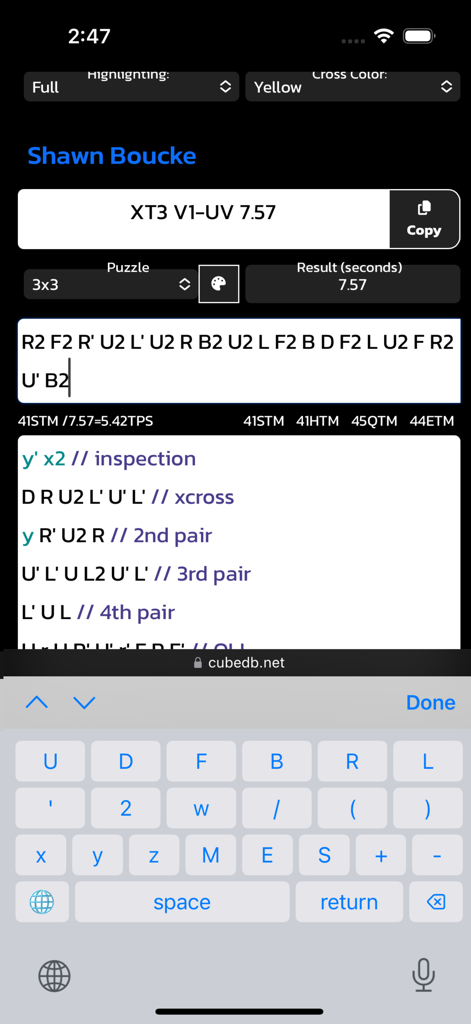
Cube Keyboard interface with specialized keys for typing Rubik's Cube notation and algorithms
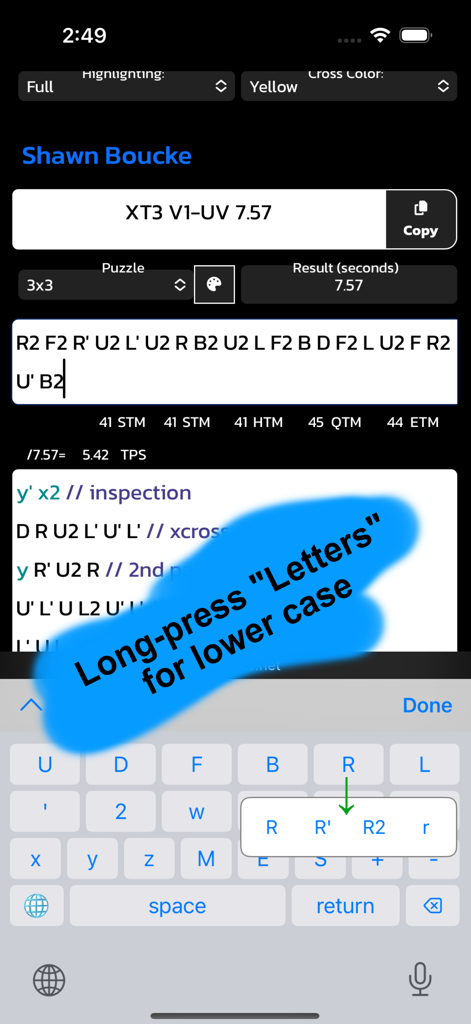
Mobile app interface of Cube Keyboard showing specialized keys for speedcube notation and a long press menu.
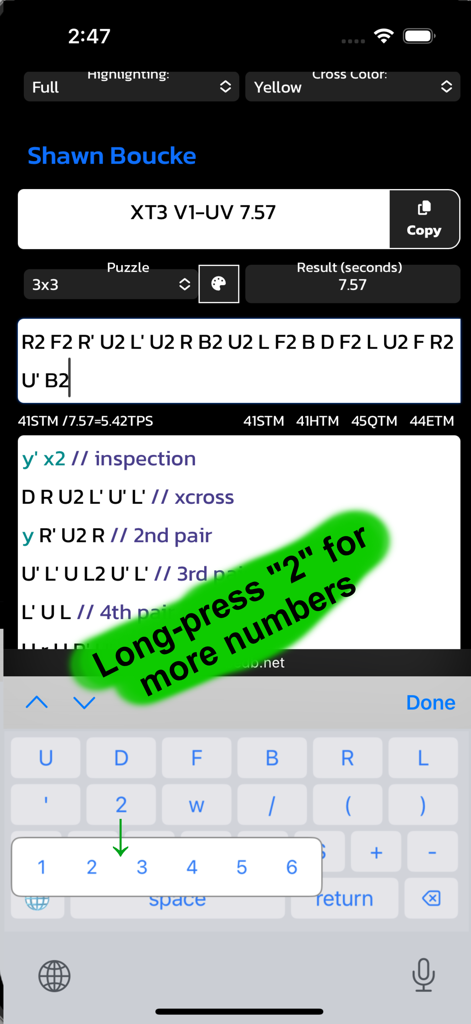
Cube Keyboard mobile interface with speedcube notation and long-press number selection
Type Algorithms at Sub-10 Speed
The tools that make this app stand out, trusted by 100 users.
⚡
One-Tap Notation
Type R, U', and L2 without switching menus. Every essential face move and modifier is laid out for maximum efficiency and zero friction.
🧩
Universal Puzzle Support
Beyond the 3x3—integrated support for Square-1 numbers and Megaminx modifiers makes this the ultimate tool for multi-event solvers.
🔒
Zero-Data Privacy
No tracking, no logging, and no internet access required. A lightweight, privacy-first utility that respects your data and your device.
About the app
Everything you need to know about Cube Keyboard.
Description
Cube Keyboard – The Ultimate Typing Tool for Speedcubers
Tired of struggling to type cube notation quickly? Cube Keyboard makes it effortless to input cube algorithms, notation, and move sequences anywhere—whether you're discussing strategies, sharing solves, or writing tutorials.
With a thoughtfully designed layout, Cube Keyboard gives you quick access to essential cube notation, including:
Face moves (U, D, F, B, R, L, and lowercase u, d, f, b, r, l)
Modifiers for turns (' , 2, w, /, ( ) )
Rotation moves (x, y, z, M, E, S)
Quick access to space, return, and delete keys
Numbers 1-6 for Square-1 and +/- for Megaminx
Designed for speedcubers, puzzle enthusiasts, and educators, this keyboard makes inputting cube notation faster and more efficient.
No more searching for notation symbols—just type and go!
-Shawn from SpeedCubeReview.com
Privacy Policy
1. Information We Collect
No Personal Data Collected
Cube Keyboard does not collect, store, or share any personal information. The app functions entirely on your device and does not transmit any data to external servers.
No Keyboard Input Logging
Cube Keyboard does not record, store, or track what you type. All keystrokes remain private and are only sent to the active text field within your selected app.
2. Permissions & Full Access
Why Does Cube Keyboard Request "Full Access"?
Some apps require "Allow Full Access" for third-party keyboards to function properly. If you enable this setting, Cube Keyboard can be used across more apps.
However, even with Full Access:
We do not collect or transmit keystrokes
We do not access any personal data
No internet connection is used for keyboard operations
Enabling Full Access is optional, and Cube Keyboard will still function in many apps without it.
3. Data Sharing & Third Parties
Cube Keyboard:
Does not share data with third parties
Does not use analytics or tracking services
Does not display ads or collect advertising data
Your privacy is 100% respected at all times.
4. Children's Privacy
Cube Keyboard is safe for all ages. Since the app does not collect any data, there are no risks related to children's privacy.
5. Contact Us
If you have any questions about this Privacy Policy, feel free to contact us:
Email: appkeyboards@gmail.com
We are committed to keeping Cube Keyboard secure and private for all users.
6. Changes to This Policy
We may update this Privacy Policy from time to time. Any updates will be posted on this page with a revised "Effective Date" at the top.
By using Cube Keyboard, you agree to this Privacy Policy.
This ensures compliance with Apple's App Store privacy requirements while making it clear that your app does not collect any user data. Let me know if you need any adjustments!
Latest Version
1.4
Size
0.5 MB
First Released
Mar 20, 2025
Type Algorithms as Fast as You Solve
Stop toggling between menus for primes and numbers. Download Cube Keyboard today and share your solves, scrambles, and reconstructions with zero friction.
App information, icons, screenshots, and descriptions displayed on this page are sourced from the Apple App Store and are the property of their respective developers. Download estimates and rankings are based on MWM's proprietary models and may not reflect actual figures. This page is provided for informational and analytical purposes only.
Believe this page infringes your intellectual property? File a dispute