
This page is not an official page of the app or its developer, but an independent editorial publication created for informational and commentary purposes. Unless expressly stated otherwise, neither the app nor its developer is affiliated with, endorsed by, sponsored by, authorized by, or otherwise officially connected with MWM, Apple, Google Play, the app publisher, or the app's developer, and nothing on this page implies that the app was developed using MWM's services. Any trademarks, logos, screenshots, and other content remain the property of their respective owners.


Cute CUT
It's clear: standard mobile video editors box creators in. This app grants the power to sculpt stories with unprecedented visual flair, painting directly onto moving images, turning every project into an original masterpiece.
Downloads
12.5M+User Rating
Total Ratings
165.0KPublisher
Category
Photo & VideoLocales
12Latest Version
2.8Size
109.2 MBFirst Released
Jan 9, 2013App Feature Analysis: Cute CUT
Evaluating core functionalities for mobile-first content creators
Multi-Media Layering
It allows users to combine diverse media types (video, photos, drawings, text, music, voice) simultaneously, offering rich creative possibilities for complex video compositions.
In-App Drawing & Advanced Brushes
The app provides extensive drawing tools and advanced brushes, enabling unique, hand-drawn overlays and artistic effects directly on video content, enhancing originality.
Flexible Resolution & Aspect Ratios
It supports a wide array of resolutions and aspect ratios, ensuring users can create content optimized for various platforms like Instagram (1:1), YouTube (16:9), or TikTok (portrait).
Easy Picture-In-Picture (PIP)
The app simplifies the creation of Picture-In-Picture effects, allowing users to layer and independently resize video segments for dynamic visual storytelling.
Intuitive Drag & Drop UI
The app features a user-friendly drag-and-drop interface, simplifying media segment arrangement and offering a smooth editing experience in both portrait and landscape orientations.
Advanced Customization & Transitions
This tool provides highly customizable transitions and extensive controls over elements like transparency, borders, shadows, and sound, enabling precise aesthetic adjustments.
Direct Sharing Options
It allows users to directly export finished videos to their camera roll or instantly share them to popular platforms like YouTube and Facebook, streamlining content distribution.
Comprehensive In-App Tutorials
The app provides easily accessible multiple tutorials and full video walkthroughs, supporting users in mastering its features and maximizing their creative output.
Frequently Asked Questions
Everything you need to know about Cute CUT
What is Cute CUT?
Cute CUT is a powerful video editor that allows users to create high-quality movies by combining video, photos, self-draw elements, text, music, and voice. It offers advanced, Hollywood-style editing functionalities.
Does Cute CUT support multi-layer video editing?
Yes, Cute CUT supports multi-layer video editing. Users can add up to six different media types simultaneously and create Picture-In-Picture (PIP) effects with independent resizing of video segments.
Can I draw directly on my movies in Cute CUT?
Yes, Cute CUT allows users to draw directly on their movies. It provides over 30 drawing tools and three advanced brushes with editable gradients for professional effects like Texture, Linear, and Radial Gradient.
What media types can I add to my projects in Cute CUT?
Cute CUT supports adding up to six different media types simultaneously: Video, Photo (from album or camera), SELF-DRAW, Text, Music, and Voice into movie projects.
What are the benefits of upgrading to Cute CUT Pro?
Upgrading to Cute CUT Pro provides watermark-free movies, unlimited movie length, no ads, 4K Ultra HD movie exporting, and access to more music tracks and stickers.
Does Cute CUT have a green screen feature?
Yes, Cute CUT includes a Chroma Key feature, also known as green screen. This functionality allows users to remove or replace specific colors from their video footage.
How do I manage my movie projects in Cute CUT?
Cute CUT offers movie management features. Users can organize and rearrange their movie projects using folders for efficient workflow.
What aspect ratios does Cute CUT support for videos?
Cute CUT supports various resolutions and aspect ratios, including HD (16:9, 19.5:9, 21:9), SD (4:3, 5:4), SQUARE (1:1), and Portrait Mode for video projects.
Can I export my Cute CUT movies to social media?
Yes, users can share their Cute CUT movies. Export options include saving to the Camera Roll, sending to YouTube/Facebook, or sharing via e-mail directly from the app.
The following screenshots and description are sourced directly from the app's official store listing and are the property of the app developer.
App Store
Screenshots
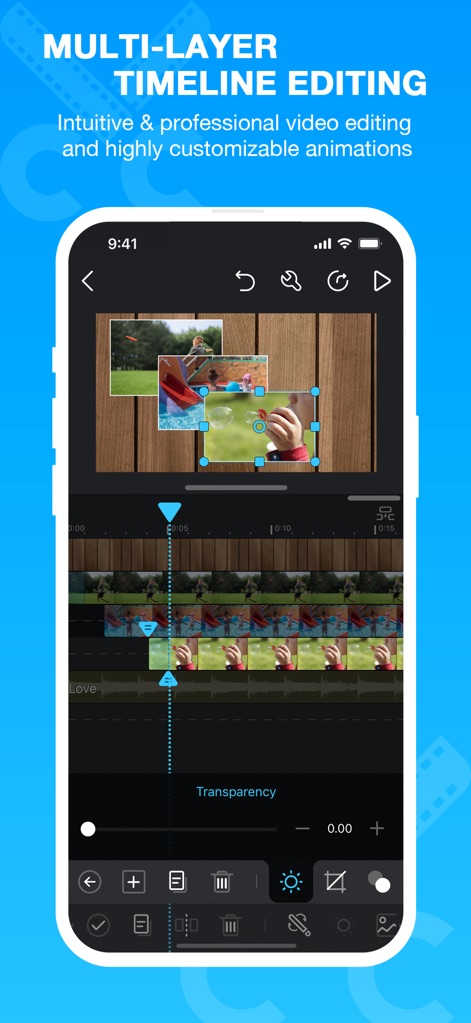
Timeline Mastery
Users can precisely arrange multiple media segments on the multi-layer timeline, enabling complex Picture-In-Picture compositions and customizable animations.
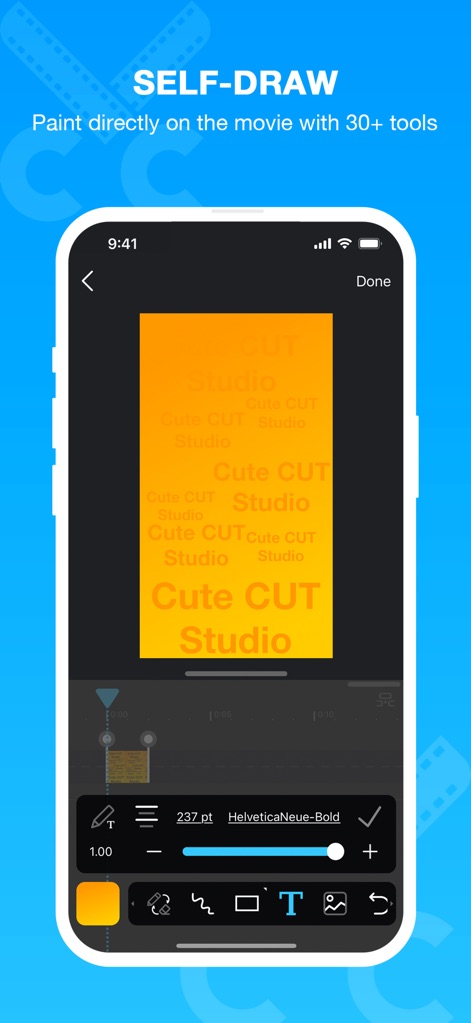
Creative Canvas Control
This tool empowers creators to draw directly on their movies using its 30+ drawing tools, alongside customizable text with various fonts and sizes.
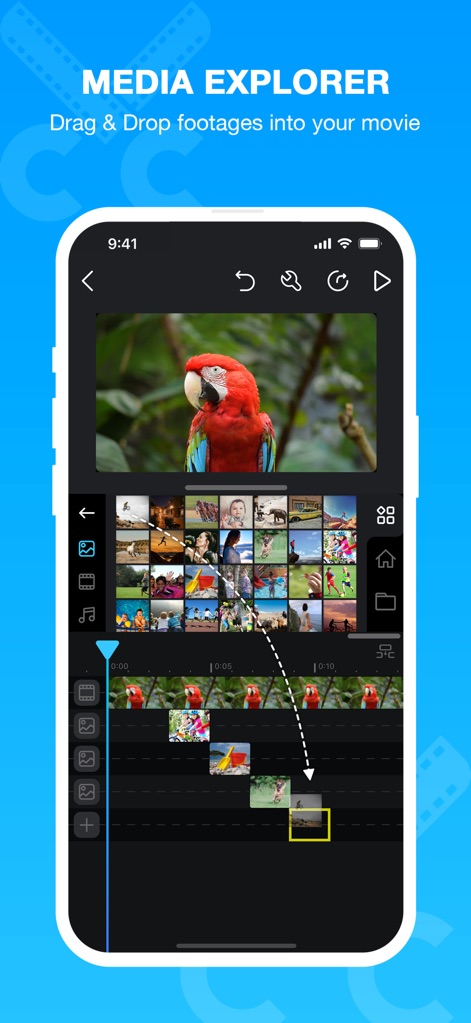
Seamless Media Import
The app simplifies project creation with its intuitive media explorer, allowing users to drag and drop footage seamlessly and browse a comprehensive media gallery.
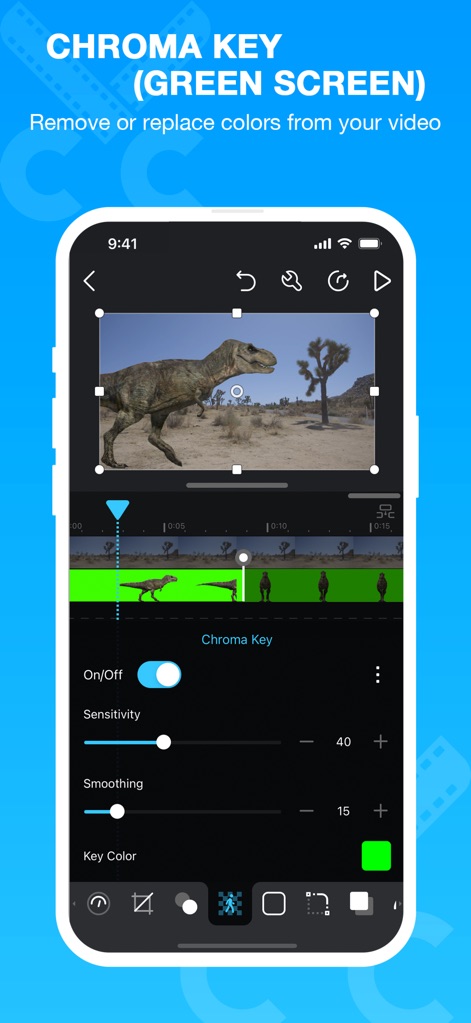
Green Screen Magic
Experience professional-grade Chroma Key capabilities to effortlessly remove or replace backgrounds, with fine-tuned control over sensitivity and smoothing.

Organized Project Hub
Users can maintain an organized workflow with the app's movie management system, featuring customizable folders and clear project previews for quick access.
Description
Download
More Like This
Apps with similar features and user experience

VEED Shorts: AI videos
VEED Ltd

AI Video Maker - Renderforest
Renderforest LLC

Slideshow Creator -MovieStudio
立瑗 胡

Filmigo Video Maker & Editor
VIDEOSHOW PTE. LTD.

Slideshow Maker Video & Photo
Honk Honk Punch Pty Ltd

Quick Slideshow Maker + Music
Zipo Apps Ltd.

Salad Video -Video Editor
ChengDu PinGuo Technology Co., Ltd.

Story Swag - Quick Reels
Slider LLC

StoryWave - Video Maker
UNSTATIC LTD
This page is not an official page of the app or its developer, but an independent editorial publication created for informational and commentary purposes. Unless expressly stated otherwise, neither the app nor its developer is affiliated with, endorsed by, sponsored by, authorized by, or otherwise officially connected with MWM, Apple, Google Play, the app publisher, or the app's developer, and nothing on this page implies that the app was developed using MWM's services. Any trademarks, logos, screenshots, and other content remain the property of their respective owners.