
当贝家
Hangzhou Dangbei Network Technology Co.,Ltd


Publisher
Category
UtilitiesDownloads
1M+User Rating
Total Ratings
300Locales
1Discover the interface used by 1M+ users.
The tools that make this app stand out, trusted by 1M+ users.
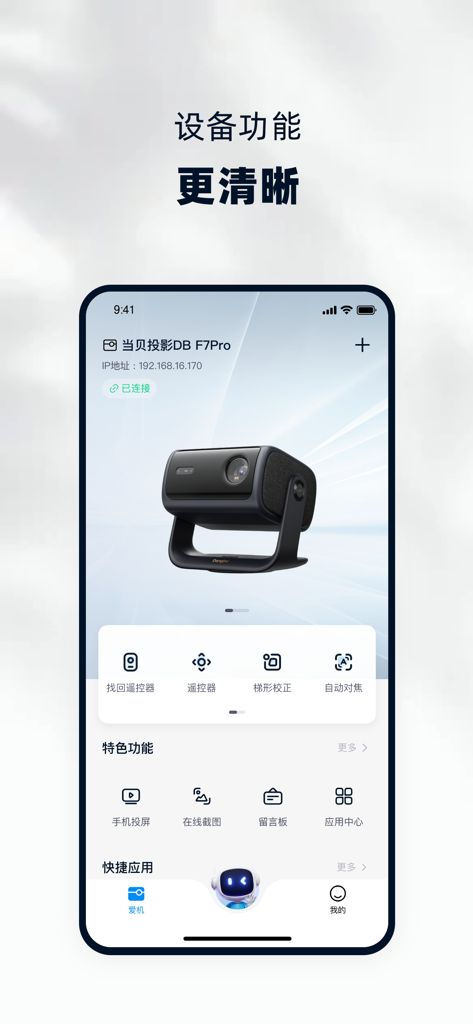
手机即是遥控器,支持远程找回遥控、一键自动对焦及梯形校正,彻底解决设备调试难题。
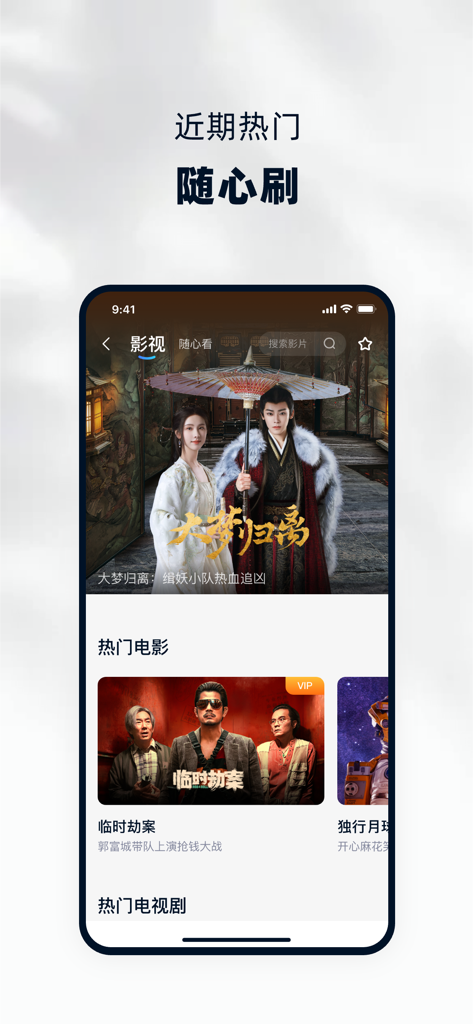
深度同步当贝OS海量华语内容,在手机上随心选片,一键即可在大屏播放,同步国内追剧节奏。
无论身在何处,通过手机即可开启远程监控或大屏视频通话,随时守护您的美国居所并联系远方亲人。
Insights from user reviews.
Sentiment Score
Summary
This mobile app generally receives overwhelmingly negative feedback, with users frequently reporting severe issues across its core functionalities. Common complaints include persistent failures in screen mirroring, often leading to black screens or poor picture quality, along with widespread connectivity problems and app instability, notably crashes on iOS 12.1 and after updates. While some users praise specific features like the remote finder, general ease of use, and comprehensive projector control capabilities, these positives are largely overshadowed by significant usability flaws, login difficulties, and privacy concerns.
Common Themes
Everything you need to know about 当贝家.
Description
Latest Version
5.0.1
Size
96.3 MB
First Released
Nov 5, 2019
Download Dangbei Home to unlock the full potential of your devices. Control your projector, sync trending content, and bridge the distance with video calls—all from your smartphone.
Everything you need to know about 当贝家
当贝家 (Dangbei Home) is a mobile app that manages Dangbei projectors and TV boxes, offering features like remote control, screen mirroring, video calls, and access to popular media.
Connect the 当贝家 (Dangbei Home) app by ensuring your phone and Dangbei device share the same Wi-Fi network, or by logging in with the identical WeChat account on both.
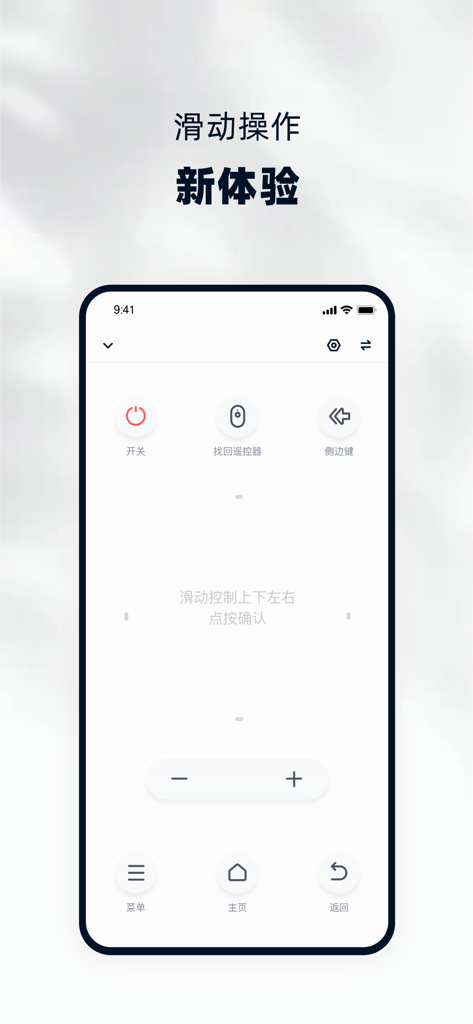
Yes, the 当贝家 (Dangbei Home) app includes a comprehensive remote control function, supporting power, navigation, volume, and dedicated buttons for device operation.
Yes, the 当贝家 (Dangbei Home) app provides access to popular films and TV series, synchronized with Dangbei OS data, for one-click big screen playback.
The 当贝家 (Dangbei Home) app controls device system functions such as finding the remote, accessing settings, automatic focus, and keystone correction for connected Dangbei devices.
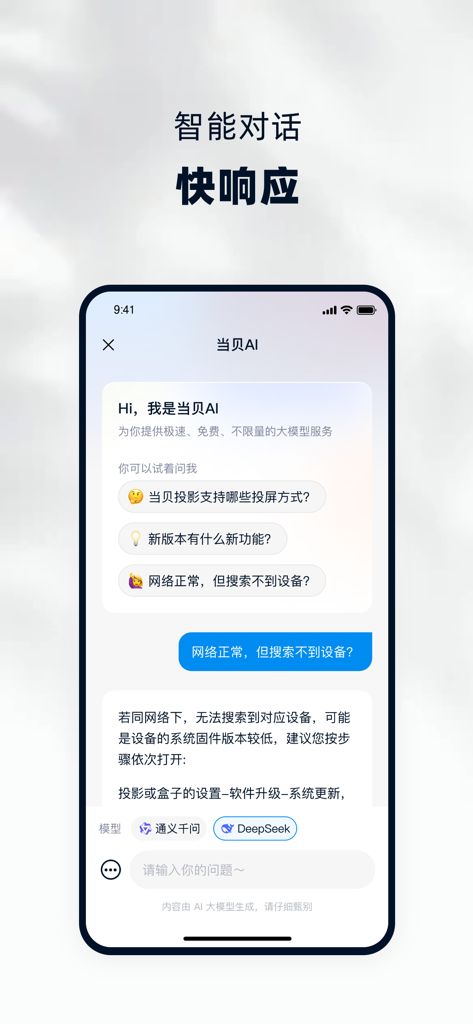
Yes, the 当贝家 (Dangbei Home) app integrates a "当贝AI" chatbot. This AI assistant provides fast, free, and unlimited large model services for user inquiries and support.
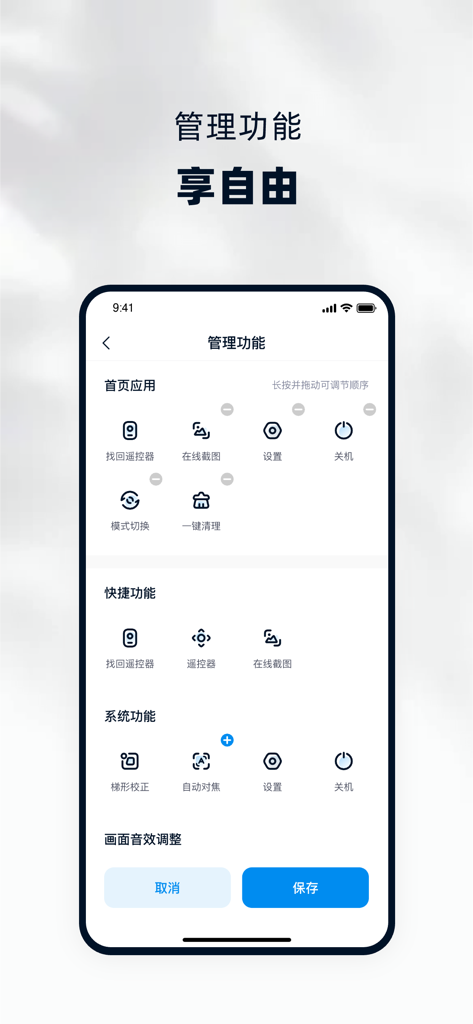
Yes, users can customize the display and order of functions on the 当贝家 (Dangbei Home) app's homepage. This offers a personalized and flexible user experience.
Apps with similar features and user experience

Beijing Xiaomi Co., Ltd

Space Exploration Technologies Corp.

Shanghai Lunkuo Technology Co., Ltd

HESUNG INNOVATION LIMITED

Securitas Direct

Automated Pet Care Products Inc.

Merkury Innovations LLC

ADT LLC

X-Sense USA LLC.
App information, icons, screenshots, and descriptions displayed on this page are sourced from the Apple App Store and are the property of their respective developers. Download estimates and rankings are based on MWM's proprietary models and may not reflect actual figures. This page is provided for informational and analytical purposes only.
Believe this page infringes your intellectual property? File a dispute