Dark Pages: Dark Mode+

Dark Pages: Dark Mode+

Download on App Store
Logo of Dark Pages: Dark Mode+

Dark Pages: The Safari Dark Mode Extension That’s Easier on Your Eyes

Stop the late-night glare with customizable themes and a built-in screen dimmer. Whether you prefer Deep Black, Soft Mint, or Pastel Pink, browse every website in a way that fits your vibe and protects your vision.

Download on App Store

Publisher

Konstantin Ryadchenko

Category

Utilities

Downloads

200

User Rating

1.0/5

Total Ratings

0

Locales

1

Visual Comfort Perfected

Discover the interface used by 200 users.
Dark Pages app screen showing a moon icon and a glowing lightbulb with the title Dark Mode for your browser

Dark Pages app screen showing a moon icon and a glowing lightbulb with the title Dark Mode for your browser

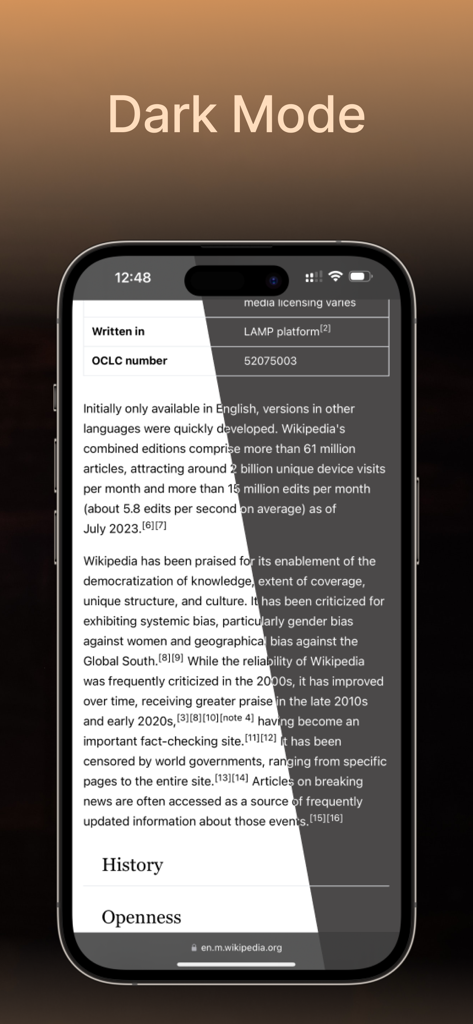
iPhone showing a split screen comparison of a Wikipedia page in standard light mode and Dark Pages dark mode

iPhone showing a split screen comparison of a Wikipedia page in standard light mode and Dark Pages dark mode

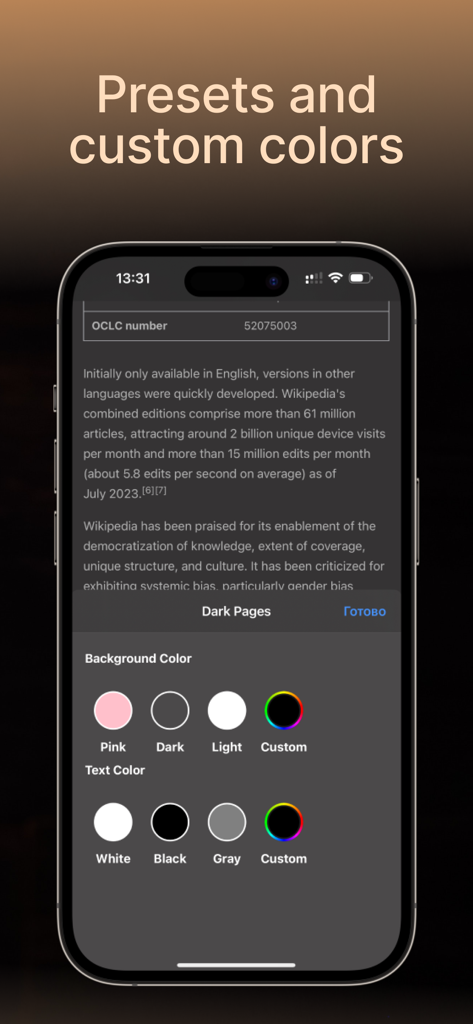
Dark Pages app interface on iPhone showing background and text color customization options for Safari browsing.

Dark Pages app interface on iPhone showing background and text color customization options for Safari browsing.

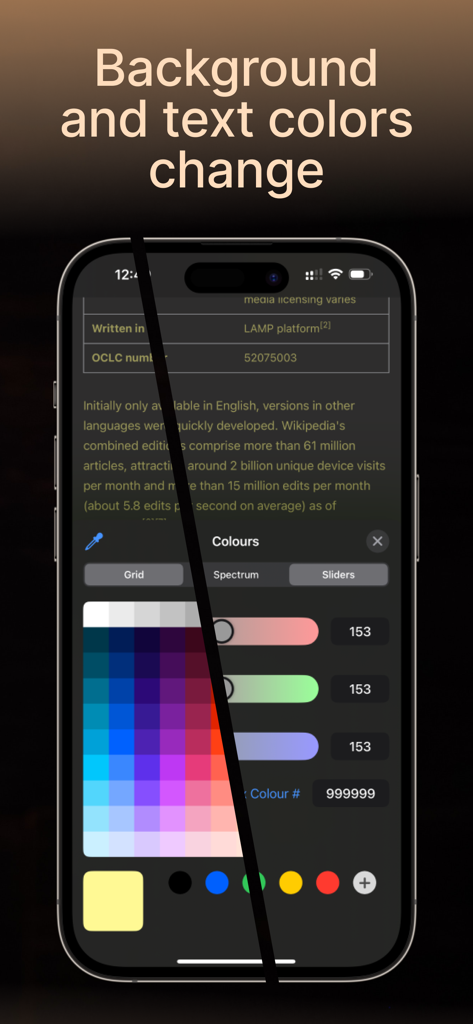
Dark Pages app on iPhone showing a color palette and sliders for customizing web page appearance

Dark Pages app on iPhone showing a color palette and sliders for customizing web page appearance

Elevate Your Late-Night Browsing

The tools that make this app stand out, trusted by 200 users.

🌙

Gentle on Your Eyes

Eliminate harsh glare with universal dark mode and a screen dimmer designed to protect your sleep cycle from blue light.

🎨

Personalized Aesthetics

Go beyond basic black. Match your style with unique presets like Mint, Pink, and Dark Web for a truly custom reading experience.

🛡️

Privacy-First Browsing

Browse with total peace of mind. We collect zero data, ensuring your history and habits remain entirely private and secure.

About the app

Everything you need to know about Dark Pages: Dark Mode+.

Description

Dark Pages makes browsing easier on your eyes with full-page dark mode in Safari. Perfect for late-night reading or reducing screen glare. Customize background and text colors Screen dimmer for any website Smart presets like pink, mint, and dark web Works on both iPhone and iPad Safari Privacy-focused with no data collection Upgrade once in the app to unlock full access. Ideal for users searching for "dark reader", "screen darker", or "safari dark mode". Download now and enjoy a more comfortable browsing experience, day and night. Dark Pages app requires subscription. You may purchase an auto-renewing subscription through an In-App Purchase: • Auto-renewable subscription • Your subscription will be charged to your iTunes account at confirmation of purchase and will automatically renew (at the duration selected) unless auto-renew is turned off at least 24 hours before the end of the current period. • Current subscription may not be cancelled during the active subscription period; however, you can manage your subscription and/or turn off auto-renewal by visiting your iTunes Account Settings after purchase. • Privacy Policy: https://telegra.ph/Dark-Pages---Privacy-Policy-07-20 • Terms of use: https://telegra.ph/Dark-Pages---Terms-of-Use-07-20

Latest Version

1.1

Size

8.2 MB

First Released

Sep 23, 2023

Ready for a Better Night's Browse?

Join the night owls using Dark Pages to protect their eyes, customize their vibe, and browse Safari in total comfort.

Download on App Store

App information, icons, screenshots, and descriptions displayed on this page are sourced from the Apple App Store and are the property of their respective developers. Download estimates and rankings are based on MWM's proprietary models and may not reflect actual figures. This page is provided for informational and analytical purposes only.

Believe this page infringes your intellectual property? File a dispute