
This page is not an official page of the app or its developer, but an independent editorial publication created for informational and commentary purposes. Unless expressly stated otherwise, neither the app nor its developer is affiliated with, endorsed by, sponsored by, authorized by, or otherwise officially connected with MWM, Apple, Google Play, the app publisher, or the app's developer, and nothing on this page implies that the app was developed using MWM's services. Any trademarks, logos, screenshots, and other content remain the property of their respective owners.


De'Longhi COFFEE LINK
No more guesswork. This app grants total coffee control, straight from your pocket.
Downloads
1M+User Rating
Total Ratings
23.5KPublisher
Category
Food & DrinkLocales
22Latest Version
4.9.6Size
426.5 MBFirst Released
Jan 4, 2021De'Longhi COFFEE LINK App Evaluation
Key Features Analysis
Advanced Bean Adapt Customization
This tool features Bean Adapt technology, allowing users to extract optimal flavor and aroma from selected beans, precisely adjusting machine settings, and saving customized preferences for various coffee types.
Remote Brewing & Personalized Drinks
The app provides the ability to brew beverages remotely directly from a smartphone and personalize drinks to individual taste preferences with ease.
Extensive Recipe Management
It allows users to discover and prepare exclusive recipes, as well as create and save their own unique coffee creations directly within the app.
Multi-User Profile Management
This tool enables the management of different user profiles, facilitating quick access to favorite beverages for each family member or individual user.
Coffee Lounge & Educational Content
The app provides access to a 'Coffee Lounge' section featuring news, interviews, tips, and tricks to help users discover and learn more about coffee.
Machine Maintenance Monitoring
It allows users to conveniently monitor the maintenance status of their De'Longhi coffee machine, ensuring optimal performance and longevity.
Frequently Asked Questions
Everything you need to know about De'Longhi COFFEE LINK
What is the De'Longhi COFFEE LINK app?
The De'Longhi COFFEE LINK app allows users to manage their connected De'Longhi coffee machine, explore coffee information in the Coffee Lounge, and discover exclusive recipes directly from their iPhone.
Can I brew coffee remotely using the De'Longhi COFFEE LINK app?
Yes, the De'Longhi COFFEE LINK app enables users to brew their favorite beverages remotely straight from their iPhone, providing convenient control over their connected De'Longhi coffee machine.
Does De'Longhi COFFEE LINK provide exclusive coffee recipes?
Yes, the De'Longhi COFFEE LINK app allows users to discover and prepare exclusive recipes. These recipes are available on selected coffee machines and can be found within the app's 'Recipes' section.
How does Bean Adapt technology work in De'Longhi COFFEE LINK?
Bean Adapt technology in De'Longhi COFFEE LINK adapts the machine's settings to extract the full flavor and aroma of selected coffee beans. Users can adjust settings and save preferences for different beans.
Can I personalize beverages with the De'Longhi COFFEE LINK app?
Yes, the De'Longhi COFFEE LINK app allows users to personalize beverages exactly how they like them. Users can also create and save their own recipes directly within the app for a fully customized experience.
How do I monitor my De'Longhi coffee machine's maintenance status?
The De'Longhi COFFEE LINK app allows users to monitor their connected coffee machine's maintenance status. This feature helps ensure the machine operates optimally and facilitates timely upkeep.
Does the De'Longhi COFFEE LINK app support multiple user profiles?
Yes, the De'Longhi COFFEE LINK app supports managing different user profiles. Each user can quickly add and save their favorite beverages, creating a personalized coffee experience for everyone.
Where can I find coffee news and tips in De'Longhi COFFEE LINK?
Users can find coffee news, interviews, and tips and tricks in the Coffee Lounge section of the De'Longhi COFFEE LINK app. This feature enhances the coffee enjoyment and discovery experience.
The following screenshots and description are sourced directly from the app's official store listing and are the property of the app developer.
App Store
Screenshots
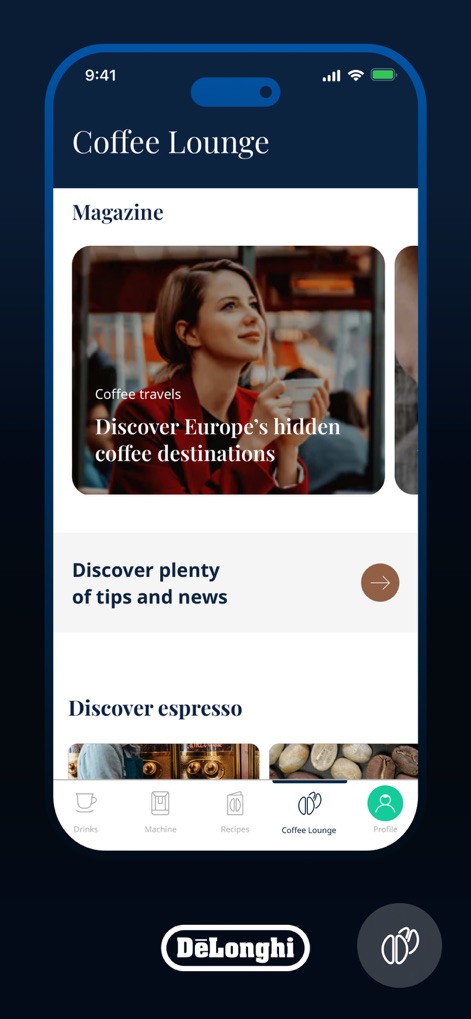
The app offers an immersive "Coffee Lounge" section where users can discover various coffee articles and news, easily navigated through the intuitive bottom menu.
Explore Coffee Culture
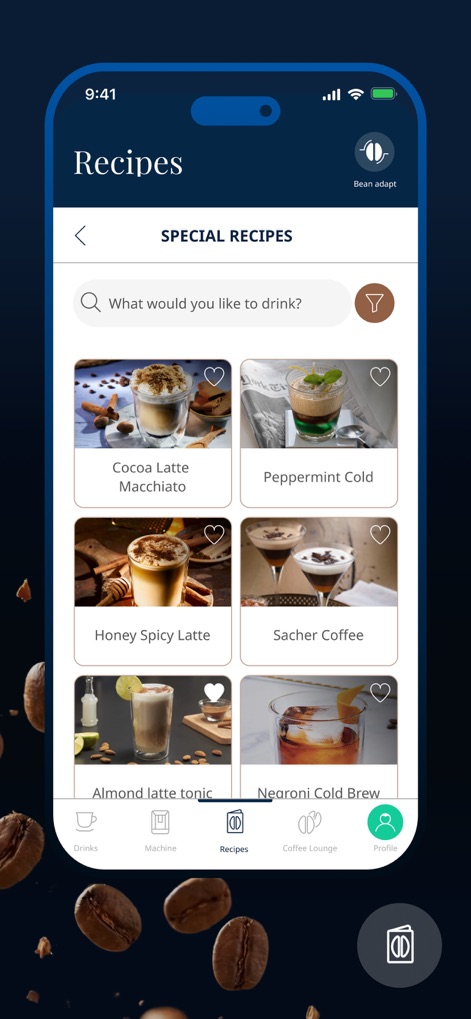
This tool provides a vast "SPECIAL RECIPES" catalog, allowing users to search and filter their preferred drinks, with the "Bean adapt" feature accessible for optimal brewing.
Curated Recipe Collection
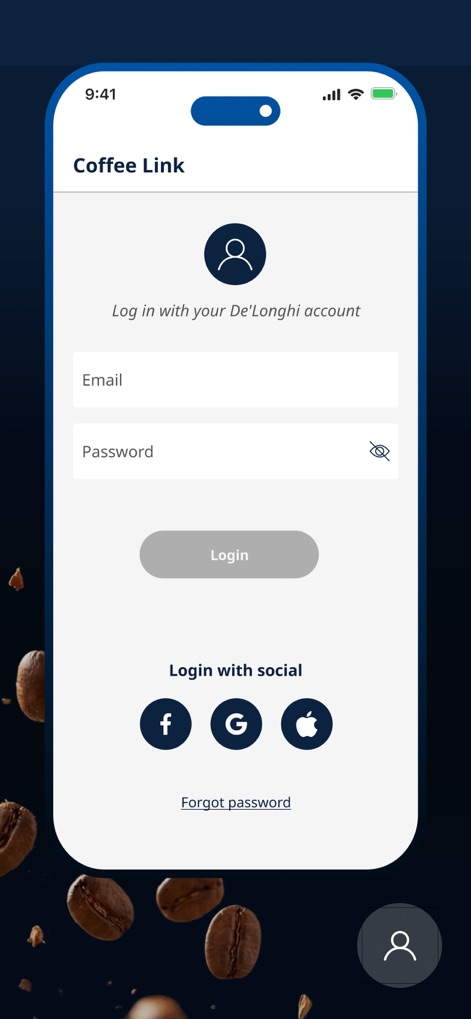
Users can easily gain access to their personalized coffee experience through the secure "Email" and "Password" login fields or by utilizing convenient "social login" options.
Seamless Access
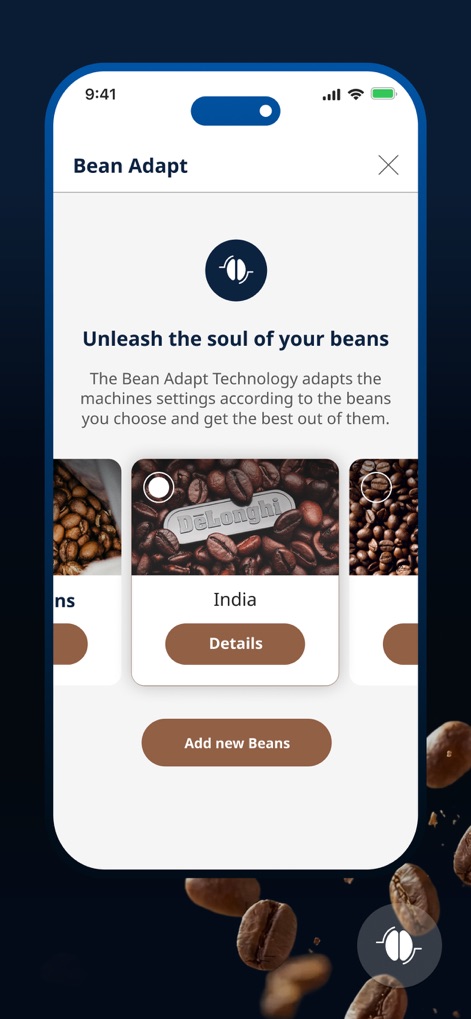
The "Bean Adapt" technology enables precise customization, allowing users to select their specific coffee beans from an interactive carousel and "Add new Beans" to tailor their brew.
Bean Personalization
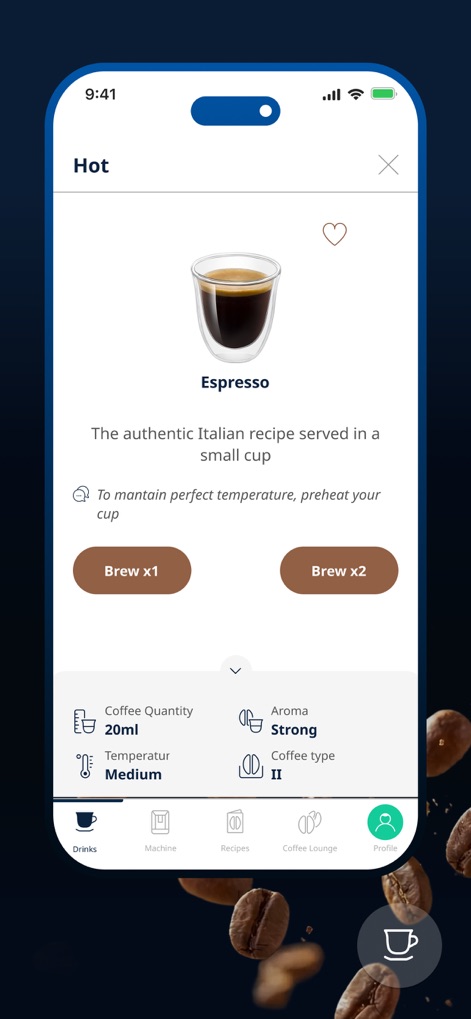
Users can effortlessly "Brew x1" or "Brew x2" of their desired beverage, with detailed customization options for "Coffee Quantity" and "Aroma" to perfect each cup.
Craft Your Brew
Description
Download
More Like This
Apps with similar features and user experience

Nespresso Store
Nestle Nespresso SA

Krisbow Sync (Smart Klic)
PT. Aspirasi Hidup Indonesia, Tbk

BORK Deliberate Excellence
BORK-Import OOO

凯度生活家
Shenzhen Casdon Electric Appliance Co., Ltd

PerfectDraft
ZX VENTURES LTD

Keurig
Keurig Green Mountain, Inc.
Smart Life Philco
Philco Eletronicos SA

Kärcher Home & Garden
Alfred Kaercher SE & Co. KG

Izy Smart
Intelbras SA Ind de Telecom Elet Brasileira
This page is not an official page of the app or its developer, but an independent editorial publication created for informational and commentary purposes. Unless expressly stated otherwise, neither the app nor its developer is affiliated with, endorsed by, sponsored by, authorized by, or otherwise officially connected with MWM, Apple, Google Play, the app publisher, or the app's developer, and nothing on this page implies that the app was developed using MWM's services. Any trademarks, logos, screenshots, and other content remain the property of their respective owners.