
This page is not an official page of the app or its developer, but an independent editorial publication created for informational and commentary purposes. Unless expressly stated otherwise, neither the app nor its developer is affiliated with, endorsed by, sponsored by, authorized by, or otherwise officially connected with MWM, Apple, Google Play, the app publisher, or the app's developer, and nothing on this page implies that the app was developed using MWM's services. Any trademarks, logos, screenshots, and other content remain the property of their respective owners.

Smart Life Philco
Take command of your appliances from anywhere. Simplify your daily routine with smart timers, multi-device control, and easy family sharing designed for your busy lifestyle.
Downloads
230K+User Rating
Total Ratings
300Publisher
Category
LifestyleLocales
12Latest Version
1.0.7Size
183.1 MBFirst Released
Sep 5, 2020Take Command of Your Modern Home
Experience the ultimate convenience with an all-in-one hub designed to simplify your daily routines and maximize home efficiency.
Total Control from Anywhere
Never wonder if you left the AC on again. Manage all your Philco appliances remotely with a single tap, no matter where you are.
Smart Scheduling & Timers
Automate your day and save on energy bills. Set custom timers for your devices to match your lifestyle and morning routines perfectly.
Frequently Asked Questions
Everything you need to know about Smart Life Philco
Can I control my home appliances remotely with Smart Life Philco?
Yes, Smart Life Philco allows remote control of home appliances from anywhere, providing convenient management of your smart devices.
Does the Smart Life Philco app control multiple devices simultaneously?
Yes, the Smart Life Philco app allows simultaneous control of multiple devices with one application, streamlining your smart home management.
Can I set timers for my devices using Smart Life Philco?
Yes, Smart Life Philco allows users to set timers to perform multiple functions for their connected devices, including power on and shutdown timings.
Does Smart Life Philco support device sharing among family members?
Yes, Smart Life Philco supports device sharing, enabling family members to share control over connected devices for collaborative management.
Is it easy to connect devices to the Smart Life Philco app?
Yes, Smart Life Philco ensures an easy and quick connection process for integrating devices with the application, simplifying setup.
What type of appliances can Smart Life Philco control?
Smart Life Philco can control various home appliances, including smart air conditioners, allowing functions like temperature adjustment and mode selection.
Can I automate tasks with the Smart Life Philco app?
Yes, the Smart Life Philco app allows users to create automated tasks and conditions, such as 'Launch Tap-to-Run' actions and scheduled device operations.
The following screenshots and description are sourced directly from the app's official store listing and are the property of the app developer.
App Store
Screenshots
Smart Life Philco app splash screen with a house and wireless signal icon on a teal background
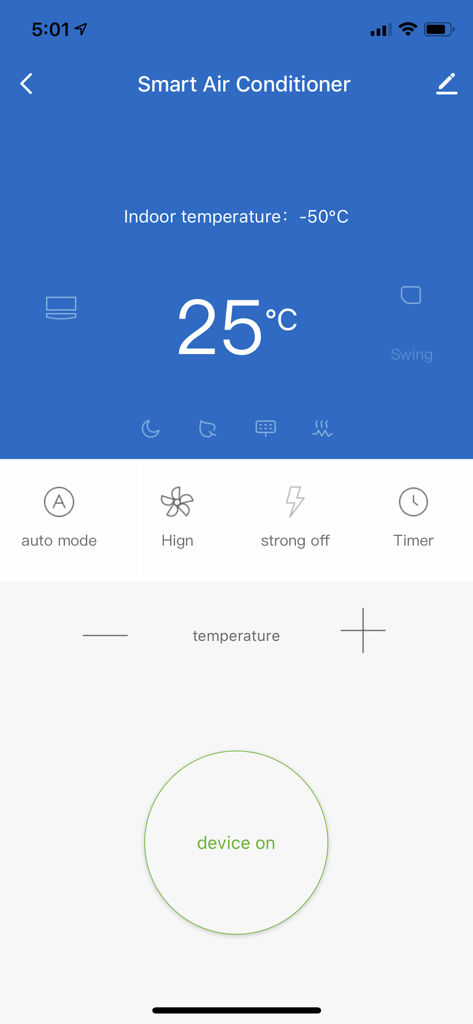
Smart Life Philco app interface for smart air conditioner remote control
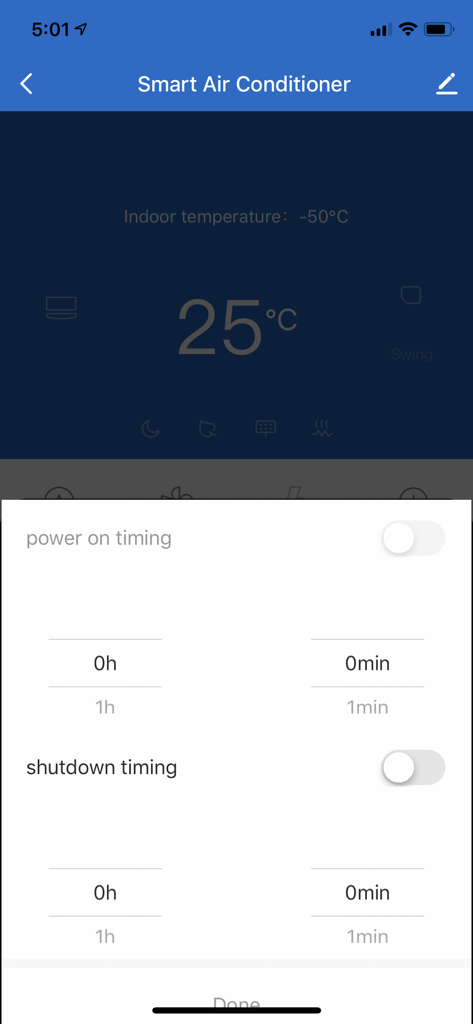
Interface for scheduling power on and shutdown of a smart air conditioner in the Philco app
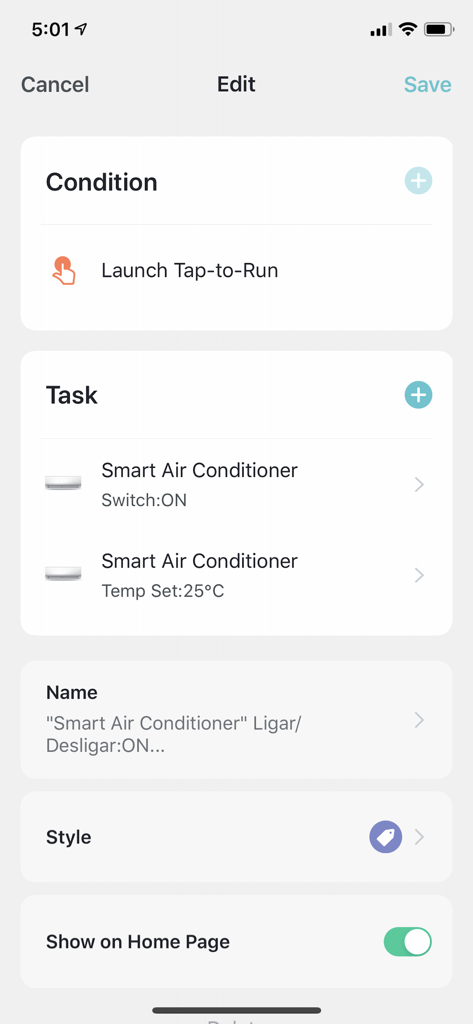
Smart Life Philco app screen showing the creation of a tap-to-run automation for a smart air conditioner
Description
Download
More Like This
Apps with similar features and user experience

Nespresso Store
Nestle Nespresso SA

Krisbow Sync (Smart Klic)
PT. Aspirasi Hidup Indonesia, Tbk

BORK Deliberate Excellence
BORK-Import OOO

凯度生活家
Shenzhen Casdon Electric Appliance Co., Ltd

PerfectDraft
ZX VENTURES LTD

Keurig
Keurig Green Mountain, Inc.

Kärcher Home & Garden
Alfred Kaercher SE & Co. KG

Izy Smart
Intelbras SA Ind de Telecom Elet Brasileira
DELTACO SMART HOME
SweDeltaco AB
This page is not an official page of the app or its developer, but an independent editorial publication created for informational and commentary purposes. Unless expressly stated otherwise, neither the app nor its developer is affiliated with, endorsed by, sponsored by, authorized by, or otherwise officially connected with MWM, Apple, Google Play, the app publisher, or the app's developer, and nothing on this page implies that the app was developed using MWM's services. Any trademarks, logos, screenshots, and other content remain the property of their respective owners.