
This page is not an official page of the app or its developer, but an independent editorial publication created for informational and commentary purposes. Unless expressly stated otherwise, neither the app nor its developer is affiliated with, endorsed by, sponsored by, authorized by, or otherwise officially connected with MWM, Apple, Google Play, the app publisher, or the app's developer, and nothing on this page implies that the app was developed using MWM's services. Any trademarks, logos, screenshots, and other content remain the property of their respective owners.

DELTACO SMART HOME
Streamline your daily life by managing lighting, security, and energy consumption from anywhere. Automate your home with smart scenes and start saving on your utility bills today.
Downloads
359K+User Rating
Total Ratings
8K+Publisher
Category
UtilitiesLocales
7Latest Version
2.0.8Size
180.5 MBFirst Released
Oct 21, 2019Your Home, Under Your Command
Manage every light, plug, and camera with a single tap. Experience the ultimate blend of security, efficiency, and comfort designed for your modern lifestyle.
Total Peace of Mind
Monitor your home in real-time and check on your family from anywhere, giving you the security you deserve.
Smart Energy Savings
View detailed consumption data and automate your appliances to slash your monthly utility bills effortlessly.
Frequently Asked Questions
Everything you need to know about DELTACO SMART HOME
What is the DELTACO SMART HOME app?
The DELTACO SMART HOME app controls and customizes all official DELTACO smart products. It allows users to manage lighting, temperature, plugs, and surveillance remotely from their smartphone.
What types of smart devices does the DELTACO SMART HOME app support?
The DELTACO SMART HOME app supports various smart devices. These include power devices, cameras, lights, doorbells, smart fans, and Wi-Fi sensors, enabling comprehensive home control.
Can I remotely control my smart devices with DELTACO SMART HOME?
Yes, the DELTACO SMART HOME app provides remote control functionality. Users manage lighting, temperature, plugs, and surveillance from any location directly through their smartphone.
How do I automate tasks with the DELTACO SMART HOME app?
The DELTACO SMART HOME app automates tasks using scheduling and scenes. Users can program devices for specific on/off times or create custom smart scenarios for home automation.
Does DELTACO SMART HOME track energy consumption?
Yes, the DELTACO SMART HOME app tracks energy consumption. It provides measurements by day, week, month, or year, helping users monitor and understand their device usage.
Can I group smart devices together in DELTACO SMART HOME?
Yes, the DELTACO SMART HOME app allows grouping of smart products. Users can connect devices to control them simultaneously, such as switching all lamps on or off together.
How does DELTACO SMART HOME manage camera privacy?
The DELTACO SMART HOME app includes a Privacy Mode feature. This allows users to turn on or off the privacy mode for their camera devices with a single tap.
Can I view multiple camera feeds simultaneously in the DELTACO SMART HOME app?
Yes, the DELTACO SMART HOME app offers a "Multi-Video Preview" feature. This function enables users to view multiple camera videos concurrently on a single screen within the application.
Does the DELTACO SMART HOME app have a timer function for devices?
Yes, the DELTACO SMART HOME app features a Timer Function. Users can set a selected time for their devices to automatically switch off, providing convenient control.
The following screenshots and description are sourced directly from the app's official store listing and are the property of the app developer.
App Store
Screenshots
Deltaco Smart Home mobile app splash screen
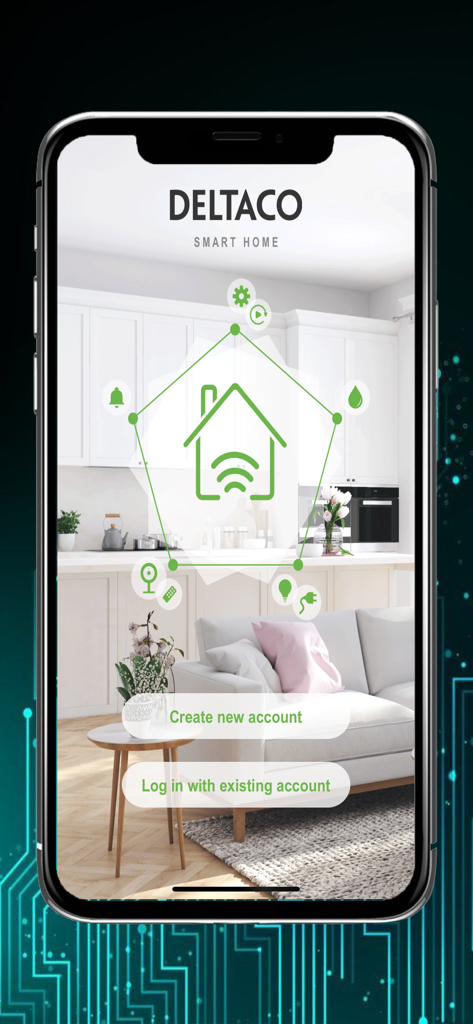
Deltaco Smart Home app welcome screen showing login and account creation buttons
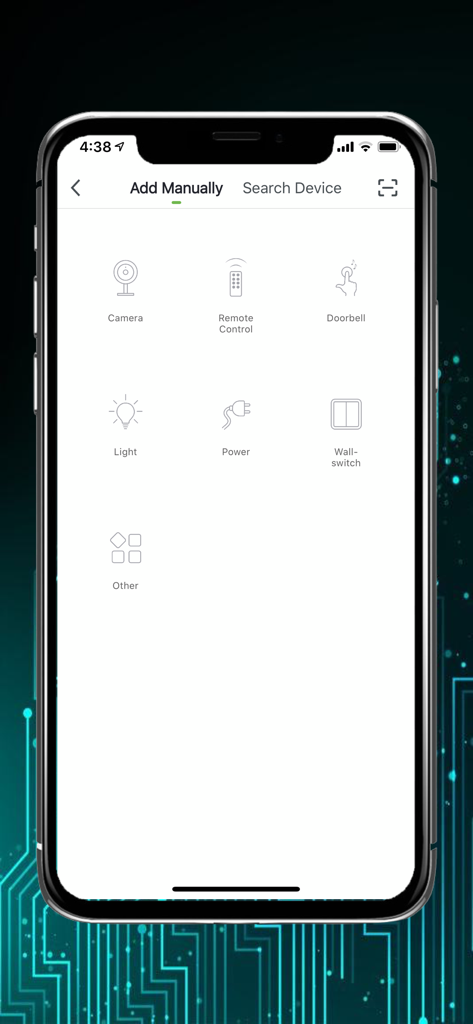
Smartphone screen displaying the Add Manually menu in the Deltaco Smart Home app with icons for various smart devices like cameras and lights.
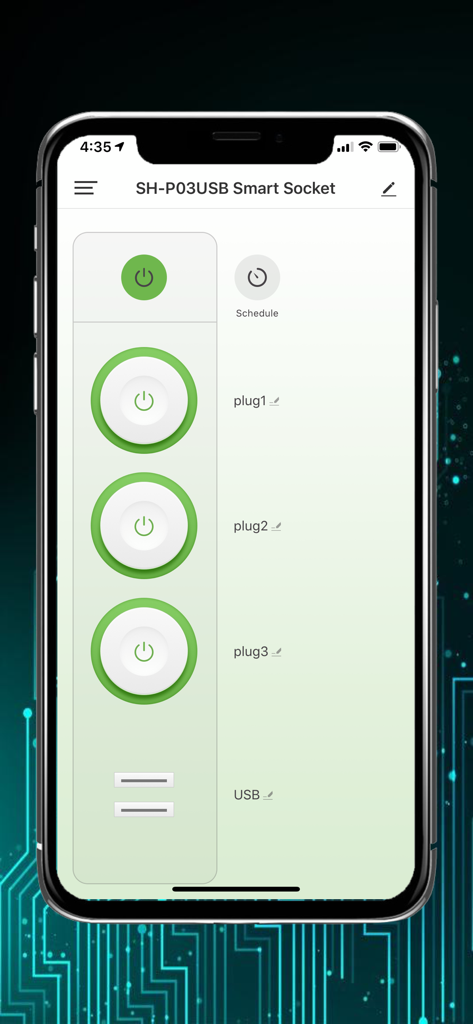
Smartphone screen displaying the Deltaco Smart Home app interface for managing a smart socket with individual plug controls
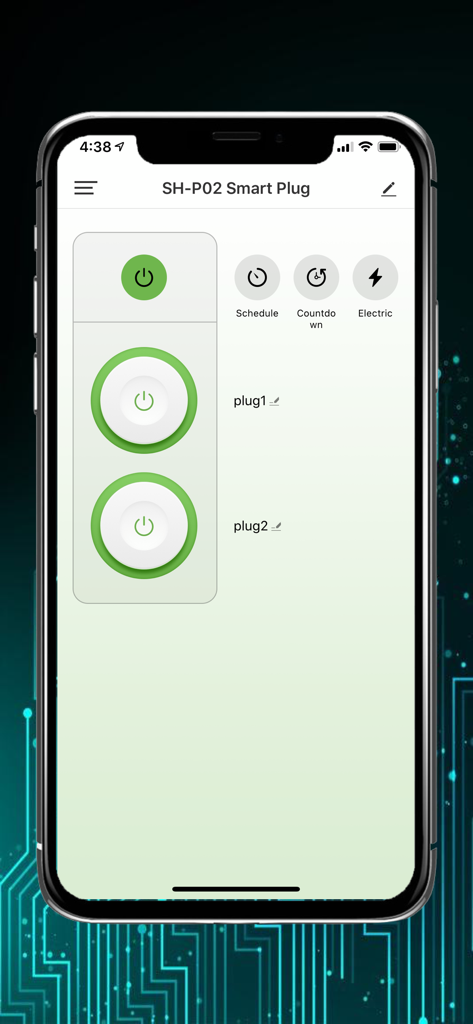
Smartphone screen showing the control interface for a Deltaco dual smart plug with power buttons and scheduling options.
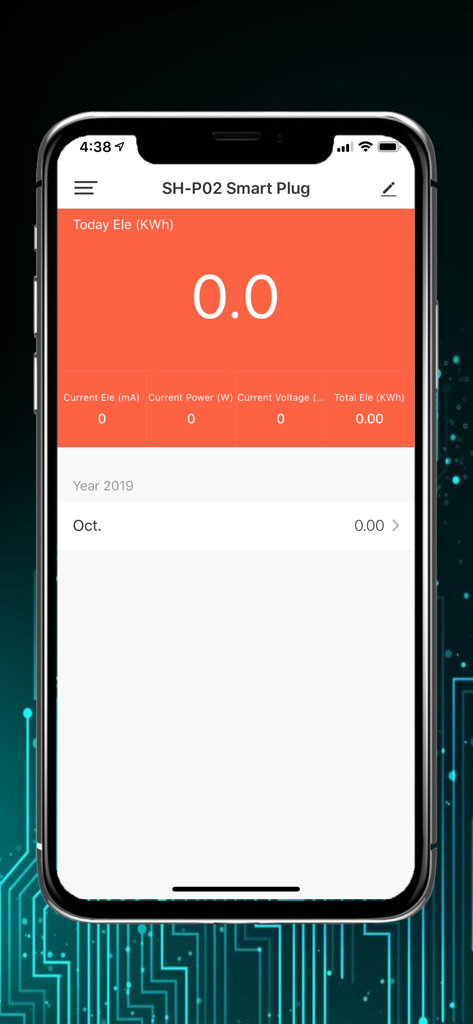
Deltaco Smart Home app showing energy consumption for a smart plug
Description
Download
More Like This
Apps with similar features and user experience

Nespresso Store
Nestle Nespresso SA

Krisbow Sync (Smart Klic)
PT. Aspirasi Hidup Indonesia, Tbk

BORK Deliberate Excellence
BORK-Import OOO

凯度生活家
Shenzhen Casdon Electric Appliance Co., Ltd
PerfectDraft
ZX VENTURES LTD

Keurig
Keurig Green Mountain, Inc.
Smart Life Philco
Philco Eletronicos SA
Kärcher Home & Garden
Alfred Kaercher SE & Co. KG

Izy Smart
Intelbras SA Ind de Telecom Elet Brasileira
This page is not an official page of the app or its developer, but an independent editorial publication created for informational and commentary purposes. Unless expressly stated otherwise, neither the app nor its developer is affiliated with, endorsed by, sponsored by, authorized by, or otherwise officially connected with MWM, Apple, Google Play, the app publisher, or the app's developer, and nothing on this page implies that the app was developed using MWM's services. Any trademarks, logos, screenshots, and other content remain the property of their respective owners.