
This page is not an official page of the app or its developer, but an independent editorial publication created for informational and commentary purposes. Unless expressly stated otherwise, neither the app nor its developer is affiliated with, endorsed by, sponsored by, authorized by, or otherwise officially connected with MWM, Apple, Google Play, the app publisher, or the app's developer, and nothing on this page implies that the app was developed using MWM's services. Any trademarks, logos, screenshots, and other content remain the property of their respective owners.

Desh Marathi Keyboard
Bridge the distance to home with effortless English-to-Marathi transliteration. Join thousands of Marathi speakers worldwide using smart predictions, custom stickers, and easy language switching to stay culturally connected on every chat app.
Downloads
115K+User Rating
Total Ratings
7K+Publisher
Category
UtilitiesLocales
1Latest Version
3.0.7Size
37.0 MBFirst Released
Apr 5, 2023Type Marathi with the Speed of English
The ultimate keyboard for the global Marathi community to communicate effortlessly and stay connected to their roots across all iOS apps.
Smart Transliteration
Type phonetically using English letters and see them instantly convert to Marathi script. No complex layouts to learn.
Seamless Language Toggle
Switch between Marathi and English with a single tap, perfect for professional environments and personal chats alike.
The following screenshots and description are sourced directly from the app's official store listing and are the property of the app developer.
App Store
Screenshots
Desh Marathi Keyboard app splash screen with logo and tagline
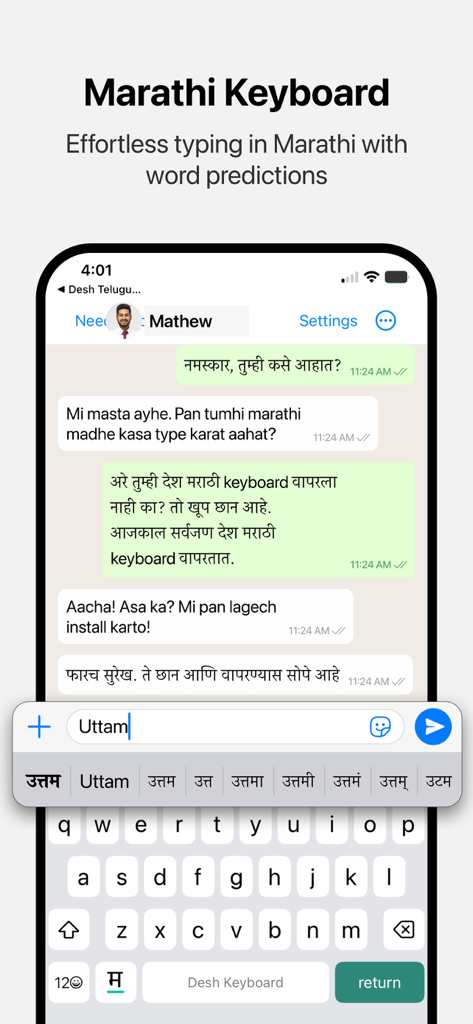
iPhone screen showing Desh Marathi Keyboard with Marathi word suggestions for English input
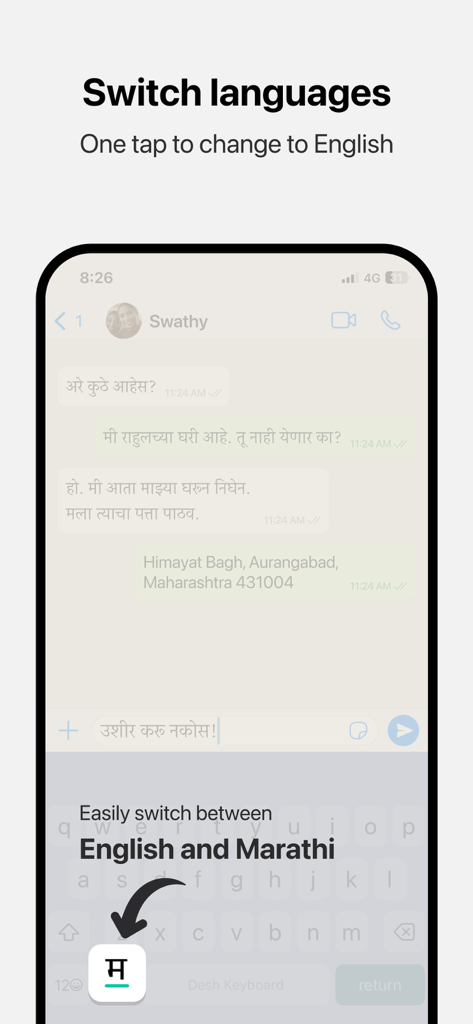
A mobile screen demonstrating the one-tap language switching feature between Marathi and English on the Desh Marathi Keyboard.
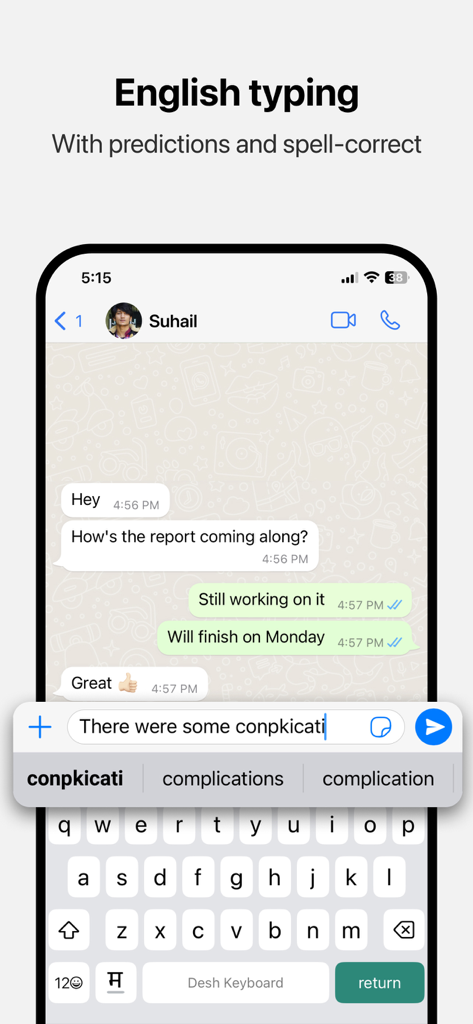
English typing interface of Desh Marathi Keyboard featuring word predictions and spell correction on an iPhone
Description
Download
More Like This
Apps with similar features and user experience





This page is not an official page of the app or its developer, but an independent editorial publication created for informational and commentary purposes. Unless expressly stated otherwise, neither the app nor its developer is affiliated with, endorsed by, sponsored by, authorized by, or otherwise officially connected with MWM, Apple, Google Play, the app publisher, or the app's developer, and nothing on this page implies that the app was developed using MWM's services. Any trademarks, logos, screenshots, and other content remain the property of their respective owners.