
This page is not an official page of the app or its developer, but an independent editorial publication created for informational and commentary purposes. Unless expressly stated otherwise, neither the app nor its developer is affiliated with, endorsed by, sponsored by, authorized by, or otherwise officially connected with MWM, Apple, Google Play, the app publisher, or the app's developer, and nothing on this page implies that the app was developed using MWM's services. Any trademarks, logos, screenshots, and other content remain the property of their respective owners.


Manglish Keyboard
Type English letters to get Malayalam words instantly. Stay connected with family using smart predictions, expressive stickers, and a secure, private experience on your iPhone.
Downloads
768K+User Rating
Total Ratings
34K+Publisher
Category
UtilitiesLocales
1Latest Version
3.0.7Size
40.9 MBFirst Released
Nov 23, 2022Stay Connected to Your Roots
Bridge the distance between the USA and Kerala with a keyboard designed for the modern Malayali lifestyle, combining speed with cultural expression.
Seamless Transliteration
Type Malayalam using English letters. Our smart technology converts your phonetic typing into perfect script in real-time, removing the script barrier.
Expressive Kerala Stickers
Bring your family WhatsApp groups to life with regional stickers and movie memes that capture the unique humor and heart of Kerala.
Frequently Asked Questions
Everything you need to know about Manglish Keyboard
How does Manglish Keyboard facilitate Malayalam typing?
Yes, Manglish Keyboard enables Malayalam typing through transliteration technology. Users type in English letters, and the keyboard converts them into corresponding Malayalam words, making the process easy and efficient.
Does Manglish Keyboard include word predictions?
Yes, Manglish Keyboard offers word predictions to help users type faster. This feature is available for both Malayalam and English typing, enhancing typing speed and accuracy.
Can I use Manglish Keyboard for typing in English?
Yes, Manglish Keyboard supports English typing. It includes word predictions and spell-correct features for English, and users can easily switch between languages using the dedicated language key.
How do users access emojis on Manglish Keyboard?
To access emojis on Manglish Keyboard, users must first press the '123' button. After this action, the emoji button becomes available for selecting and inserting emojis into conversations.
What are the steps to enable Manglish Keyboard on a device?
To enable Manglish Keyboard, users open the app, navigate to settings to enable the keyboard, and then activate it by holding the Globe icon and selecting 'Manglish Keyboard' from the options.
Does Manglish Keyboard collect personal data if 'Allow Full Access' is enabled?
No, Manglish Keyboard states it respects user privacy and does not collect personal information, even when 'Allow Full Access' is enabled. This access helps improve app stability via crash reports.
What settings are available in Manglish Keyboard for customization?
Manglish Keyboard settings offer customization options such as sound on key press, vibrate on key press, emoji row, and number row. Users access these by tapping the '⋯' button in the app.
How does the clipboard function within Manglish Keyboard?
Manglish Keyboard's clipboard feature allows saving and easily pasting frequently used text. Copied text can be viewed by tapping 'Paste copied text' and saved permanently with the Pin button.
Can users send animated stickers with Manglish Keyboard?
Yes, Manglish Keyboard supports sending stickers. Users access the stickers page from the keyboard, copy a sticker, and paste it into their chat app. Animated stickers are sent as GIFs.
Does Manglish Keyboard offer word prediction for Malayalam language?
Yes, Manglish Keyboard provides word prediction for Malayalam typing. This feature assists users in typing Malayalam words more efficiently by suggesting completions as they type.
What is the method for switching languages in Manglish Keyboard?
Users switch languages on Manglish Keyboard by tapping the language key, which is visibly represented by a globe-like icon on the keyboard interface. This allows easy toggling between English and Malayalam.
Is spell-correct available for English typing in Manglish Keyboard?
Yes, Manglish Keyboard offers spell-correct functionality for English typing. This feature helps users maintain accuracy and correct typographical errors when composing messages in English.
The following screenshots and description are sourced directly from the app's official store listing and are the property of the app developer.
App Store
Screenshots
Introductory screen for Manglish Keyboard app with logo and tagline
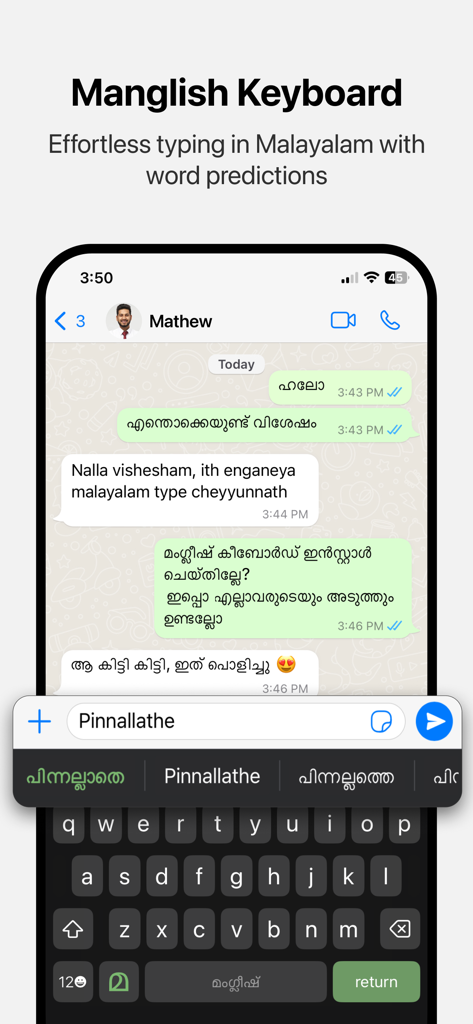
Manglish Keyboard interface showing effortless Malayalam typing through English transliteration and word predictions.
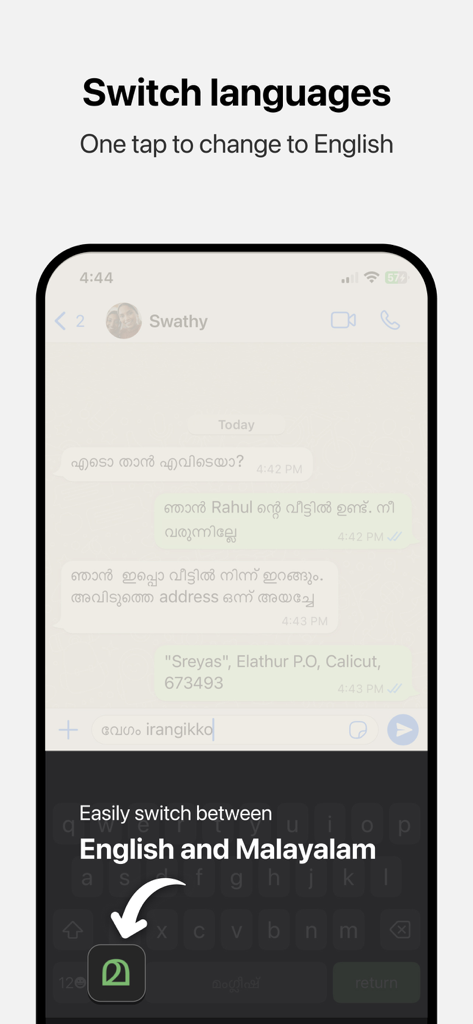
Interface showing the one-tap switch between English and Malayalam languages on the Manglish Keyboard
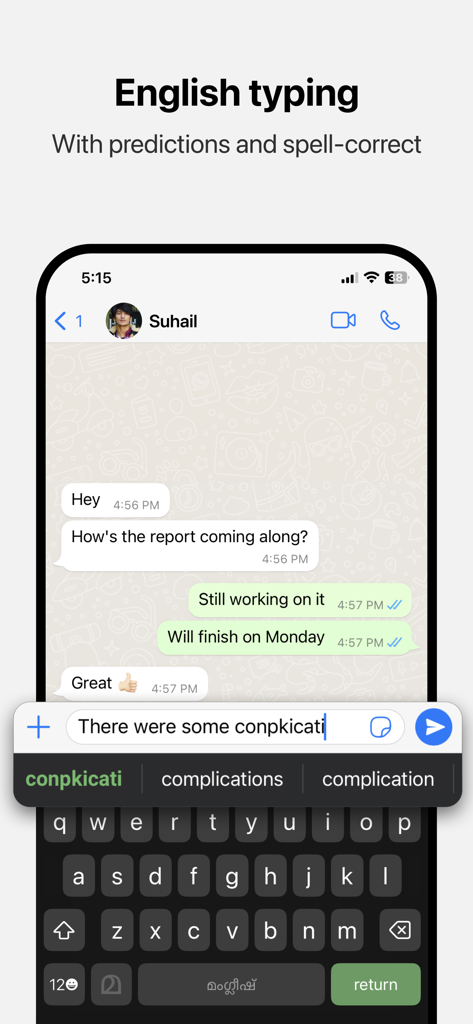
Manglish Keyboard showing English typing with word predictions and spell-correct features in a messaging app
Description
Download
More Like This
Apps with similar features and user experience




This page is not an official page of the app or its developer, but an independent editorial publication created for informational and commentary purposes. Unless expressly stated otherwise, neither the app nor its developer is affiliated with, endorsed by, sponsored by, authorized by, or otherwise officially connected with MWM, Apple, Google Play, the app publisher, or the app's developer, and nothing on this page implies that the app was developed using MWM's services. Any trademarks, logos, screenshots, and other content remain the property of their respective owners.