
This page is not an official page of the app or its developer, but an independent editorial publication created for informational and commentary purposes. Unless expressly stated otherwise, neither the app nor its developer is affiliated with, endorsed by, sponsored by, authorized by, or otherwise officially connected with MWM, Apple, Google Play, the app publisher, or the app's developer, and nothing on this page implies that the app was developed using MWM's services. Any trademarks, logos, screenshots, and other content remain the property of their respective owners.

DigiD
The essential digital key for Dutch expats in the USA to manage taxes, pensions, and government affairs with top-tier European security.
Downloads
8M+User Rating
Total Ratings
738K+Publisher
Category
ProductivityLocales
1Latest Version
6.16.6Size
142.2 MBFirst Released
Mar 28, 2017Your Dutch Digital Key in the USA
Access Dutch government services, taxes, and pensions securely from anywhere in the world. Bridge the distance with a single, highly secure app.
Secure One-Tap Access
Skip the passwords. Log in to your Dutch accounts safely using just a 5-digit PIN or your phone's biometric security.
Bridge the Distance
Manage your AOW pension, DUO loans, or Belastingdienst filings from the US without physical mail or international calls.
Frequently Asked Questions
Everything you need to know about DigiD
How do I activate the DigiD app?
To activate the DigiD app, open the app and follow the on-screen instructions. Further help is available on www.digid.nl/digid-app.
What are the ways to log in with the DigiD app?
You can log in with the DigiD app using a PIN code on your phone/tablet. For computer logins, use a verification code, scan a QR code, then enter your PIN code.
Does the DigiD app process personal data?
Yes, the DigiD app processes personal data including IP address, device identifier, OS information, mobile number, and your 5-digit PIN code. It also processes document numbers and date of birth during ID checks.
Is ID scanning optional in the DigiD app activation?
Yes, scanning your ID is an optional step during the activation process of the DigiD app. It is for performing the ID check to enable more functionalities.
Can I use Face ID to log in to the DigiD app?
Yes, the DigiD app supports logging in with Face ID. This feature can be enabled or managed within the app's settings menu.
What accessibility features does the DigiD app offer?
The DigiD app includes accessibility features such as language selection, dark mode, adjustable font size, and a dyslexia font to enhance user experience.
Where can I find the privacy statement for the DigiD app?
The privacy statement, along with relevant legislation and regulations regarding data processing for the DigiD app, is available on www.digid.nl.
Who is responsible for the security of the DigiD app?
Logius implements technical and organizational security measures against data loss. The DigiD app also complies with DigiD security measures and uses the operating system's security mechanisms.
Can I change my PIN code within the DigiD app?
Yes, users can change their PIN code directly within the DigiD app. This option is available in the "My DigiD" section.
Does the DigiD app offer two-step login?
Yes, the DigiD app offers the option to log in using two steps. This enhances the security of your account and can be managed through the "My DigiD" section.
The following screenshots and description are sourced directly from the app's official store listing and are the property of the app developer.
App Store
Screenshots
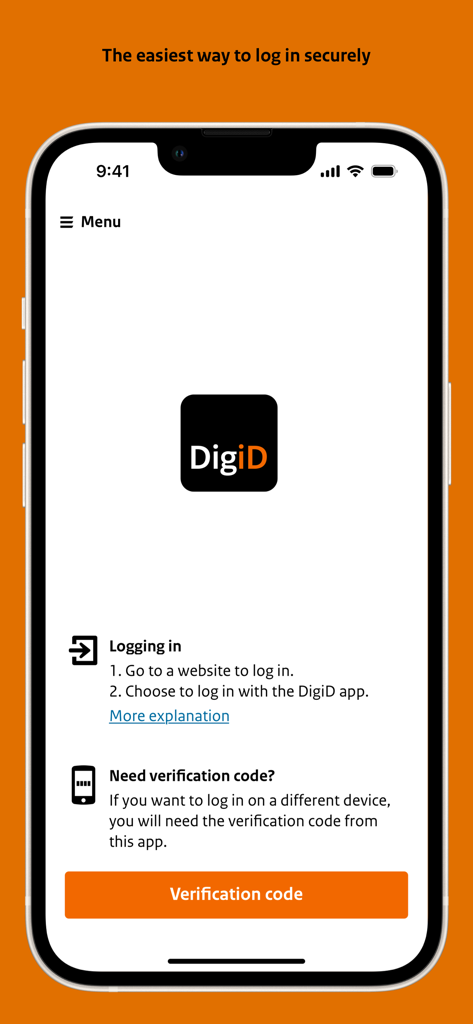
DigiD mobile app interface showing login instructions and a verification code button on an iPhone.
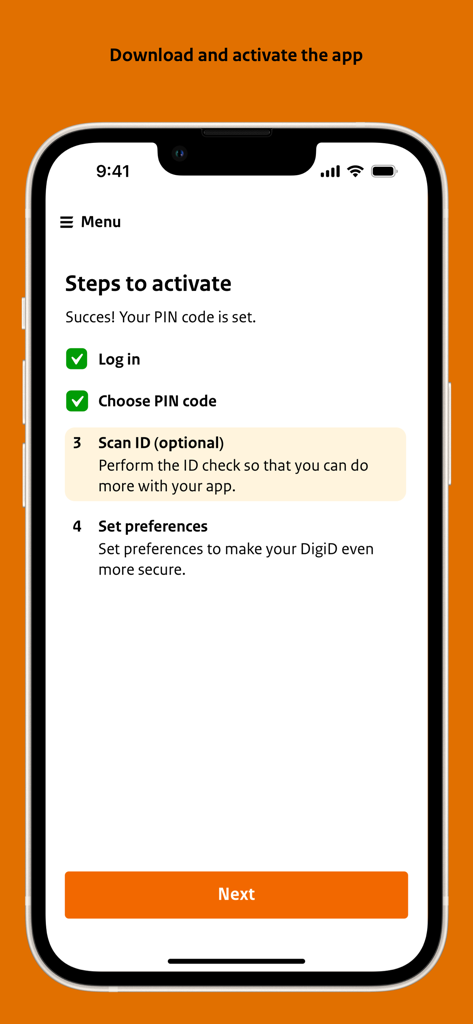
Smartphone screen displaying the four steps to activate the DigiD digital identity app.
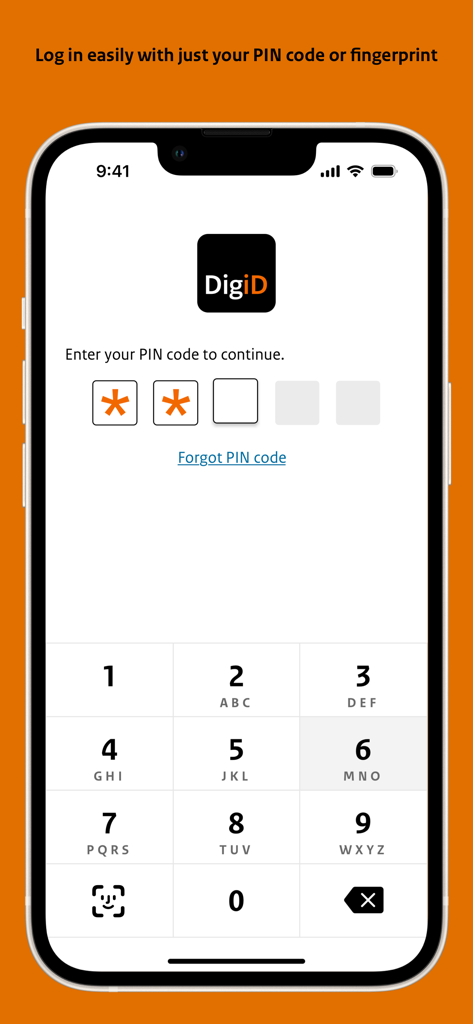
DigiD app login screen showing a 5-digit PIN entry and numeric keypad on an iPhone.
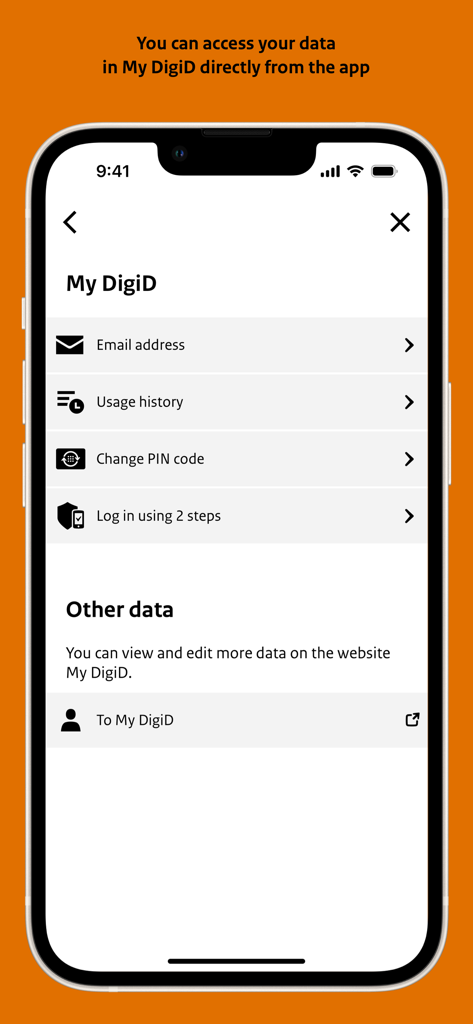
Screen of the DigiD app showing My DigiD account options and settings
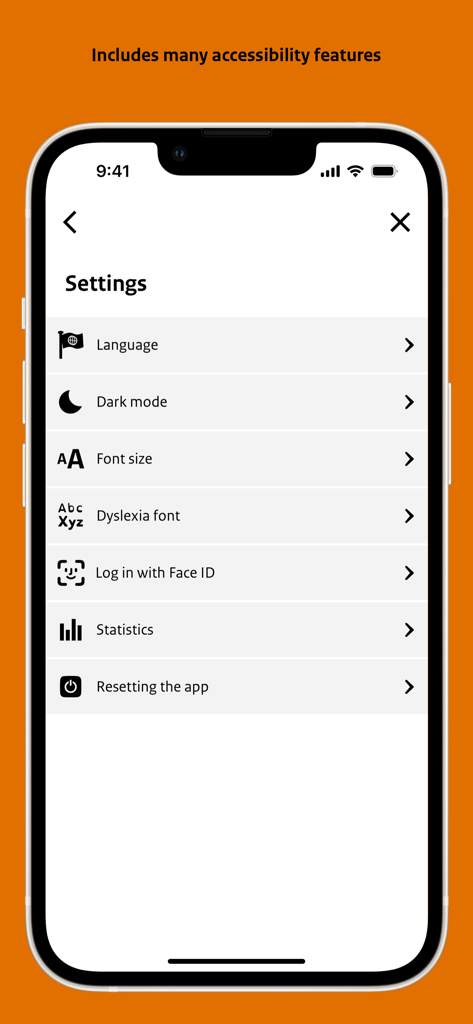
Settings screen of the DigiD app highlighting accessibility features like dyslexia font and font size.
Description
Download
More Like This
Apps with similar features and user experience
itsme
Belgian Mobile ID SA

myDSS 2.0
SafeTech Ltd
SİMA - Rəqəmsal İmza
Data Processing Center of the Ministry of Communications and High Technologies

Singpass
Government Technology Agency

SoyYo - Identidad Digital
Servicios de Identidad Digital SAS

VIDaaS
valid certificadora digital ltda

TrustMe: Your Digital Identity
A3BC GROUP

Bird ID
Vault Id Solucoes em Criptografia e Identificacao Ltda ME
eDO App
Polska Wytwornia Papierow Wartosciowych S.A.
This page is not an official page of the app or its developer, but an independent editorial publication created for informational and commentary purposes. Unless expressly stated otherwise, neither the app nor its developer is affiliated with, endorsed by, sponsored by, authorized by, or otherwise officially connected with MWM, Apple, Google Play, the app publisher, or the app's developer, and nothing on this page implies that the app was developed using MWM's services. Any trademarks, logos, screenshots, and other content remain the property of their respective owners.