Disk Decipher

Disk Decipher

Download on App Store
Logo of Disk Decipher

Disk Decipher: Secure Mobile Access to Your Encrypted Volumes

Unlock VeraCrypt, LUKS, and TrueCrypt containers on the go. Manage your sensitive data with professional-grade encryption, remote cloud support, and seamless iOS integration for the privacy-conscious power user.

Publisher

Richard Huveneers

Category

Utilities

Downloads

222K+

User Rating

4.3/5

Total Ratings

600

Locales

16

Your Mobile Fortress, Visualized

Discover the interface used by 222K+ users.
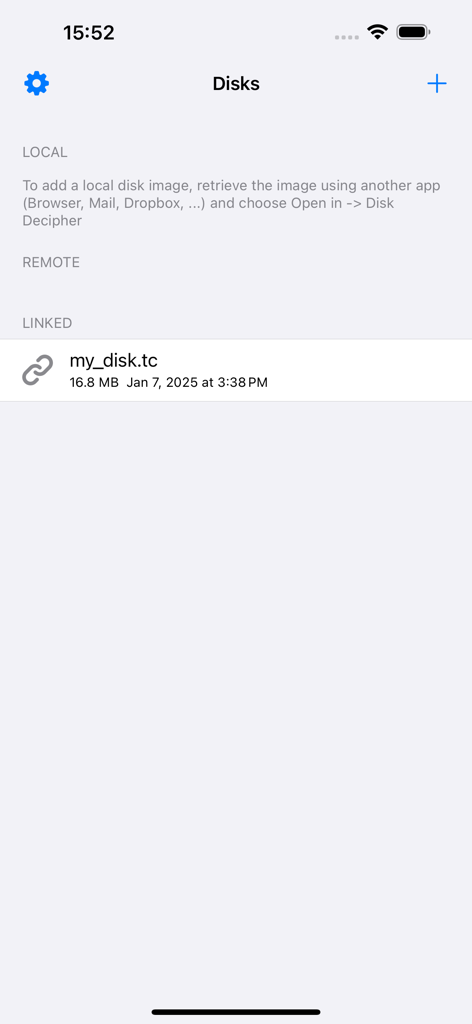
Interface of the Disk Decipher app showing a list of encrypted disk images including a linked TrueCrypt file.

Interface of the Disk Decipher app showing a list of encrypted disk images including a linked TrueCrypt file.

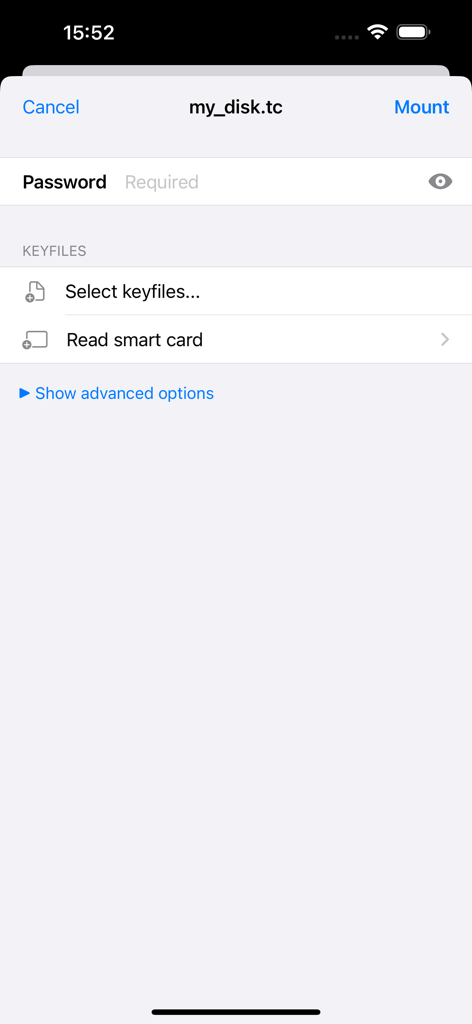
Disk Decipher app interface for mounting an encrypted disk image showing password and keyfile input fields

Disk Decipher app interface for mounting an encrypted disk image showing password and keyfile input fields

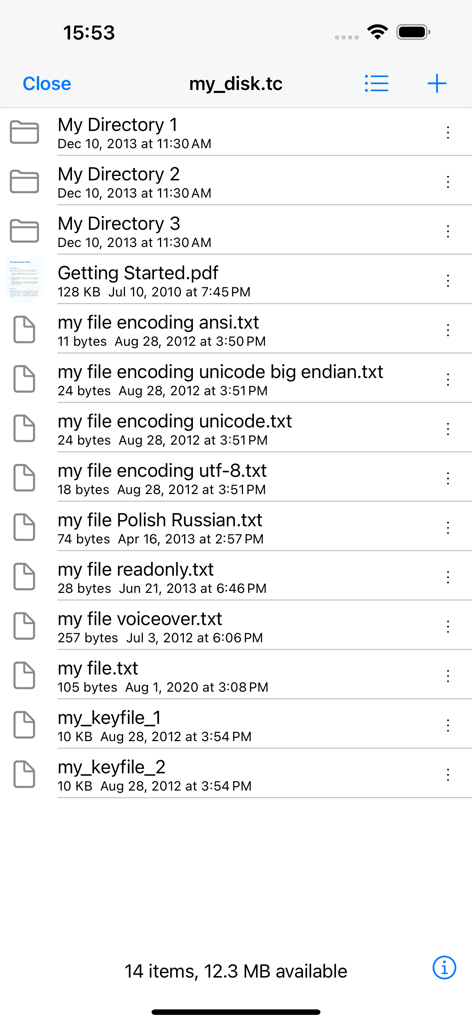
Disk Decipher app interface showing a list of files and folders within an encrypted TrueCrypt container.

Disk Decipher app interface showing a list of files and folders within an encrypted TrueCrypt container.

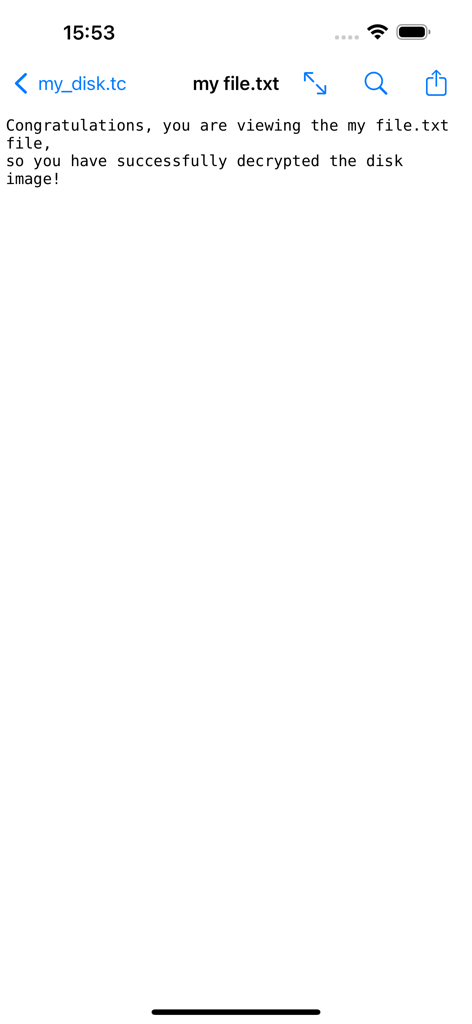
A successfully decrypted text file being viewed inside the Disk Decipher application

A successfully decrypted text file being viewed inside the Disk Decipher application

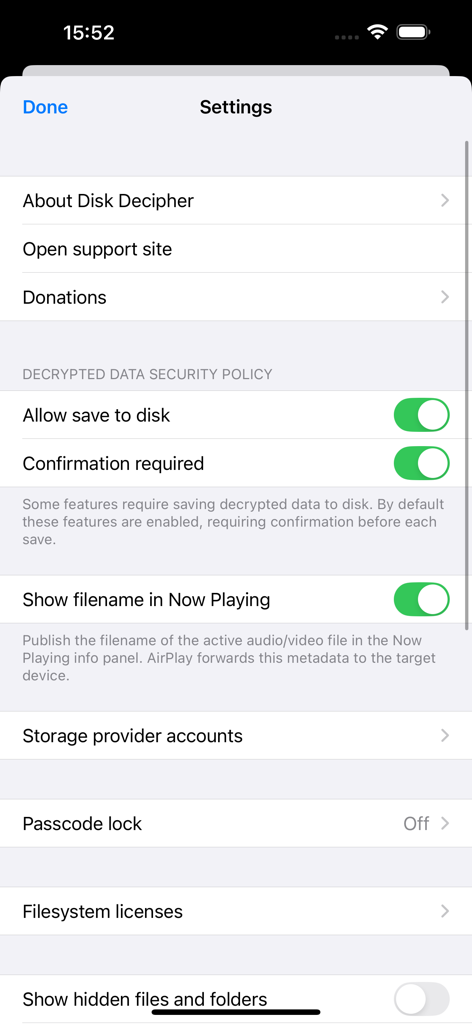
Settings screen of the Disk Decipher app displaying security policies, storage provider options, and passcode lock settings.

Settings screen of the Disk Decipher app displaying security policies, storage provider options, and passcode lock settings.

Desktop-Grade Security in Your Pocket

The tools that make this app stand out, trusted by 222K+ users.

🔐

Universal Volume Support

Native support for VeraCrypt, LUKS, TrueCrypt, and DMG. Handle hidden volumes, keyfiles, and custom PIM settings exactly as you do on your workstation.

☁️

Selective Remote Mounting

Access multi-gigabyte containers stored on S3, WebDAV, or Dropbox without downloading the whole file. Disk Decipher fetches only the sectors needed to save your bandwidth.

🆔

Seamless iOS Workflow

Unlock with FaceID or Smart Cards and browse files directly through the native iOS Files app. Edit documents and stream media while keeping the underlying data encrypted.

About the app

Everything you need to know about Disk Decipher.

Description

Disk Decipher allows mobile access to your encrypted virtual disks. Do you have your passwords or other sensitive information stored in a VeraCrypt or TrueCrypt container or LUKS, DMG or ProxyCrypt volume? Disk Decipher will allow you to access that information from your iPhone or iPad. Disk Decipher currently supports: - Multiple disks - Storage provider: local filesystem (transfer the disk image from another app using the Open In menu, using iTunes to transfer disk images or importing from other apps supporting document providing) - Storage provider: remote (Disk Decipher will download only the necessary parts of the disk image, allowing access to disk images of arbitrary size. More details are available on the support website) - Remote storage providers: HTTP/HTTPS (WEBDAV), NFS, Dropbox, Google Drive, Microsoft OneDrive and OneDrive for Business, Box, pCloud, S3, SugarSync, Filen - Storage provider: linked (Disk Decipher will access the container stored in another app using the iOS File Provider. More details are available on the support website) - Disk image format: TrueCrypt (header version 4 and 5, created by TrueCrypt 6.0 or later) • Hidden volumes supported • Keyfiles supported - Disk image format: LUKS (version 1 and 2) - Disk image format: VeraCrypt (header version 5, created by VeraCrypt 1.0) • Hidden volumes • Keyfiles supported • PIM supported - Disk image format: encrypted and unencrypted DMG (Apple Disk Image, version 2) • Password protected • Compression (zlib, LZFSE, LZMA) - Disk image format: ProxyCrypt (version 2) - Filesystems: FAT (FAT12, FAT16 and FAT32), exFAT (in-app purchase), HFS+ and HFSX, NTFS (NTFS compression and encryption are not supported), APFS, Linux ext4 (and ext2 / ext3) - File viewer supports - many document types (Word, Excel, PDF, RTF, plain-text, images, Markdown, etc.) - streaming audio playback (MP3, WAV, etc.) - streaming movie playback (MP4, MOV, etc.) - background audio, AirPlay and Picture in Picture video - printing of all supported document types - saving images to Photos library - built-in editing of plain-text files - swiping to next/previous file - ZIP files - Open In menu to transfer decrypted files to other apps - Passcode protection with Touch ID and Face ID support - Write support (details are available on the support website) - Photo camera to store new photos securely in your encrypted container - Import files from other apps supporting document providing - Import photos and videos from iOS Photo Library - iCloud support - iOS Files external storage (as Linked Disk) - Tiled directory view (presents files as tiles, a small preview will be shown for image and PDF files to simplify browsing) - iOS File Provider (this allows accessing files inside your encrypted containers from other apps, like iOS Files) - drag & drop (or copy & paste) files in and out mounted encrypted container - optionally save disk passwords in iOS keychain - GUID Partition Table - Create new disk - Sparse Bundle / sparsebundle - Sparse Image / sparseimage (readonly, UDSP and ASIF) - Self-signed certificate - Launch URL - Keyfiles stored on smart card - Unencrypted disk images

Latest Version

6.3.0

Size

14.5 MB

First Released

Apr 24, 2012

Secure Your Digital Fortress on the Move

Bridge the gap between desktop encryption and iOS. Access your VeraCrypt, LUKS, and TrueCrypt containers with the tool built for privacy-conscious power users.

Download on App Store
FAQ

Frequently Asked Questions

Everything you need to know about Disk Decipher

What is Disk Decipher?

Disk Decipher is an application that provides mobile access to your encrypted virtual disks on iPhone or iPad. It supports various formats like VeraCrypt, TrueCrypt, and LUKS.

Which encrypted disk formats does Disk Decipher support?

Disk Decipher supports TrueCrypt (v4/v5), LUKS (v1/v2), VeraCrypt (v5), encrypted/unencrypted DMG (v2), and ProxyCrypt (v2) disk image formats.

Can Disk Decipher access files from cloud storage services?

Yes, Disk Decipher supports remote storage providers including Dropbox, Google Drive, Microsoft OneDrive, Box, pCloud, S3, SugarSync, and Filen via HTTP/HTTPS (WEBDAV) and NFS.

Does Disk Decipher offer biometric security like Face ID or Touch ID?

Yes, Disk Decipher provides passcode protection with support for both Touch ID and Face ID for enhanced security of your encrypted containers.

How do I open a local disk image with Disk Decipher?

To open a local disk image, retrieve the image using another app, then choose 'Open In -> Disk Decipher.' You can also use iTunes or other apps supporting document providing.

Does Disk Decipher support VeraCrypt keyfiles and hidden volumes?

Yes, Disk Decipher supports VeraCrypt (header version 5) with full compatibility for hidden volumes, keyfiles, and PIM (Personal Iterations Multiplier).

Can Disk Decipher write or modify files within an encrypted container?

Yes, Disk Decipher supports write operations. More details about this feature are available on the application's support website.

What filesystems are supported by Disk Decipher?

Disk Decipher supports FAT, exFAT (in-app purchase), HFS+, HFSX, NTFS, APFS, and Linux ext4 (including ext2/ext3). NTFS compression and encryption are not supported.

Can I save decrypted files to my device's disk using Disk Decipher?

Yes, Disk Decipher allows saving decrypted data to disk. The application includes a security policy setting for this feature, with confirmation required by default.

Does Disk Decipher support accessing keyfiles stored on a smart card?

Yes, Disk Decipher provides support for accessing keyfiles directly from a smart card, enhancing the security of your encrypted disks.

App information, icons, screenshots, and descriptions displayed on this page are sourced from the Apple App Store and are the property of their respective developers. Download estimates and rankings are based on MWM's proprietary models and may not reflect actual figures. This page is provided for informational and analytical purposes only.

Believe this page infringes your intellectual property? File a dispute