Docker Server Admin

Docker Server Admin

Download on App Store
Logo of Docker Server Admin

Docker Server Admin: Professional DevOps Management in Your Pocket

Monitor real-time container stats, execute SSH snippets, and manage Linux hosts with a secure, high-performance terminal—anytime, anywhere.

Download on App Store

Publisher

婉媚 邵

Category

Developer Tools

Downloads

73K+

User Rating

4.6/5

Total Ratings

300

Locales

1

Your Infrastructure at a Glance

Discover the interface used by 73K+ users.

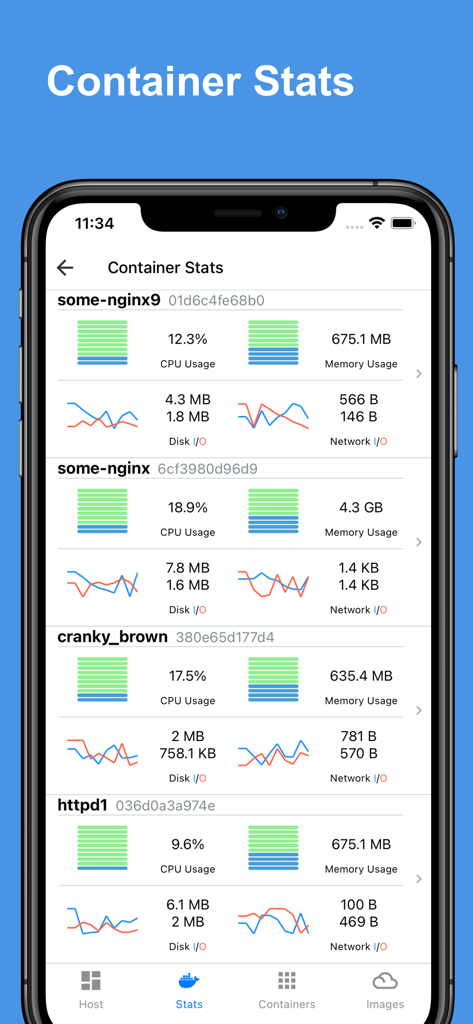
Mobile dashboard displaying real-time CPU, memory, and network usage charts for multiple Docker containers.
Mobile dashboard displaying real-time CPU, memory, and network usage charts for multiple Docker containers.

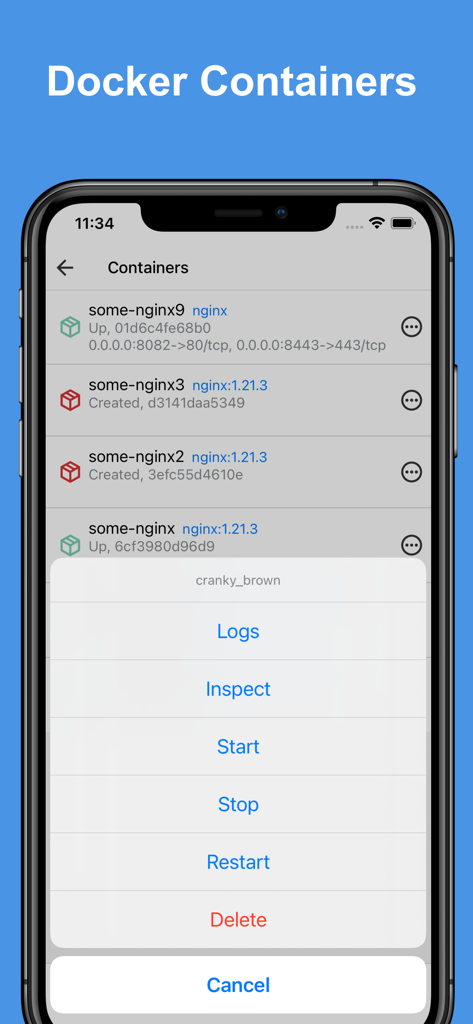
Docker Server Admin app interface showing a list of containers and a management action menu on an iPhone.
Docker Server Admin app interface showing a list of containers and a management action menu on an iPhone.

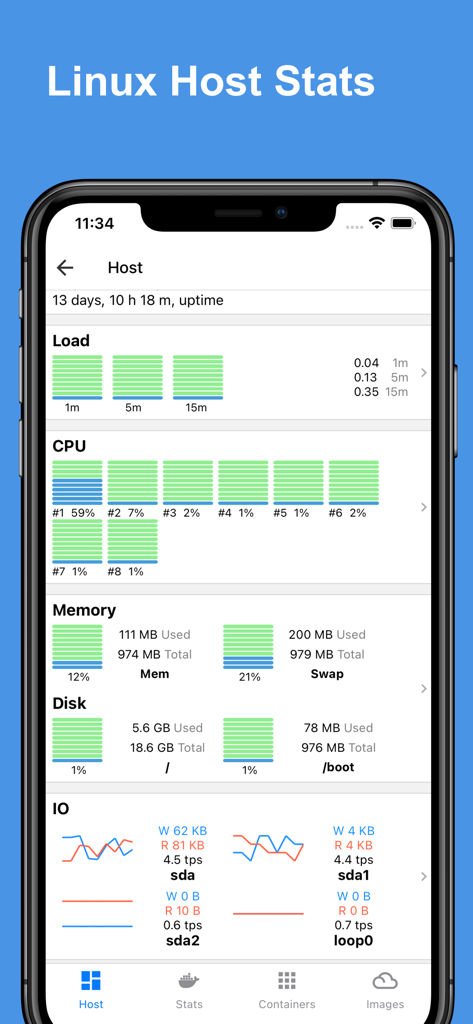
Docker Server Admin app interface showing a dashboard with real-time Linux host stats including CPU memory and disk usage charts
Docker Server Admin app interface showing a dashboard with real-time Linux host stats including CPU memory and disk usage charts

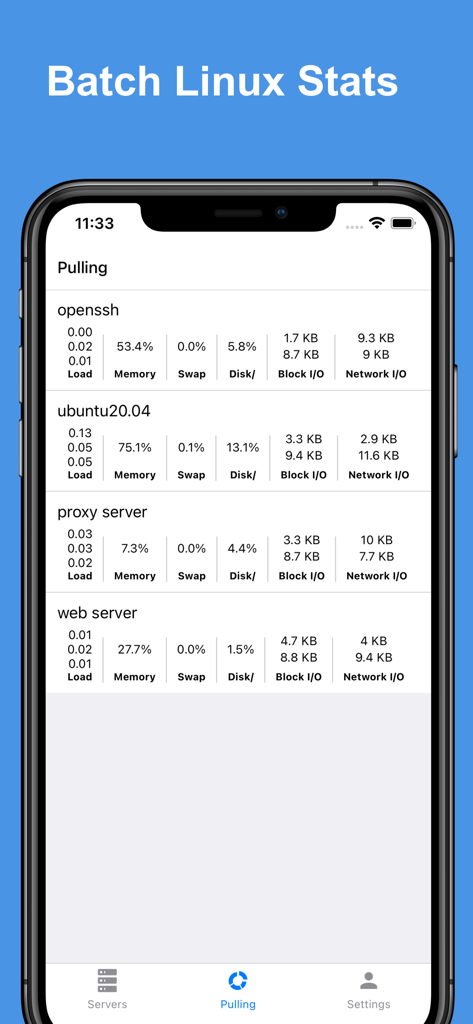
Docker Server Admin app interface showing batch Linux stats for multiple servers.
Docker Server Admin app interface showing batch Linux stats for multiple servers.

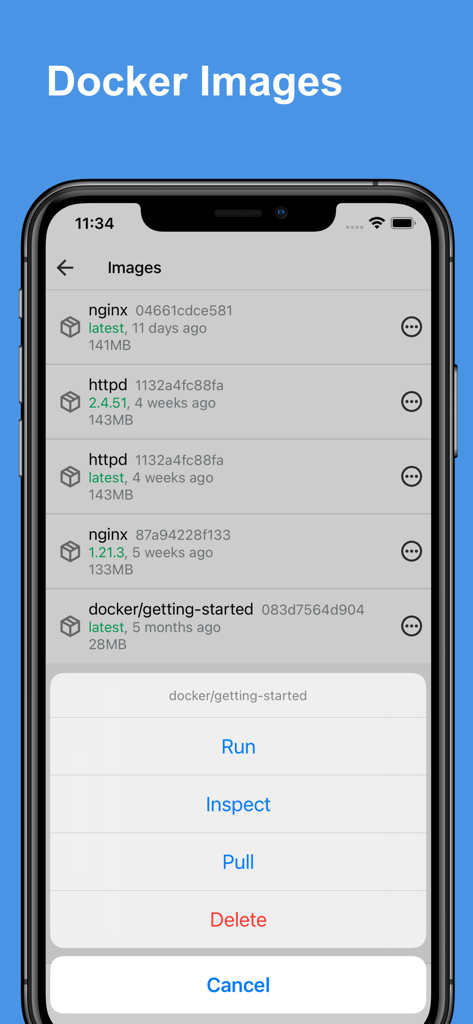
Interface of the Docker Server Admin app showing a list of Docker images and a menu with options to Run Inspect Pull and Delete
Interface of the Docker Server Admin app showing a list of Docker images and a menu with options to Run Inspect Pull and Delete

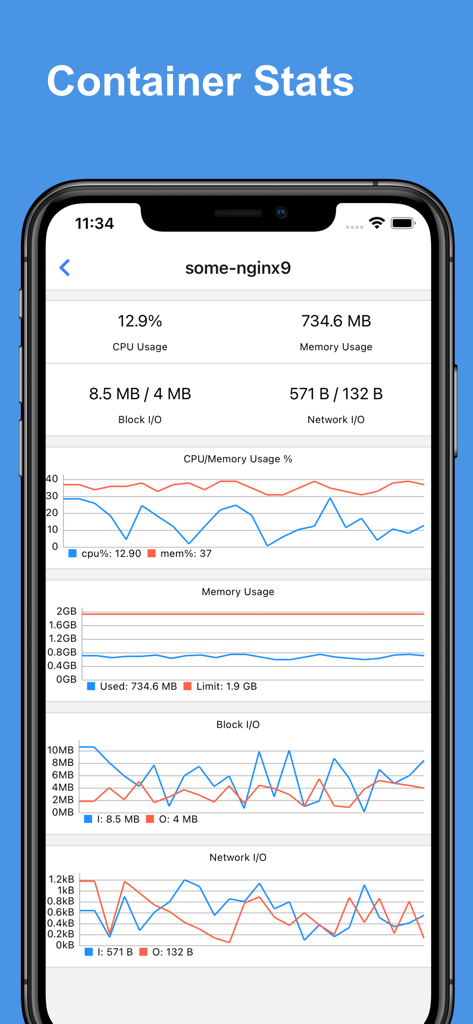
Dashboard showing real-time CPU memory and network usage charts for a Docker container
Dashboard showing real-time CPU memory and network usage charts for a Docker container

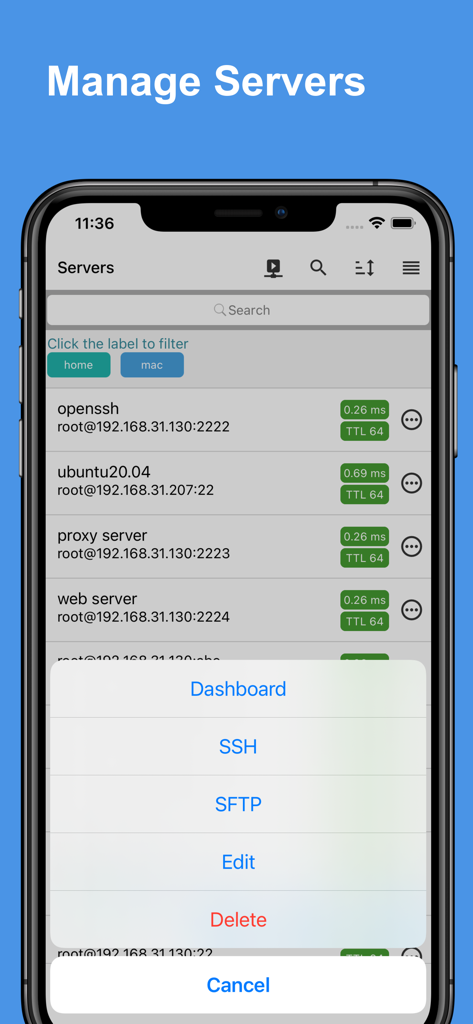
A mobile interface for the Docker Server Admin app showing a list of servers and a management menu with options for SSH and SFTP
A mobile interface for the Docker Server Admin app showing a list of servers and a management menu with options for SSH and SFTP

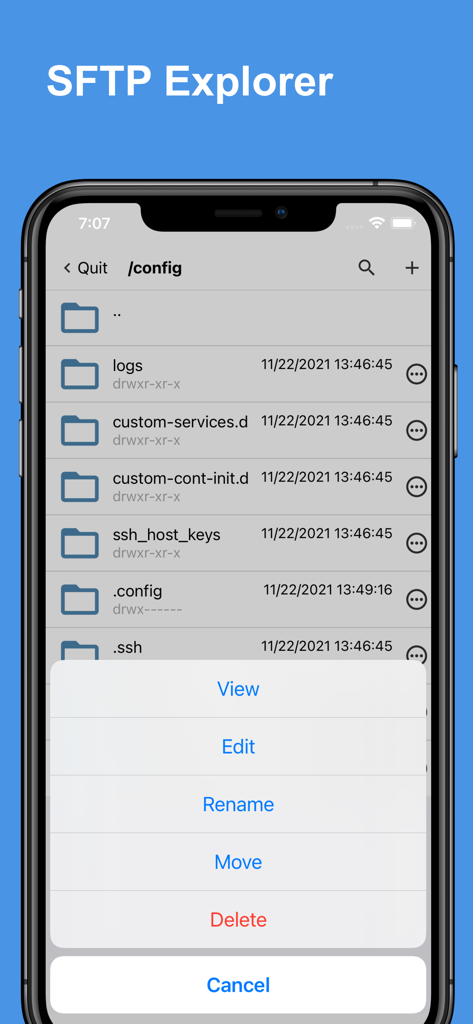
SFTP Explorer interface in the Docker Server Admin app showing file management options
SFTP Explorer interface in the Docker Server Admin app showing file management options

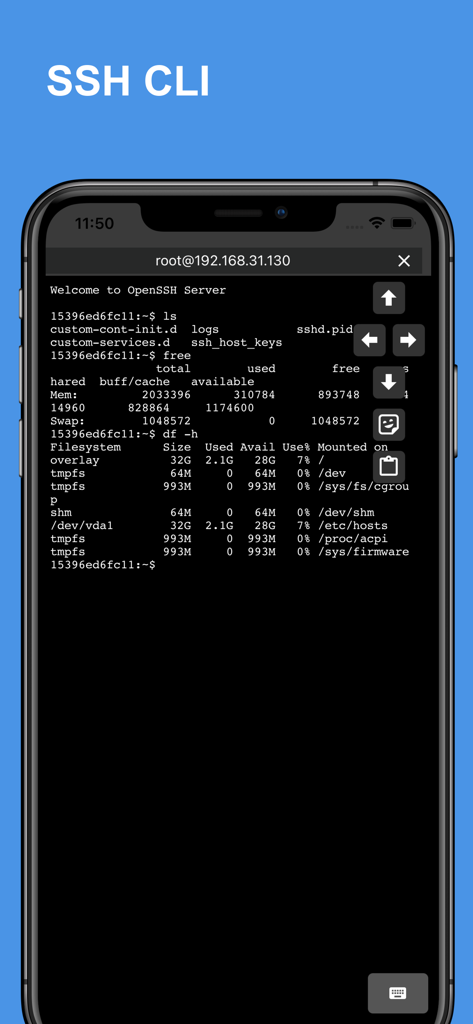
SSH CLI terminal interface on a mobile phone displaying Linux command output for remote server management
SSH CLI terminal interface on a mobile phone displaying Linux command output for remote server management

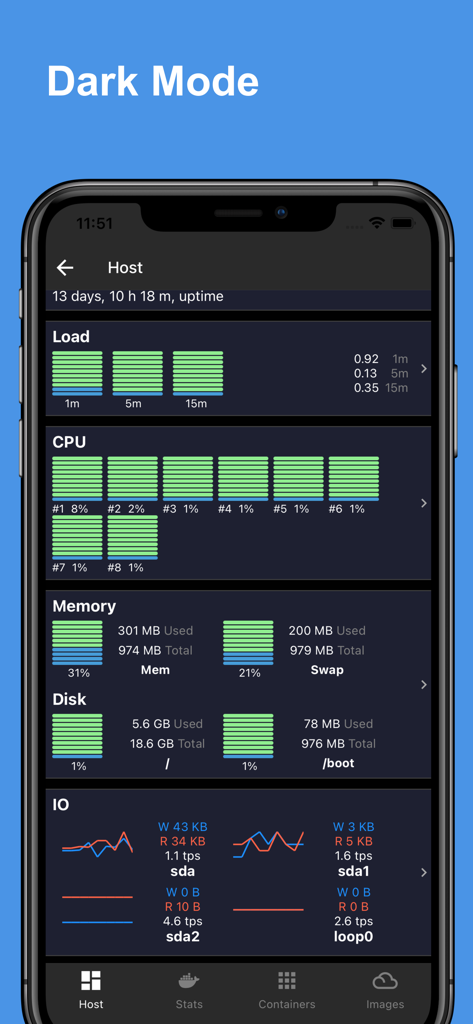
Docker Server Admin app interface in dark mode showing a Linux host stats dashboard with CPU memory and disk usage charts

Docker Server Admin app interface in dark mode showing a Linux host stats dashboard with CPU memory and disk usage charts

Master Your Servers from Anywhere

The tools that make this app stand out, trusted by 73K+ users.

📊

Insightful Health Dashboards

Monitor CPU, memory, and network usage in real-time with professional charts that make troubleshooting instant and visual.

🚀

Effortless Container Management

Start, stop, and inspect Docker containers or manage images with a single tap, replacing complex CLI syntax with a streamlined mobile interface.

🛡️

Secure SSH & Automation

Connect via Jump Hosts and execute complex maintenance tasks instantly using saved command snippets to bypass the friction of mobile typing.

About the app

Everything you need to know about Docker Server Admin.

Description

Docker Server Admin – Comprehensive Docker and Linux Host Management. Monitoring and management of Docker containers, images, and Linux hosts through a secure SSH connection. Docker Container Stats. Gain valuable insights into your Docker containers with detailed statistics: * CPU Usage: Visualize real-time CPU data with comprehensive charts. * Memory Usage: Track memory consumption with intuitive graphical representations. * Disk I/O: Monitor disk read/write operations through detailed charts. * Network I/O: Analyze network traffic with line charts showing data transfer rates. Linux Host Stats Dashboard. Keep your Linux hosts in check with a robust stats dashboard: * Load Averages: View load averages over 1 minute, 5 minutes, and 15 minutes. * CPU Load: Access charts displaying overall and per-core CPU load. * Memory, Swap & Disk Usage: Monitor memory, swap, and disk utilization in real-time. * Disk I/O: Get insights into disk transactions per second and read/write rates. * Network I/O: Track transmission (TX) and reception (RX) rates for comprehensive network monitoring. Docker Container Management. Easily manage your Docker containers with a user-friendly interface: * Container Overview: View a list of containers with names, IDs, statuses, and port mappings. * Container Control: Start, stop, restart, or remove containers as needed. * Inspect & Logs: Inspect container details and access logs for troubleshooting. Docker Image Management. Manage your Docker images with powerful tools: * Image Overview: Access a list of images, including names, IDs, and versions. * Image Control: Run containers from images, inspect image details, pull new images, or delete unwanted ones. SSH Terminal: The built-in SSH client offers full access to your host system's command line, empowering you to perform administrative tasks remotely: * Jump Host & Proxy Support: Connect securely via SSH jump hosts or SOCKS5 proxies, enabling you to manage servers in layered network environments. * Interactive Terminal: Experience a fully interactive terminal that supports real-time command execution, run complex scripts and commands with ease. * Command Management: Benefit from features such as command snippets, making it easy to reuse previous commands. * Copy and Paste Functionality: Quickly copy and paste text between your device and the terminal, simplifying the workflow when working with scripts or configuration files. * Startup & Batch Snippets: Automate your routine tasks with predefined startup snippets or execute batch commands across multiple sessions, saving time and increasing productivity. * Session Persistence: Keep your sessions active for long-running tasks, allowing you to disconnect and reconnect without losing your place. SFTP Explorer: Efficiently manage files on your server: * File & Directory Management: Upload, download, edit, move, rename, and delete files easily. * Streamlined Workflow: Perform operations on files and folders effortlessly, ensuring efficient handling of file transfers or system updates. * User-Friendly Navigation: Browse directories smoothly while managing file permissions directly from the app. The app is a docker third-party client, the app is not affiliated with Docker Corporation. Payment will be charged to iTunes Account at confirmation of purchase. Subscription automatically renews unless auto-renew is turned off at least 24-hours before the end of the current period. Account will be charged for renewal within 24-hours prior to the end of the current period, and identify the cost of the renewal. Subscriptions may be managed by the user and auto-renewal may be turned off by going to the user's Account Settings after purchase. Any unused portion of a free trial period, if offered, will be forfeited when the user purchases a subscription to that publication, where applicable. Terms of use: https://septudio.com/terms-of-use Privacy policy: https://septudio.com/privacy-policy

Latest Version

1.12

Size

94.5 MB

First Released

Nov 26, 2021

Your Infrastructure, in Your Pocket.

Join thousands of DevOps professionals managing Docker containers and Linux hosts with total precision. Maintain your uptime and master your servers from anywhere.

Download on App Store

App information, icons, screenshots, and descriptions displayed on this page are sourced from the Apple App Store and are the property of their respective developers. Download estimates and rankings are based on MWM's proprietary models and may not reflect actual figures. This page is provided for informational and analytical purposes only.

Believe this page infringes your intellectual property? File a dispute