DroidPass Password Manager
Download on App Store

This page is not an official page of the app or its developer, but an independent editorial publication created for informational and commentary purposes. Unless expressly stated otherwise, neither the app nor its developer is affiliated with, endorsed by, sponsored by, authorized by, or otherwise officially connected with MWM, Apple, Google Play, the app publisher, or the app's developer, and nothing on this page implies that the app was developed using MWM's services. Any trademarks, logos, screenshots, and other content remain the property of their respective owners.

Logo of DroidPass Password Manager
Download on App Store

DroidPass Password Manager

Protect your logins, bank accounts, and private notes in one professional-grade encrypted hub. Experience seamless security with biometric unlock and cross-device sync for iPhone and iPad.

Key Figures

Downloads

0

User Rating

4.7/5

Total Ratings

0

Publisher

Rakib Joarder

Category

Productivity

Locales

1

Latest Version

1.4.9

Size

65.0 MB

First Released

Dec 29, 2019
Features

Take Control of Your Digital Security

DroidPass is more than a password manager—it's a comprehensive vault designed to protect your financial, personal, and professional data with military-grade precision.

Military-Grade AES-256 Encryption

Rest easy knowing your sensitive data, from bank accounts to private notes, is protected by the world's most advanced security standards.

Seamless Multi-Device Sync

Your passwords follow you. Instantly sync your secure vault across your iPhone and iPad for frictionless access wherever you are.

The following screenshots and description are sourced directly from the app's official store listing and are the property of the app developer.

App Store

Screenshots
DroidPass Password Manager - DroidPass Password Manager splash screen with text All your Passwords, One secure Vault and Never Forget a Password Again.
DroidPass Password Manager splash screen with text All your Passwords, One secure Vault and Never Forget a Password Again.

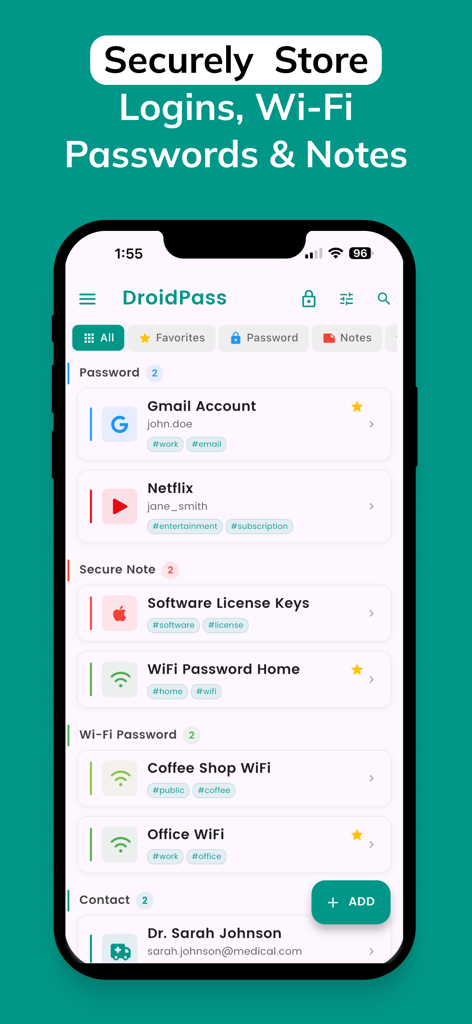
DroidPass Password Manager - DroidPass app interface showing a list of stored passwords notes and wifi credentials
DroidPass app interface showing a list of stored passwords notes and wifi credentials

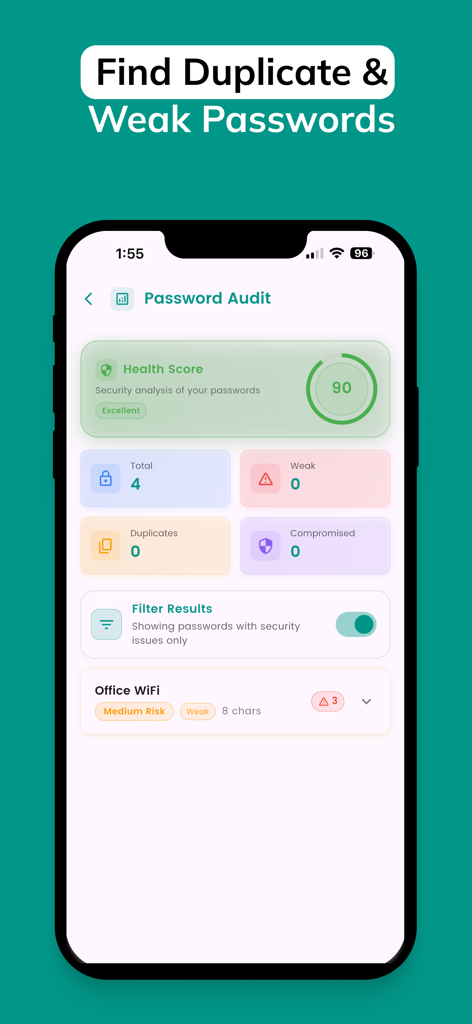
DroidPass Password Manager - DroidPass app screenshot showing the Password Audit feature with a security health score and counts for weak duplicate and compromised passwords
DroidPass app screenshot showing the Password Audit feature with a security health score and counts for weak duplicate and compromised passwords

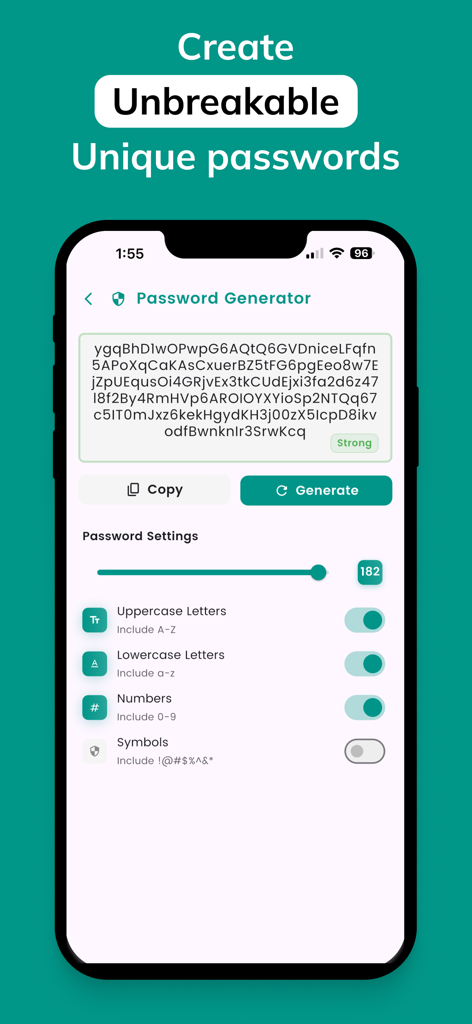
DroidPass Password Manager - Interface of the DroidPass Password Generator showing customizable settings to create strong and unbreakable passwords
Interface of the DroidPass Password Generator showing customizable settings to create strong and unbreakable passwords

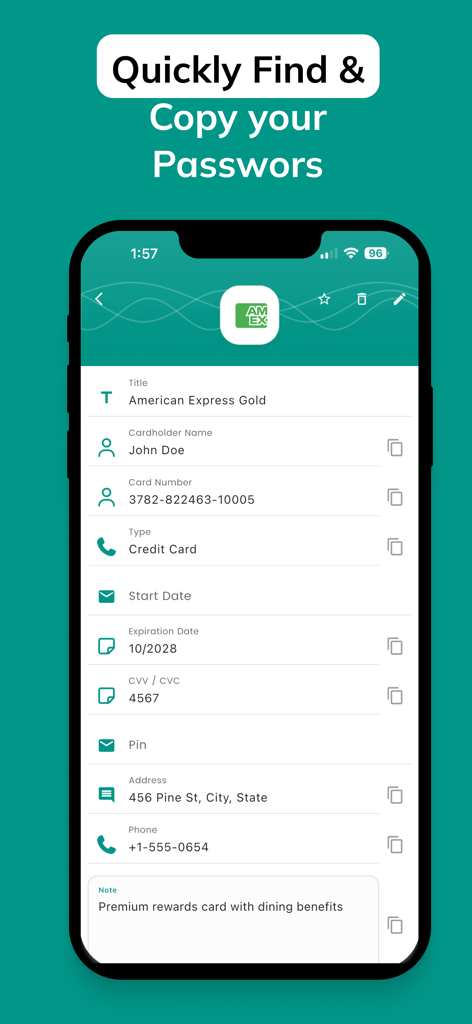
DroidPass Password Manager - DroidPass app interface showing a stored American Express card with encrypted details and quick copy buttons.
DroidPass app interface showing a stored American Express card with encrypted details and quick copy buttons.

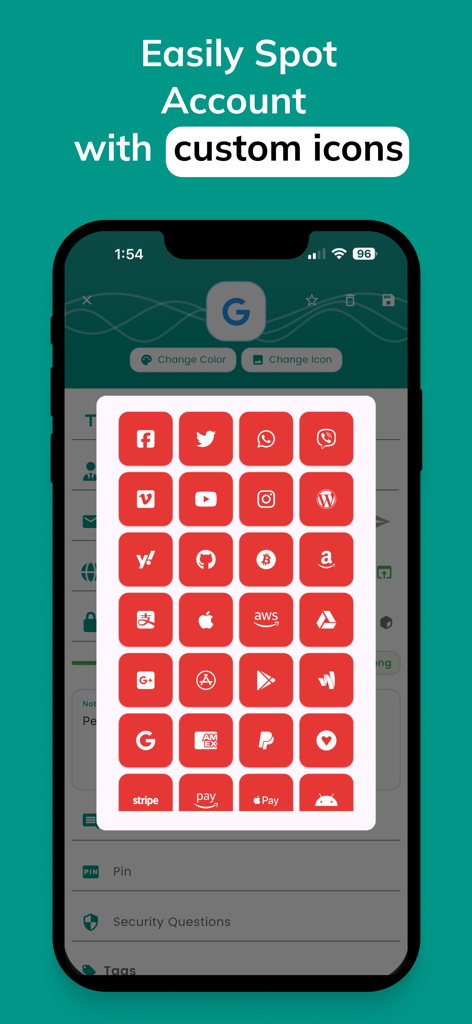
DroidPass Password Manager - A smartphone display showing a grid of popular brand icons available for personalizing and organizing accounts within the DroidPass Password Manager app.
A smartphone display showing a grid of popular brand icons available for personalizing and organizing accounts within the DroidPass Password Manager app.

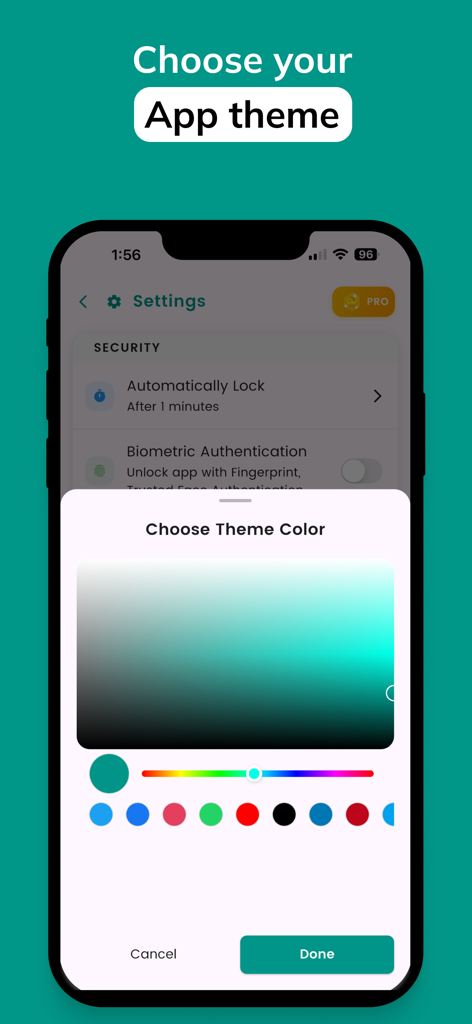
DroidPass Password Manager - Interface of DroidPass Password Manager showing custom app theme color selection options

Interface of DroidPass Password Manager showing custom app theme color selection options

Description

A secure password manager app with AES-256 encryption. Store, organize, and protect all your passwords, credit cards, and sensitive data in one secure vault. Available for iPhone and iPad. CORE FEATURES: • Secure Password Storage - Store passwords with AES-256 encryption using your master password • Password Generator - Create secure passwords with customizable rules and length • Personal Information Manager - Store notes, contacts, Wi-Fi, bank accounts, credit cards • Cross-Device Sync - Instantly sync data across all your devices • Master Password Protection - Access via one single master password • Auto-Lock Security - Automatically lock the app after set time • Screenshot Prevention - Prevent screenshots to protect passwords • Advanced Filtering - Smart filtering & tagging system for quick access • Favorites System - Enhanced favorites system to prioritize important passwords • Password Audit - Security analysis with personalized recommendations • Custom App Themes - Customize app theme colors and appearance • Enhanced Dark Mode - Improved dark mode for better visibility PREMIUM FEATURES (DroidPass Pro): • Advanced Biometric Authentication - Unlock with Touch ID or Face ID • Unlimited Storage - Store unlimited passwords and sensitive data • Unlimited Entries - No restrictions on the number of password entries • Extra Custom Fields - Add additional fields for enhanced organization • Premium Themes - Exclusive themes and customization options • Premium Profile Badge - Showcase your premium status with exclusive badge • Instant Auto-Lock - Automatically lock the app instantly when screen turns off • Priority Support - 24/7 premium customer support DroidPass stores information for websites ranging from banking to finances to simple gaming apps. This password manager has a powerful password generator that helps create secure passwords and keeps your information safe. All data is encrypted and synced across your iPhone, iPad, and other devices. SUPPORT: If you need assistance, please email support@droidpass.app Privacy Policy: https://droidpass.app/privacy Terms of Service: https://droidpass.app/terms SUBSCRIPTION INFO: • DroidPass Pro is a subscription service • Subscription automatically renews unless auto-renew is turned off at least 24 hours before the end of the current period • Payment will be charged to your Apple ID account at confirmation of purchase • Account will be charged for renewal within 24 hours prior to the end of the current period • You can manage subscriptions and turn off auto-renewal in your Apple ID Account Settings • No cancellation of the current subscription is allowed during active subscription period

Download

Download on App Store

This page is not an official page of the app or its developer, but an independent editorial publication created for informational and commentary purposes. Unless expressly stated otherwise, neither the app nor its developer is affiliated with, endorsed by, sponsored by, authorized by, or otherwise officially connected with MWM, Apple, Google Play, the app publisher, or the app's developer, and nothing on this page implies that the app was developed using MWM's services. Any trademarks, logos, screenshots, and other content remain the property of their respective owners.