Dual Shot Camera: ReFrame

This page is not an official page of the app or its developer, but an independent editorial publication created for informational and commentary purposes. Unless expressly stated otherwise, neither the app nor its developer is affiliated with, endorsed by, sponsored by, authorized by, or otherwise officially connected with MWM, Apple, Google Play, the app publisher, or the app's developer, and nothing on this page implies that the app was developed using MWM's services. Any trademarks, logos, screenshots, and other content remain the property of their respective owners.
Logo of Dual Shot Camera: ReFrame

Dual Shot Camera: ReFrame

Stop choosing between YouTube and TikTok. Capture high-quality horizontal and vertical video simultaneously to double your reach and halve your workflow in a single recording.

Key Figures

Downloads

0

User Rating

1.0/5

Total Ratings

0

Publisher

DAMIEN, NATHANAEL ELLEDGE

Category

Photo & Video

Locales

1

Latest Version

1.0

Size

1.8 MB

First Released

Apr 1, 2026
Features

Double Your Reach, Zero Extra Effort

Stop choosing between YouTube and TikTok. Capture high-definition landscape and portrait video simultaneously to master every algorithm with a single take.

One Take, Every Platform

Skip the re-shoots. Automatically generate 16:9 and 9:16 videos at once, cutting your production time in half while doubling your content output.

Full Sensor Fidelity

Say goodbye to blurry crops. We leverage your device's full sensor to ensure both horizontal and vertical exports maintain professional-grade resolution.

The following screenshots and description are sourced directly from the app's official store listing and are the property of the app developer.

App Store

Screenshots
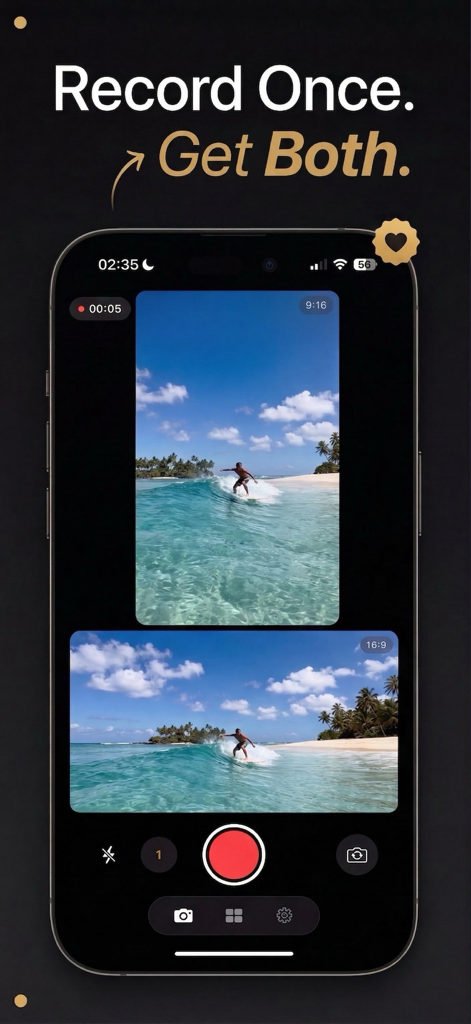
Dual Shot Camera: ReFrame - Smartphone screen showing ReFrame app recording a surfer in both vertical and horizontal aspect ratios simultaneously
Smartphone screen showing ReFrame app recording a surfer in both vertical and horizontal aspect ratios simultaneously

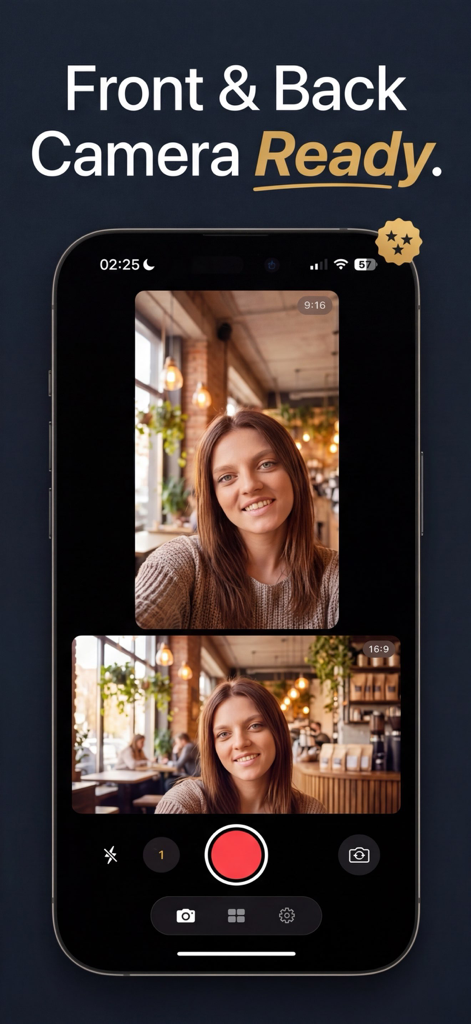
Dual Shot Camera: ReFrame - ReFrame app interface on an iPhone displaying simultaneous portrait and landscape video previews
ReFrame app interface on an iPhone displaying simultaneous portrait and landscape video previews

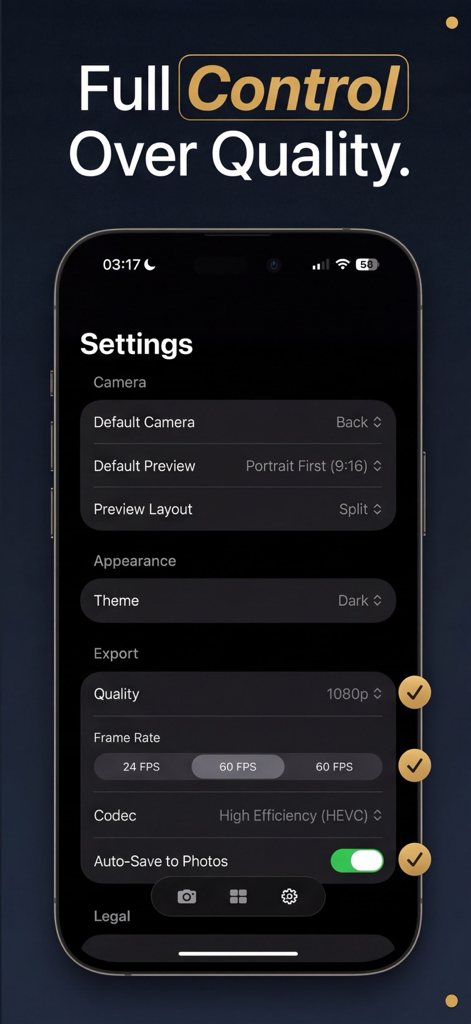
Dual Shot Camera: ReFrame - The settings interface of the ReFrame app featuring video quality and export frame rate controls

The settings interface of the ReFrame app featuring video quality and export frame rate controls

Description

Dual Shot Camera: ReFrame makes it effortless to capture landscape and portrait video at the same time, from a single recording. Hit record once and walk away with both a 16:9 horizontal video for YouTube and a 9:16 vertical video for Reels, Shorts, and TikTok. No re-recording. No duplicating shots. Just one take, two ready-to-publish videos. - ONE TAKE. TWO ASPECT RATIOS. Traditional cameras force you to choose: landscape or portrait. Content creators know the pain. You nail the perfect take, then realize you recorded in the wrong orientation. ReFrame eliminates that problem forever. Every recording automatically produces twin videos in both aspect ratios, ready to export wherever you need them. - FULL SENSOR CAPTURE Unlike apps that simply crop your footage after the fact, ReFrame utilizes your camera's full sensor to capture the maximum possible detail. Both your landscape and portrait outputs benefit from the highest quality your device can deliver. No wasted pixels, no compromised resolution. - DUAL PREVIEW MODES See both frames before you hit record: • Split View: A clean stacked layout showing your landscape and portrait frames at the same time • Picture-in-Picture: A compact PiP overlay so you can monitor both compositions while keeping one frame front and center Switch between preview layouts instantly to frame your shot exactly the way you want. - TWIN VIDEO EXPORT After recording, export both aspect ratio versions with full control over your output. Choose your preferred resolution quality and frame rate (FPS) for each export. Whether you need crisp 4K for YouTube or optimized vertical video for social media, ReFrame delivers both from a single take. - BUILT FOR CONTENT CREATORS If you create for multiple platforms, ReFrame saves you hours. Vloggers, filmmakers, social media creators: stop recording everything twice. One shoot gives you: • Horizontal video for YouTube, widescreen, and traditional platforms • Vertical video for Instagram Reels, YouTube Shorts, TikTok, and Stories Your workflow just got cut in half. - PRO CAMERA FEATURES • Multi-lens support: switch between all available lenses on your device • Front and back camera switching • Flash control for low-light recording • Configurable export quality and FPS settings • Built-in gallery to browse and manage all your recording sessions • Default camera and layout preferences in Settings • Light and dark appearance support - PRIVACY FIRST ReFrame is built with privacy at its core. All video processing happens entirely on your device. No cloud uploads. No servers. No accounts required. Your footage never leaves your phone. - SIMPLE BY DESIGN No complicated menus. No learning curve. Open the app, see both frames in the live preview, hit record, and export your twin videos. That's it. ReFrame does one thing and does it perfectly: gives you both aspect ratios from a single recording. Download Dual Shot Camera: ReFrame today and never choose between landscape and portrait again. Privacy Policy: https://damien-es-private-organization.gitbook.io/privacy-policy-and-terms-of-use/ Terms of Use: https://damien-es-private-organization.gitbook.io/privacy-policy-and-terms-of-use/terms-of-use

Download

This page is not an official page of the app or its developer, but an independent editorial publication created for informational and commentary purposes. Unless expressly stated otherwise, neither the app nor its developer is affiliated with, endorsed by, sponsored by, authorized by, or otherwise officially connected with MWM, Apple, Google Play, the app publisher, or the app's developer, and nothing on this page implies that the app was developed using MWM's services. Any trademarks, logos, screenshots, and other content remain the property of their respective owners.