
This page is not an official page of the app or its developer, but an independent editorial publication created for informational and commentary purposes. Unless expressly stated otherwise, neither the app nor its developer is affiliated with, endorsed by, sponsored by, authorized by, or otherwise officially connected with MWM, Apple, Google Play, the app publisher, or the app's developer, and nothing on this page implies that the app was developed using MWM's services. Any trademarks, logos, screenshots, and other content remain the property of their respective owners.


Earthmate
Pair with your inReach® device to access unlimited topographic maps, send global messages, and stay connected where cell towers can’t reach.
Downloads
1M+User Rating
Total Ratings
400Publisher
Category
NavigationLocales
15Latest Version
3.2.1Size
59.9 MBFirst Released
May 16, 2012Adventure With Total Confidence
Transform your smartphone into a professional-grade satellite communicator and off-grid navigator for when cell towers disappear.
Global Two-Way Messaging
Use your phone's familiar keyboard to send and receive text messages via the Iridium® satellite network from anywhere on Earth.
Unlimited Offline Topo Maps
Download and cache detailed topographic maps and USGS quad sheets to navigate deep wilderness without a cellular signal.
Frequently Asked Questions
Everything you need to know about Earthmate
What is the Earthmate app and what does it do?
The Earthmate app pairs with Garmin inReach satellite communication devices to provide messaging, navigation, tracking, and safety features for outdoor adventures, including offline maps.
Can I send and receive text messages with the Earthmate app?
Yes, the Earthmate app allows you to send and receive 2-way custom or preset text and email messages. This feature requires pairing with an inReach device and an active satellite subscription.
Does the Earthmate app offer offline map capabilities?
Yes, the Earthmate app provides unlimited topographic maps, aerial imagery, and hybrid maps. You can cache these maps on your device for offline use, ensuring navigation without cellular service.
Is an inReach device necessary to use the Earthmate app's satellite communication features?
Yes, an inReach device with an active satellite subscription is required to access the 100% global Iridium® satellite network for live tracking, messaging, and SOS capabilities within the Earthmate app.
How does the Earthmate app connect to an inReach device?
The Earthmate app connects to an inReach satellite communication device via Bluetooth® technology. This pairing turns your mobile device into a robust satellite communication and GPS navigation tool.
Can the Earthmate app share my location with others in real-time?
Yes, the Earthmate app features LiveTrack™, which allows loved ones to follow your location in real time. They can view data such as distance, time, and elevation during your journey.
Does Earthmate offer cloud storage for trip planning and data?
Yes, the Earthmate app provides unlimited cloud storage for your routes, waypoints, and tracks. You can plan adventures on the Garmin Explore™ website and sync them to your device.
Can I activate an SOS signal through the Earthmate app?
Yes, you can trigger an SOS directly from the Earthmate app. This feature works globally when the app is paired with your inReach device and has an active satellite subscription.
The following screenshots and description are sourced directly from the app's official store listing and are the property of the app developer.
App Store
Screenshots
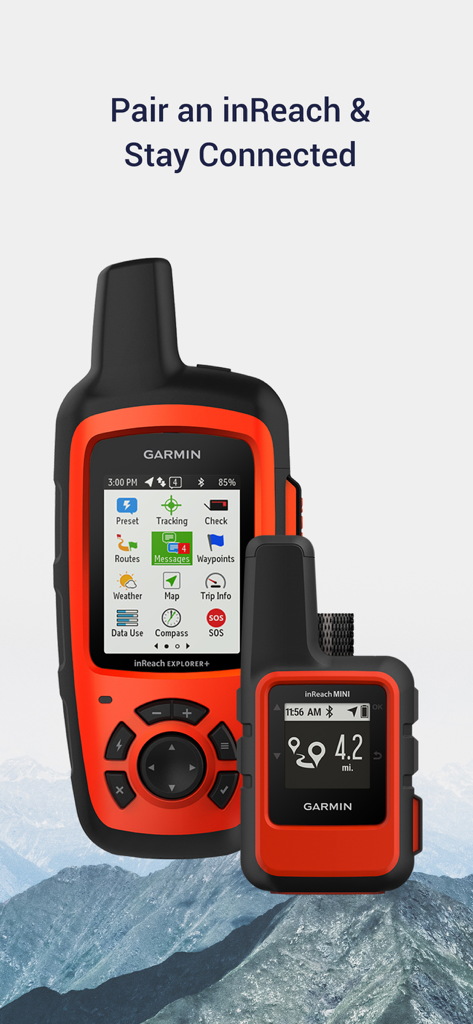
Pairing Garmin inReach satellite devices with Earthmate app for off-grid connection
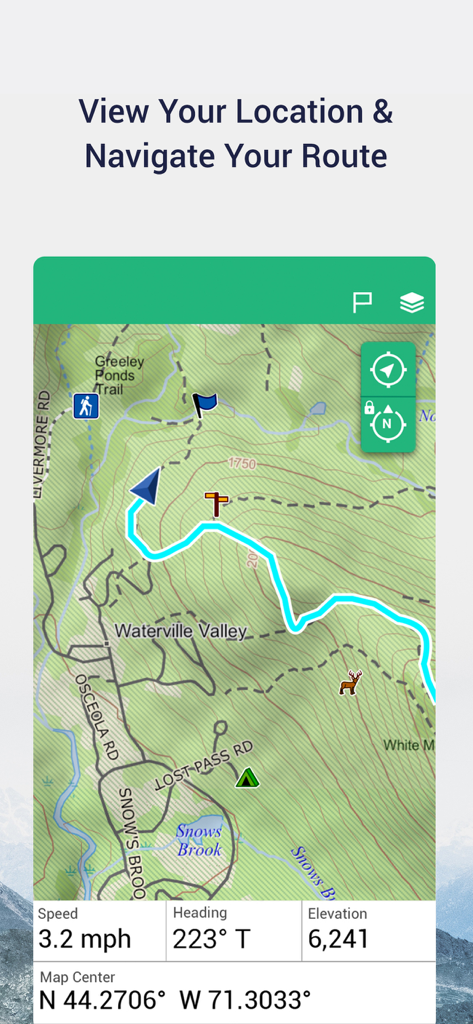
Garmin Earthmate app interface showing a topographic map with a hiking route and real-time GPS navigation data
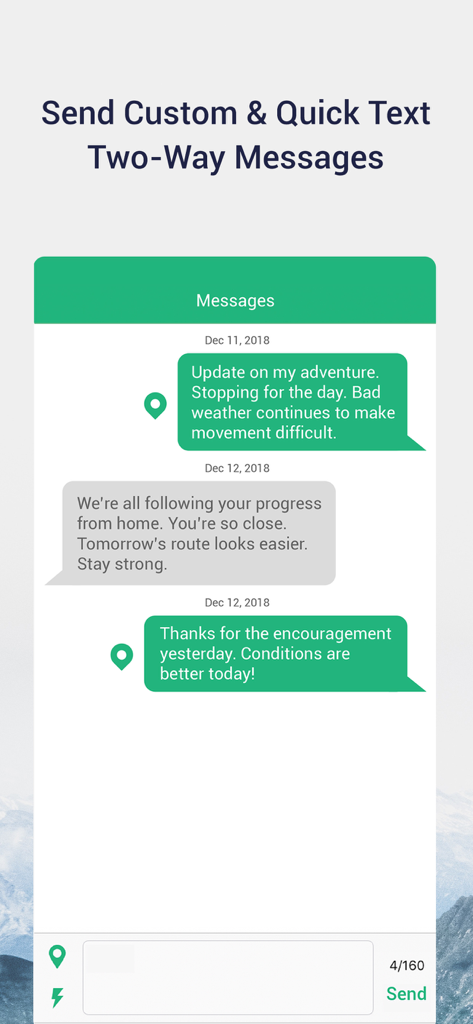
Earthmate app interface showing two-way text messages between an adventurer and family members via satellite communication.
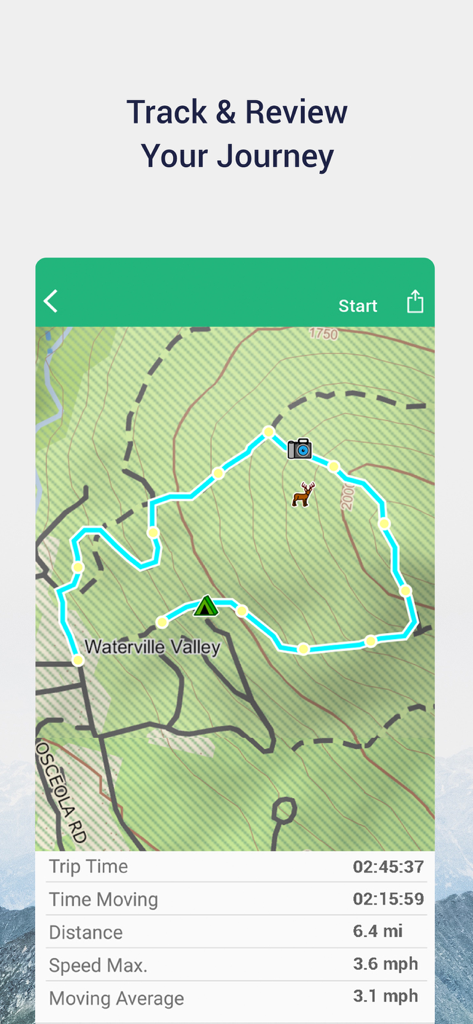
Earthmate app interface displaying a tracked hiking route on a topographic map with trip statistics
Description
Download
More Like This
Apps with similar features and user experience

Saki - Connect & Share
潇泳 庄

Gaggle Paragliding, Ultralight
Viszen Pty Ltd

AvTraffic
Tailwind Software

Paragliding Tracker: Wingman
iSolid SPRL

Skida: Alpine Adventures
Mountainsnow AS
Relief Maps : backcountry gps
Batiste Vonderweidt

RealityMaps 3D tour planner
3D RealityMaps GmbH

Spot Assist Skydiving Tool
Andrey Kan

Flyskyhy
Rene Dekker
This page is not an official page of the app or its developer, but an independent editorial publication created for informational and commentary purposes. Unless expressly stated otherwise, neither the app nor its developer is affiliated with, endorsed by, sponsored by, authorized by, or otherwise officially connected with MWM, Apple, Google Play, the app publisher, or the app's developer, and nothing on this page implies that the app was developed using MWM's services. Any trademarks, logos, screenshots, and other content remain the property of their respective owners.