
This page is not an official page of the app or its developer, but an independent editorial publication created for informational and commentary purposes. Unless expressly stated otherwise, neither the app nor its developer is affiliated with, endorsed by, sponsored by, authorized by, or otherwise officially connected with MWM, Apple, Google Play, the app publisher, or the app's developer, and nothing on this page implies that the app was developed using MWM's services. Any trademarks, logos, screenshots, and other content remain the property of their respective owners.


Easy Pomodoro - Pomodoro Timer
Boost your productivity with a distraction-free timer designed for deep work. No ads, no sign-ups, and no distractions—just pure focus for students and professionals.
Downloads
800User Rating
Total Ratings
0Publisher
Category
LifestyleLocales
1Latest Version
1.4Size
5.1 MBFirst Released
Oct 23, 2018Deep Focus for High Achievers
Reclaim your attention and beat procrastination with a clean, science-backed approach to time management.
Frictionless Start
No sign-ups or ads. Jump straight into deep work with a minimalist interface designed for zero distractions and maximum flow.
Data-Driven Progress
Visualize your focus streaks with daily stats and weekly charts, perfect for tracking your personal productivity growth.
Frequently Asked Questions
Everything you need to know about Easy Pomodoro - Pomodoro Timer
How does the Easy Pomodoro - Pomodoro Timer app function?
The Easy Pomodoro - Pomodoro Timer app functions by structuring work into 25-minute periods followed by 5-minute rests. Users can customize these durations. The app also provides audio warnings between timers to maintain concentration.
Can users customize the work and break durations in Easy Pomodoro - Pomodoro Timer?
Yes, Easy Pomodoro - Pomodoro Timer allows users to fully customize work and break durations. These settings can be adjusted at any time through the app's interface to match individual workflow preferences.
Does Easy Pomodoro - Pomodoro Timer provide productivity tracking?
Yes, Easy Pomodoro - Pomodoro Timer provides productivity tracking. It records daily statistics like minutes worked, breaks taken, and Pomodoro sessions completed. A weekly chart visualizes performance for user motivation.
Is the Easy Pomodoro - Pomodoro Timer app usable offline?
Yes, the Easy Pomodoro - Pomodoro Timer app is fully functional offline. It is a lightweight application that does not require an internet connection, user sign-ups, or display any advertisements.
How can Easy Pomodoro - Pomodoro Timer help improve focus and productivity?
Easy Pomodoro - Pomodoro Timer improves focus by structuring work into intervals and reduces burnout with regular breaks. It increases awareness of time usage and aids in overcoming procrastination, suitable for deep work.
Can I personalize the visual appearance of the Easy Pomodoro - Pomodoro Timer?
Yes, Easy Pomodoro - Pomodoro Timer allows users to personalize its visual appearance. Users can customize the timer colors for both work and break periods directly within the advanced settings of the app.
The following screenshots and description are sourced directly from the app's official store listing and are the property of the app developer.
App Store
Screenshots
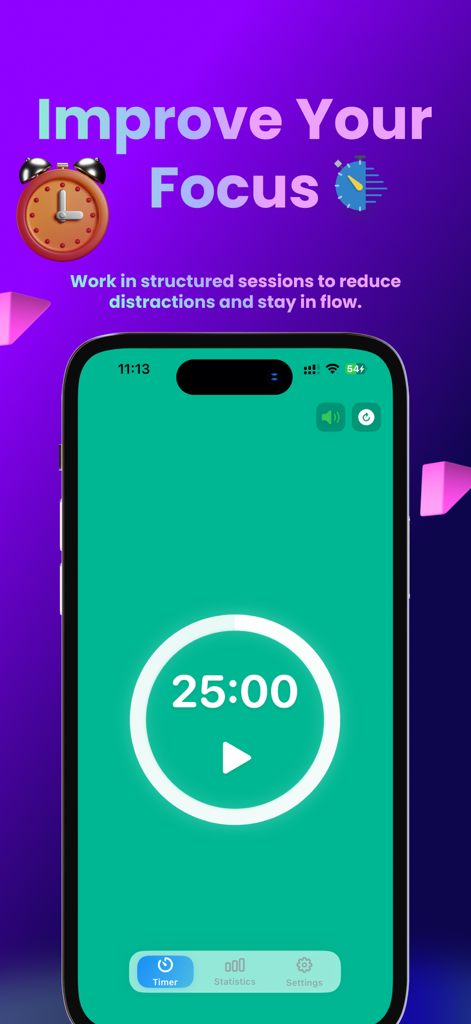
Easy Pomodoro app interface on iPhone showing a minimalist 25 minute focus timer screen
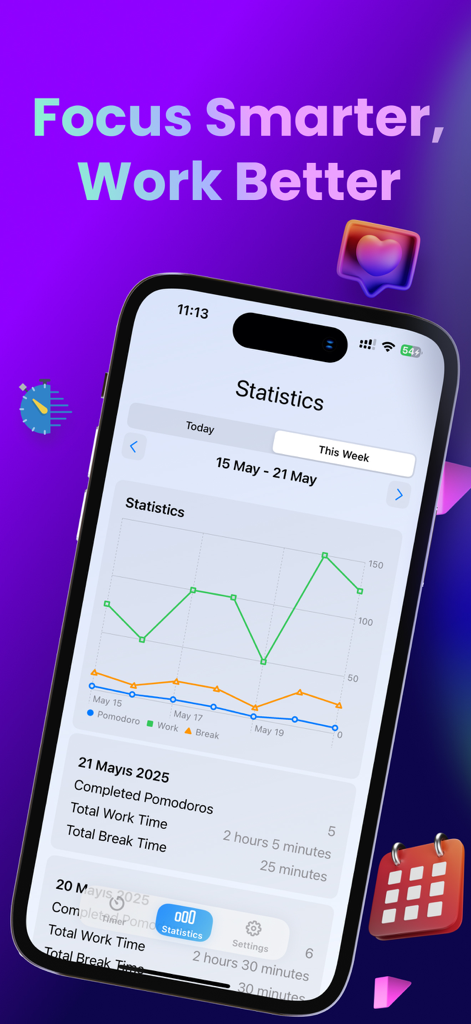
Weekly productivity chart in the Easy Pomodoro app showing work and break time statistics on an iPhone
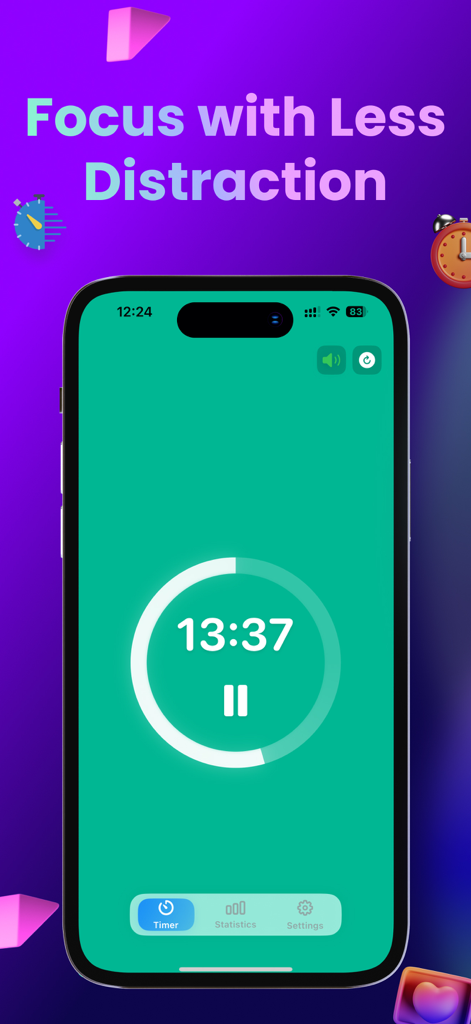
Easy Pomodoro app interface showing a minimalist work timer countdown on a green screen
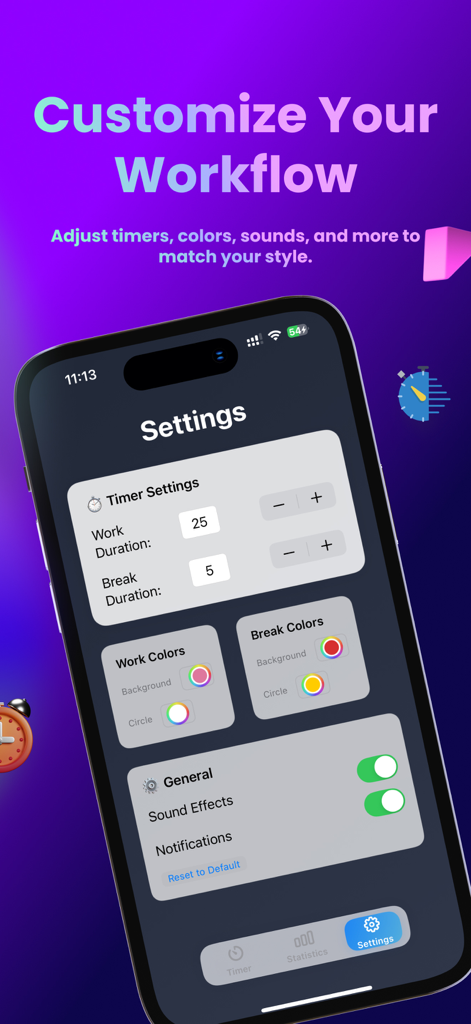
Easy Pomodoro app settings screen showing options to customize timer durations, colors, and sound notifications
Description
Download
More Like This
Top-ranked apps in the same category

Pinterest, Inc.

Alipay - Simplify Your Life
Alipay (Hangzhou) Technology Co., Ltd.

美团-美好生活小帮手
Sankuai Technology Co., Ltd.

Dianping: Discover Good Places
Hanhai Information Technology (Shanghai) Co.Ltd

Lemon8 - Lifestyle Community
TIKTOK PTE. LTD.

Xiaomi Home
Beijing Xiaomi Co., Ltd

Tinder Dating App: Date & Chat
Tinder LLC

VNeTraffic
GLOBAL TECHNOLOGY - TELECOMMUNICATIONS CORPORATION

SmartThings
Samsung Electronics Co., Ltd.
This page is not an official page of the app or its developer, but an independent editorial publication created for informational and commentary purposes. Unless expressly stated otherwise, neither the app nor its developer is affiliated with, endorsed by, sponsored by, authorized by, or otherwise officially connected with MWM, Apple, Google Play, the app publisher, or the app's developer, and nothing on this page implies that the app was developed using MWM's services. Any trademarks, logos, screenshots, and other content remain the property of their respective owners.