EdrawMax - AI Diagram Maker: Transform Ideas into Professional Visuals Instantly
Stop wasting hours on manual design. Use AI to digitize whiteboard notes, generate complex flowcharts with a tap, and access 40,000+ templates designed for the modern professional and student.
A display of multiple diagram templates available in EdrawMax including flowcharts floor plans and timelines
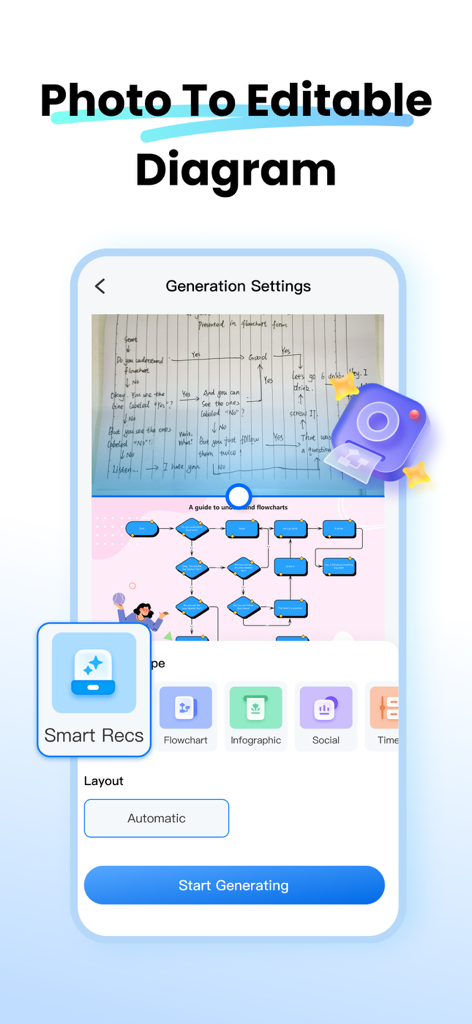
AI-powered tool converting hand-drawn sketches into professional digital flowcharts on a mobile screen
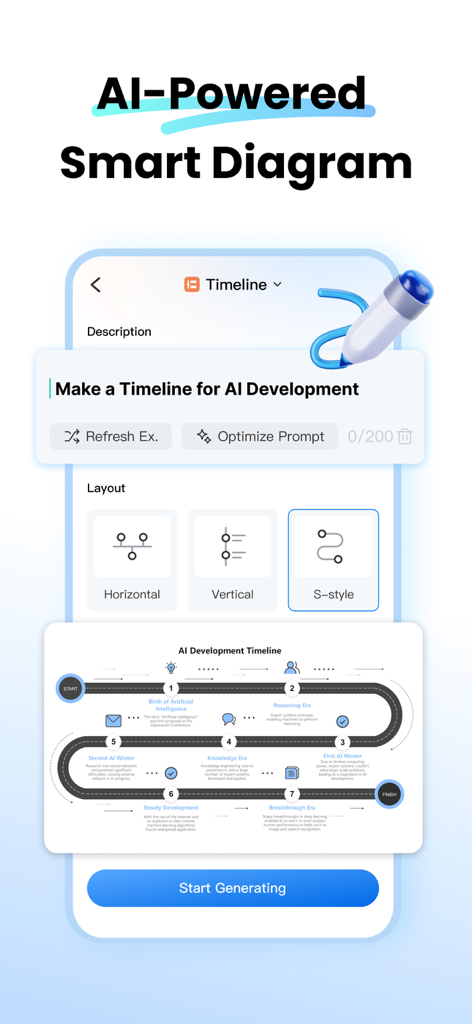
EdrawMax app screen showing AI-powered smart diagram feature for creating a timeline from a text prompt.
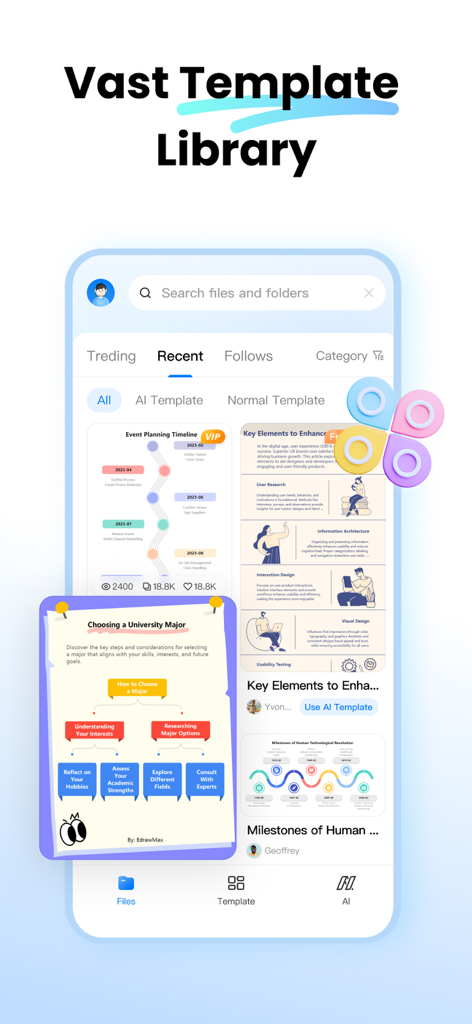
Mobile screen of EdrawMax showing an event planning timeline created using AI templates
EdrawMax app interface showcasing a wide variety of professional diagram templates for flowcharts, timelines, and educational visuals.
Smartphone screen displaying the EdrawMax AI Assistant chat interface with diagram creation suggestions and AI model selector.
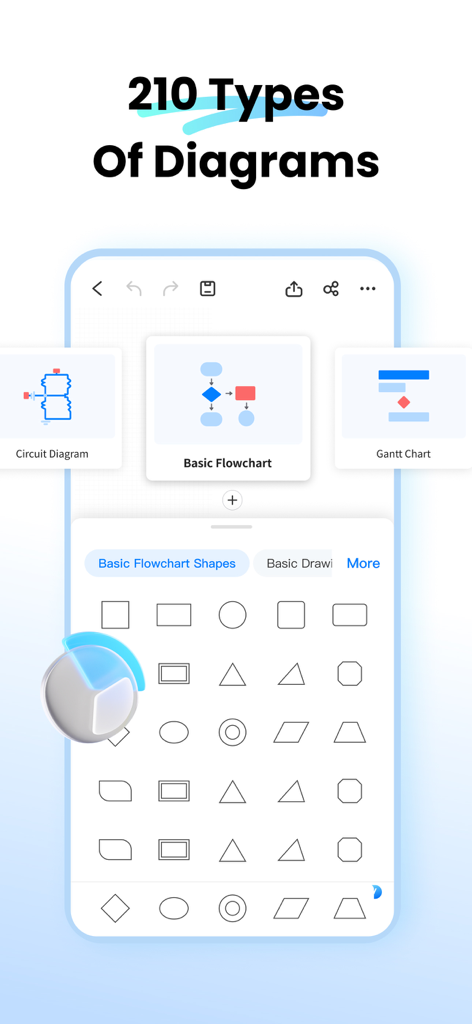
EdrawMax app interface showing options for circuit diagrams, flowcharts, and Gantt charts with editable shapes.
EdrawMax diagramming app showing a flowchart synced across phone tablet and computer screens
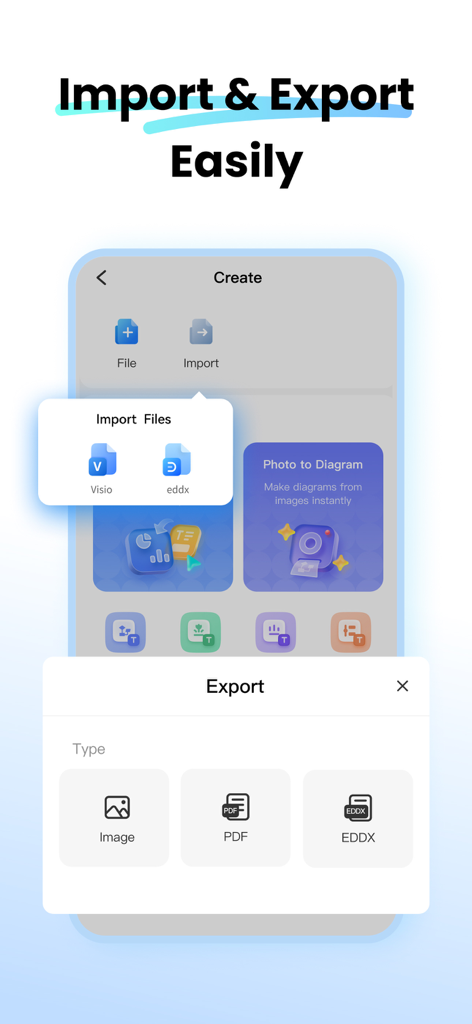
Screenshot of EdrawMax app showing file import and export options for Visio PDF and images
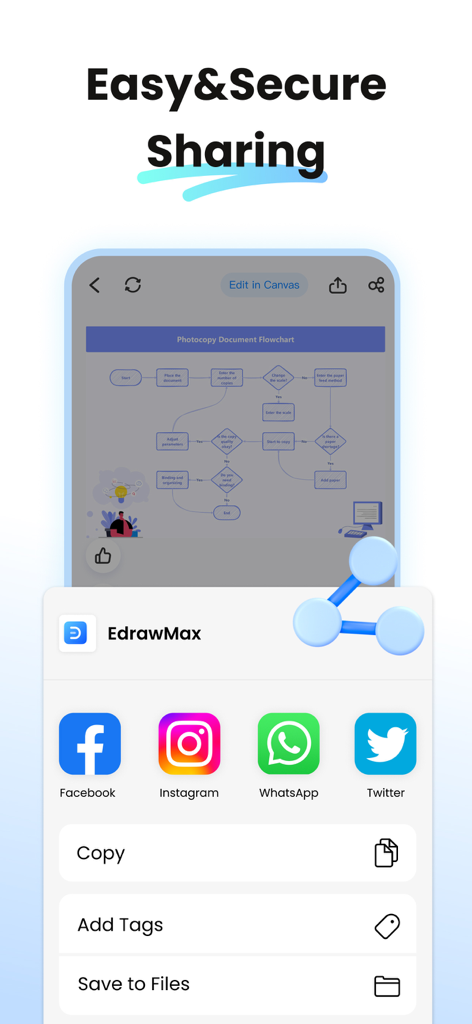
A mobile interface of EdrawMax showing easy and secure sharing options for diagrams to social media platforms like Facebook, Instagram, and WhatsApp.
Diagram Smarter, Not Harder
The tools that make this app stand out, trusted by 10K+ users.
📸
Whiteboard to Digital in Seconds
Snap a photo of your hand-drawn notes or whiteboard brainstorms and let AI instantly convert them into fully editable, professional diagrams.
🪄
40,000+ AI-Powered Templates
Beat the blank canvas anxiety with a massive library of templates for flowcharts, mind maps, and Gantt charts that auto-style to your brand.
🤖
Multi-Model AI Assistant
Leverage integrated models like ChatGPT and Gemini to brainstorm, translate, and refine your diagrams with side-by-side AI comparisons.
About the app
Everything you need to know about EdrawMax - AI Diagram Maker.
Description
EdrawMax is your all-in-one AI diagramming tool that turns ideas into visuals with ease. Whether you’re sketching out a workflow, mind map, org chart, or technical diagram, EdrawMax empowers you to create professional-level visuals in seconds. Explore 40,000+ built-in templates, covering flowcharts, organizational charts, project plans, and more. Dive into a world of creativity and efficiency.
KEY FEATURES
[Photo to Editable Diagram]
Snap and convert: Instantly turn paper notes or whiteboard content into editable diagrams
Auto-detects logic and layout: Preserve structure and clarity
Beautiful templates: Auto-style your content for a clean, modern look
Flexible export: Save as image, PDF, or editable Edraw (.eddx) file
Great for digitizing meeting notes, study cards, paper documents, and more
[Instant Diagrams with AI Templates]
One-tap to clone: Reproduce the look and feel of any popular template
Batch generation: Quickly create multiple diagrams with a unified style
Visual inspiration: Supports timelines, infographics, flowcharts, and socials
40,000+ templates and 17,000+ symbols at your fingertips
Ideal for office workflows, design layouts, academic diagrams, resumes, and scientific models
[Smarter AI Assistant]
Multiple AI models supported: Chatgpt, Gemini and more
Side-by-side comparison: Easily evaluate answers from different AI models. Smarter answers, faster decisions.
Specialized tools: AI diagram generator, AI translator, brainstorm bot, marketing copywriter, and more
Fully customizable AI scenarios to fit your unique needs
[Multi-Platform Collaboration & Seamless Sharing]
Import Visio files and edit without compatibility issues
Export to multiple formats: PDF, image, and EDDX
Cloud sync across desktop, mobile, and online
One-tap share to email, Facebook, WhatsApp, and other social channels
Enhanced security with file encryption and share expiration settings
**Built for Every Use Case**
Professionals: Create org charts, process diagrams, Gantt charts, circuit diagrams, timeline diagrams, and more
Students: Easily create history timeline, family tree, and math Algorithm flowcharts
Designers: Draft home layouts, HVAC plans, office designs, evacuation routes, and even wardrobe blueprints
Educators and Researchers: Visualize lab equipment, physics/biology diagrams, astronomy models, and thesis content with ease
**In-App Purchase Information**
• Payment charged upon confirmation via iTunes account.
• Subscriptions auto-renew; disable 24hrs before current period ends in Settings > iTunes & App Store.
**Privacy & Terms**
• Privacy Policy: https://www.edrawsoft.com/privacy-policy.html
• Terms & Conditions: https://www.edrawsoft.com/terms-conditions.html
**Support You Can Rely On**
Our dedicated support team is always here to help. Have questions or feedback? We’re committed to providing timely and effective assistance.
• Email: support@edrawsoft.com
• Support Center: https://www.edrawsoft.com/support-center.html
• Website: https://www.edrawsoft.com/
• Twitter: Edraw @edrawsoft
• Facebook: Edraw Software
Love EdrawMax?
If EdrawMax makes your work or study easier, please leave us a positive review. Your feedback motivates us to keep improving and innovating!
Latest Version
1.5.2
Size
37.6 MB
First Released
Apr 1, 2023
Turn Your Ideas into Professional Visuals Instantly
Join thousands of visual productivity maximizers using AI to automate diagrams, mind maps, and workflows. Download EdrawMax today.
App information, icons, screenshots, and descriptions displayed on this page are sourced from the Apple App Store and are the property of their respective developers. Download estimates and rankings are based on MWM's proprietary models and may not reflect actual figures. This page is provided for informational and analytical purposes only.
Believe this page infringes your intellectual property? File a dispute