EdrawMax for iPad - Flowchart

EdrawMax for iPad - Flowchart


Download on App Store
Logo of EdrawMax for iPad - Flowchart

EdrawMax: Professional Diagramming and Flowcharts on iPad

The all-in-one productivity tool for visual thinkers. Create, edit, and share over 210 types of diagrams with 30,000+ templates and seamless Visio compatibility.

Download on App Store

Publisher

Edraw Software Co., Ltd

Category

Productivity

Downloads

1K+

User Rating

1.0/5

Total Ratings

0

Locales

2

Your Workspace, Reimagined

Discover the interface used by 1K+ users.

EdrawMax for iPad interface showing AI assisted flowchart creation

EdrawMax for iPad interface showing AI assisted flowchart creation

A selection of professional diagram templates in EdrawMax for iPad including flowcharts, mind maps, and Gantt charts.

A selection of professional diagram templates in EdrawMax for iPad including flowcharts, mind maps, and Gantt charts.

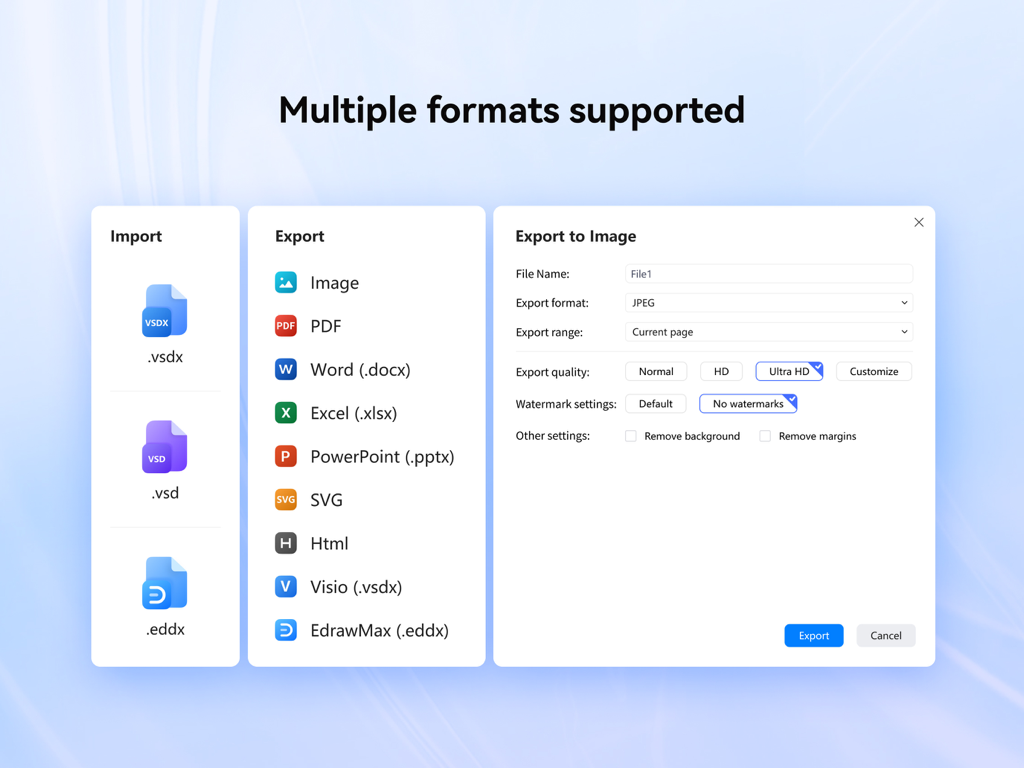
EdrawMax iPad interface showing various import and export formats including Visio and Microsoft Office

EdrawMax iPad interface showing various import and export formats including Visio and Microsoft Office

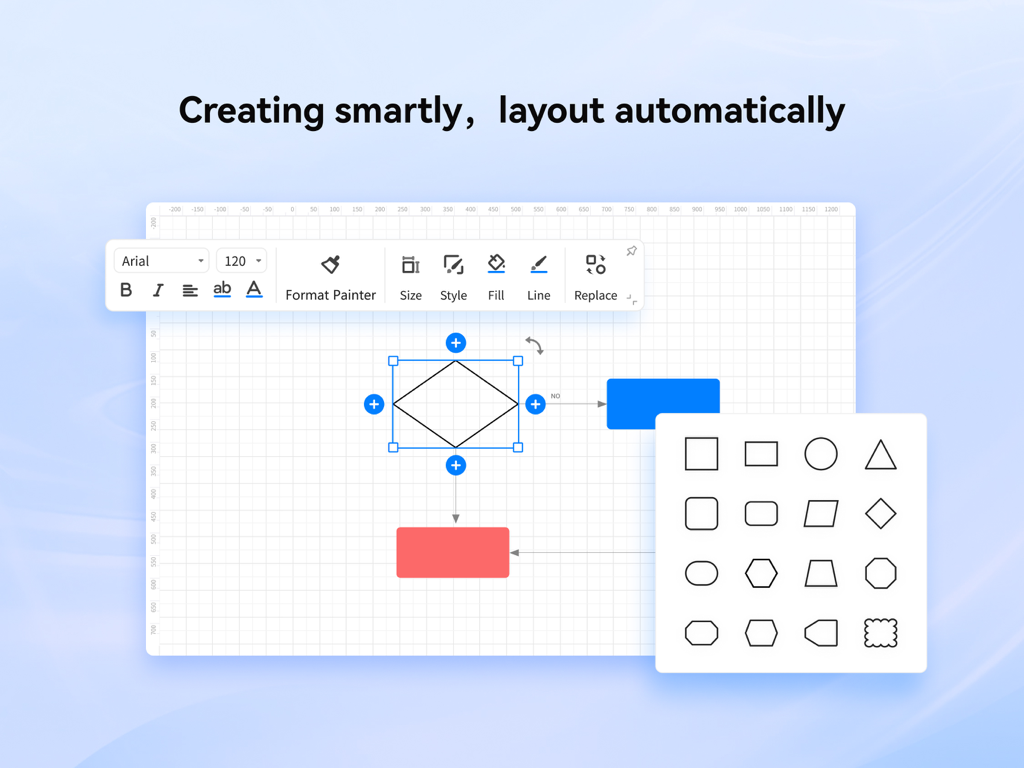
Screenshot of EdrawMax for iPad interface showing smart flowchart layout and a variety of diagram shapes

Screenshot of EdrawMax for iPad interface showing smart flowchart layout and a variety of diagram shapes

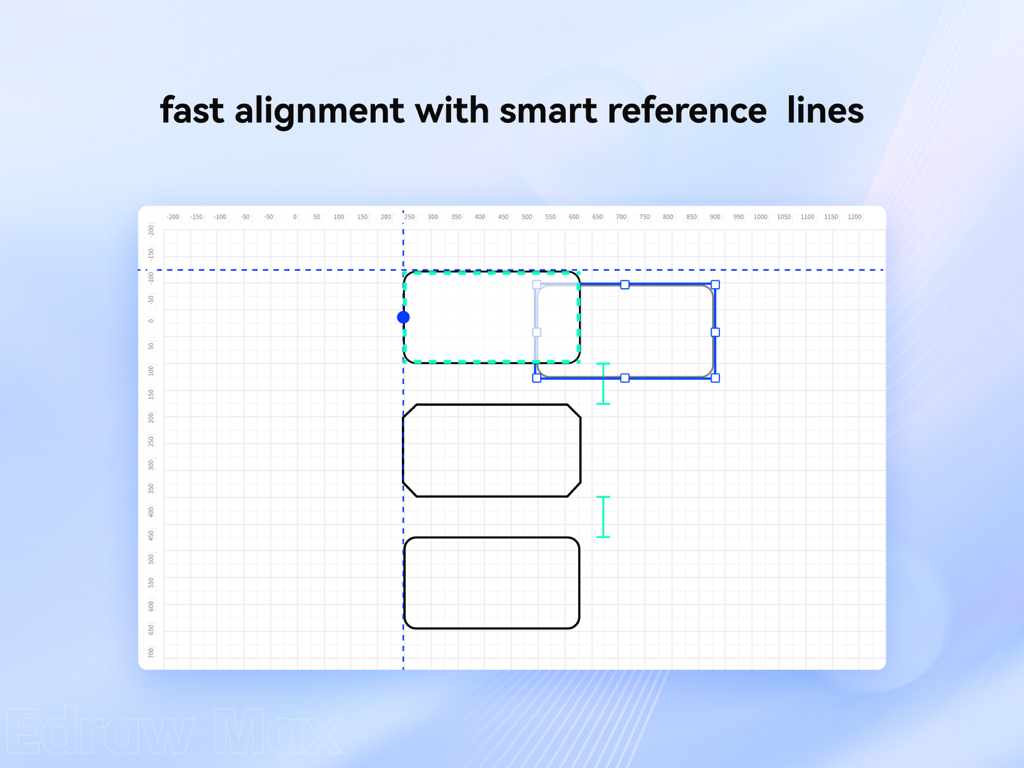
Screenshot of EdrawMax for iPad showing the smart reference lines for fast alignment of diagram shapes

Screenshot of EdrawMax for iPad showing the smart reference lines for fast alignment of diagram shapes

EdrawMax for iPad interface showing a variety of one-click color theme options for flowchart customization.

EdrawMax for iPad interface showing a variety of one-click color theme options for flowchart customization.

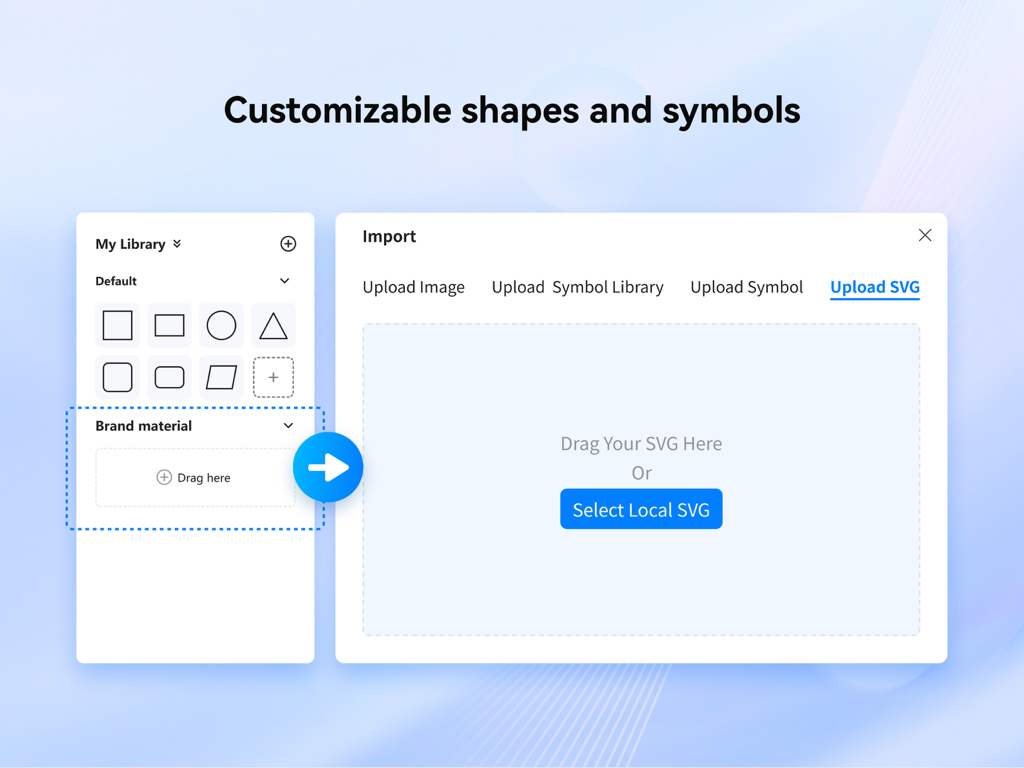
Interface showing the customizable shapes library and SVG import feature in EdrawMax for iPad.

Interface showing the customizable shapes library and SVG import feature in EdrawMax for iPad.

Logos of major companies including Apple, Amazon, and Sony that trust EdrawMax for professional diagramming

Logos of major companies including Apple, Amazon, and Sony that trust EdrawMax for professional diagramming

The Only Diagramming Tool You’ll Ever Need

The tools that make this app stand out, trusted by 1K+ users.

♾️

210+ Professional Diagram Types

Replace multiple niche tools with one powerhouse. Whether it is a complex BPMN flowchart, a detailed floor plan, or a UML diagram, we have you covered.

🚀

Accelerate with 30,000+ Templates

Don't waste time formatting from scratch. Use our massive library of designer-made templates and 18,000 vector symbols to deliver board-room ready results in minutes.

🔄

Seamless Visio Compatibility

Import and export .vsdx and .svg files effortlessly. Stay productive in the field or on your couch while maintaining full professional continuity with your office desktop.

About the app

Everything you need to know about EdrawMax for iPad - Flowchart.

Description

EdrawMax is an all-in-one diagramming tool that serves all your purposes. It provides a workspace for creating over 210 types of diagrams, including flowcharts, network diagrams, floor plans, mind maps, presentations, and more. The easy-to-use user interface, rich resources, and powerful toolkits make it effortless to create and share professional diagrams. Download to accelerate productivity and start your creativity trip right now. Be the diagram expert in your field -Flowcharts, BPMN, data flow diagrams. -Timeline, roadmap, Funnel charts, Org charts. -UML, ERD, network diagrams. -Electrical circuits, P&ID, Floor Plans, Wireframes. -Infographics, Subway maps, Genograms. Rich free resources to improve productivity -210+ types of diagrams to explore. -30,000+ professionally designed templates to use. -18,000+ vector symbols, clipart, icons to choose from. Easy to get started and be supported -User-friendly Interface ensures a flat learning curve. -Drag-and-drop feature. -Smart shapes and data interaction. -Available on macOS, Windows, Linux,Web and Mobile. -User tutorials to have you on board. Import, Export and share with ease -Import Visio, Visio Stencils, and SVG files. -Export to Microsoft Visio, Word, Excel, PowerPoint, PDF, PNG, and SVG. -Generate online shared links for drawings and cancel anytime. In-App Purchase Information • Payment charged upon confirmation via iTunes account. • Subscriptions auto-renew; disable 24hrs before current period ends in Settings > iTunes & App Store. Privacy & Terms • Privacy Policy: https://www.edrawsoft.com/privacy-policy.html • Terms & Conditions: https://www.edrawsoft.com/terms-conditions.html Enhancements in Progress • We're diligently enhancing to match desktop power. For assistance, contact our professional customer service team: • Email: support@edrawsoft.com • Support Center: https://www.edrawsoft.com/support-center.html • Website: https://www.edrawsoft.com/ • Twitter: Edraw @edrawsoft • Facebook: Edraw Software

Latest Version

1.0.3

Size

21.1 MB

First Released

Mar 23, 2025

Ready to Lead with Visual Clarity?

Join thousands of power professionals who have turned their iPad into a high-performance workstation. Download EdrawMax today to access 30,000+ templates and start creating boardroom-ready diagrams in seconds.

Download on App Store

App information, icons, screenshots, and descriptions displayed on this page are sourced from the Apple App Store and are the property of their respective developers. Download estimates and rankings are based on MWM's proprietary models and may not reflect actual figures. This page is provided for informational and analytical purposes only.

Believe this page infringes your intellectual property? File a dispute