Electronic-Toolbox 2
Download on App Store

This page is not an official page of the app or its developer, but an independent editorial publication created for informational and commentary purposes. Unless expressly stated otherwise, neither the app nor its developer is affiliated with, endorsed by, sponsored by, authorized by, or otherwise officially connected with MWM, Apple, Google Play, the app publisher, or the app's developer, and nothing on this page implies that the app was developed using MWM's services. Any trademarks, logos, screenshots, and other content remain the property of their respective owners.


Logo of Electronic-Toolbox 2
Download on App Store

Electronic-Toolbox 2

Streamline your workflow with over 70 specialized calculators, tables, and references. Designed for precision on iPhone, iPad, and Mac—fully functional offline with no ads and no subscriptions.

Key Figures

Downloads

500

User Rating

1.0/5

Total Ratings

0

Publisher

Marcus Roskosch

Category

Productivity

Locales

6

Latest Version

1.0.3

Size

162.8 MB

First Released

Nov 18, 2025
Features

The Ultimate Command Center for Electronics

Consolidate your entire workflow with over 70 professional-grade calculators, references, and data tables designed for precision engineering and rapid prototyping.

70+ Pro-Grade Tools

From resistor color codes to parametric component searches, access the industry's most comprehensive reference suite in one unified, ad-free interface.

Field-Ready Offline Access

Engineered for shielded labs and remote field sites. Perform critical calculations and access datasheets without needing an internet connection.

The following screenshots and description are sourced directly from the app's official store listing and are the property of the app developer.

App Store

Screenshots
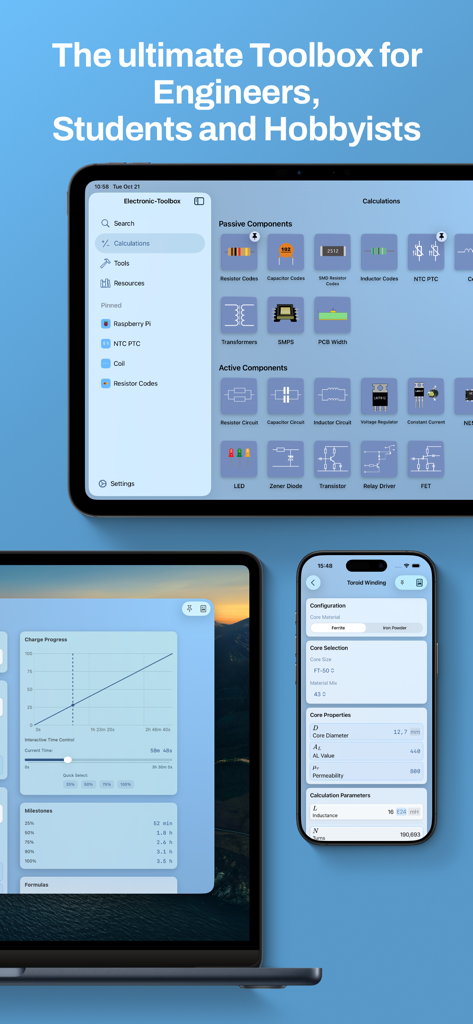
Electronic-Toolbox 2 - Electronic Toolbox 2 app interface shown on iPhone and iPad featuring various electronic component calculators and engineering tools
Electronic Toolbox 2 app interface shown on iPhone and iPad featuring various electronic component calculators and engineering tools

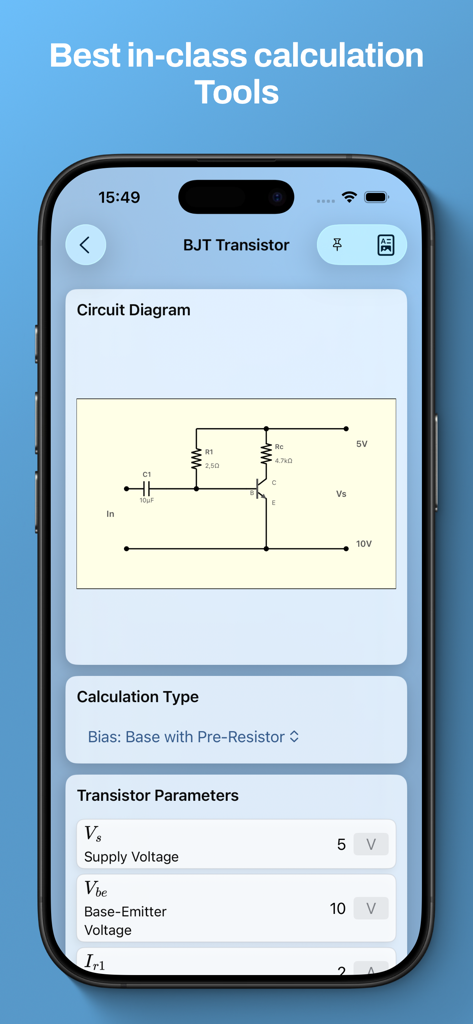
Electronic-Toolbox 2 - BJT transistor calculation interface with circuit diagram and parameter inputs
BJT transistor calculation interface with circuit diagram and parameter inputs

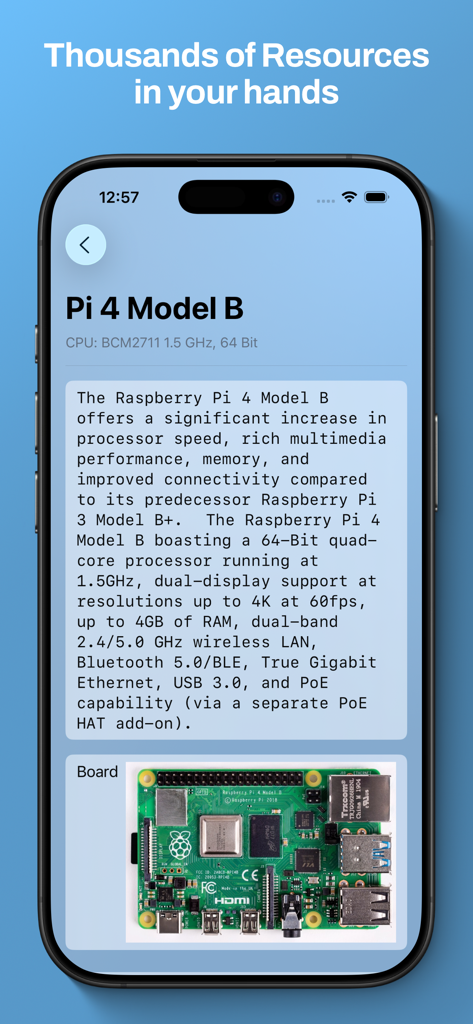
Electronic-Toolbox 2 - Technical details and image of a Raspberry Pi 4 Model B board in the Electronic Toolbox 2 app
Technical details and image of a Raspberry Pi 4 Model B board in the Electronic Toolbox 2 app

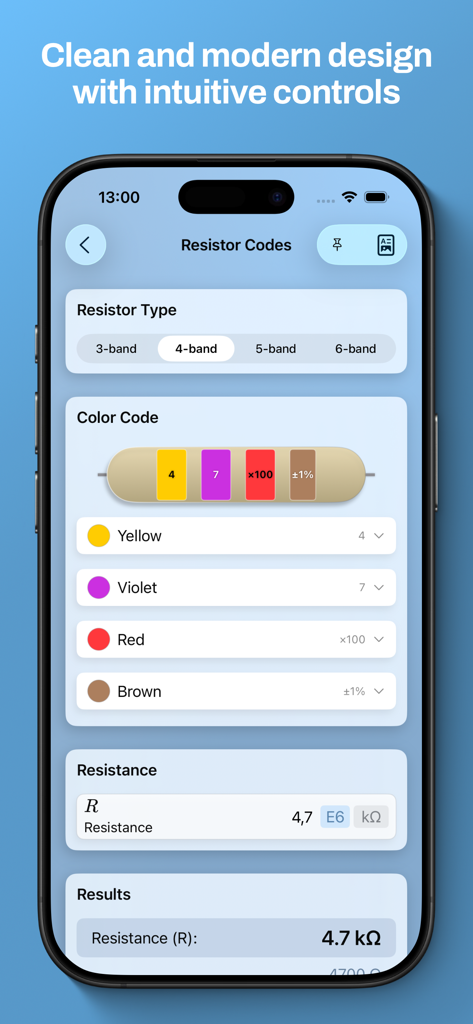
Electronic-Toolbox 2 - Resistor color code calculator screen in Electronic-Toolbox 2 app

Resistor color code calculator screen in Electronic-Toolbox 2 app

Description

Electronic Toolbox 2 – The classic, re‑imagined Since 2009, Electronic Toolbox has been one of the most comprehensive electronics references and toolboxes on the App Store—for professionals, students, makers, HAMs, and hobby engineers. With Electronic Toolbox 2, a fully modernized new edition arrives: familiar in structure, up to date technologically, and consistently evolved. # The best and most complete electronics app—now for iPhone, iPad & Mac Over 70 tools, tables, and references—from “A” like ASCII table to “Z” like Zener diode calculation: Everything you need in the lab, workshop, or lecture hall, in one place. • Universal app: One purchase—three platforms (iPhone, iPad, Mac) • iCloud sync: All settings and favorites automatically on all devices • Multi‑window support: Use multiple tools in parallel—ideal for comparisons • PDF export: Save, document, or share results • Pinned tools: Keep important tools always at hand • Interactive tools: New visualizations, e.g., in the Battery Charge tool • Modern UI with Dark Mode: Redesigned, clearly structured, and easy to read # Proven foundation, familiar workflow Electronic Toolbox 2 stays true to its heritage—all known tools are included and have been carefully revised. From calculators to reference data: nothing is missing, much is better. Examples: • Resistor color code and coil calculator • NE555 and heatsink calculation • Conversion and unit tools (HEX, AWG, frequency, and more) • Parametric component search with datasheets • Tables for batteries, drill sizes, IC pinouts, packages, and more • References for boards like Raspberry Pi, Arduino, BeagleBone, Nano Pi … • Global search across all tools • Fully usable offline • No ads, no in‑app purchases # Continuously improved—since 2009 Electronic Toolbox has been maintained and improved with passion for over a decade. With version 2, we carry this legacy forward—on a new technical foundation for the years ahead. Feedback from the community remains central: every suggestion helps make the toolbox even better. # Gentle transition The original Electronic‑Toolbox Pro remains fully usable—existing workflows are not interrupted. Existing customers can switch to the new version via a discounted bundle. Features like the Circuit Editor or Projects will initially remain exclusive to Electronic‑Toolbox Pro and are not yet included in this new edition. # From the developer Jan Roskosch built Electronic Toolbox 2 together with his father Marcus Roskosch, the developer of the original app. A modern realization of a classic—with the same passion for electronics, precision, and quality. # At a glance • Completely new, modern interface • All known tools from the original app included • Universal app for iPhone, iPad, and Mac • iCloud synchronization • PDF export & multi‑window support • Fully usable offline • No ads, no in‑app purchases ----- Electronic Toolbox 2—the future of the electronic toolbox. Continued with passion. Built for you.

Download

Download on App Store

This page is not an official page of the app or its developer, but an independent editorial publication created for informational and commentary purposes. Unless expressly stated otherwise, neither the app nor its developer is affiliated with, endorsed by, sponsored by, authorized by, or otherwise officially connected with MWM, Apple, Google Play, the app publisher, or the app's developer, and nothing on this page implies that the app was developed using MWM's services. Any trademarks, logos, screenshots, and other content remain the property of their respective owners.








