Email App for Gmail

Email App for Gmail

Download on App Store
Logo of Email App for Gmail

Email App for Gmail: The Faster, Smarter Unified Inbox

Effortlessly manage Gmail, Outlook, and Yahoo in one powerful command center. Take control of your workflow with lightning-fast search, custom notifications, and enhanced PIN security.

Publisher

Craigpark Limited

Category

Productivity

Downloads

7M+

User Rating

4.4/5

Total Ratings

18K+

Locales

23

A Glimpse Inside

Discover the interface used by 7M+ users.
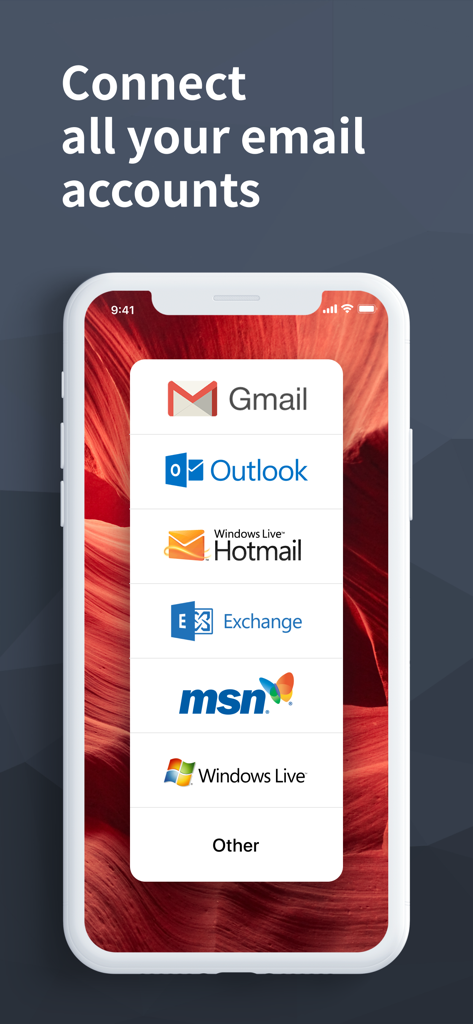
Mobile app screen showing options to connect multiple email services including Gmail Outlook and Hotmail

Mobile app screen showing options to connect multiple email services including Gmail Outlook and Hotmail

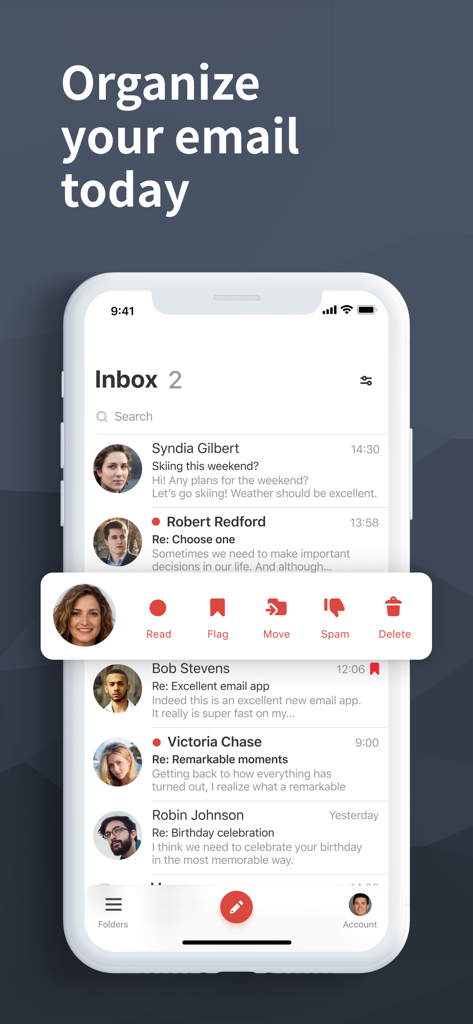
Interface of the Email App for Gmail showing a clean inbox with quick actions to organize messages.

Interface of the Email App for Gmail showing a clean inbox with quick actions to organize messages.

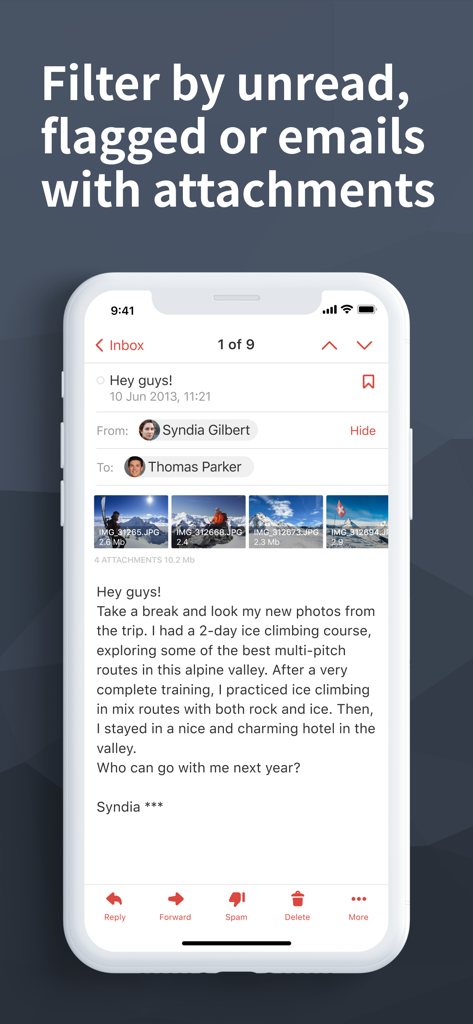
Interface of an email app displaying a message with photo attachments and filtering options for unread or flagged emails.

Interface of an email app displaying a message with photo attachments and filtering options for unread or flagged emails.

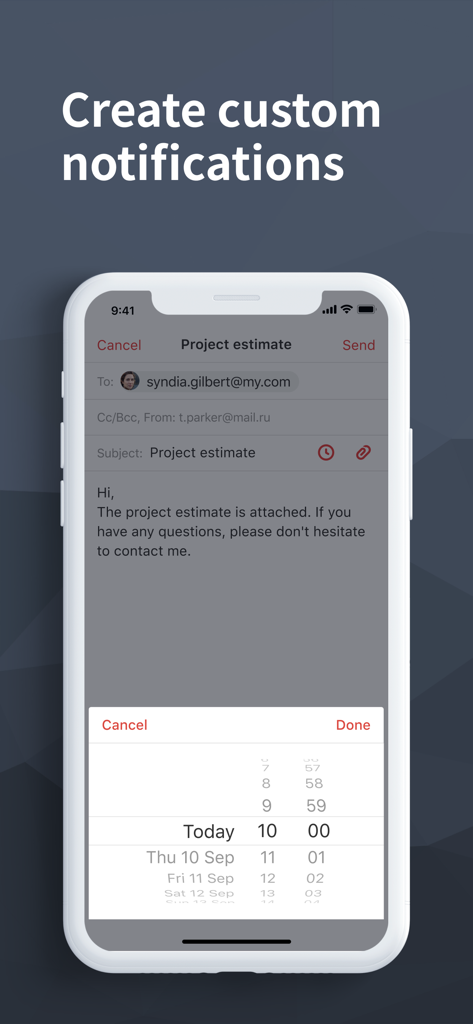
Interface of the Email App for Gmail showing how to create custom notifications on an iPhone

Interface of the Email App for Gmail showing how to create custom notifications on an iPhone

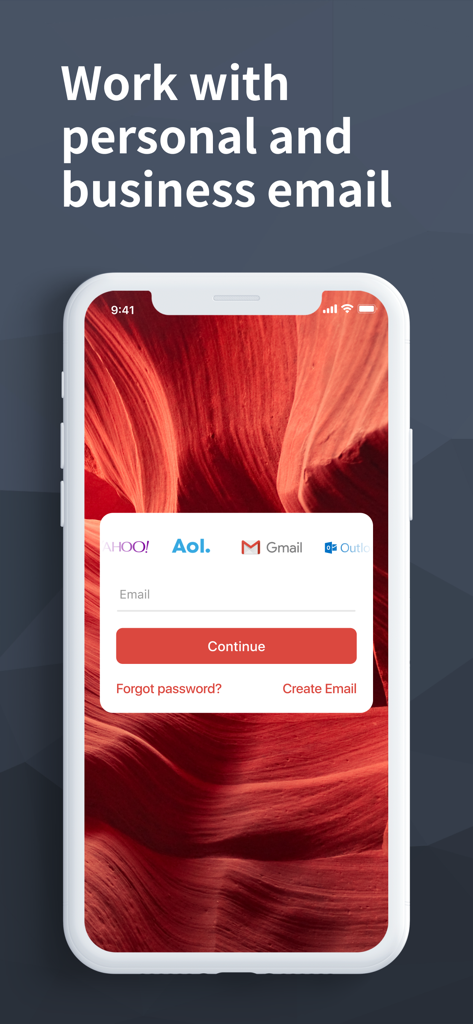
Mobile app login screen showing integration for Gmail Yahoo AOL and Outlook email accounts.

Mobile app login screen showing integration for Gmail Yahoo AOL and Outlook email accounts.

Master Your Inbox Like a Pro

The tools that make this app stand out, trusted by 7M+ users.

📫

Unified Account Management

Stop app-switching. Seamlessly consolidate Gmail, Outlook, Yahoo, and AOL into one elegant, lightning-fast interface.

🔍

Inbox Zero Made Easy

Achieve total clarity with advanced search filters, smart email threads, and intuitive swipe actions built for speed.

🛡️

Privacy & Balance Control

Protect sensitive data with a dedicated PIN lock and set custom 'Do Not Disturb' alerts for perfect work-life harmony.

About the app

Everything you need to know about Email App for Gmail.

Description

Beautiful design, Intuitive actions, Lightning speed, Advanced security – In a new powerful email app for Gmail! Quick and easy access to Gmail account on the go! Check email, read, reply, send photos, add and view attachments — stay in touch with friends, family and colleagues. Experience new features to manage your Google email on your phone, tablet, or smartwatch in the most efficient manner. Why choose us? – Timely custom push notifications for each individual email account, e.g. 'Work' email address set to ‘Do not Disturb’ mode from 21:00 to 7:00 – User-friendly design: you do not have to think twice, whether you want to Flag, Mark as spam, Delete just one or multiple emails at once – Clean and tidy inbox with contact avatars and an option to enable email threads (all conversations displayed neatly together) – Convenient search by Date, Recipient, Subject, in Unread, Flagged messages or Attachments to help you find emails in a flash – Personalized filters to automatically move incoming emails to specific folders or Mark them as read – Enhanced security to protect your mobile app against unauthorized access by setting up a PIN password The application also supports all major email services that you can add to have all your mail in one place, whether it is a Yahoo, Hotmail, Outlook, MSN Mail, Gmail, AOL, GMX or any POP/ IMAP/ SMTP-enabled mailbox. If you encounter any problems, send us an email at gmail@mailapps.me and we will try our best to help you in a timely manner. IMPORTANT: We are a free unofficial Gmail email application with a goal to provide an excellent mail management product. SUBSCRIPTION PRICING & TERMS TO REMOVE ADS: Email App for Gmail is free to download and use. Should you choose to remove ads in the app, we offer 3 auto-renewing subscription options: $0.49/week $0.99/month $2.99/6 months Payment will be charged to your credit card through your iTunes account at confirmation of purchase. Subscription renews automatically unless cancelled at least 24 hours prior to the end of the subscription period. There is no increase in price when renewing. Subscriptions can be managed and auto-renewal turned off in Account Settings in iTunes after purchase. Once purchased, refunds will not be provided for any unused portion of the term. Read our full Terms of Service and our Privacy Policy at http://www.mailapps.me/legacy/privacy/craigpark_privacy.htm.

Latest Version

15.11.0

Size

258.2 MB

First Released

Oct 2, 2016

Master Your Inbox in Seconds

Join 7 million professionals managing Gmail, Outlook, and Yahoo in one lightning-fast app. Secure your privacy and reclaim your focus today.

Download on App Store
FAQ

Frequently Asked Questions

Everything you need to know about Email App for Gmail

What is the Email App for Gmail?

The "Email App for Gmail" is a powerful, unofficial email application designed for quick and easy access to Gmail accounts, offering features like advanced security, custom notifications, and multi-account support.

Does Email App for Gmail support other email providers besides Gmail?

Yes, "Email App for Gmail" supports major email services including Yahoo, Hotmail, Outlook, MSN Mail, AOL, GMX, and any POP/IMAP/SMTP-enabled mailboxes, allowing you to manage all mail in one place.

Is the Email App for Gmail free to use?

Yes, "Email App for Gmail" is free to download and use. Users can choose to subscribe to auto-renewing options to remove ads from the application.

How much does it cost to remove ads in Email App for Gmail?

To remove ads, "Email App for Gmail" offers three auto-renewing subscription options: $0.49/week, $0.99/month, or $2.99/6 months. Payment occurs via iTunes account.

Does Email App for Gmail offer enhanced security features?

Yes, "Email App for Gmail" provides enhanced security. Users can protect the mobile app against unauthorized access by setting up a PIN password.

Can I customize notifications in the Email App for Gmail?

Yes, "Email App for Gmail" provides timely custom push notifications for each email account. You can set 'Do not Disturb' modes for specific addresses, such as work email.

How does the Email App for Gmail help organize my inbox?

Email App for Gmail provides a clean inbox with contact avatars and an option to enable email threads. It also offers personalized filters to automatically move or mark incoming emails.

What search capabilities does Email App for Gmail offer?

Email App for Gmail features convenient search by Date, Recipient, Subject, Unread status, Flagged messages, or Attachments. This helps users quickly find specific emails.

Is Email App for Gmail an official Google application?

No, "Email App for Gmail" is an unofficial Gmail email application. Its goal is to provide an excellent mail management product for users.

App information, icons, screenshots, and descriptions displayed on this page are sourced from the Apple App Store and are the property of their respective developers. Download estimates and rankings are based on MWM's proprietary models and may not reflect actual figures. This page is provided for informational and analytical purposes only.

Believe this page infringes your intellectual property? File a dispute