
This page is not an official page of the app or its developer, but an independent editorial publication created for informational and commentary purposes. Unless expressly stated otherwise, neither the app nor its developer is affiliated with, endorsed by, sponsored by, authorized by, or otherwise officially connected with MWM, Apple, Google Play, the app publisher, or the app's developer, and nothing on this page implies that the app was developed using MWM's services. Any trademarks, logos, screenshots, and other content remain the property of their respective owners.


Endless Paper
Space is no longer a constraint; the app gives users limitless room to build, connect, and explore.
Downloads
250k+User Rating
Total Ratings
773Publisher
Category
ProductivityLocales
1Latest Version
2.0.7Size
19.4 MBFirst Released
Nov 15, 2019An Analytical Overview for Creative Professionals
Core Capabilities of Endless Paper
Infinite Canvas for Spatial Thinking
The app provides an expansive, truly infinite canvas that allows users to organize ideas spatially without artificial boundaries, fostering unbounded creativity and detailed exploration.
High-Fidelity Vector Graphics
This tool features ultra-crisp, vector-based drawings that maintain quality at any zoom level, powered by a high-performance rendering engine for a fluid creative experience.
Dynamic Export & Live Sharing
It enables users to export high-resolution images, PDFs, and videos with automatic zoom, and publish canvases as interactive websites or broadcast live views for dynamic presentation and collaboration.
Image-to-Vector Conversion
The app provides unique vectorization capabilities, allowing users to convert raster images into clean, zoomable vector graphics, expanding creative possibilities.
Advanced Navigation & Project Management
This tool features bookmarks for rapid navigation within vast canvases and allows users to organize multiple projects in a cohesive gallery with integrated versioning for efficient project management.
Intuitive Content Manipulation
It allows users to effortlessly move, resize, and duplicate content across the canvas using an intuitive lasso tool, enhancing editing efficiency and creative flow.
Seamless Asset Integration
The app facilitates effortless drag-and-drop functionality for integrating images, PDFs, and web content from other applications directly onto the canvas.
Reliable Data Security & Workflow
It ensures continuous autosave with an integrated archiving system and offers unlimited undo and redo capabilities, providing robust data security and a worry-free creative workflow.
Frequently Asked Questions
Everything you need to know about Endless Paper
What is Endless Paper?
Endless Paper is a creative tool providing an infinite canvas for thinking, drawing, and storytelling. It allows users to write notes, create art, and organize ideas visually in a continuous space.
Does Endless Paper feature an infinite canvas?
Yes, Endless Paper features a truly infinite canvas. This core feature allows users to continuously expand their creative and organizational space without boundaries.
Can Endless Paper produce vector-based drawings?
Yes, Endless Paper produces ultra-crisp, vector-based drawings. The Fractile rendering engine ensures sharp strokes and graphics at any zoom level, maintaining clarity.
How does the lasso tool work in Endless Paper?
The lasso tool in Endless Paper enables users to move, resize, and duplicate content. This functionality helps organize work and create infinite patterns efficiently.
Can Endless Paper vectorize images?
Yes, Endless Paper can vectorize images. This feature converts existing images into clean, zoomable vector graphics, ensuring high quality regardless of scale.
What file formats can Endless Paper export?
Endless Paper can export high-resolution images, PDFs, and videos. It also supports publishing your canvas as an interactive website.
Is Endless Paper free to use?
Yes, Endless Paper includes a free experience. However, some advanced features require a subscription to unlock their full functionality.
Can I add pictures and PDFs to Endless Paper?
Yes, Endless Paper allows users to drag and drop images, PDFs, and even websites from other apps onto the canvas. This enhances visual communication and organization.
Does Endless Paper support bookmarks for navigation?
Yes, Endless Paper includes bookmarks for fast navigation. Users can save specific locations on large canvases and instantly teleport to them.
What devices are compatible with Endless Paper?
Endless Paper is designed for iPad and Apple Pencil, leveraging its custom Fractile rendering engine. It delivers high-performance vector graphics and a fluid creative experience.
How can I share my work from Endless Paper?
You can share your Endless Paper work as a broadcast to the web, a raster/vector PDF, a PNG/JPG/HEIC image, or a video. You can also publish your canvas as an interactive website.
Does Endless Paper offer unlimited undo and redo?
Yes, Endless Paper provides unlimited undo and redo functionality. This feature ensures a fluid creative process, minimizing errors and cognitive load.
How does Endless Paper handle color selection?
Endless Paper provides tools to quickly find the right color, including a color picker to select any color into your canvas or images. Users can also save custom palettes.
The following screenshots and description are sourced directly from the app's official store listing and are the property of the app developer.
App Store
Screenshots

Users can organize handwritten notes and complex mind maps across an expansive canvas, leveraging the spatial organization features and Apple Pencil integration.
Spatial Note-Taking

This tool offers a truly infinite canvas, allowing users to create without limits and think visually with an expansive, seamless workspace.
Infinite Creativity Unfolds

The app provides infinite drawing capabilities, enabling continuous zoom through intricate designs and visual narratives without boundaries.
Zoom Without Limits
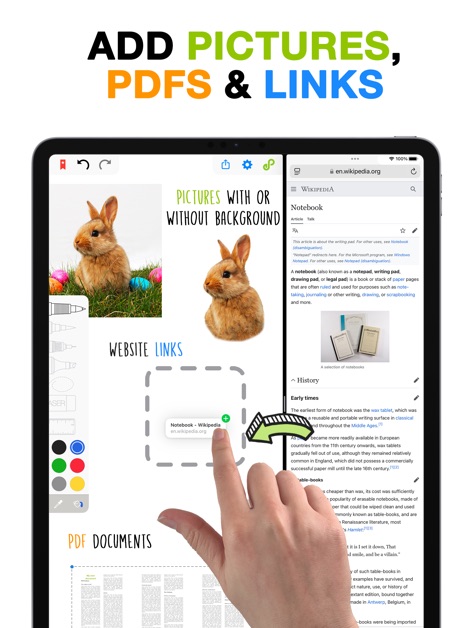
Users can seamlessly integrate images and PDF documents directly into their canvases, alongside clickable website links for comprehensive content.
Enrich Your Canvas
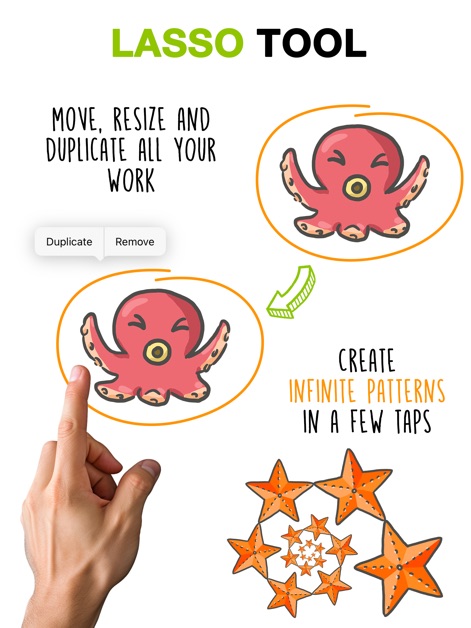
The powerful lasso tool allows for easy duplication and resizing of content, enabling users to create complex patterns and arrange elements with precision.
Effortless Content Management
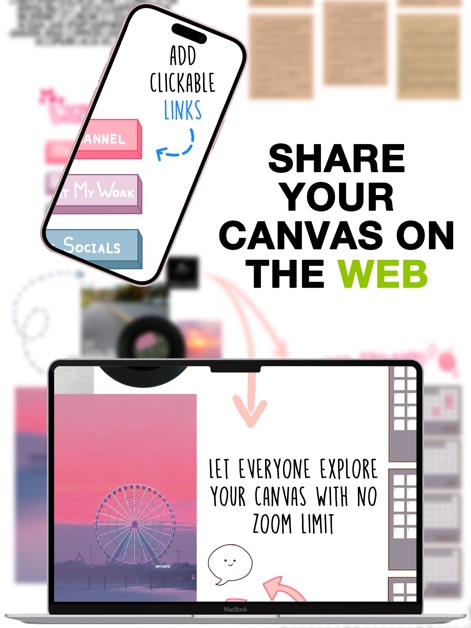
This tool enables users to share their canvases as interactive web experiences, complete with clickable links and an unlimited zoom feature for viewers.
Dynamic Web Sharing

The app offers a comprehensive color chooser and dropper tool for precise color picking, alongside the ability to save custom color palettes for consistent design.
Precision Color Selection
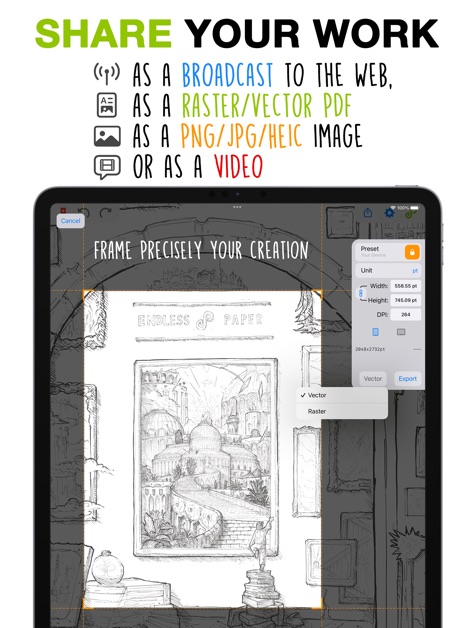
The app provides diverse sharing options, allowing users to export their work as high-resolution images or PDFs and broadcast a live view to the web.
Flexible Export Options
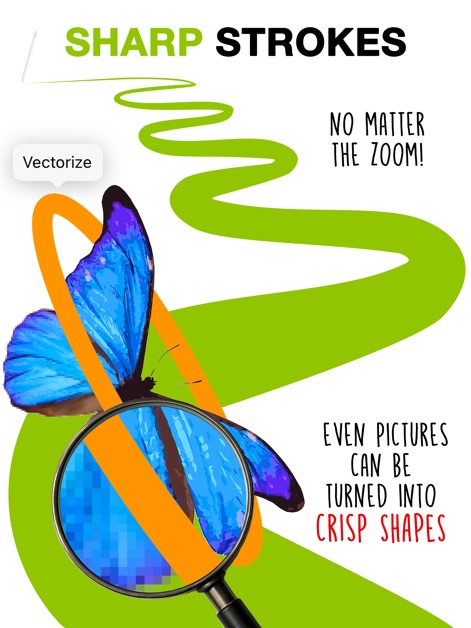
The app ensures ultra-crisp, vector-based drawings at any zoom level, and can even convert raster images into clean, zoomable vector shapes.
Vector Graphics Prowess
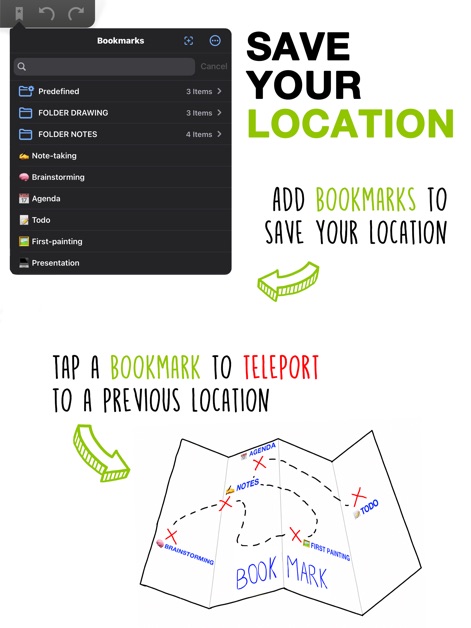
Users can effectively manage extensive projects with bookmarks for fast navigation, allowing them to instantly teleport to previous locations on the canvas.
Navigate Large Canvases
Description
Download
More Like This
Apps with similar features and user experience

Penned: Private Notes
Edwing H Santos Mena

MindLine Mind Map
Shenzhen Brown Bear Technology Co., LTD

MindNode: Mind Map & Outline
IdeasOnCanvas GmbH

Post-it®
3M Company

MindSpace - Mind Map
佳文 潘

SimpleMind Pro - Mind Mapping
xpt Software & Consulting B.V.

Ayoa MindMaps for Kids
OpenGenius Limited

TouchMind-handwritten mind map
红霞 鲁

Mind Map Maker - Mindomo
Expert Software Applications Srl
This page is not an official page of the app or its developer, but an independent editorial publication created for informational and commentary purposes. Unless expressly stated otherwise, neither the app nor its developer is affiliated with, endorsed by, sponsored by, authorized by, or otherwise officially connected with MWM, Apple, Google Play, the app publisher, or the app's developer, and nothing on this page implies that the app was developed using MWM's services. Any trademarks, logos, screenshots, and other content remain the property of their respective owners.