
This page is not an official page of the app or its developer, but an independent editorial publication created for informational and commentary purposes. Unless expressly stated otherwise, neither the app nor its developer is affiliated with, endorsed by, sponsored by, authorized by, or otherwise officially connected with MWM, Apple, Google Play, the app publisher, or the app's developer, and nothing on this page implies that the app was developed using MWM's services. Any trademarks, logos, screenshots, and other content remain the property of their respective owners.


EPIK - AI Photo & Video Editor
The digital age demands perfection. This app grants users god-like control, sculpting raw content into stunning, algorithm-driven art without compromise.
Downloads
25M+User Rating
Total Ratings
537.6KPublisher
Category
Photo & VideoLocales
12Latest Version
7.0.130Size
296.5 MBFirst Released
Aug 14, 2021EPIK - AI Photo & Video Editor: Key Feature Analysis
An evaluation of core functionalities impacting social media creators and visual content enthusiasts.
One-Tap AI Portrait Perfection
It provides instant, comprehensive beauty adjustments with a single tap, ensuring portraits are flawless and social media-ready.
AI-Powered Video Face Retouch
It enables users to naturally retouch faces within videos, maintaining a polished appearance across all visual content, crucial for modern social media.
Precision AI Facial & Body Reshaping
This tool offers granular control for natural facial adjustments and body reshaping, allowing users to achieve their desired look precisely for photos and videos.
Smart AI Object Cutout & Removal
It accurately separates subjects or removes unwanted elements, creating pristine and focused images for compelling visual stories and clean compositions.
AI-Driven Image Quality Enhancement
The app enhances image clarity and resolution, automatically upgrading photo quality to a professional standard for visually appealing content.
AI Stylization & Character Creation
It empowers users to apply trending AI filters and generate unique characters, fostering creative and distinctive visual styles popular on social media platforms.
Professional-Grade Editing Controls
This tool features a full suite of professional controls, including precise color adjustments and compositional tools, catering to advanced editing needs of detail-oriented creators.
Extensive Template Library for Trending Content
It provides access to a wide array of customizable templates, allowing users to quickly craft trending and polished social media content without extensive design effort.
Frequently Asked Questions
Everything you need to know about EPIK - AI Photo & Video Editor
What is EPIK - AI Photo & Video Editor?
EPIK - AI Photo & Video Editor is an application offering professional editing tools and powerful AI technology to edit photos and videos easily and conveniently.
Can EPIK enhance photo clarity and resolution?
Yes, EPIK includes an AI tool called 'Enhance' which improves clarity and resolution, creating high-quality photos. The 'HD Enhance' feature also offers high-quality restoration.
Does EPIK use AI for skin retouching?
Yes, EPIK utilizes AI Skin technology to perfect skin by correcting blemishes. It also features 'Erase wrinkles' and 'Blemishes' for smooth skin in portraits.
How does EPIK remove unwanted objects from photos?
EPIK provides a 'Remove' AI tool to easily remove unwanted parts from photos. The feature includes an 'AI Remove' option for efficient object removal, as shown in Screenshot #10.
Does EPIK offer AI filters for photo editing?
Yes, EPIK provides an 'AI filter' feature. Users can create characters in different styles, with options like Avatar, Anime, and Japanese Anime, as depicted in Screenshot #2.
Does EPIK include professional color adjustment tools?
Yes, EPIK features professional photo editing tools such as HSL, Curves, Split Tone, and Selective for precise color adjustments. Screenshot #3 demonstrates the 'Curves' tool.
Can EPIK edit multiple photos simultaneously?
Yes, EPIK includes a 'Batch' feature under its professional photo editing tools. This allows users to edit multiple photos at once, streamlining the editing workflow.
What portrait editing features are available in EPIK?
EPIK offers extensive portrait editing, including 'Looks' for one-tap beauty, 'Erase wrinkles', 'AI Skin', 'Reshape', '3D Face', 'Hair Color', and 'Hairstyle' to perfect portraits.
Does EPIK - AI Photo & Video Editor support video editing?
Yes, EPIK includes a 'Movie feature'. It offers video mosaic with automatic figure tracking, Retro Clip creation, and Video Face Edit for natural retouching in videos.
How can I create collages in EPIK?
EPIK provides an 'AI Collage' tool for unique collages. It also offers 'Layout' to combine photos in various cool arrangements, as shown in Screenshot #8.
How can I contact support for EPIK - AI Photo & Video Editor regarding subscriptions?
You can contact support for EPIK regarding subscriptions by navigating to 'EPIK > Profile > Settings > Contact' within the application for assistance.
Where can I find the privacy policy for EPIK - AI Photo & Video Editor?
The privacy policy for EPIK is available online at 'https://terms.snow.me/EPIK/privacy'. This document details how user data is handled and protected.
The following screenshots and description are sourced directly from the app's official store listing and are the property of the app developer.
App Store
Screenshots
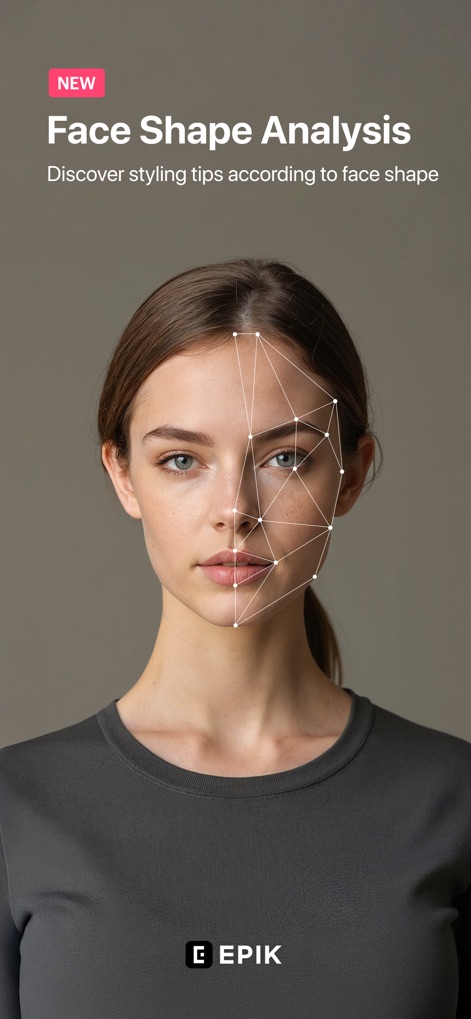
Face Shape Analysis
Discover how the app's AI analyzes face shapes and provides styling tips for personalized beauty enhancements.

Creative AI Filters
Users can transform photos into unique styles, with options ranging from "Avatar" to "Anime" for creative expression.

Professional Color Correction
This tool allows precise color adjustments using a dynamic "Curves" graph and individual "RGB" color channels for expert control.
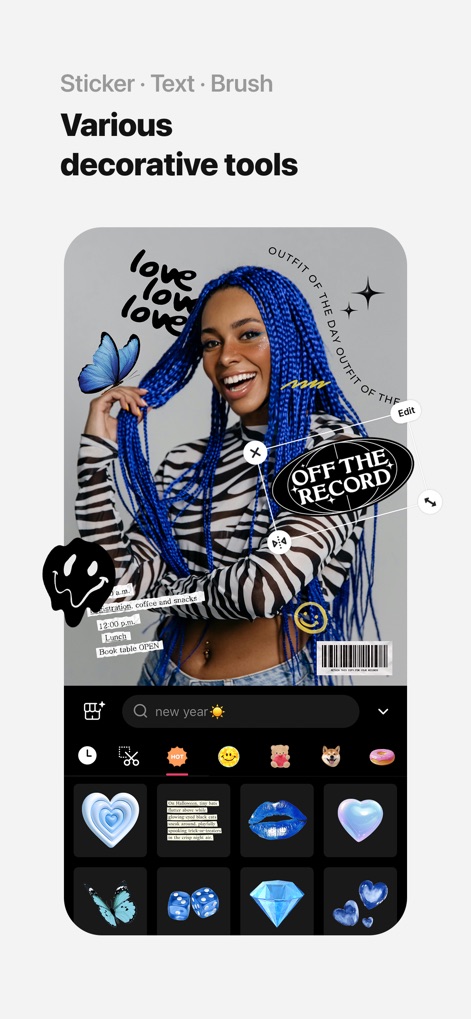
Decorative Touch-ups
Enhance visuals with an extensive library of "Stickers" and customizable "Text" options to personalize any image.
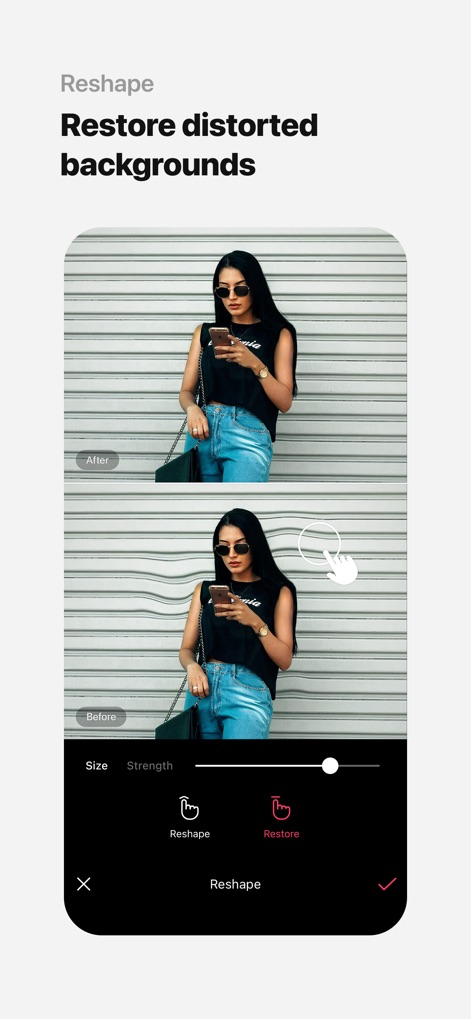
Background Restoration
Effortlessly correct image distortions with the "Reshape" tool and restore original backgrounds using the intuitive "Restore" function.
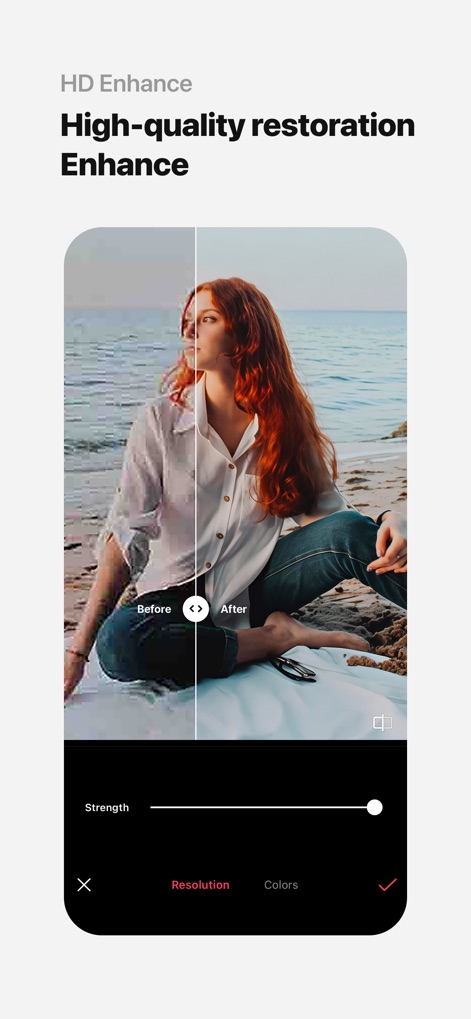
High-Quality Enhancement
This powerful feature improves image clarity and "Resolution," transforming pixelated photos into crisp, vibrant visuals with enhanced "Colors."
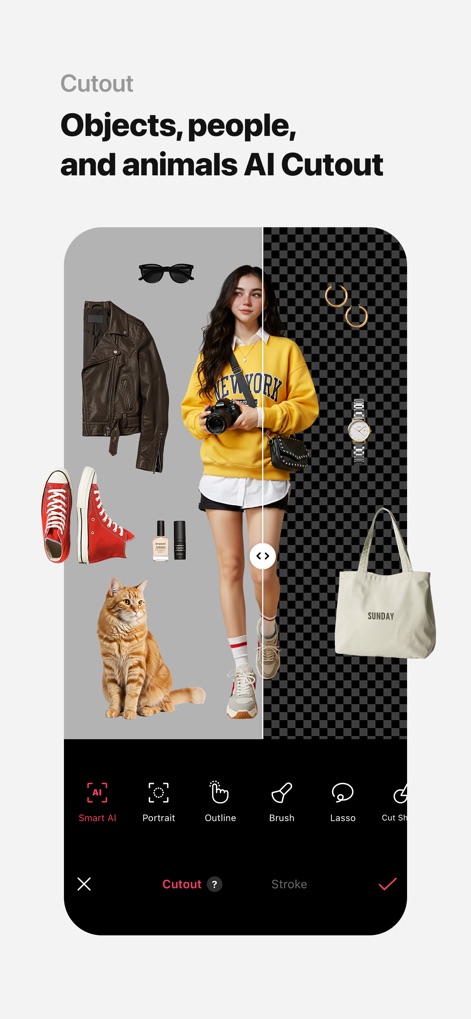
Intelligent Object Cutout
The app uses "Smart AI" to meticulously cut out subjects like people and "Animals," separating them flawlessly from any background.
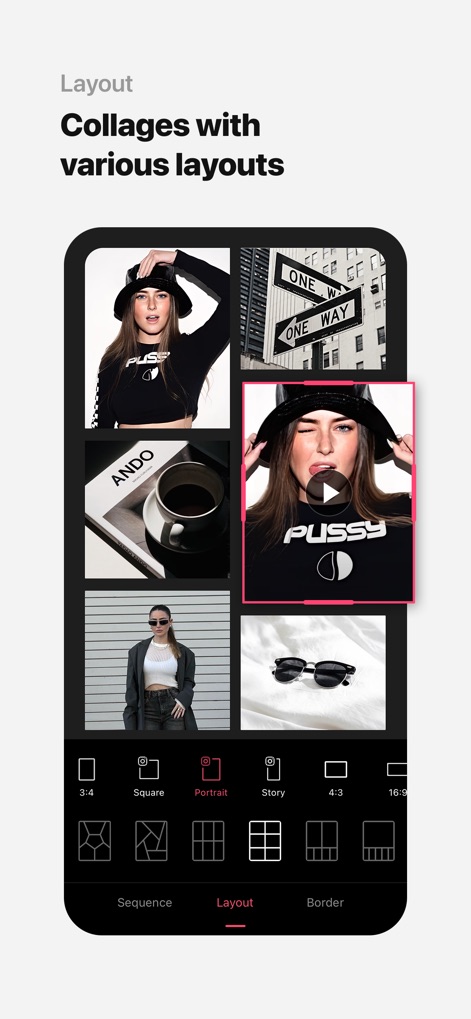
Dynamic Photo Collages
Combine multiple images and videos into visually appealing collages, choosing from diverse "Layout" options and aspect ratios like "Portrait" or "Square."
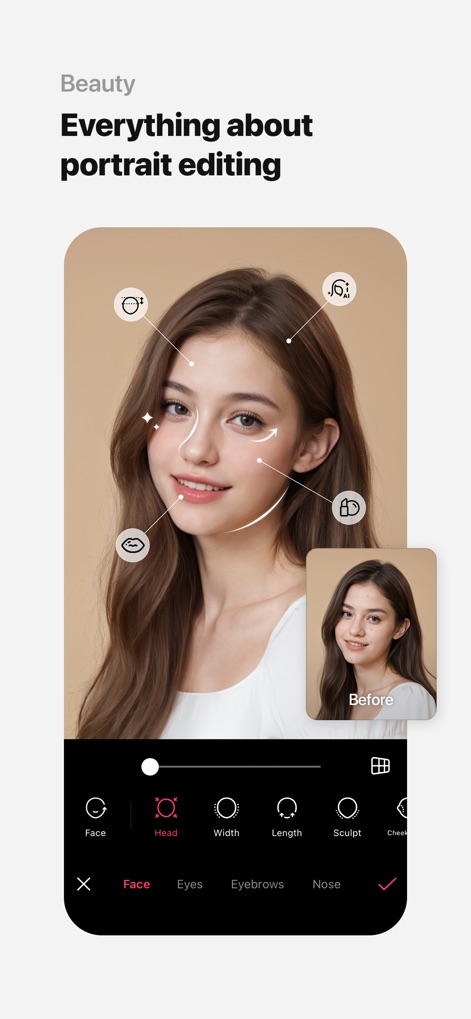
Ultimate Portrait Perfection
Achieve flawless portraits with comprehensive facial adjustments, from refining the "Face" structure to perfecting the "Head" proportions.
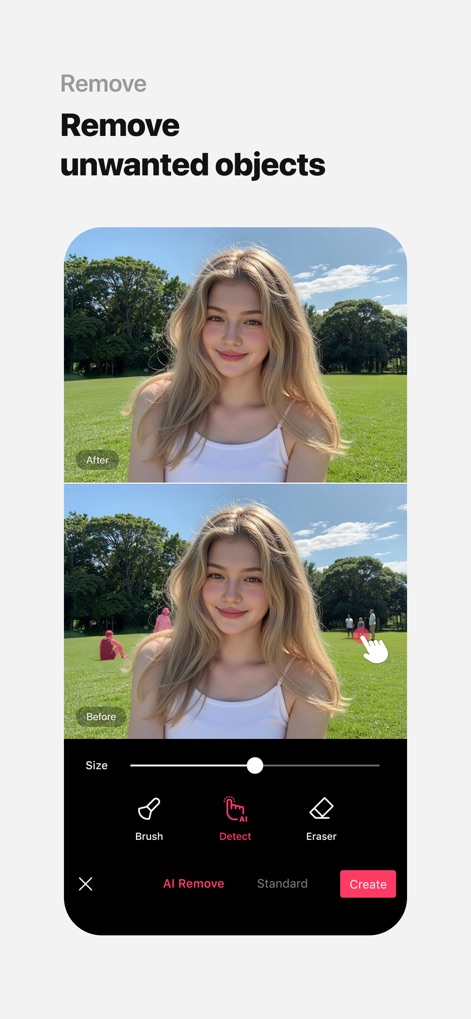
Effortless Object Removal
Users can seamlessly eliminate unwanted objects using the "AI Remove" tool, which intelligently "Detects" and erases distractions from photos.
Description
Download
More Like This
Apps with similar features and user experience

Citrus: AI 1 Tap Perfect Photo
Wemagine.ai LLP

SnapEdit: Photo Editor AI
SilverAI Joint Stock Company

Background Eraser 〜 Stickers
handyCloset Inc.

PhotoScan by Google Photos
Google LLC

Magic Eraser - Remove Object
Creatix Technology Global Limited

Magic Eraser Background Editor
Honk Honk Punch Pty Ltd

ProKnockOut-Cut Paste Photos
Shenzhen Qianhai Happy Tour Network Technology Co., Ltd.

Background Eraser - Remove BG*
SHANTANU PTE. LTD.

Renew - Restore Old Photos AI
Olena Dorohan
This page is not an official page of the app or its developer, but an independent editorial publication created for informational and commentary purposes. Unless expressly stated otherwise, neither the app nor its developer is affiliated with, endorsed by, sponsored by, authorized by, or otherwise officially connected with MWM, Apple, Google Play, the app publisher, or the app's developer, and nothing on this page implies that the app was developed using MWM's services. Any trademarks, logos, screenshots, and other content remain the property of their respective owners.