
This page is not an official page of the app or its developer, but an independent editorial publication created for informational and commentary purposes. Unless expressly stated otherwise, neither the app nor its developer is affiliated with, endorsed by, sponsored by, authorized by, or otherwise officially connected with MWM, Apple, Google Play, the app publisher, or the app's developer, and nothing on this page implies that the app was developed using MWM's services. Any trademarks, logos, screenshots, and other content remain the property of their respective owners.


Magic Eraser Background Editor
Cluttered images cost attention. This app delivers the power to isolate, perfect, and own your visual narrative instantly.
Downloads
12.5M+User Rating
Total Ratings
305.2KPublisher
Category
BusinessLocales
16Latest Version
3.12.0Size
269.8 MBFirst Released
May 24, 2015Key Features Analysis: Magic Eraser Background Editor
An evaluation of essential functionalities tailored for e-commerce, social media, and digital marketing professionals seeking efficient and high-quality image editing.
One-Tap Background & Object Removal
The app provides instant removal of backgrounds or unwanted objects, significantly streamlining the image editing process for quick content creation.
Watermark-Free Output
It allows users to save high-quality images without intrusive watermarks, ensuring a professional appearance for all marketing and e-commerce materials.
High-Resolution Image Output
This tool features the ability to save edited images in high-resolution PNG or JPG formats, maintaining image quality for various online platforms.
AI-Powered Precision Editing
The app utilizes AI for precise editing, enabling users to achieve clean and accurate cutouts and adjustments with minimal effort.
Realistic Shadow Application
The app enables the addition of adjustable realistic shadows with customizable color, blur, and 3D effects, enhancing depth and professionalism in product images.
Versatile Background Options
This tool provides a wide range of background choices, including solid colors, gradients, and access to custom images from stock photo libraries, allowing for diverse visual branding.
Integrated Full Image Editor
This tool includes a comprehensive image editor to tweak brightness, contrast, vibrance, saturation, and highlights, offering complete control over final image aesthetics.
Custom Brush Shapes
It offers custom brush shapes (triangle, circle, square) with offset adjustment, providing flexibility for detailed and intricate editing tasks.
Outline Customization
It allows users to add stylish outlines to cutouts, making subjects pop and adding a unique visual flair suitable for social media content.
Platform-Specific Canvas Presets
The app provides canvas presets tailored for platforms like Instagram, Shopify, and Pinterest, ensuring images are perfectly sized and optimized for specific online uses.
Frequently Asked Questions
Everything you need to know about Magic Eraser Background Editor
What is Magic Eraser Background Editor?
Magic Eraser Background Editor is an AI-powered app that instantly removes backgrounds and unwanted objects from photos. It allows users to fine-tune images, add new backgrounds, and save in high-resolution without watermarks.
Does Magic Eraser Background Editor remove watermarks?
Yes, Magic Eraser Background Editor can remove watermarks. The app description specifically states, 'BONUS: It can even remove watermarks like magic :)', indicating this capability.
Is Magic Eraser Background Editor free to use?
Yes, Magic Eraser Background Editor offers a free version. It allows users to remove backgrounds and objects without watermarks and includes some extra features available at an affordable price.
How can I remove the background from a photo using Magic Eraser?
Magic Eraser Background Editor provides one-tap background removal using AI. Users select an image, and the app automatically removes the background, allowing for further editing and saving.
Can I save high-resolution images with Magic Eraser?
Yes, Magic Eraser Background Editor allows users to save images in high resolution, including PNG or JPG formats. It supports various resize options up to 4096x4096 pixels.
What editing features does Magic Eraser Background Editor offer?
Magic Eraser offers custom brushes, collages, various background options (color, gradient, stock images), realistic shadows, outlines, and canvas presets. It also includes a full image editor for adjustments like brightness and contrast.
Does Magic Eraser Background Editor support custom image sizes for social media?
Yes, Magic Eraser Background Editor provides canvas presets tailored for platforms like Instagram, Shopify, Pinterest, and LinkedIn. It also offers specific resize options such as 'Insta Story' dimensions.
How does the subscription work for Magic Eraser Background Editor?
A subscription to Magic Eraser Background Editor provides unlimited access to all features, including all brush shapes and an ad-free experience. It renews automatically unless canceled at least 24 hours before the current period ends.
Can I replace objects in my photos using Magic Eraser?
Yes, Magic Eraser Background Editor allows users to replace objects. The app features tools to erase unwanted elements and seamlessly integrate new ones into images, as demonstrated by the 'Replace Objects' functionality.
Are there different background options available in Magic Eraser?
Magic Eraser provides various background options, including white, solid colors, gradients, and custom images from Pixabay & Unsplash. Users can also replace backgrounds using AI features.
The following screenshots and description are sourced directly from the app's official store listing and are the property of the app developer.
App Store
Screenshots
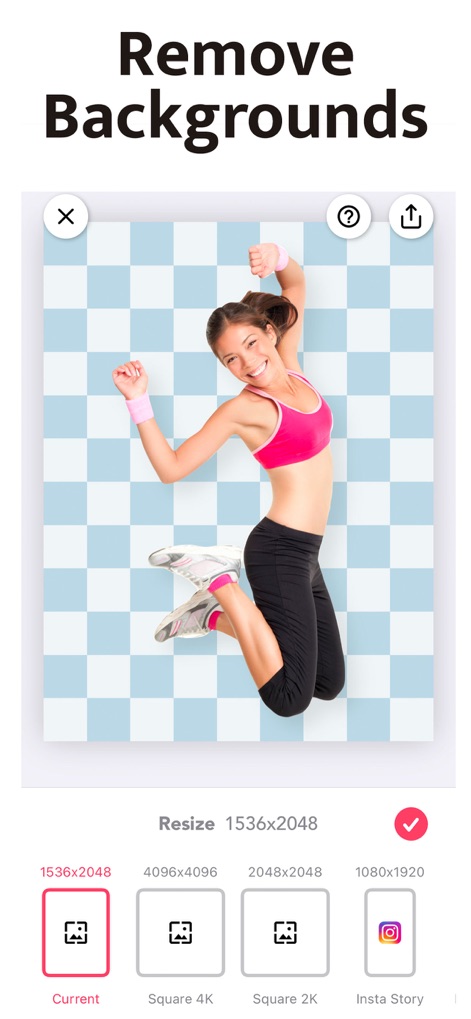
Instant Background Removal
Observe how the app precisely isolates subjects from their backgrounds and offers various canvas presets for optimal image sizing.

Flawless Object Erasing
Witness the seamless removal of unwanted elements from photos, demonstrated with clear 'Before' and 'After' views for precise editing.

Dynamic Background Swaps
Discover how AI intelligently integrates subjects into new environments, utilizing both personal photo libraries and integrated stock photo sources.

Enhance Subjects with Effects
Explore options to enhance cutouts with customizable shadows and outlines, adding depth and style to placed objects.
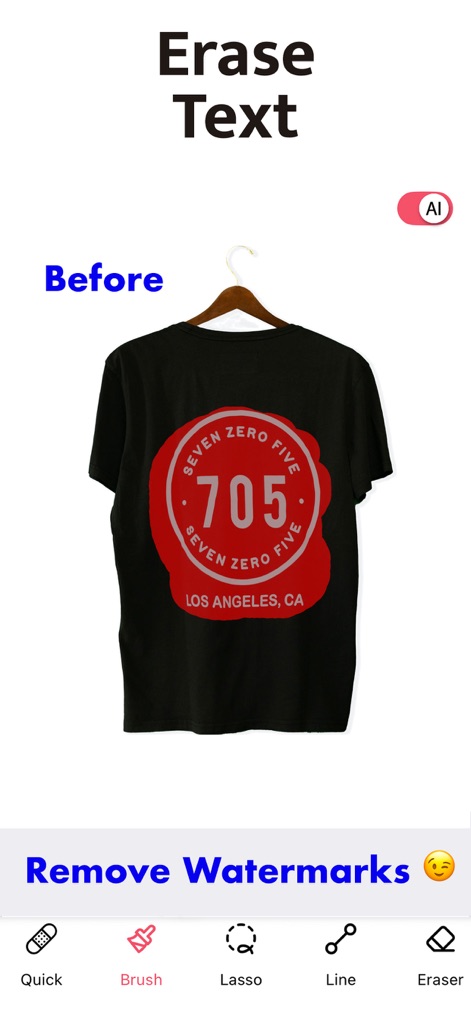
Smart Text Eradication
See how the app effectively removes text and other unwanted elements using a selection of precise tools like the 'Brush' and 'Lasso'.

Detail Perfection Tools
Observe the AI's capability to clean up images by removing unwanted details and leveraging tools like 'Clone' for touch-ups.
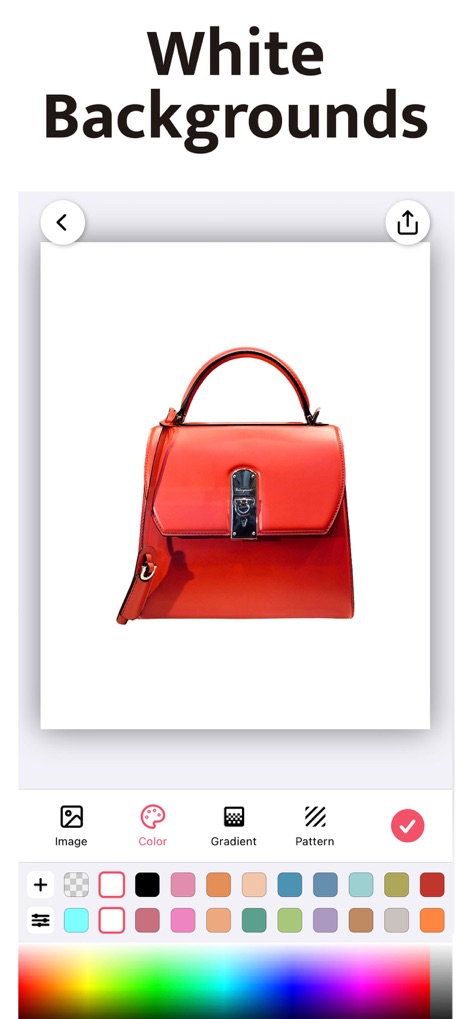
Pristine Product Presentation
Learn how to create professional product shots by applying clean white or custom solid color backgrounds, chosen from an expansive color palette.
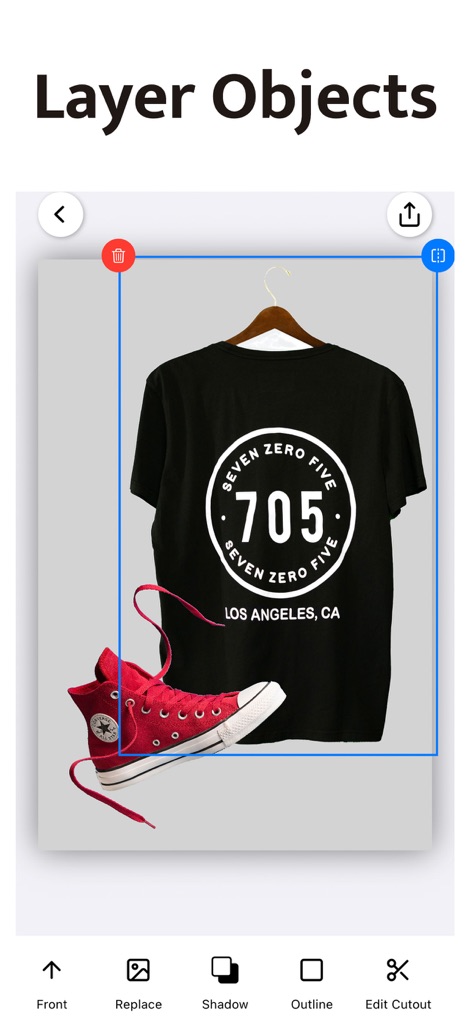
Multi-Layer Composition
Understand how users can combine multiple cutouts and adjust their layering, alongside refining each element with shadow and outline effects.
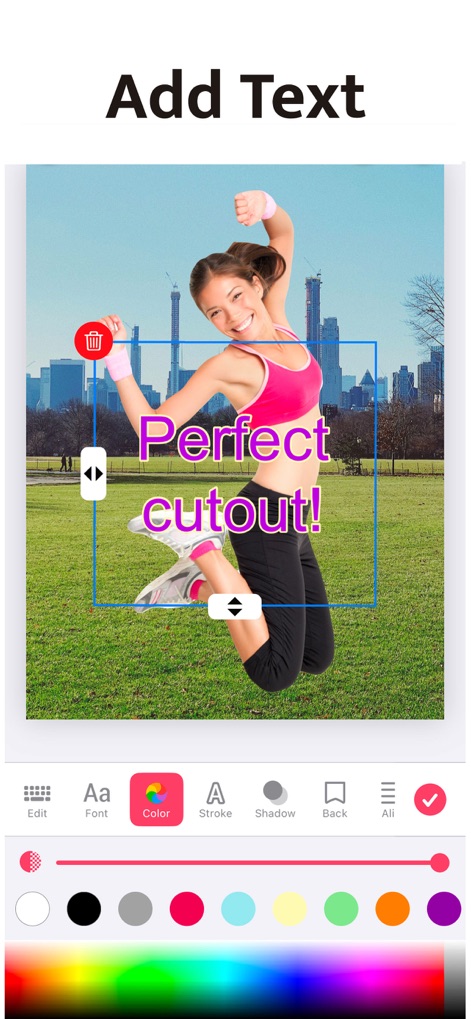
Creative Text Integration
Explore the extensive text customization features, allowing users to add compelling messages and fine-tune text color and stroke for visual impact.
Description
Download
More Like This
Apps with similar features and user experience

EPIK - AI Photo & Video Editor
SNOW Corporation

Citrus: AI 1 Tap Perfect Photo
Wemagine.ai LLP

SnapEdit: Photo Editor AI
SilverAI Joint Stock Company

Background Eraser 〜 Stickers
handyCloset Inc.

PhotoScan by Google Photos
Google LLC

Magic Eraser - Remove Object
Creatix Technology Global Limited

ProKnockOut-Cut Paste Photos
Shenzhen Qianhai Happy Tour Network Technology Co., Ltd.

Background Eraser - Remove BG*
SHANTANU PTE. LTD.

Renew - Restore Old Photos AI
Olena Dorohan
This page is not an official page of the app or its developer, but an independent editorial publication created for informational and commentary purposes. Unless expressly stated otherwise, neither the app nor its developer is affiliated with, endorsed by, sponsored by, authorized by, or otherwise officially connected with MWM, Apple, Google Play, the app publisher, or the app's developer, and nothing on this page implies that the app was developed using MWM's services. Any trademarks, logos, screenshots, and other content remain the property of their respective owners.