
This page is not an official page of the app or its developer, but an independent editorial publication created for informational and commentary purposes. Unless expressly stated otherwise, neither the app nor its developer is affiliated with, endorsed by, sponsored by, authorized by, or otherwise officially connected with MWM, Apple, Google Play, the app publisher, or the app's developer, and nothing on this page implies that the app was developed using MWM's services. Any trademarks, logos, screenshots, and other content remain the property of their respective owners.


ProKnockOut-Cut Paste Photos
Complex edits become effortless; it hands users the ultimate control over every pixel, directly from their pocket.
Downloads
12.5M+User Rating
Total Ratings
877.1KPublisher
Category
Photo & VideoLocales
9Latest Version
7.85Size
204.9 MBFirst Released
Dec 4, 2014ProKnockOut-Cut Paste Photos: Key Feature Analysis
An evaluation of the application's core functionalities designed for efficient and creative mobile photo editing.
One-Click & Batch Cutout
The app provides effortless, precise object extraction from images with a single tap, and supports batch processing for enhanced productivity.
AI-Powered Object Removal
This tool intelligently erases unwanted objects or passers-by from photos with one click, seamlessly repairing the background for a clean image.
Multi-Layer Image Composition
It enables seamless blending and synthesis of multiple images, empowering users to create complex and visually rich compositions.
Hair & Edge Refinement
This tool offers specialized 'Hair Refine' and 'Edge Refine' capabilities to precisely select and cut out intricate details like hair or fur.
Integrated ID Photo Creator
The app provides a comprehensive ID photo solution, complete with an ID camera, automatic cutout, background color modification, and formal wear templates.
Advanced Manual Refinement Tools
It features a suite of manual selection tools, including Lasso and eraser, for fine-tuning cutouts and achieving pixel-perfect results.
Frequently Asked Questions
Everything you need to know about ProKnockOut-Cut Paste Photos
What is ProKnockOut-Cut Paste Photos?
ProKnockOut-Cut Paste Photos is a professional photo editing tool. It offers features like one-click cutouts, multi-layer synthesis, ID photo creation, unwanted object removal, and various filters and effects.
How does ProKnockOut-Cut Paste Photos perform object cutouts?
ProKnockOut-Cut Paste Photos performs object cutouts using one-click AI, batch processing, and manual selection tools like Lasso and eraser. It also includes "Hair Refine" and "Edge Refine" for precise detail.
Can ProKnockOut-Cut Paste Photos erase unwanted objects or passers-by from photos?
Yes, ProKnockOut-Cut Paste Photos features a "MagicEraser" tool. This tool allows users to erase unwanted passers-by or objects with one click and intelligently repairs the background.
Does ProKnockOut-Cut Paste Photos offer ID photo creation?
Yes, ProKnockOut-Cut Paste Photos provides a "Smart ID Photo Maker" feature. It includes an ID camera, multiple ID photo sizes, automatic cutout, background color modification, and formal wear options.
How do I manage my Knockout Plus subscription for ProKnockOut-Cut Paste Photos?
Users manage their Knockout Plus subscription through iTunes Account Settings after purchase. Auto-renewal can be turned off here at least 24-hours before the current period ends to avoid charges.
How many filters are available in ProKnockOut-Cut Paste Photos?
ProKnockOut-Cut Paste Photos offers over 100 filters and effects. These options make photos unique and are designed to enhance various aspects of an image.
Can ProKnockOut-Cut Paste Photos blend multiple photos?
Yes, ProKnockOut-Cut Paste Photos has a powerful multi-layer composition function. It seamlessly synthesizes multiple pictures to achieve stunning effects.
The following screenshots and description are sourced directly from the app's official store listing and are the property of the app developer.
App Store
Screenshots
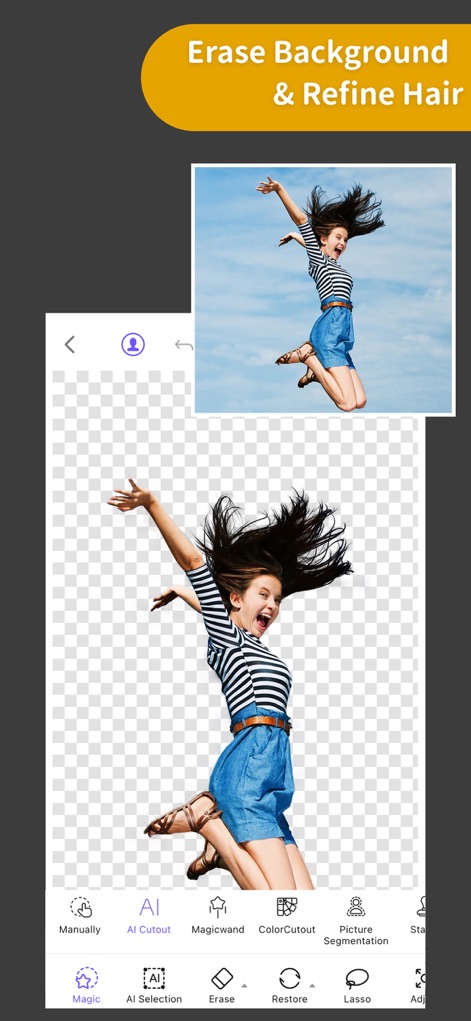
Precision Background Removal
This tool showcases its accurate "AI Cutout" capability and specialized "Hair Refine" feature for detailed subject isolation.
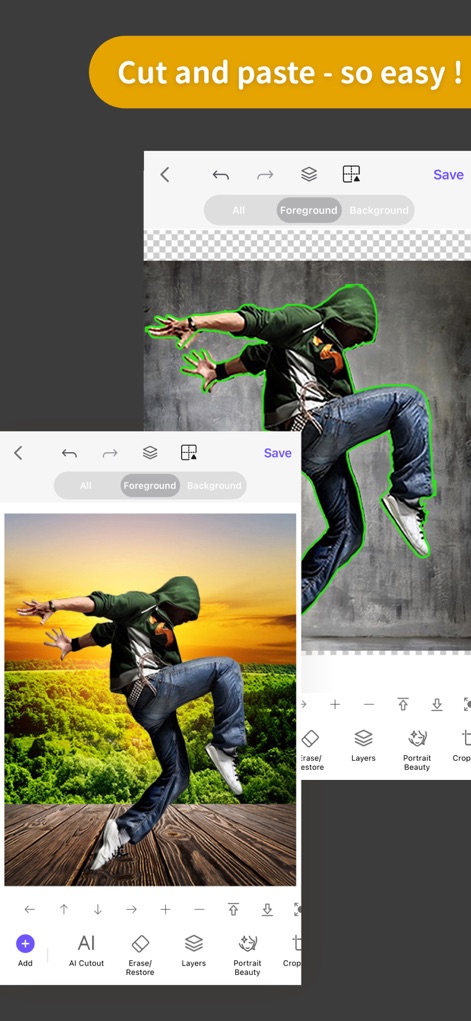
Effortless Image Compositing
Users can easily "Erase/Restore" selections and manage multiple "Layers" to create stunning photo compositions.
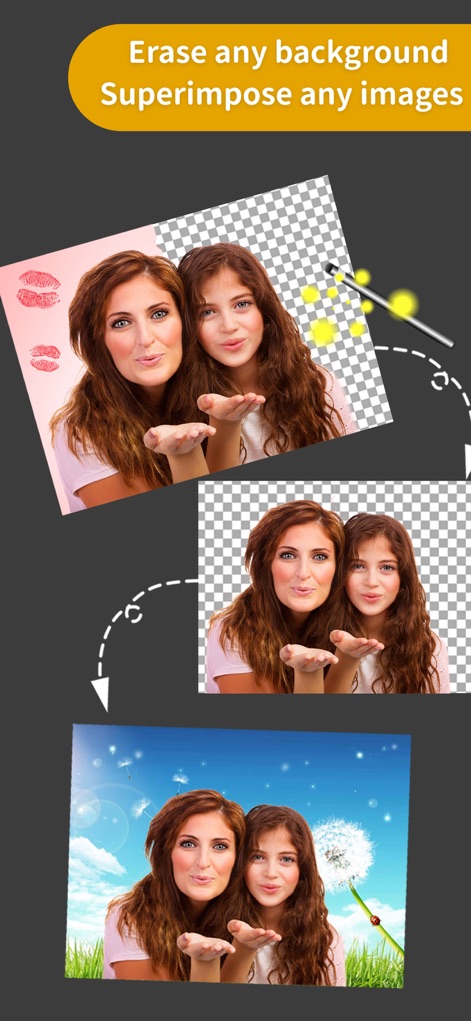
Dynamic Background Swaps
The app allows for quick "background removal" and seamless "image superimposition" to transform scenes effortlessly.
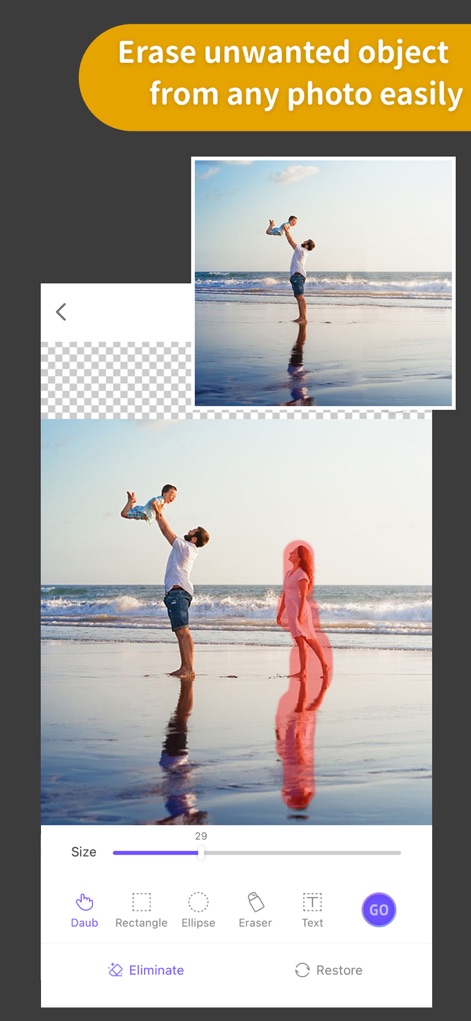
Intelligent Object Eraser
This tool effectively removes unwanted elements using the "Photo Eraser" feature, with options like "Daub" and "Rectangle" for precision.
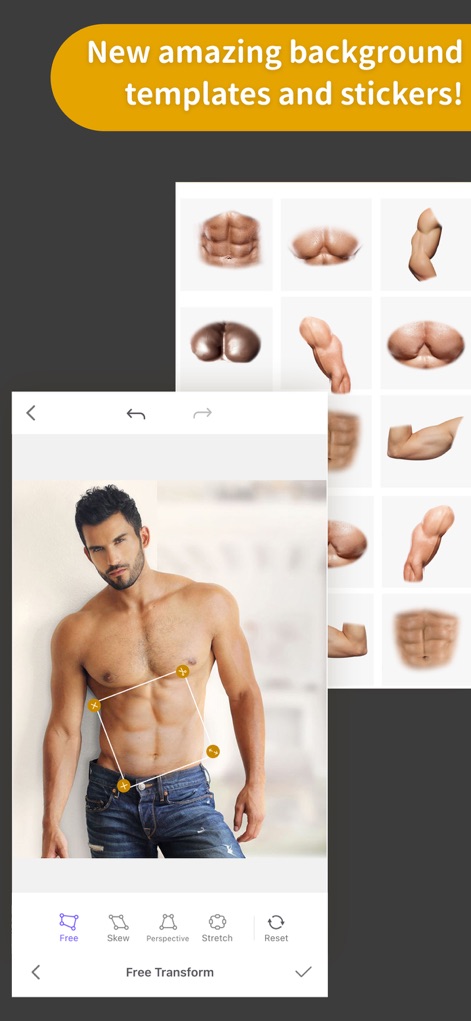
Creative Assets Library
Explore a vast library of "background templates" and "stickers", along with flexible "Free Transform" options for unique adjustments.
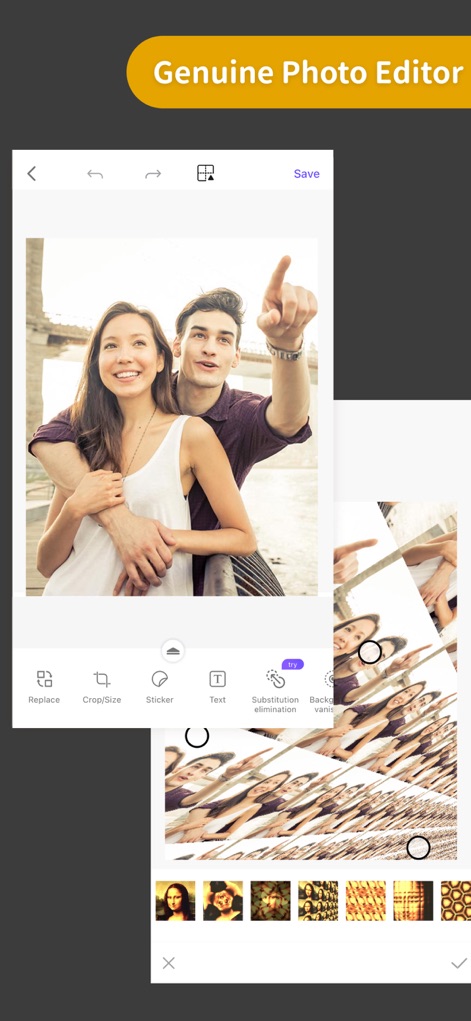
Comprehensive Photo Editor
The app provides a powerful "Photo Editor" with essential tools like "Crop/Size" and creative elements such as "Sticker" and "Text" additions.
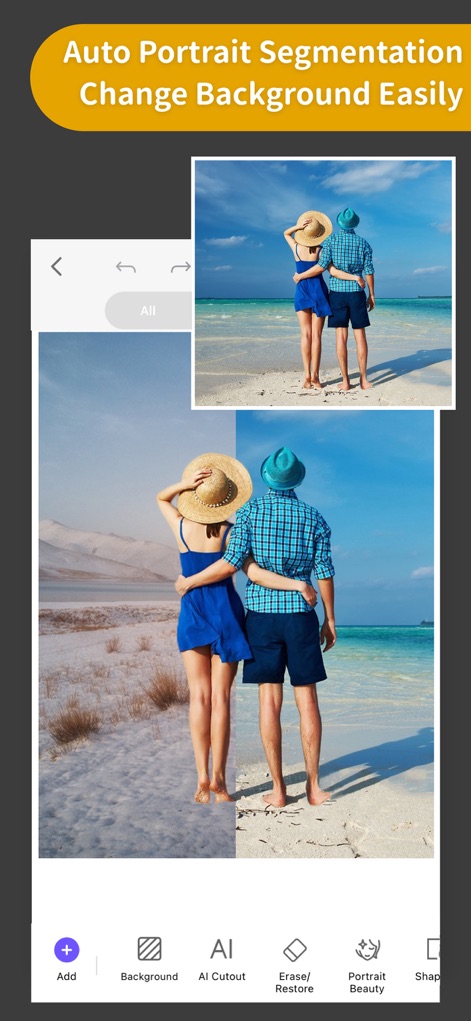
Smart Background Changer
Leverage "Auto Portrait Segmentation" for precise subject isolation and effortlessly "Change Background" with various options.
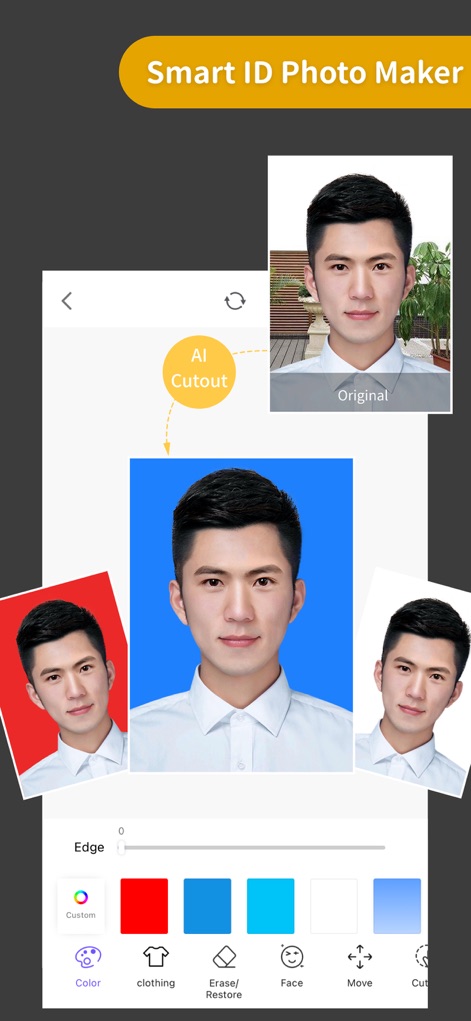
Professional ID Maker
The "Smart ID Photo Maker" simplifies the process with "AI Cutout" and customizable options for "background color" and "clothing" appearance.
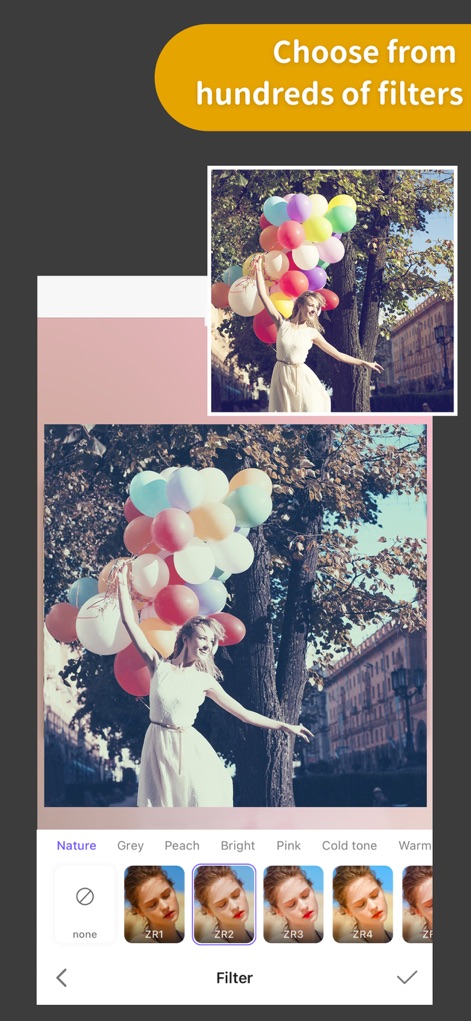
Artistic Filter Collection
Users can browse and apply from "hundreds of filters" across various categories, instantly transforming images with unique "effects".
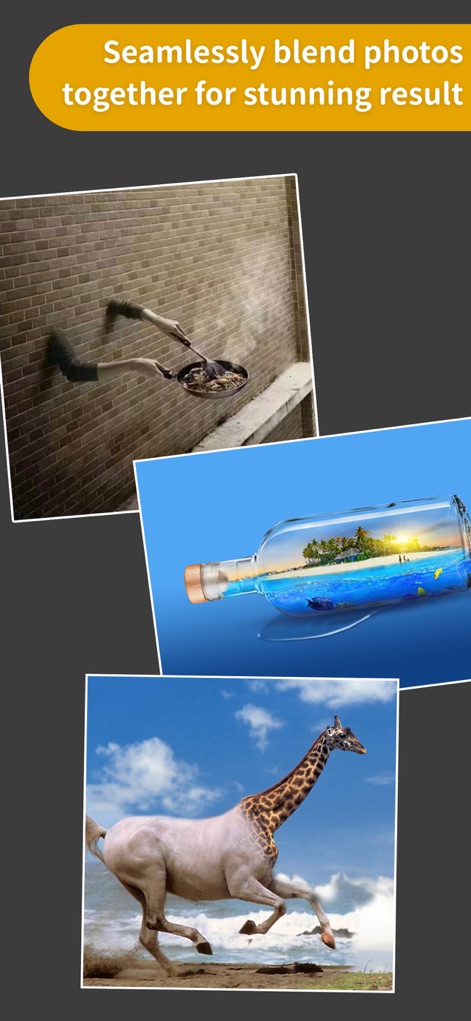
Seamless Image Blending
This feature allows users to "seamlessly blend photos" using powerful "multi-layer composition" capabilities for imaginative results.
Description
Download
More Like This
Apps with similar features and user experience

EPIK - AI Photo & Video Editor
SNOW Corporation

Citrus: AI 1 Tap Perfect Photo
Wemagine.ai LLP

SnapEdit: Photo Editor AI
SilverAI Joint Stock Company

Background Eraser 〜 Stickers
handyCloset Inc.

PhotoScan by Google Photos
Google LLC

Magic Eraser - Remove Object
Creatix Technology Global Limited

Magic Eraser Background Editor
Honk Honk Punch Pty Ltd

Background Eraser - Remove BG*
SHANTANU PTE. LTD.

Renew - Restore Old Photos AI
Olena Dorohan
This page is not an official page of the app or its developer, but an independent editorial publication created for informational and commentary purposes. Unless expressly stated otherwise, neither the app nor its developer is affiliated with, endorsed by, sponsored by, authorized by, or otherwise officially connected with MWM, Apple, Google Play, the app publisher, or the app's developer, and nothing on this page implies that the app was developed using MWM's services. Any trademarks, logos, screenshots, and other content remain the property of their respective owners.