Evernote - Notes Organizer

Evernote - Notes Organizer


Download on App StoreDownload on Google Play
Logo of Evernote - Notes Organizer

Evernote - Your Second Brain for Work and Life

Tame life’s distractions by bringing your notes, tasks, and calendar together. Sync across all your devices and find anything instantly with the world’s most powerful organization tool.

Download on App Store

Publisher

Evernote Corporation

Category

Productivity

Downloads

19M+

User Rating

4.1/5

Total Ratings

563K+

Locales

26

Your Second Brain, Visualized

Discover the interface used by 19M+ users.
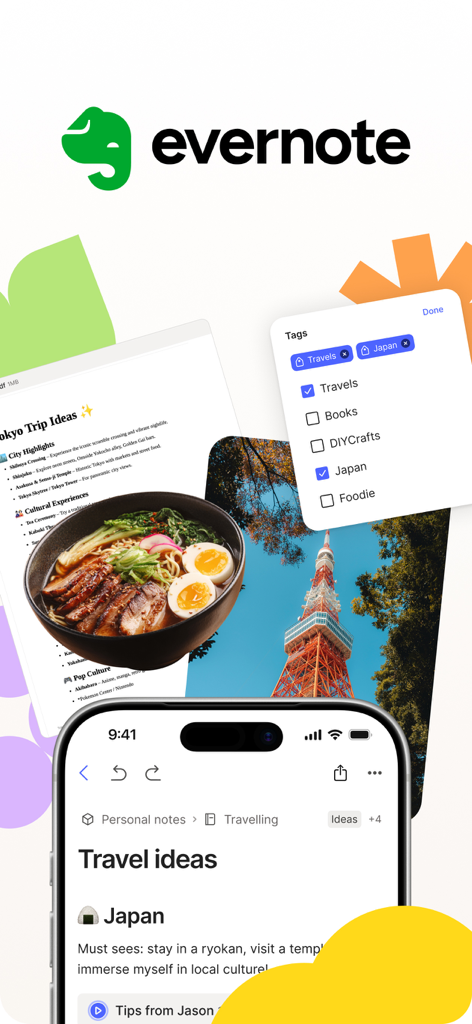
Evernote app interface showing organized travel notes and tagging for a trip to Japan.

Evernote app interface showing organized travel notes and tagging for a trip to Japan.

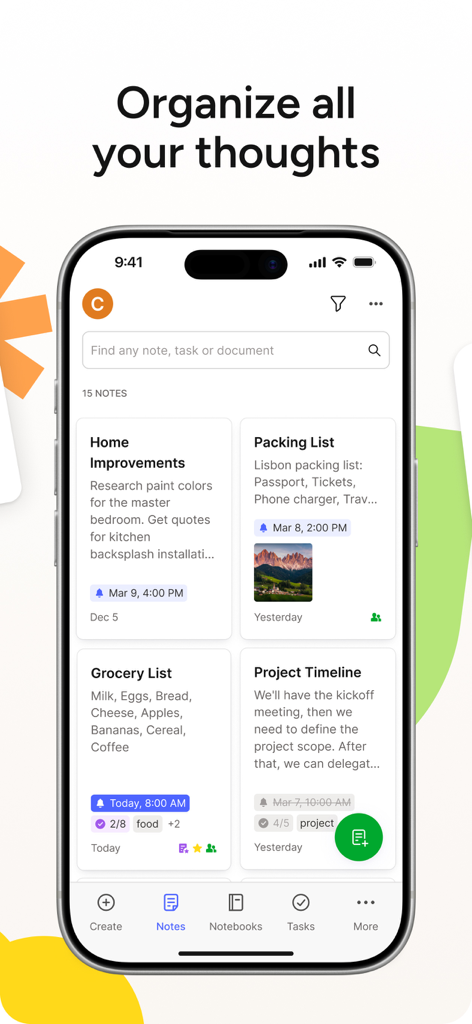
Evernote app interface on a smartphone showing a dashboard of notes including project timelines and packing lists.

Evernote app interface on a smartphone showing a dashboard of notes including project timelines and packing lists.

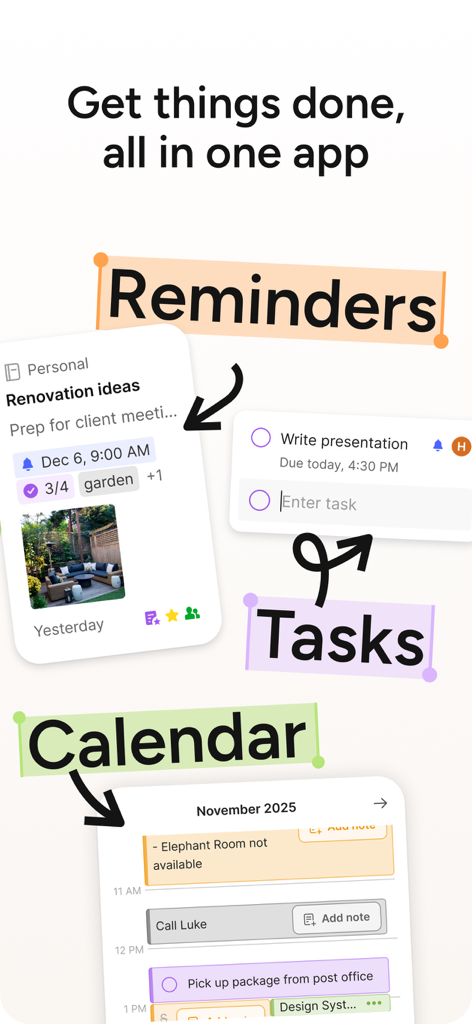
Evernote app interface showing integrated features for reminders tasks and a calendar schedule

Evernote app interface showing integrated features for reminders tasks and a calendar schedule

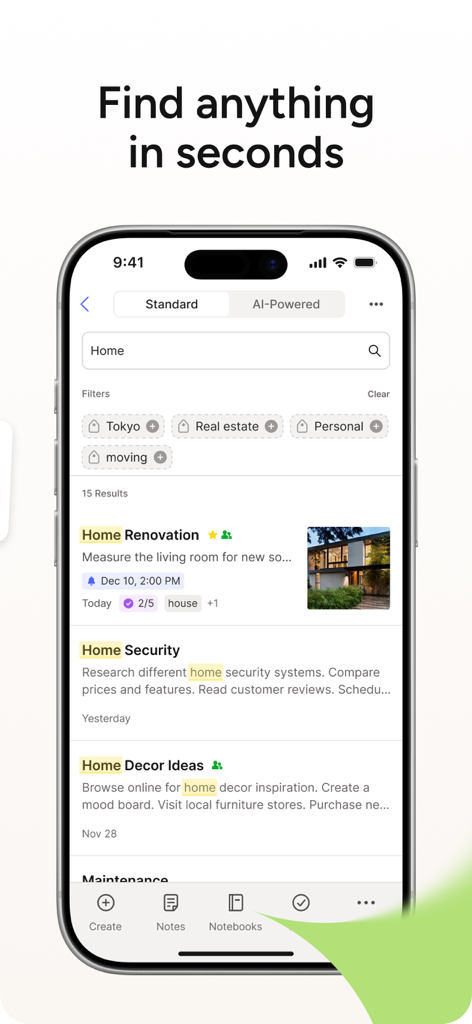
Evernote mobile app search interface showing results for home related notes with tags and filters

Evernote mobile app search interface showing results for home related notes with tags and filters

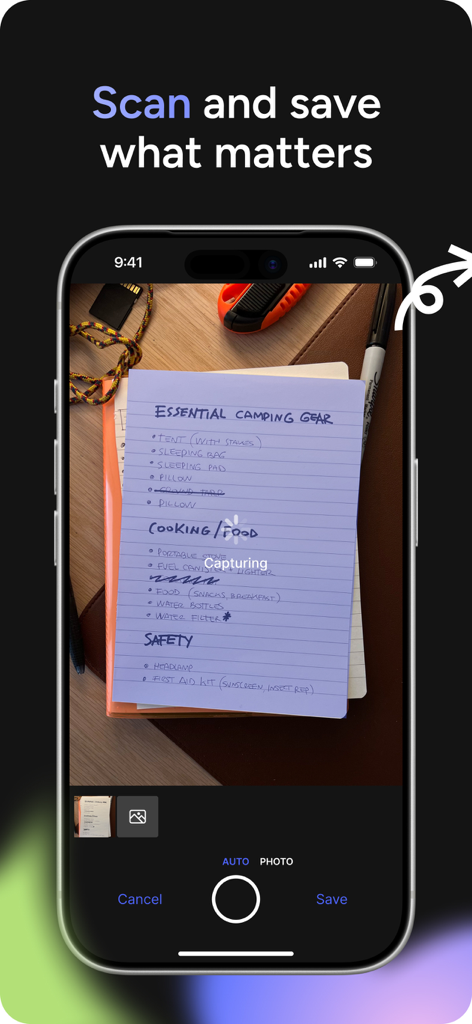
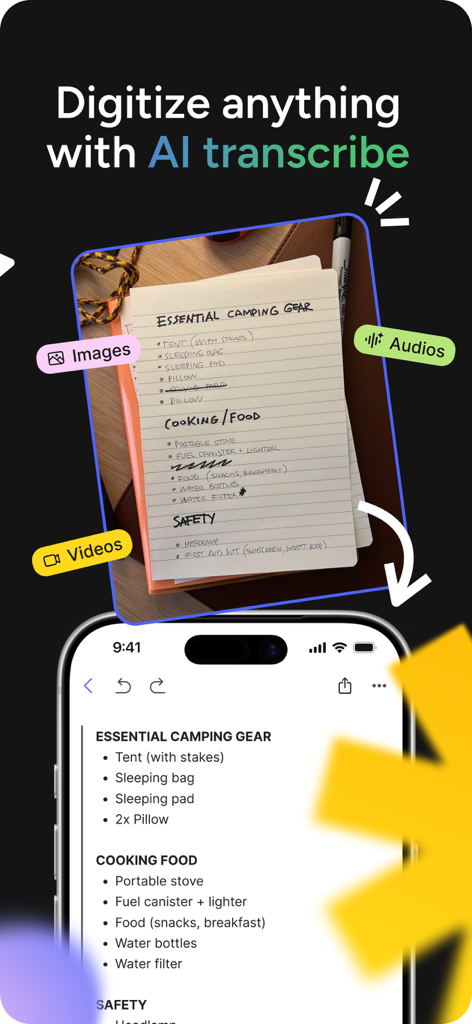
Smartphone screen showing the Evernote app scanning a handwritten camping checklist

Smartphone screen showing the Evernote app scanning a handwritten camping checklist

A comparison showing a handwritten camping gear list being converted into a clean digital note in the Evernote app using AI transcription.

A comparison showing a handwritten camping gear list being converted into a clean digital note in the Evernote app using AI transcription.

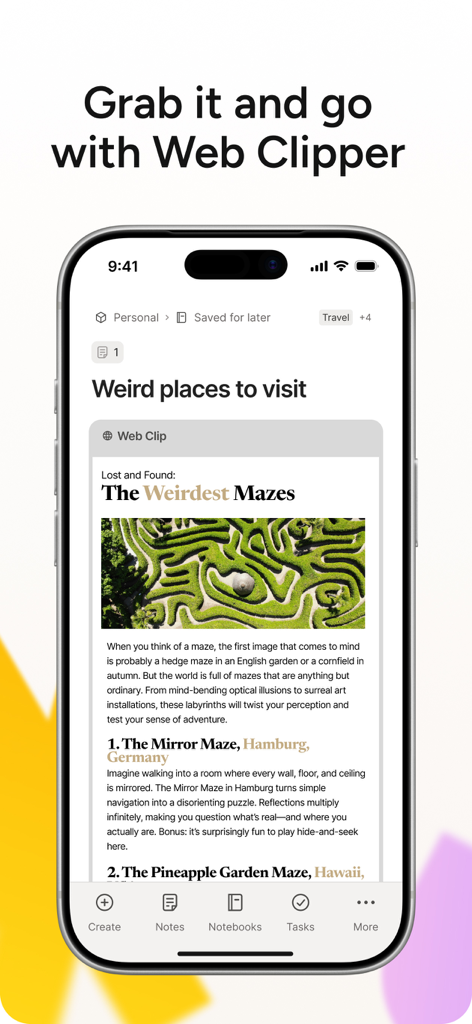
Evernote mobile app interface showing a web article about mazes saved with the Web Clipper feature.

Evernote mobile app interface showing a web article about mazes saved with the Web Clipper feature.

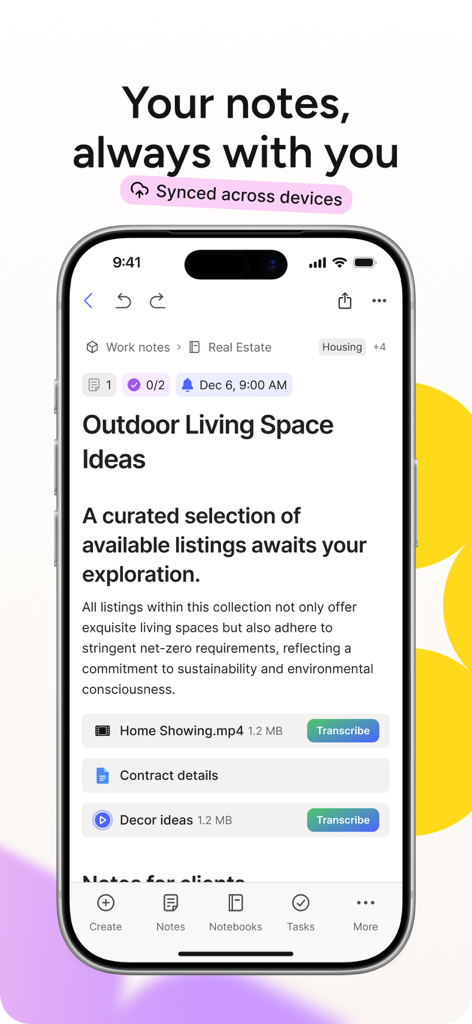
Evernote app on iPhone showing a real estate note with video and document attachments

Evernote app on iPhone showing a real estate note with video and document attachments

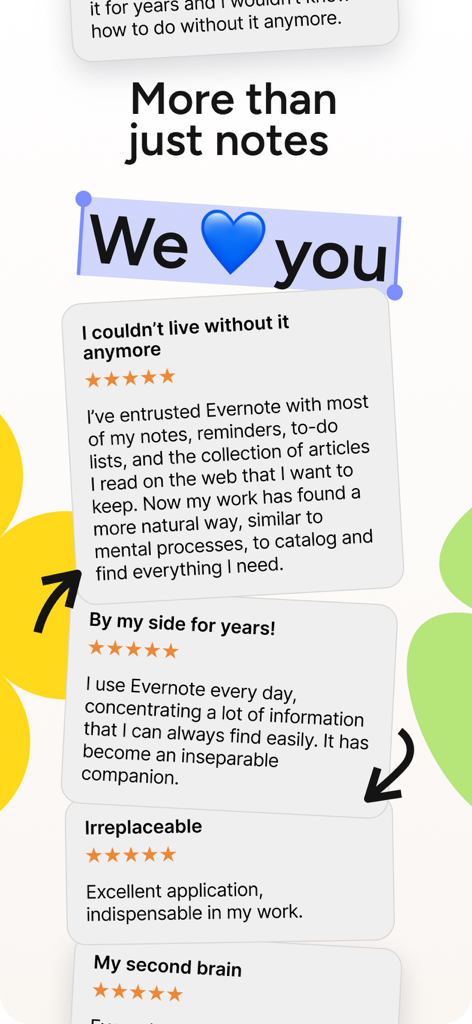
Evernote app user testimonials and five star reviews

Evernote app user testimonials and five star reviews

Your Second Brain, Organized

The tools that make this app stand out, trusted by 19M+ users.

🔍

Search Anything, Anywhere

Instantly find text inside PDFs, images, and even your own handwriting with industry-leading OCR technology.

🔄

Seamless Sync Across Devices

Start an idea on your iPhone and finish it on your MacBook. Your information is always ready, wherever you go.

📅

Notes Meets Action

Connect your Google Calendar and manage tasks alongside your notes to stay ahead of every deadline and meeting.

About the app

Everything you need to know about Evernote - Notes Organizer.

Description

Capture ideas when inspiration strikes. Bring your notes, to-dos, and schedule together to tame life’s distractions and accomplish more—at work, at home, and everywhere in between. Evernote syncs to all your devices, so you can stay productive on the go. Tackle your to-do list with Tasks, connect your Google Calendar to stay on top of your schedule, and see your most relevant information quickly with a customizable Home dashboard. --- “Use Evernote as the place you put everything… Don’t ask yourself which device it’s on—it’s in Evernote” – The New York Times “When it comes to taking all manner of notes and getting work done, Evernote is an indispensable tool.” – PC Mag --- CAPTURE IDEAS • Write, collect, and capture ideas as searchable notes, notebooks, and to-do lists. • Clip interesting articles and web pages to read or use later. • Add different types of content to your notes: text, docs, PDFs, sketches, photos, audio, web clippings, and more. • Use your camera to scan and organize paper documents, business cards, whiteboards, and handwritten notes. GET ORGANIZED • Manage your to-do list with Tasks—set due dates and reminders, so you never miss a deadline. • Connect Evernote and Google Calendar to bring your schedule and your notes together. • See your most relevant information instantly on the Home dashboard. • Create separate notebooks to organize receipts, bills, and invoices. • Find anything fast—Evernote's powerful search can even find text in images and handwritten notes. ACCESS ANYWHERE • Sync your notes and notebooks automatically across any computer, phone, or tablet. • Start work on one device and continue on another without missing a beat. EVERNOTE IN EVERYDAY LIFE • Keep a journal to keep your thoughts organized. • Go paperless by scanning receipts and important documents. EVERNOTE IN BUSINESS • Keep everyone up to date by capturing meeting notes and sharing notebooks with your team. • Bring people, projects, and ideas together with shared Spaces. EVERNOTE IN EDUCATION • Keep track of lecture notes, exams, and assignments so you don’t miss important details. • Create notebooks for each class and keep everything organized. --- Also available from Evernote: EVERNOTE PERSONAL • 10 GB of new uploads each month • Unlimited number of devices • Create and manage tasks • Connect one Google Calendar account • Access your notes and notebooks offline EVERNOTE PROFESSIONAL • 20 GB of new uploads each month • Unlimited number of devices • Create, manage, and assign tasks • Connect multiple Google Calendar accounts • Access your notes and notebooks offline • Home dashboard - Full customization -- Price may vary by location. Subscriptions will be charged to your credit card through your iTunes account. Where applicable, your subscription will automatically renew unless canceled at least 24 hours before the end of the current period. Subscriptions may not be cancelled for refund except as provided in Evernote's Commercial Terms. Manage your subscriptions in Account Settings after purchase. --- Privacy Policy: https://evernote.com/legal/privacy.php Terms of Service: https://evernote.com/legal/tos.php Commercial terms: https://evernote.com/legal/commercial-terms

Latest Version

10.167.1

Size

215.4 MB

First Released

Feb 12, 2019

Ready to Build Your Second Brain?

Join millions of knowledge workers who trust Evernote to tame life's distractions and keep their notes, tasks, and schedule in one perfectly organized place. Download now to stay productive on every device.

Download on App StoreDownload on Google Play
FAQ

Frequently Asked Questions

Everything you need to know about Evernote - Notes Organizer

Can Evernote sync notes across multiple devices?

Yes, Evernote automatically syncs notes and notebooks across any computer, phone, or tablet. Users can start work on one device and seamlessly continue on another.

What types of content can I add to notes in Evernote?

Evernote allows adding various content types to notes, including text, documents, PDFs, sketches, photos, audio, and web clippings. Users can also scan physical documents with their device camera.

Does Evernote offer task management features?

Yes, Evernote includes Tasks for managing to-do lists. Users can set due dates and reminders directly within the app to ensure deadlines are met.

Can Evernote integrate with Google Calendar?

Yes, Evernote connects with Google Calendar. This integration brings users' schedules and notes together, assisting them in staying on top of commitments.

How does Evernote help organize notes?

Evernote organizes notes through searchable notebooks and tags. It provides a customizable Home dashboard for relevant information and powerful search, including finding text within images and handwritten notes.

Can Evernote scan physical documents?

Yes, Evernote uses the device's camera to scan and organize paper documents, business cards, whiteboards, and handwritten notes, promoting a paperless workflow.

Does Evernote support web clipping?

Yes, Evernote features a Web Clipper. This tool allows users to save interesting articles and web pages to read or use later within their notes.

Can Evernote transcribe handwritten notes?

Yes, Evernote can digitize handwritten notes using its AI transcribe feature. This capability converts handwritten text into a searchable digital format.

What are the business features available in Evernote?

Evernote supports business use by enabling users to capture meeting notes, share notebooks with teams, and collaborate on projects through shared Spaces.

Is Evernote suitable for students to manage academic work?

Yes, Evernote is suitable for students. It helps track lecture notes, exams, and assignments. Students can create separate notebooks for each class to keep academic materials organized.

App information, icons, screenshots, and descriptions displayed on this page are sourced from the Apple App Store and are the property of their respective developers. Download estimates and rankings are based on MWM's proprietary models and may not reflect actual figures. This page is provided for informational and analytical purposes only.

Believe this page infringes your intellectual property? File a dispute