Export Contacts to CSV Excel

Export Contacts to CSV Excel


Download on App Store
Logo of Export Contacts to CSV Excel

Export Contacts to CSV Excel: The Ultimate Tool for Professional Data Management

Instantly turn your address book into organized spreadsheets for your CRM, backups, or business workflows. Secure, local processing ensures your valuable network data stays 100% private.

Download on App Store

Publisher

Ertugrul Sari

Category

Utilities

Downloads

100

User Rating

4.4/5

Total Ratings

0

Locales

49

Precision in Every Pixel

Discover the interface used by 100 users.
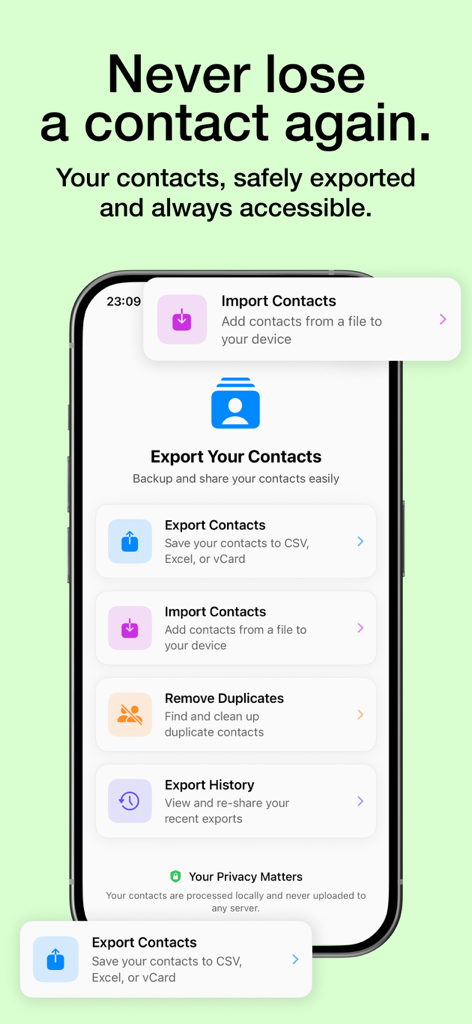
Main screen of the Export Contacts app on an iPhone showing options for exporting to CSV and Excel, importing files, and removing duplicates

Main screen of the Export Contacts app on an iPhone showing options for exporting to CSV and Excel, importing files, and removing duplicates

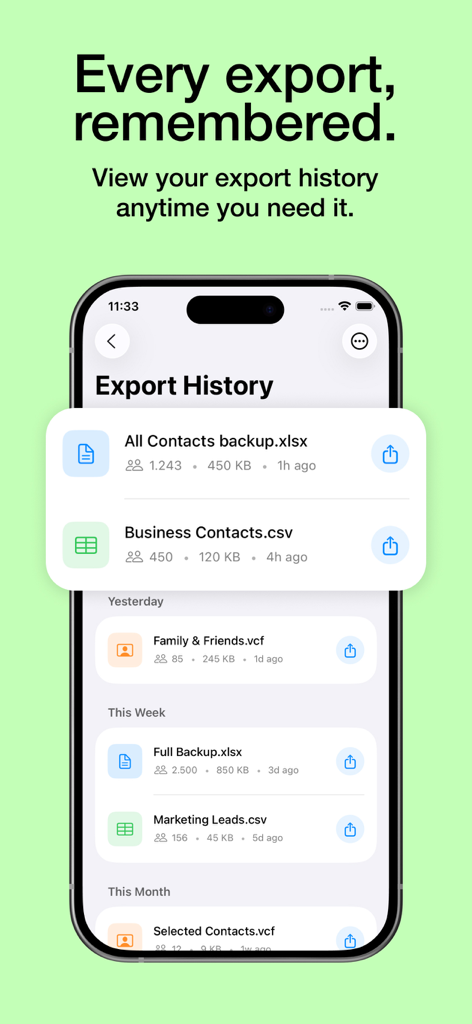
Smartphone screen showing a history of exported contact files in Excel and CSV formats.

Smartphone screen showing a history of exported contact files in Excel and CSV formats.

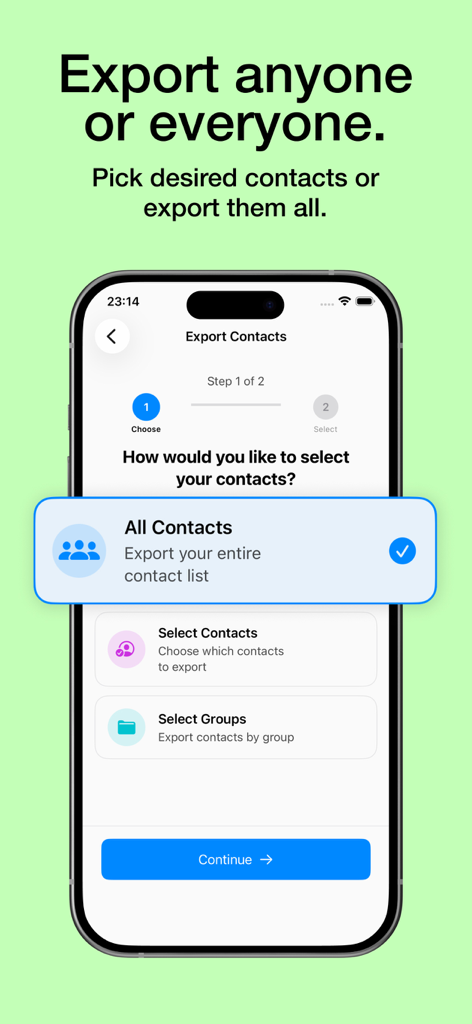
Mobile interface of the Export Contacts app showing options to export all contacts, specific contacts, or contact groups

Mobile interface of the Export Contacts app showing options to export all contacts, specific contacts, or contact groups

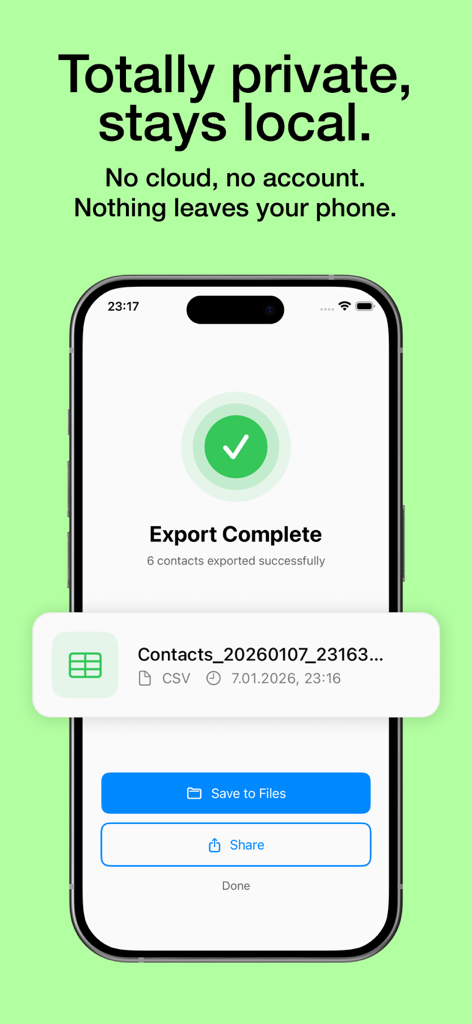
iPhone screen showing a successful and private contact export to CSV

iPhone screen showing a successful and private contact export to CSV

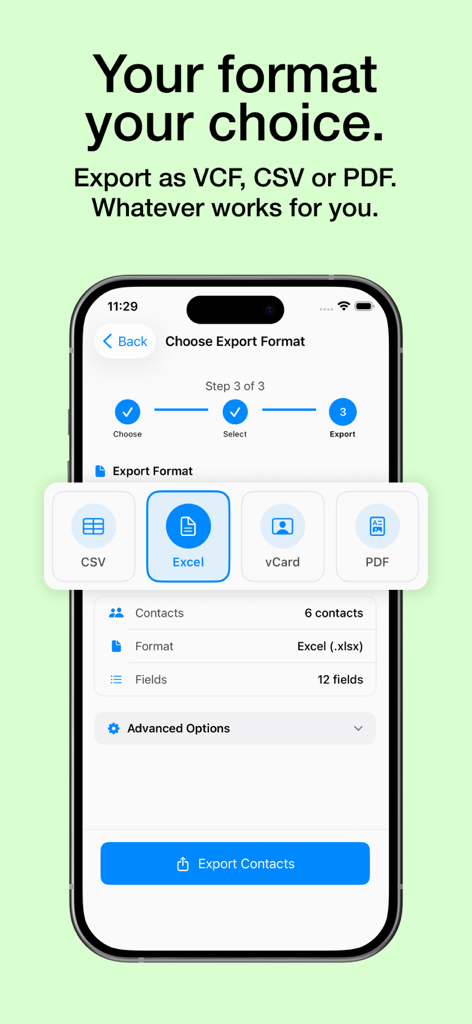
iPhone screen showing options to export contacts as CSV, Excel, vCard, or PDF

iPhone screen showing options to export contacts as CSV, Excel, vCard, or PDF

Take Total Control of Your Contact Data

The tools that make this app stand out, trusted by 100 users.

🔒

100% Private & Local

Your data never leaves your device. All exports are processed locally, ensuring your professional network remains completely confidential and secure.

📊

Professional Grade Exports

Format your contacts for Excel or CSV in seconds. Perfectly structured files ready for import into Salesforce, HubSpot, or your custom CRM workflow.

🛡️

Reliable Backup & Restore

Protect your social capital. Create instant, high-fidelity backups of your entire contact list to ensure you never lose a valuable business connection.

About the app

Everything you need to know about Export Contacts to CSV Excel.

Description

Looking for the best way to export contacts to Excel, CSV, or vCard? "Export Contacts to CSV Excel" is the ultimate solution for contact backup, transfer, and management. With this powerful contacts exporter, you can seamlessly export contacts to CSV Excel, organize your address book, and ensure your contacts are always backed up and accessible. Effortless Contact Backup & Transfer Exporting contacts has never been easier! With "Export Contacts to CSV Excel," you can quickly export contacts to Excel CSV with just a few taps. Whether you need a contacts backup for safety or want to share your contact list, our app ensures a smooth and reliable process. Export contacts to CSV or export contacts to Excel CSV format effortlessly. Backup and restore contacts with ease, ensuring your contacts are never lost. Transfer contacts to another device or share via email, cloud storage, or messaging apps. Export backup of your entire address book, including recent contacts and contact groups. Take control of your contact data with customizable export settings: Select specific contacts groups or individual contacts for export. Choose from multiple formats: CSV, Excel, vCard. Customize exported fields, including names, phone numbers, emails, and addresses. Preview and manage your exported contact backup before saving. Why Choose "Export Contacts to CSV Excel"? Fast & Simple: A user-friendly interface makes it easy to export contacts in seconds. Secure & Reliable: Backup restore contacts safely, ensuring your data is always protected. Multiple Export Formats: Export contacts to CSV Excel, vCard, or other popular formats. Organize Your Address Book: Sort, filter, and manage contacts with ease. 100% Privacy Guaranteed: No data is transferred anywhere—everything runs locally on your phone. Whether you're an individual looking for a my contacts backup solution or a professional needing an efficient contacts backup restore tool, this app is designed for you. Save time by exporting contacts to Excel for professional use, sharing with colleagues, or keeping a secure backup of your business connections. How to Use: Open the app and allow access to your contacts. Select the desired contact backup and restore option. Choose CSV, Excel, or vCard format. Customize fields and confirm the export. Save, share, or transfer your exported contacts instantly. Need to transfer contacts? Easily move contacts between devices. Looking for a contacts exporter? Get all contacts in one organized file. Worried about losing contacts? Backup restore contacts in a secure format. Need to share contacts? Export backup and send to colleagues or friends. Don't risk losing your valuable contacts! Download Export Contacts to CSV Excel now and experience the easiest way to export contacts and manage your address book. This application is free to download, but you may need to purchase premium to use any of the app's features and functionality. Privacy Policy: https://sites.google.com/view/estifie-exportcontacts/privacy-policy Terms of Use: https://sites.google.com/view/estifie-exportcontacts/terms-of-use

Latest Version

1.0.17

Size

22.4 MB

First Released

Mar 30, 2025

Take Complete Control of Your Professional Network

Join thousands of professionals who securely export and backup their contacts in seconds. No cloud, no data sharing—just your data, exactly where you need it.

Download on App Store

App information, icons, screenshots, and descriptions displayed on this page are sourced from the Apple App Store and are the property of their respective developers. Download estimates and rankings are based on MWM's proprietary models and may not reflect actual figures. This page is provided for informational and analytical purposes only.

Believe this page infringes your intellectual property? File a dispute