Exposure Calculator
Exposure Calculator
Download on App Store

This page is not an official page of the app or its developer, but an independent editorial publication created for informational and commentary purposes. Unless expressly stated otherwise, neither the app nor its developer is affiliated with, endorsed by, sponsored by, authorized by, or otherwise officially connected with MWM, Apple, Google Play, the app publisher, or the app's developer, and nothing on this page implies that the app was developed using MWM's services. Any trademarks, logos, screenshots, and other content remain the property of their respective owners.

Logo of Exposure Calculator
Download on App Store

Exposure Calculator

Stop relying on vague tables and approximations. Get exact shutter speeds for any ISO and f-stop, specifically engineered for long exposures, night photography, and analog film.

Key Figures

Downloads

110K+

User Rating

3.9/5

Total Ratings

0

Publisher

Jim Chapple

Category

Photo & Video

Locales

1

Latest Version

1.8.22

Size

18.3 MB

First Released

Mar 3, 2010
Features

Precision Tools for Serious Photographers

Eliminate the guesswork in manual photography. Our calculator uses exact logarithmic formulas to provide the perfect shutter speed for any lighting, ISO, and aperture combination.

Beyond Table Approximations

Standard charts often use rounded approximations. Our engine calculates exact values for non-standard settings like f/2.4 or ISO 1250, ensuring mathematical truth for your sensor or film.

Nail Every Long Exposure

Take the risk out of low-light shots. Calculate precise exposure times for nightscapes or ND-filter shots that last minutes or hours, so you never waste time or expensive film.

The following screenshots and description are sourced directly from the app's official store listing and are the property of the app developer.

App Store

Screenshots
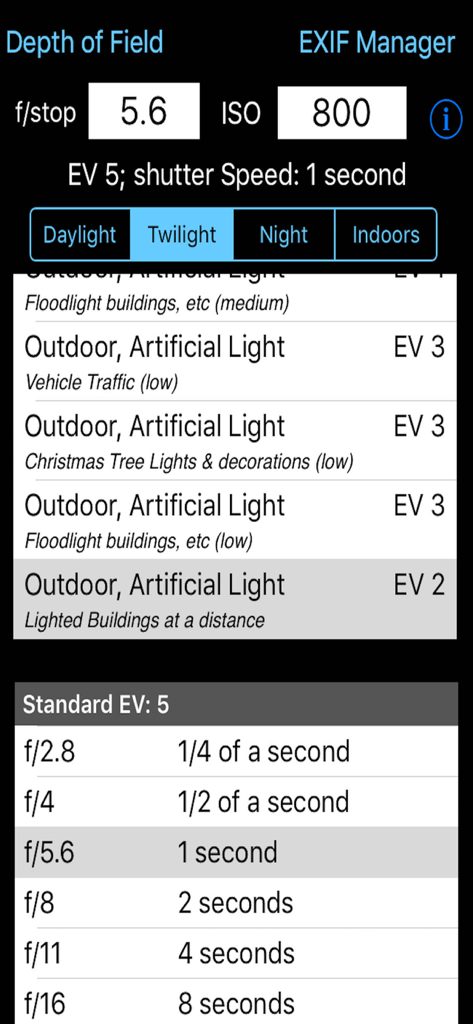
Exposure Calculator - The Exposure Calculator app interface displaying shutter speed and aperture settings
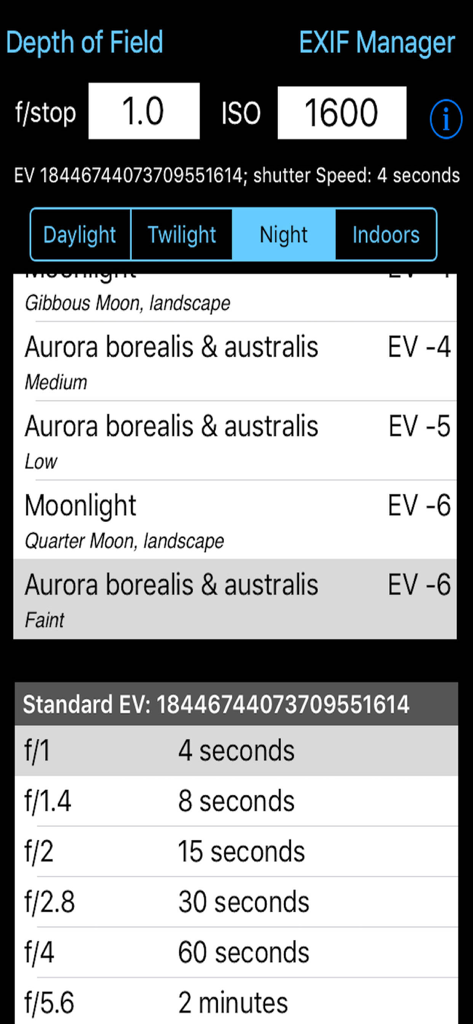
The Exposure Calculator app interface displaying shutter speed and aperture settings

Exposure Calculator - Technical interface of the Exposure Calculator app showing shutter speed tables for night photography and aurora borealis settings.
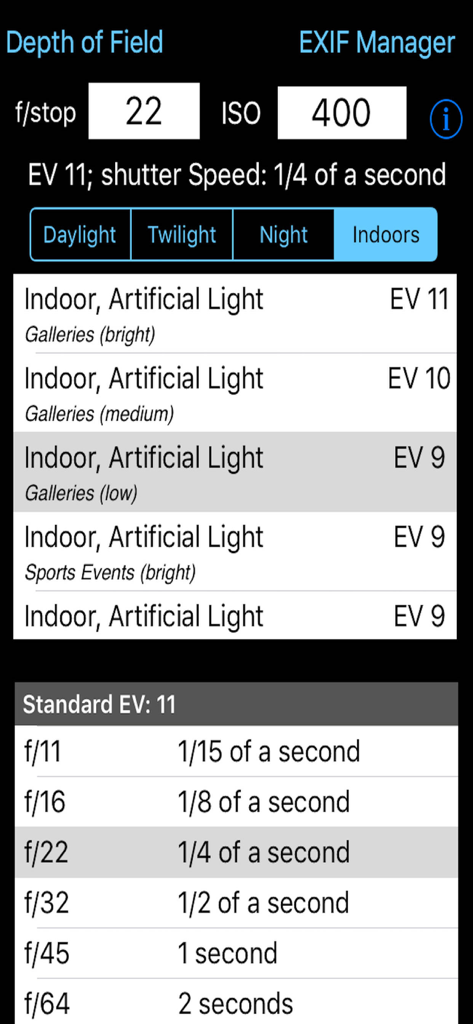
Technical interface of the Exposure Calculator app showing shutter speed tables for night photography and aurora borealis settings.

Exposure Calculator - Exposure Calculator app interface showing shutter speed calculation for indoor lighting
Exposure Calculator app interface showing shutter speed calculation for indoor lighting

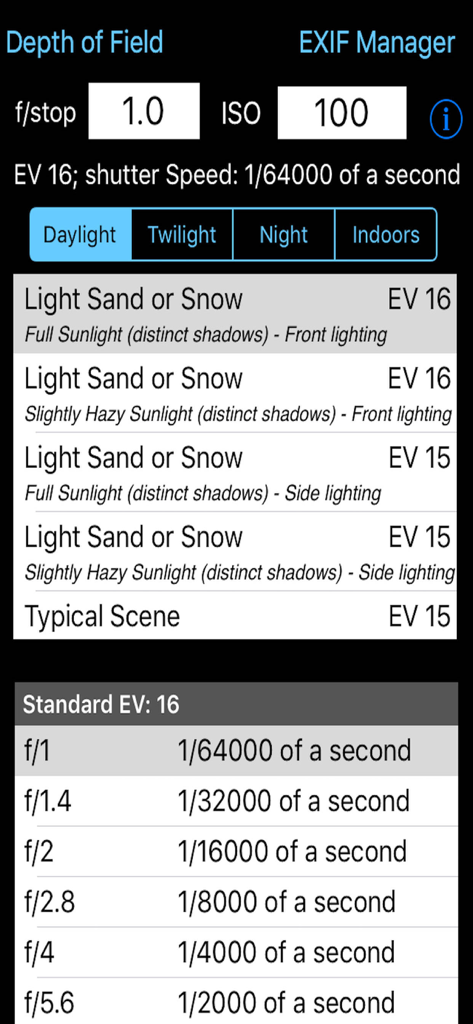
Exposure Calculator - Interface of the Exposure Calculator app showing f-stop and ISO inputs with calculated shutter speeds for different lighting conditions
Interface of the Exposure Calculator app showing f-stop and ISO inputs with calculated shutter speeds for different lighting conditions

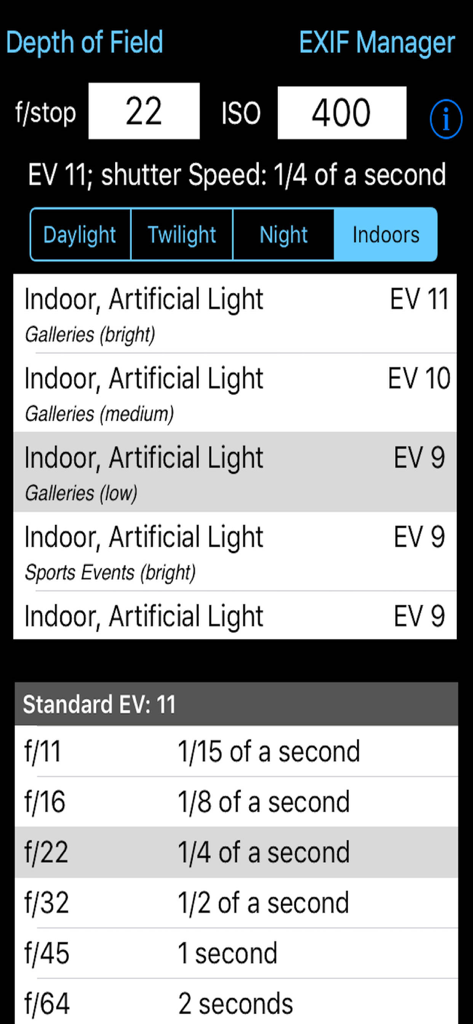
Exposure Calculator - Interface of the Exposure Calculator app showing camera settings for indoor lighting with f-stop and ISO inputs.

Interface of the Exposure Calculator app showing camera settings for indoor lighting with f-stop and ISO inputs.

Description

Takes the guesswork out of what shutter speed to use. Ever struggled with an exposure meter or the camera's auto exposure system and found that it just cannot seem to determine the correct shutter speed? I have and that is why this App was written. There are tables and formulae to help you to work out the shutter speed for yourself, but that's not easy. This App takes some simple information about the lighting conditions, the f-stop of the camera and the ISO rating being used and calculates what the correct shutter speed should be. It is that simple. If you have used the pre-calculated tables before you might be suprised by the answers this App gives you but, believe me, I have implemented the formulae and the pre-calculated tables are approximations (sometimes rather wild ones). The tables do not include all f-stops, the tables do not take account the different ISO values cameras can be set to. This App does. This App takes this information and presents it in an easy to use form. Just type in the f/stop value using the keypad, type in the ISO rating using the keypad and then select the applicable lighting conditions from the four lighting condition types: Daylight, Twilight, Night and Indoors. Each has a range of Exposure Values to select from. The App then calculates what the effective EV value is (given the ISO rating) and so can calculate what the actual shutter speed should be. It also shows the applicable row from the standard tables for the EV. Depending on the ISO rating being used the Exposure value selected from the list can be increased or decreased e.g. if the light is low and the EV is -3 but you are using ISO 800 then the effective Exposure value is zero (ISO 800 counts as +3 to EV) the shutter speed needs to match this value not that selected from the standard lighting condition values. The tables only show some of f/stop values. For example the tables show f/2.0 and f/2.8 but you might have the camera set to f/2.4. Well it is possible to calculate the exact value so this is what the App does. Coupled with ISO values that do not generate exact EV numbers this value can show you the true value you should be attempting to use. An ISO of 250 adds +1.32 to the EV value. It is a log2 scale. Now you may not be able to set you camera to the exact value given but it does give you a much better idea of the real shutter speed required rather than trying to guess from the tables (which are calculated on a logarithmic scale and are approximations). By being able to set the ISO to 250 or 500, etc this App is can calculate the real EV value. If you set the ISO to 1000 then any EV value selected needs to have approximately 3.3 added to it to give the correct EV value. So if the selected EV is 6 then the effective EV with this ISO is actually 9.3. But there is no row for 9.3 in the standard tables and it does make a difference. If the camera is set to f/3.5 then the closest row in the table is for EV9 and f/2.8 (1/60th of a second) or f/4.0 (1/30th of a second). So do you err towards 1/30th or 1/60th. Well this App actually calculates the exact value and this shows as 1/52nd of a second. Generally a camera cannot be set to this but it can be set to 1/50th so I would try that and then maybe 1/60th and maybe 1/40th. The calculation comes out as 1/50th because the EV is not 9 it is 9.3 and therefore with the ISO at 1000 everything must be treated as brighter and so less exposure is needed. Being able to see the exact value to use is even more use when long exposures are needed. The standard tables get very vague for low light conditions i.e. EV -6 for f/22 is 64 minutes and for f/32 it is 128 minutes (over an hour more). So if you are using f/28 how many minutes at ISO 1250? Well the answer is 66.9 minutes which is much shorter than you might have guessed.

Download

Download on App Store

This page is not an official page of the app or its developer, but an independent editorial publication created for informational and commentary purposes. Unless expressly stated otherwise, neither the app nor its developer is affiliated with, endorsed by, sponsored by, authorized by, or otherwise officially connected with MWM, Apple, Google Play, the app publisher, or the app's developer, and nothing on this page implies that the app was developed using MWM's services. Any trademarks, logos, screenshots, and other content remain the property of their respective owners.








