
This page is not an official page of the app or its developer, but an independent editorial publication created for informational and commentary purposes. Unless expressly stated otherwise, neither the app nor its developer is affiliated with, endorsed by, sponsored by, authorized by, or otherwise officially connected with MWM, Apple, Google Play, the app publisher, or the app's developer, and nothing on this page implies that the app was developed using MWM's services. Any trademarks, logos, screenshots, and other content remain the property of their respective owners.


EZ Screen Translator
Language barriers dissolve. The app delivers instant understanding, wherever you tap.
Downloads
500k+User Rating
Total Ratings
4.8KPublisher
Category
UtilitiesLocales
15Latest Version
1.15Size
133.1 MBFirst Released
Nov 1, 2023An analysis of the application's core features designed to overcome mobile language barriers.
Key Capabilities of EZ Screen Translator
Instant On-Screen Translation
The app provides immediate translation of any text displayed on the screen across various applications, eliminating the need to switch between apps.
Universal App Integration
It allows users to translate text within virtually any mobile application, including social media, games, and shopping platforms, ensuring seamless content consumption.
Extensive Language Support
This tool breaks down language barriers by supporting over 100 different languages for translation.
Multi-Modal Translation
Beyond screen translation, it offers additional methods such as photo, camera, voice, and direct text input for comprehensive translation needs.
Frequently Asked Questions
Everything you need to know about EZ Screen Translator
What is EZ Screen Translator?
EZ Screen Translator is a smart translation app that quickly translates any text displayed on your screen with a single tap. It supports over 100 languages and works across various applications like social networks, games, and foreign language documents.
How does EZ Screen Translator translate text on screen?
EZ Screen Translator translates any text displayed on your screen through a one-tap operation. It functions directly within any application, eliminating the need to switch between translation apps for seamless use.
Can EZ Screen Translator translate text within any application?
Yes, EZ Screen Translator can translate any text within any application. This feature allows users to translate chat messages, posts, comments, games, comics, and foreign language documents without leaving the original app.
Does EZ Screen Translator support game translation?
Yes, EZ Screen Translator supports game translation. The app is specifically designed to help users understand foreign language games, allowing for a more immersive gaming experience.
How many languages does EZ Screen Translator support?
EZ Screen Translator supports over 100 languages. This extensive language support helps eliminate language barriers across various communication and content platforms.
Can EZ Screen Translator translate comics and manga?
Yes, EZ Screen Translator includes a comic and manga translator feature. Users can quickly translate text within comics and manga, making foreign language stories accessible.
What types of translation does EZ Screen Translator offer?
EZ Screen Translator offers multiple translation types including text translation, photo translation, camera translation, voice translation, and on-screen translation for any app content.
Is there a privacy policy for EZ Screen Translator?
Yes, EZ Screen Translator has a privacy policy. The full policy is available for review at the provided URL to inform users about data handling practices.
The following screenshots and description are sourced directly from the app's official store listing and are the property of the app developer.
App Store
Screenshots
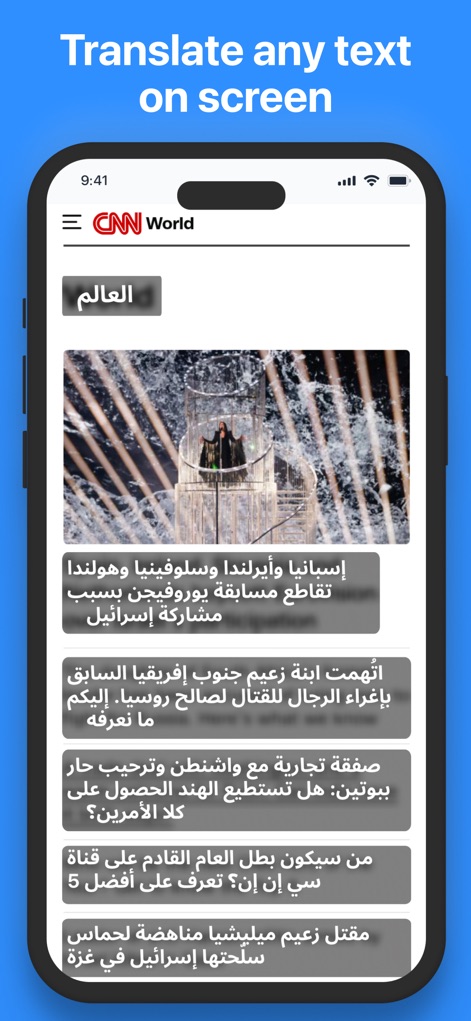
Discover how the app seamlessly translates an Arabic news article displayed directly on the screen, highlighting the instant accessibility of foreign content and the clear 'Translate any text on screen' header.
Screen Translation Power
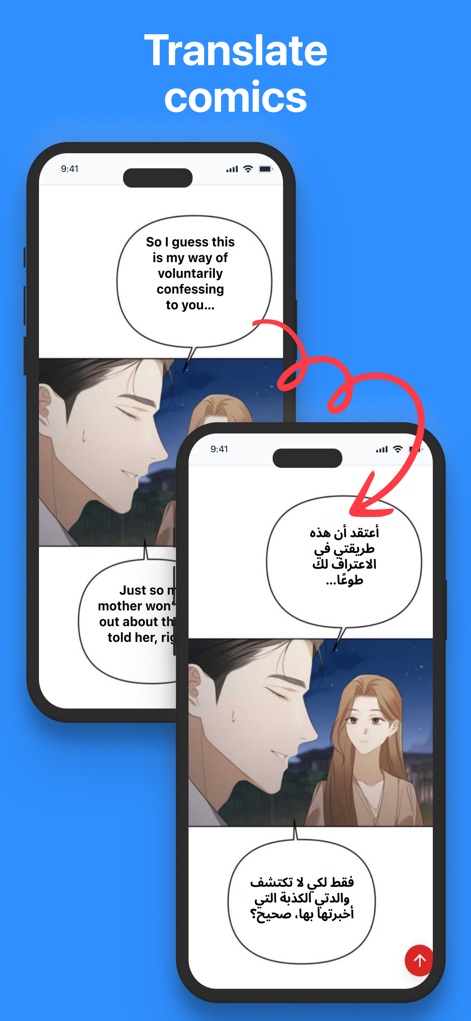
See how this tool effortlessly translates comic book dialogue, making foreign language speech bubbles and entire narratives accessible to users.
Comic Immersion
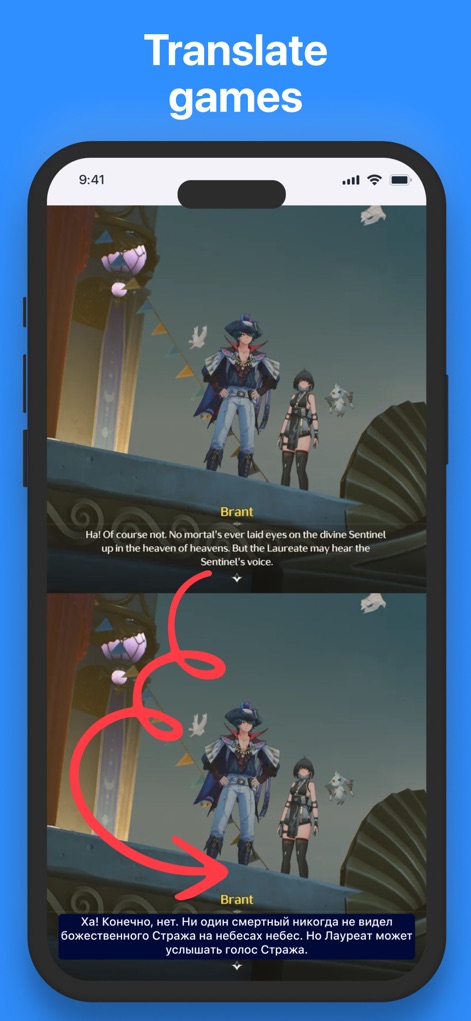
Observe the app's capability to translate in-game dialogue from English to Arabic, ensuring a fully immersive gaming experience by transforming chat bubbles.
Gaming Without Barriers
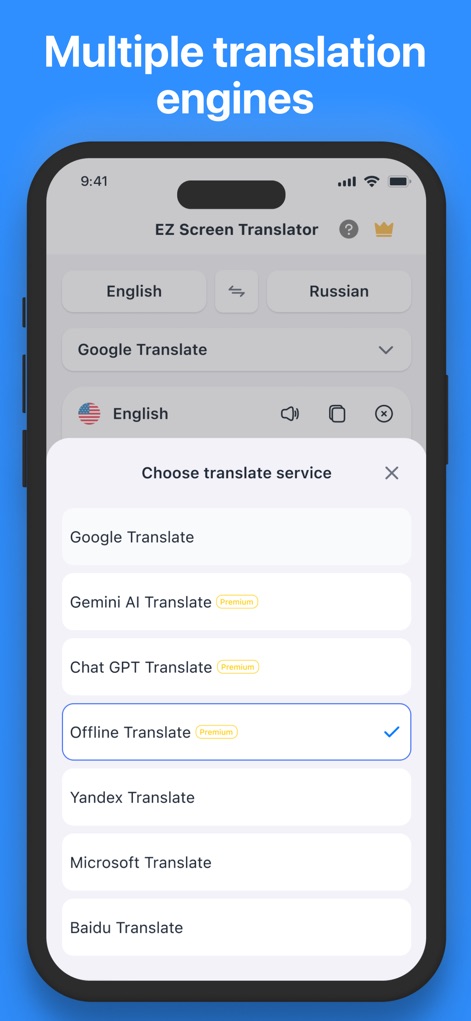
Explore the variety of translation services available, from Google Translate to premium options like Gemini AI and Offline Translate, giving users flexibility in their engine choice.
Diverse Translation Engines
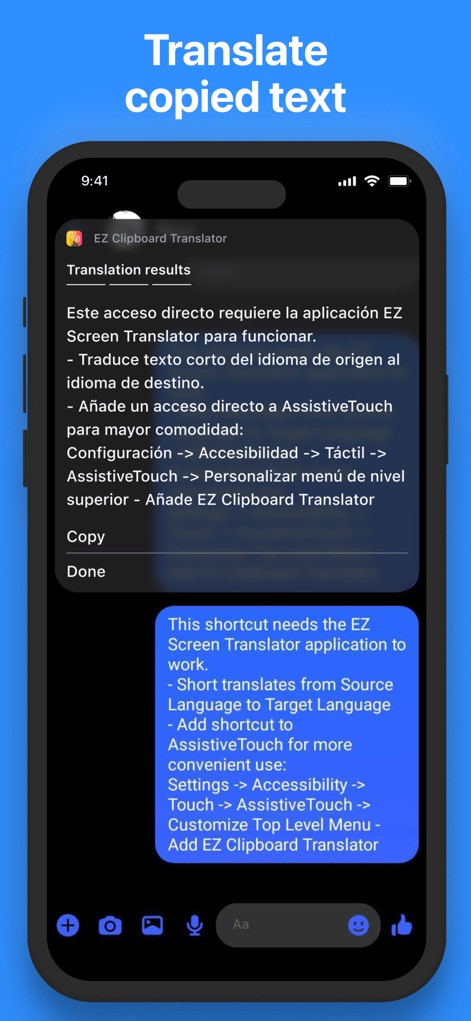
Understand how the app translates copied Spanish text directly into an English chat bubble, demonstrating its quick and integrated clipboard functionality.
Instant Clipboard Translation
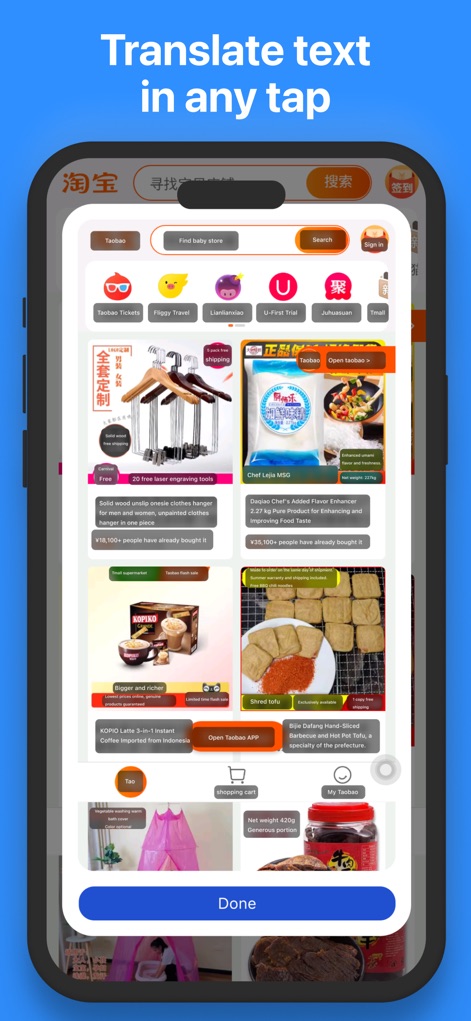
Witness the app's ability to translate text within a complex Chinese shopping app, enabling users to understand product descriptions and navigate foreign interfaces with a simple 'Done' button.
On-Demand Screen Translate
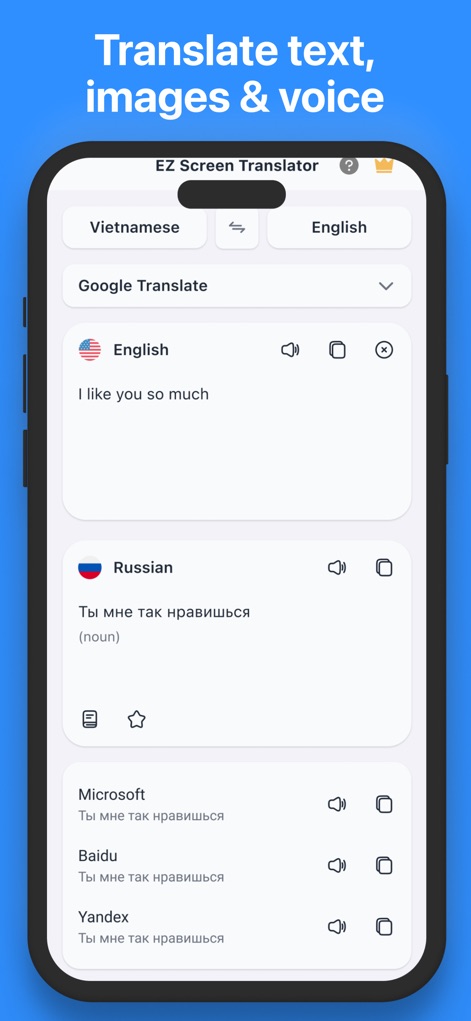
View the app's versatile interface for translating text between Vietnamese and English, alongside displaying various results from engines like Microsoft and Yandex.
Comprehensive Translation Hub
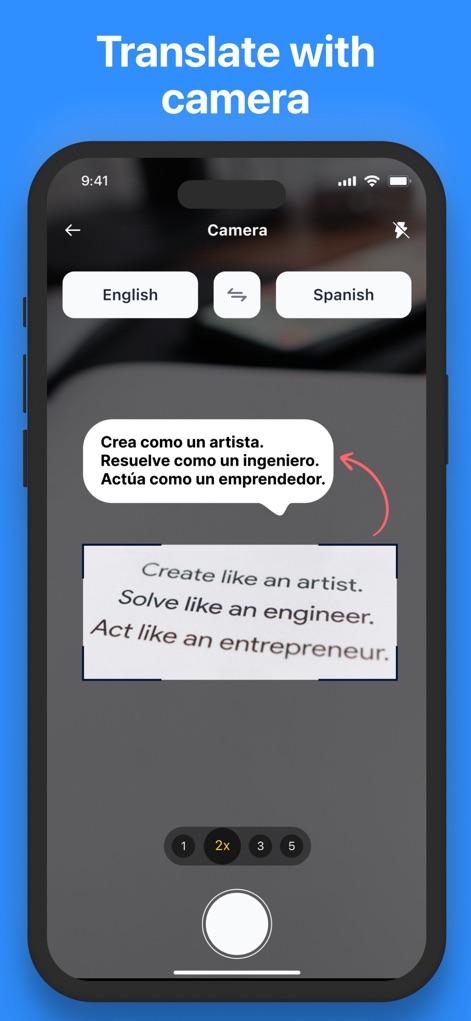
Discover the instant camera translation feature, allowing users to translate printed English text into Spanish with adjustable magnification settings like '2x'.
Live Camera Translation
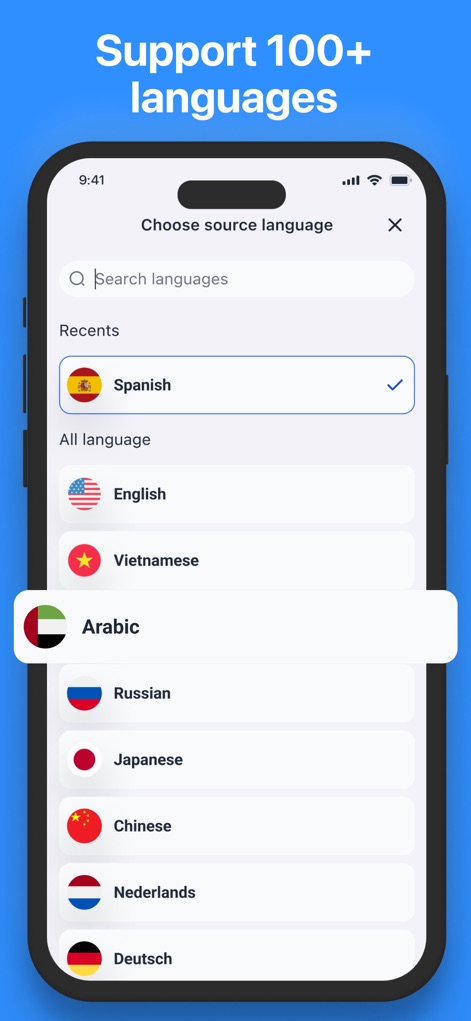
Examine the app's comprehensive language selection interface, showcasing support for over 100 languages with options like Spanish and Arabic clearly listed and searchable.
Extensive Language Support
Description
Download
More Like This
Apps with similar features and user experience


This page is not an official page of the app or its developer, but an independent editorial publication created for informational and commentary purposes. Unless expressly stated otherwise, neither the app nor its developer is affiliated with, endorsed by, sponsored by, authorized by, or otherwise officially connected with MWM, Apple, Google Play, the app publisher, or the app's developer, and nothing on this page implies that the app was developed using MWM's services. Any trademarks, logos, screenshots, and other content remain the property of their respective owners.