
This page is not an official page of the app or its developer, but an independent editorial publication created for informational and commentary purposes. Unless expressly stated otherwise, neither the app nor its developer is affiliated with, endorsed by, sponsored by, authorized by, or otherwise officially connected with MWM, Apple, Google Play, the app publisher, or the app's developer, and nothing on this page implies that the app was developed using MWM's services. Any trademarks, logos, screenshots, and other content remain the property of their respective owners.


Immersive Translate
Language no longer restricts. The app gives users dominion over global content, transforming how they consume information.
Downloads
750k+User Rating
Total Ratings
1.8KPublisher
Category
ProductivityLocales
7Latest Version
2.6.0Size
90.4 MBFirst Released
Apr 25, 2023Analyzing core functionalities for global users engaging with multilingual digital content.
Immersive Translate: A Comprehensive AI-Powered Linguistic Bridge
AI-Powered Specialized Translation
The app provides highly accurate and context-aware translations by allowing users to set specific AI industry personas and utilize custom glossaries, ensuring professional terminology is preserved for specialized content.
Advanced AI Translation Engine
This tool features integration with multiple top-tier AI translation models, delivering fast and highly accurate linguistic conversions across various platforms.
Comprehensive Document Translation
It allows users to efficiently translate various file formats like PDF, Subtitle, and TXT, supporting one-click export of bilingual e-books and preserving original formatting, including complex formulas and OCR.
Bilingual Video Subtitle Translation
The app supports AI-powered bilingual subtitle translation for dozens of mainstream video sites, including YouTube, Netflix, and Coursera, enhancing content accessibility.
Automatic Video Subtitle Generation
This tool intelligently recognizes speech in videos without existing subtitles and automatically generates bilingual captions, expanding accessibility to foreign language video content.
Pervasive Browser Extension
The app provides seamless integration as a browser extension, ensuring comprehensive adaptation and compatibility with all major browsers across various platforms for effortless translation.
Real-time Input Box Translation
It allows users to instantly translate native language input in any webpage input box, facilitating real-time bilingual dialogue experiences for search engines and AI chats.
Immersive Dual-Language Web Reading
The app features a unique vertical contrast layout that significantly reduces visual intrusion, intelligently identifying main content areas to display bilingual translations for an enhanced reading experience.
Frequently Asked Questions
Everything you need to know about Immersive Translate
What is Immersive Translate?
Immersive Translate is an AI translation tool trusted by over 10 million users. It breaks down language barriers with fast, accurate AI translation, offering features like dual-language display for web pages and video subtitles.
Does Immersive Translate work as a Safari extension?
Yes, Immersive Translate is seamlessly integrated as a browser extension. It is fully compatible with Safari and other major browsers across platforms, enhancing foreign language reading.
How does the "Dual-Language" display feature work in Immersive Translate?
Immersive Translate offers a "Dual-Language" display that presents content in a vertical contrast layout. This unique feature enhances reading by significantly reducing visual intrusion, making foreign web pages easier to read and translate.
Does Immersive Translate translate video subtitles?
Yes, Immersive Translate supports bilingual subtitle translation for dozens of mainstream video sites, including YouTube, Netflix, and Coursera. It also intelligently generates bilingual captions for videos without subtitles.
What file types can Immersive Translate translate?
Immersive Translate supports real-time translation of PDF, Subtitle, and TXT file formats. The Pro version offers advanced PDF features like complex formula and image OCR, preserving original document formatting.
How do I cancel my Immersive Translate subscription?
You can cancel your Immersive Translate auto-renewal by going to your iPhone 'Settings,' clicking 'Apple Account,' then 'Subscriptions.' Turn off auto-renew at least 24 hours before the current billing cycle ends.
What kind of AI translation models does Immersive Translate use?
Immersive Translate is integrated with multiple top-tier AI translation models. It provides fast and accurate AI translation for web content, videos, and files, leveraging advanced AI features like contextual translation and custom terminology.
Can I translate text directly within input boxes using Immersive Translate?
Yes, Immersive Translate features 'Input Box Translation.' You can type in your native language in any webpage input box and press 'Space' three times to instantly translate it into your target language for real-time bilingual dialogue.
Does Immersive Translate support custom glossaries for translation?
Immersive Translate offers custom glossaries through its 'AI Terminology' feature. This ensures the AI uses your specific terms during translation, leading to higher accuracy for specialized content.
The following screenshots and description are sourced directly from the app's official store listing and are the property of the app developer.
App Store
Screenshots
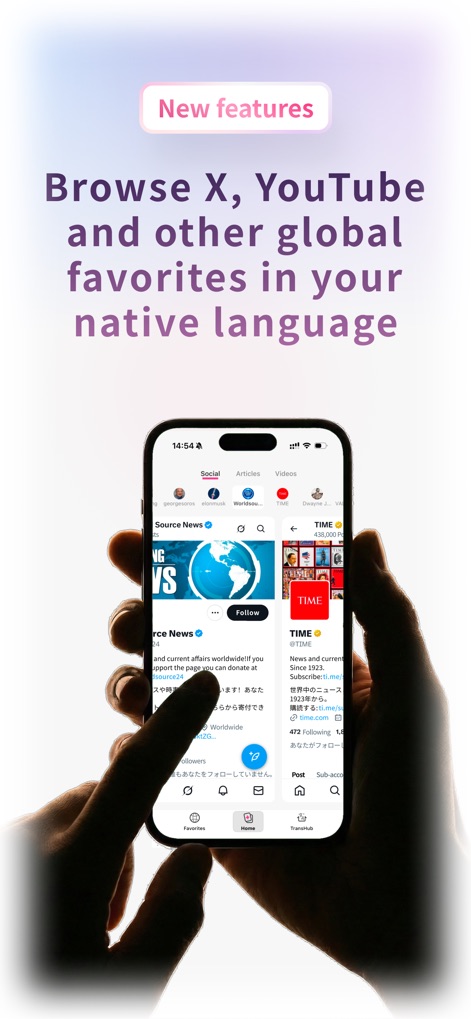
See how Immersive Translate enables users to instantly access content on major social platforms like X (formerly Twitter) and YouTube in their native language, breaking down global communication barriers.
Global Social Bridge
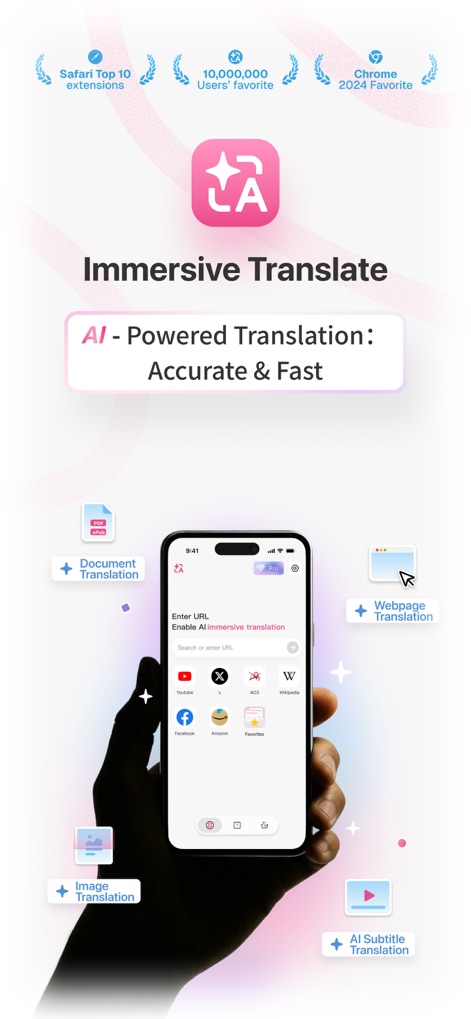
This tool presents a versatile AI-powered translation hub, clearly illustrating options for comprehensive Document Translation and quick Webpage Translation.
AI Translation Hub

Experience the app's unique "Dual-Language" display, allowing users to comfortably read content from popular platforms such as YouTube and Wikipedia in a side-by-side bilingual format.
Dual-Language Immersion
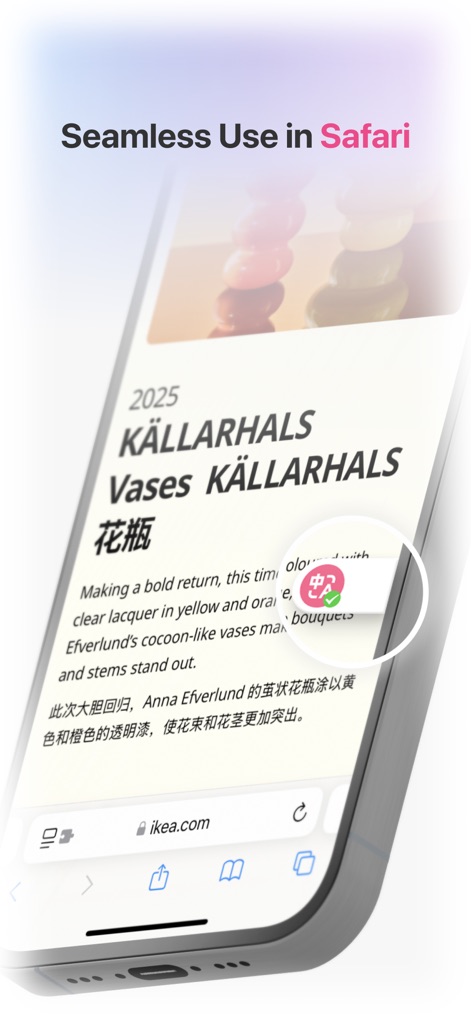
Observe the app's seamless integration within the Safari browser, featuring a distinct translation icon button that effortlessly transforms web content into a bilingual display.
Safari Integration
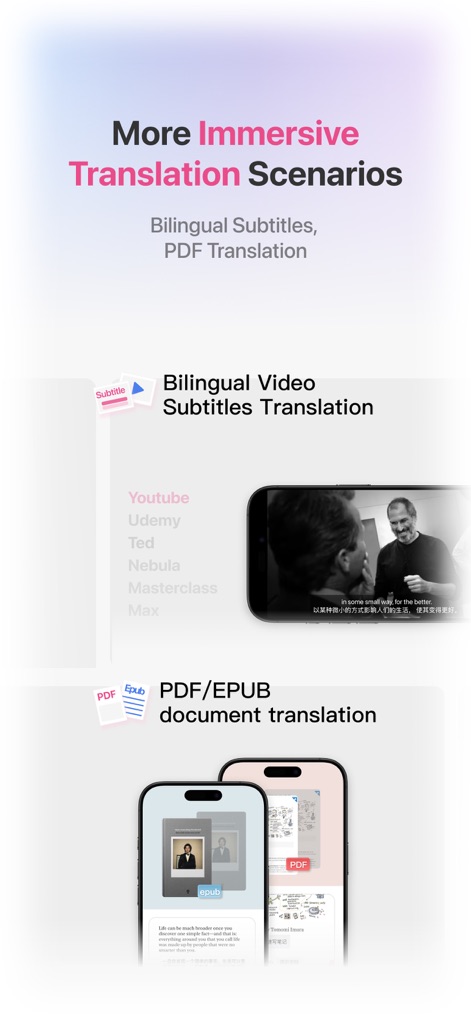
Discover the app's extensive capabilities, demonstrating bilingual subtitle translation for videos on platforms like YouTube and precise PDF document translation that maintains original formatting.
Diverse Content Translation
Description
Download
More Like This
Apps with similar features and user experience




This page is not an official page of the app or its developer, but an independent editorial publication created for informational and commentary purposes. Unless expressly stated otherwise, neither the app nor its developer is affiliated with, endorsed by, sponsored by, authorized by, or otherwise officially connected with MWM, Apple, Google Play, the app publisher, or the app's developer, and nothing on this page implies that the app was developed using MWM's services. Any trademarks, logos, screenshots, and other content remain the property of their respective owners.