Fantastical Calendar: The Award-Winning Schedule Optimizer
The most powerful calendar and task manager for the Apple ecosystem. Use natural language to organize your day, schedule meetings effortlessly, and stay ahead with an elegant, professional design.
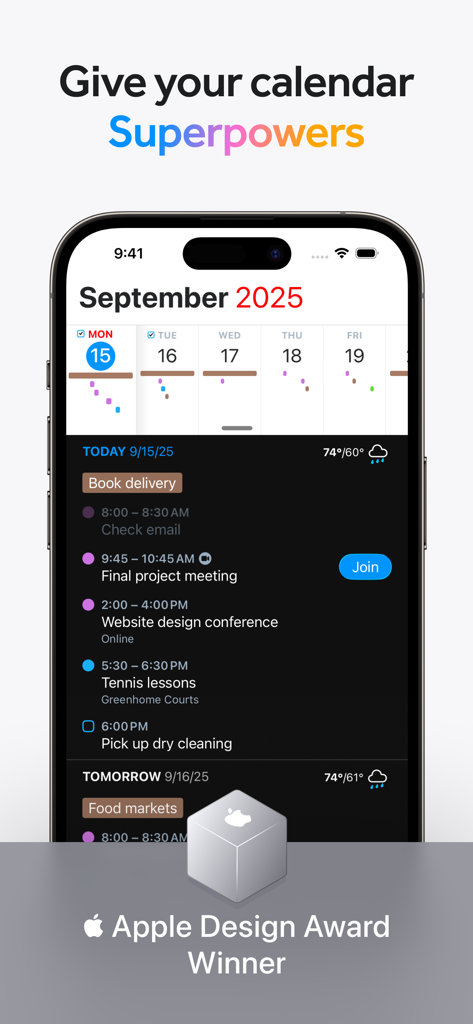
iPhone showing Fantastical calendar app with a detailed daily schedule and Apple Design Award logo
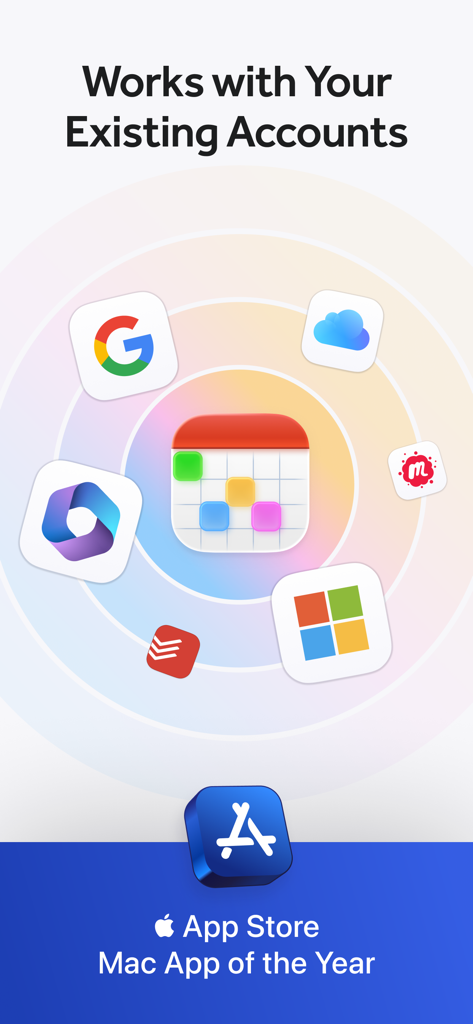
Fantastical Calendar works with Google iCloud and Microsoft accounts
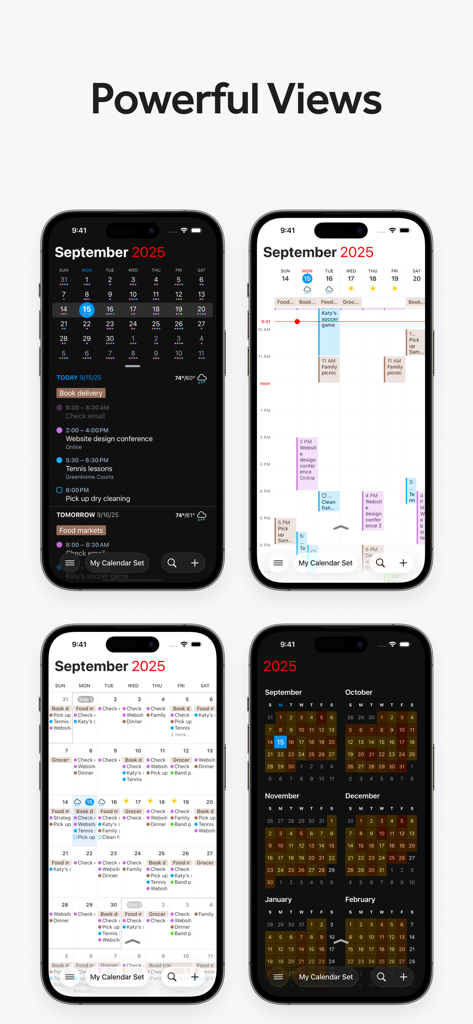
Four iPhone screens displaying Fantastical Calendar in different layouts including month week and year views in dark and light modes
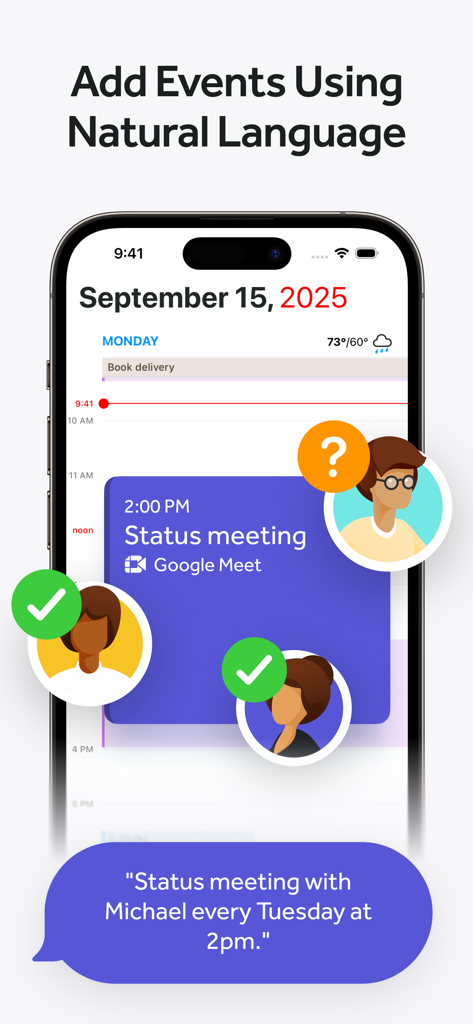
iPhone screen showing Fantastical app scheduling a status meeting using a natural language text command
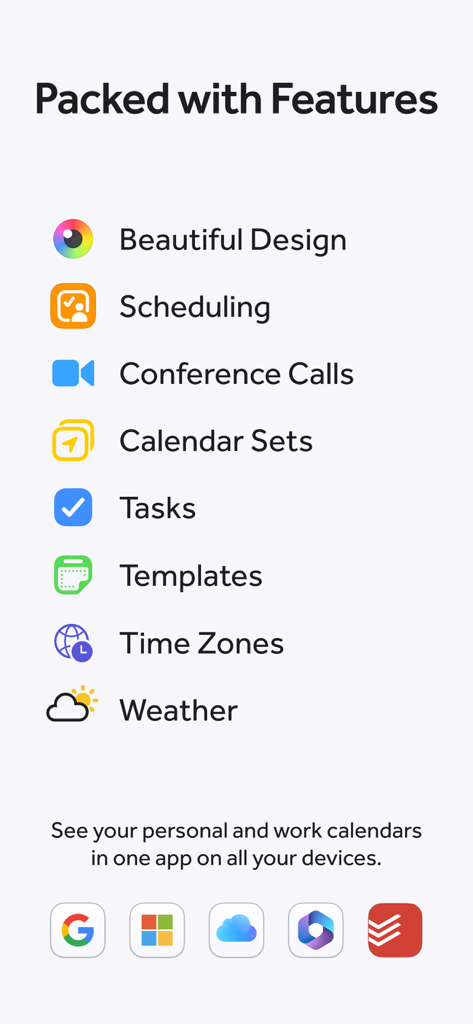
A list of key features for the Fantastical Calendar app including scheduling conference calls tasks and calendar sets.
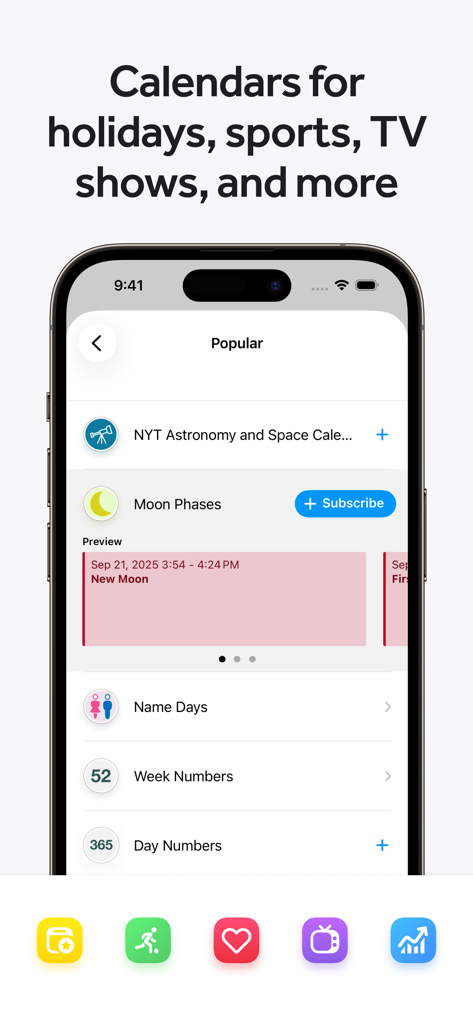
iPhone screen showing Fantastical Calendar subscription options for holidays, sports, and TV shows.
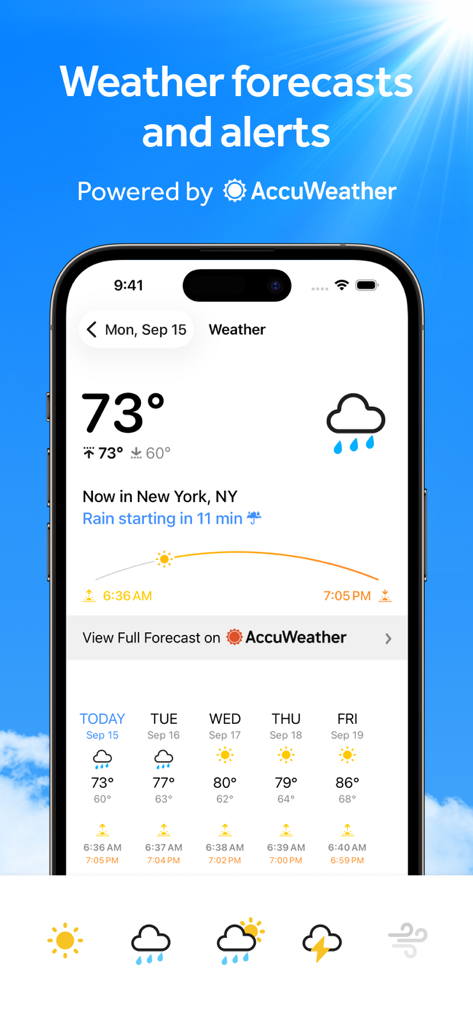
A screenshot of the Fantastical Calendar app displaying integrated weather forecasts and alerts
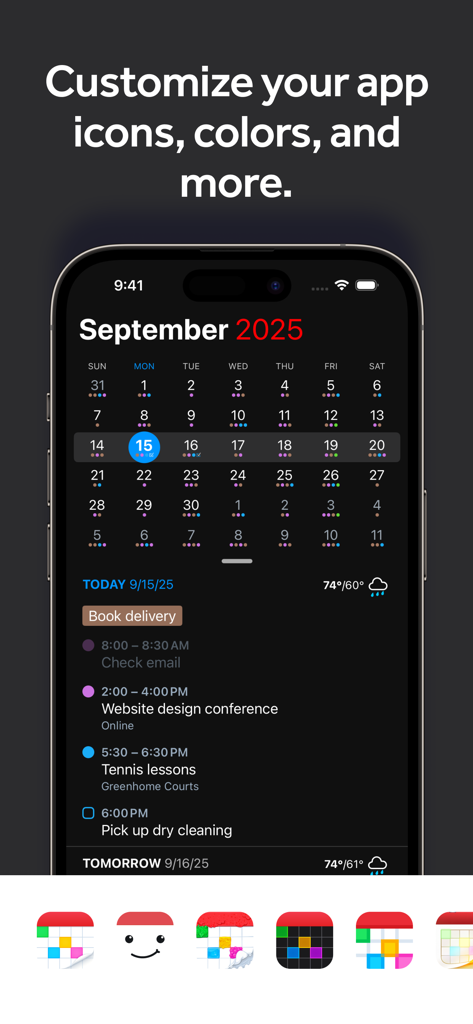
Dark mode interface of Fantastical Calendar showing a daily schedule and various custom app icon options
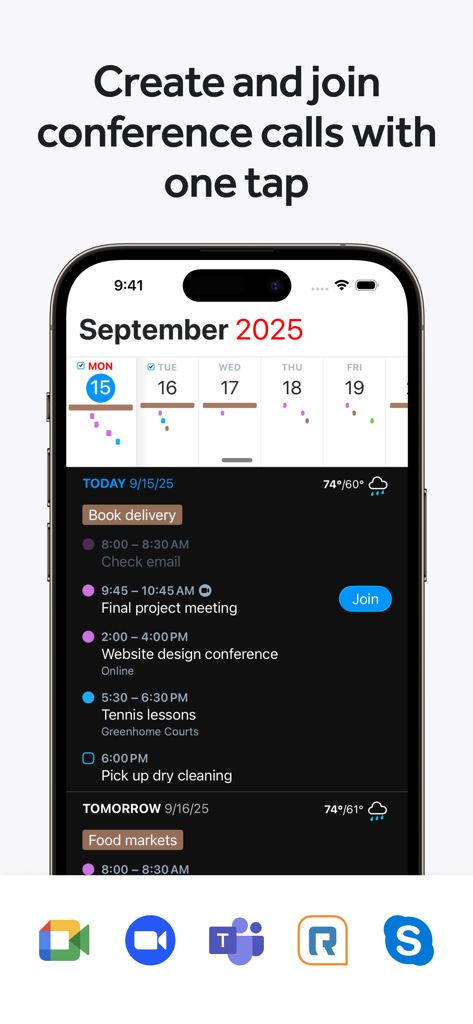
Fantastical Calendar app on iPhone showing a one-tap join button for meetings with conference call icons
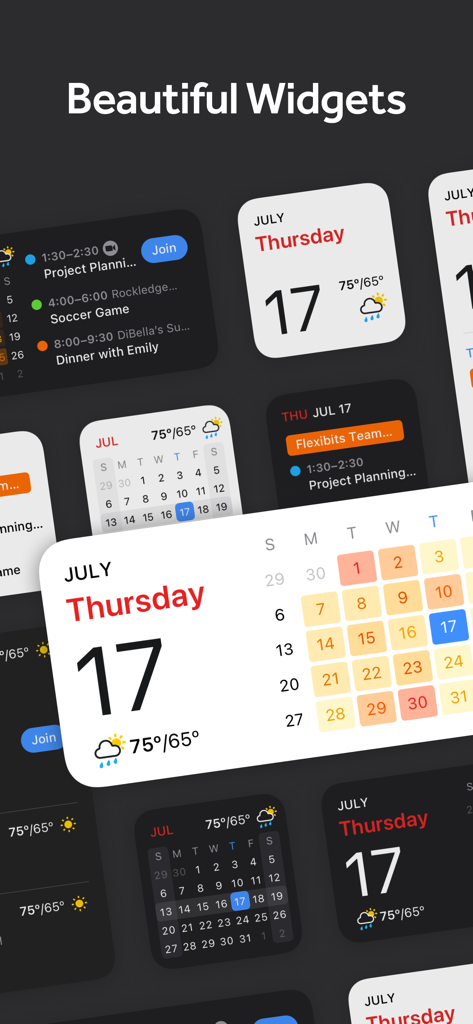
A collection of Fantastical Calendar widgets in light and dark themes showing dates and weather
Take Command of Your Time
The tools that make this app stand out, trusted by 3M+ users.
🪄
Type Less, Do More
Add events and tasks using natural language. Just type "Lunch with Sarah at noon" and let the app handle the details automatically.
🤝
Integrated Scheduling
Send meeting proposals and manage your availability directly from your calendar, eliminating the need for third-party booking tools.
📍
Location-Aware Workflows
Stay focused with Calendar Sets that automatically switch views when you arrive at the office or return home based on your location.
About the app
Everything you need to know about Fantastical Calendar.
Description
Fantastical is the award-winning calendar app with powerful features including intuitive natural language text parsing, beautiful full calendar day, week, month, quarter and year views, tasks, time zone support, and much, much more.
TRY FANTASTICAL FOR FREE
• Beautiful, clean, and easy to use calendar app allowing you to manage basic events
• The DayTicker and calendar makes your schedule look the nicest it ever has
• Full screen day, week, month, quarter, and year views
• Full task support including Todoist and Google Tasks
• 3 day weather forecast (powered by AccuWeather)
• 14 day free trial for Flexibits Premium
UPGRADE TO FLEXIBITS PREMIUM FOR EVEN MORE (requires subscription)
• Includes Fantastical on all devices: Mac, iPhone, Apple Watch, and iPad
• Openings: Schedule events based on your availability
• Proposals: Create meeting polls
• Add Zoom, Google Meet, Webex, and Microsoft Teams calls
• Extended 10 day weather forecast with RealFeel and MinuteCast up-to-the-minute weather data (powered by AccuWeather)
• Browse and instantly subscribe to interesting calendars, including sports, TV shows, holidays, and much more (powered by SchedJoules)
• Calendar sets - quickly toggle multiple calendars on or off with a simple click or automatically when you leave or arrive, based on location
• Event and task templates
• Sync calendar sets and templates across devices
• Apple Watch app with Up Next and Weather (and works over LTE)
• Parser autocomplete recommendations for invitees, locations, and calendars/task lists
• Propose multiple times to easily ask people when they can meet
• Combine duplicate events across multiple calendars
• Invitees and availability lookups
• Respond to event invitations
• Default alerts
• Time zone override
• Favorite time zones
• Push updates for Google and Exchange
• Set event travel time and receive time to leave notifications
• Custom event colors
• Custom home screen icons
• Custom alert sounds
• Hide events without deleting them
• Add attachments to events on iCloud, Google, and Exchange
• Priority email support
ADDING NEW EVENTS OR TASKS IS FAST AND FUN
• The easiest and fastest way to add new events or tasks
• Type in your details or use dictation and watch your words magically turn into an actual event or task!
• Powerful parser features, including:
- Create tasks by starting your sentence with “task” ”reminder", "todo", or "remind me to"
- Powerful and expressive repeating events such as third Thursday of every month, every weekend, last weekday of the month, and more
- Create alerts with phrases like "remind me tomorrow at 3PM", "alert 1 hour before", or "alarm 3PM"
THE BEST TASKS APP, TOO
• See your events and dated tasks together in the main list
• Add tasks directly from the Tasks list or new event screen - just flip the switch to toggle between events and tasks
• Set dates, times, and geofences (when I arrive/when I leave)
• Support for iCloud Reminders, Todoist, and Google Tasks
WORKS THE WAY YOU DO
• Connects to your favorite calendar services including iCloud, Google, Exchange, Office 365, Todoist, and more
• Automatically add alarms to your new events
• Fantastical is fully localized in English, French, German, Italian, Japanese, Spanish, and Portuguese
• Start typing your event or task in any of these languages and Fantastical will automagically understand!
EVEN MORE FANTASTICAL
• Lots and lots of iOS and iPadOS widgets
• Background app updating enables events, tasks, and alerts to be pushed to Fantastical even if you don't launch the app often
• Birthdays and Anniversaries - see your contact’s details or send a quick birthday or anniverary greeting
• Handoff support between Fantastical for Mac, iPhone, and iPad
• Time zone support including floating time zone support
• Dark and light themes
• Stickers
• Accessibility support
• And much, much more!
Latest Version
4.1.6
Size
175.0 MB
First Released
Oct 30, 2013
Ready to Master Your Time?
Join over 3 million professionals who have traded calendar clutter for effortless organization. Download Fantastical and start your 14-day free trial today.
FAQ
Frequently Asked Questions
Everything you need to know about Fantastical Calendar
How do I add events to Fantastical Calendar?
Fantastical Calendar allows users to add new events or tasks quickly by typing or using dictation. The app's powerful natural language parser automatically converts phrases like "Status meeting with Michael every Tuesday at 2pm" into actual calendar entries.
Does Fantastical Calendar support different calendar views?
Yes, Fantastical Calendar supports various views, including full-screen day, week, month, quarter, and year views. The DayTicker feature also enhances the visual presentation of your schedule within the app.
Can Fantastical Calendar integrate with other services like Google or iCloud?
Yes, Fantastical Calendar integrates with popular calendar services. It connects to iCloud, Google, Exchange, Office 365, and Todoist, allowing users to manage all their calendars in one application.
Is there a free version of Fantastical Calendar available?
Yes, Fantastical Calendar offers a free version with basic event management, the DayTicker, and a 3-day weather forecast. Users can also try Flexibits Premium with a 14-day free trial.
What features are included with a Flexibits Premium subscription for Fantastical?
Flexibits Premium includes Fantastical on all Apple devices, Openings and Proposals for scheduling, Zoom/Google Meet integration, extended 10-day weather, subscribable calendars, calendar sets, event/task templates, and priority email support.
Can I join video conference calls directly from Fantastical Calendar?
Yes, Flexibits Premium subscribers can add and join conference calls directly from Fantastical. It supports integrations with Zoom, Google Meet, Webex, and Microsoft Teams, with a 'Join' button appearing on event entries.
Does Fantastical Calendar offer weather forecasts?
Yes, Fantastical Calendar provides weather forecasts. The free version includes a 3-day forecast, while Flexibits Premium offers an extended 10-day forecast with RealFeel and MinuteCast data, powered by AccuWeather.
Can Fantastical Calendar help me manage tasks?
Yes, Fantastical Calendar offers comprehensive task management. It supports Todoist, Google Tasks, and iCloud Reminders. Users can view events and dated tasks together, add tasks, and set dates, times, or geofences.
Does Fantastical Calendar support natural language input for creating recurring events?
Yes, Fantastical Calendar's natural language parser supports creating powerful repeating events. Users can define complex recurring patterns such as "third Thursday of every month" or "every weekend" using simple text input.
Can I customize the appearance of Fantastical Calendar?
Yes, with Flexibits Premium, users can customize Fantastical Calendar. This includes setting custom event colors, choosing custom home screen icons, and configuring custom alert sounds to personalize the app's appearance and notifications.
App information, icons, screenshots, and descriptions displayed on this page are sourced from the Apple App Store and are the property of their respective developers. Download estimates and rankings are based on MWM's proprietary models and may not reflect actual figures. This page is provided for informational and analytical purposes only.
Believe this page infringes your intellectual property? File a dispute