Filerev for Google Drive

Filerev for Google Drive


Download on App Store
Logo of Filerev for Google Drive

Filerev for Google Drive: Reclaim Your Storage and Stop Overpaying

Tired of 'Storage Full' alerts? Effortlessly find duplicates, massive folders, and hidden files to declutter your digital life and avoid unnecessary subscription upgrades.

Download on App Store

Publisher

Filerev Inc

Category

Utilities

Downloads

0

User Rating

1.0/5

Total Ratings

0

Locales

1

Clarity at a Glance

Discover the interface used by 0 users.
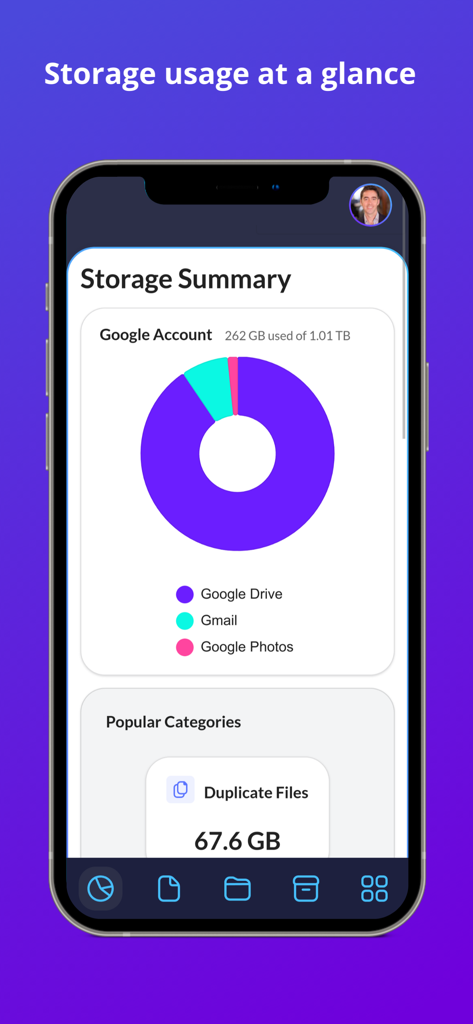
Dashboard showing Google Drive storage usage and duplicate files in Filerev

Dashboard showing Google Drive storage usage and duplicate files in Filerev

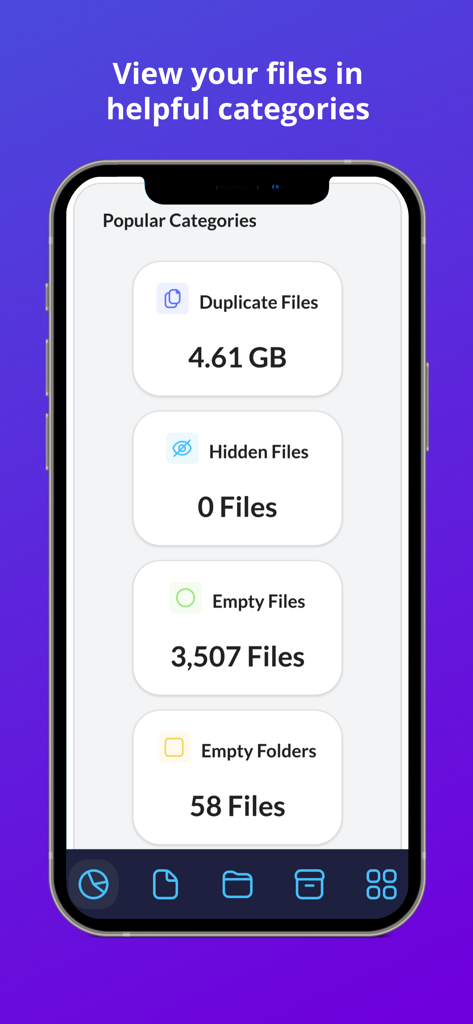
Filerev app screen showing storage categories including duplicate files hidden files and empty folders to help organize Google Drive

Filerev app screen showing storage categories including duplicate files hidden files and empty folders to help organize Google Drive

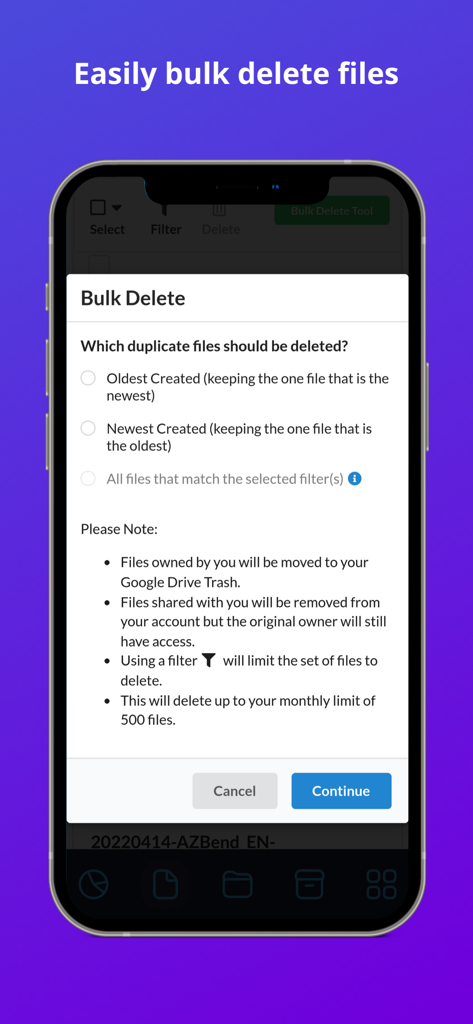
Interface of the Filerev bulk delete tool for managing Google Drive storage and duplicate files.

Interface of the Filerev bulk delete tool for managing Google Drive storage and duplicate files.

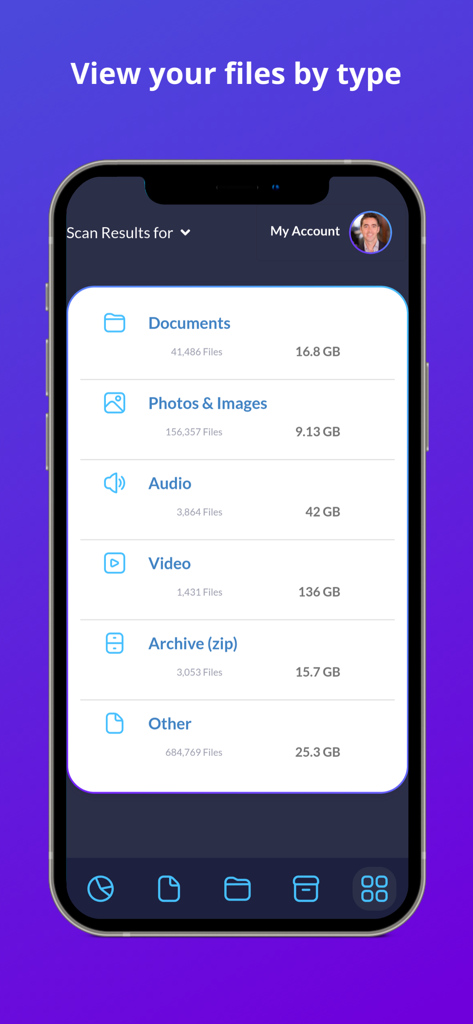
A mobile interface of the Filerev app categorizing Google Drive files by type and storage size

A mobile interface of the Filerev app categorizing Google Drive files by type and storage size

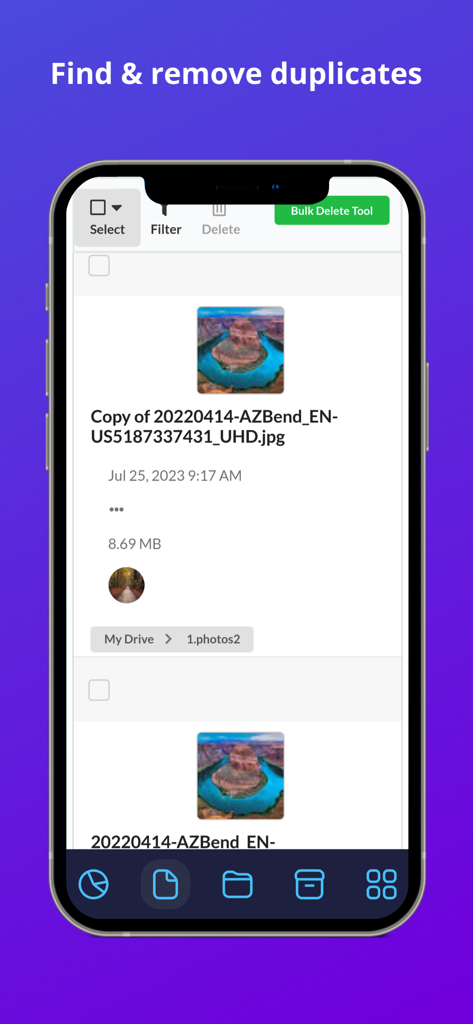
Filerev app interface showing a list of duplicate image files in Google Drive with a bulk delete option.

Filerev app interface showing a list of duplicate image files in Google Drive with a bulk delete option.

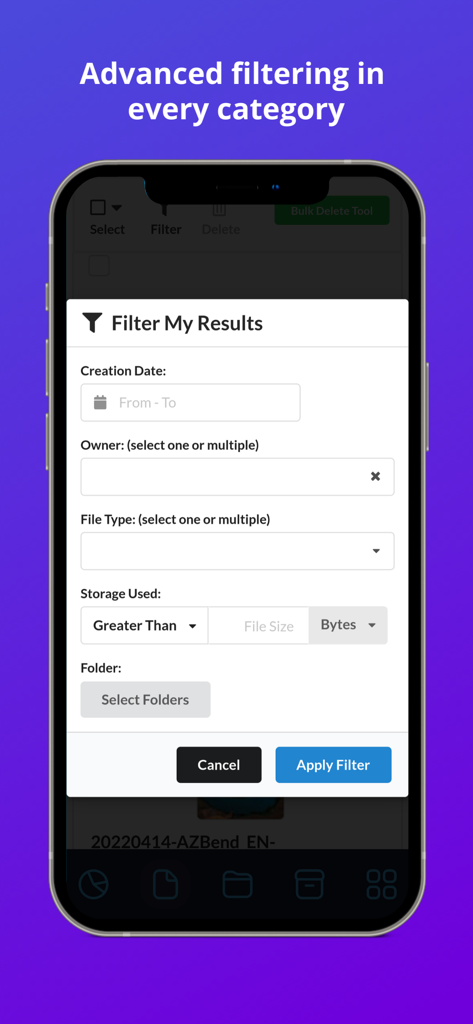
Interface showing advanced filtering options for Google Drive files in the Filerev app

Interface showing advanced filtering options for Google Drive files in the Filerev app

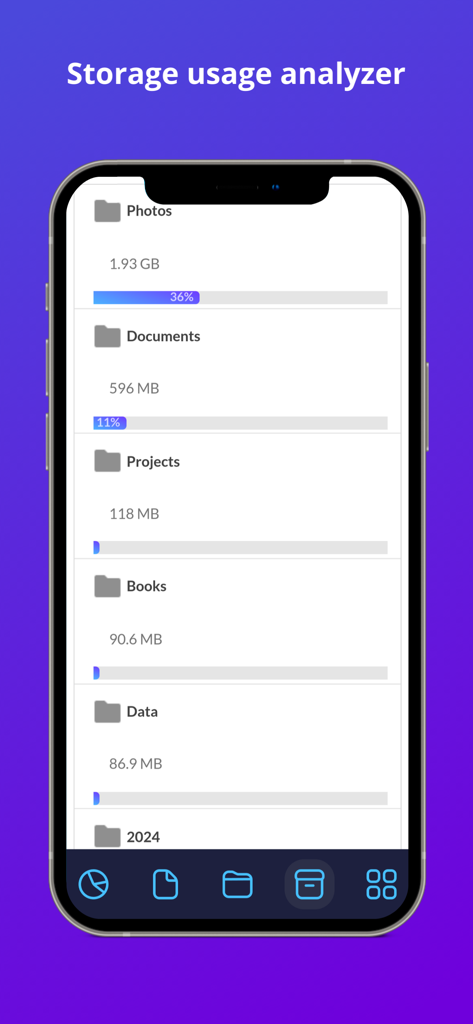
Storage usage analyzer screen in the Filerev app showing folder sizes and storage percentages for Google Drive

Storage usage analyzer screen in the Filerev app showing folder sizes and storage percentages for Google Drive

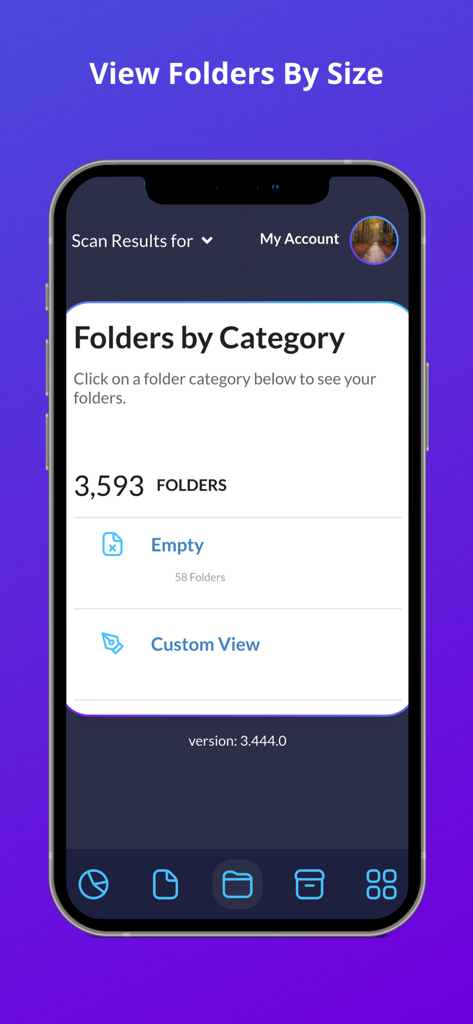
Filerev app screenshot showing Google Drive folders organized by category including empty folders

Filerev app screenshot showing Google Drive folders organized by category including empty folders

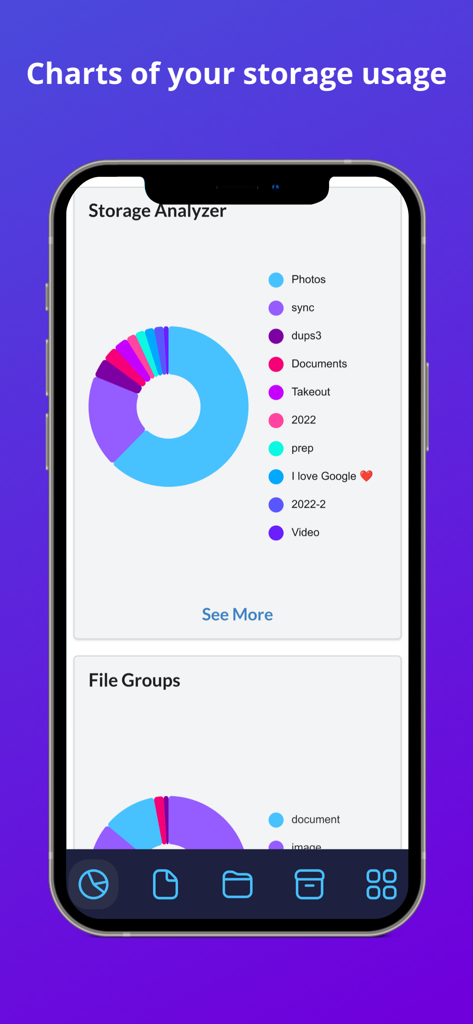
Storage Analyzer chart in Filerev for Google Drive showing storage breakdown by category

Storage Analyzer chart in Filerev for Google Drive showing storage breakdown by category

Take Control of Your Cloud Storage

The tools that make this app stand out, trusted by 0 users.

📑

Eliminate Hidden Duplicates

Identify and bulk-delete identical files and photos that waste space and create confusion in your digital workspace.

📂

Visualize Large Folders

Discover which folders are truly consuming your storage with deep insights that the native Google Drive interface hides from you.

Smart Bulk Cleaning

Save hours of manual sorting with advanced filters to remove empty folders, old archives, and temporary files in just one click.

About the app

Everything you need to know about Filerev for Google Drive.

Description

Organize your Google Drive files with Filerev and reduce your storage usage. This software will find your duplicate files, large files, large folders, hidden files, empty folders and so much more. It displays your files in an organized way so you can quickly see the files that are cluttering up your Google Drive account. When you first log in to the Filerev app with your Google account the software will scan your files and then present you with a report of how your storage is being used. The software will show your duplicate files, large files, hidden files, large folders, empty folders and let you browse files by specific file types. You can use filters to further drill down to specific files and folders. It can also bulk delete files and folders, making tasks like removing thousands of duplicate files a breeze. After your scan is complete you will be presented with a report of your storage usage. You will see a graph showing your storage usage by Google Drive, Gmail and Google Photos as well as the number of files and folders that exist in your account. Then you will see your files in specific categories such as: - Duplicate Files - Hidden Files - Empty Files - Files Larger than X MB - Files Older than X years - Files not owned by me - Temporary Files - Files by Extension - Custom Files, where you can view files by custom criteria. - Google Drive Trash In each category, you will see the total storage space that your files are consuming and how many files are in the category. Below the files there is another category for your folders where you will see: - Folders Larger than X MB - Empty Folders - Custom Folders where you can filter folders by custom criteria. You can also browse your files by specific file types. The file types are first broken down into high-level types such as: - Documents - Photos & Images** - Audio - Video - Archive (zip) - Other ** Please note, you can find and remove photos that exist in Google Drive but Filerev does not currently find files in Google Photos. When you view any one of these categories you will see your files further broken down into categories for specific file types (Microsoft Word, PDF, JPG, Excel, Google Sheets, Powerpoint, etc). When you view your files or folders in any of the categories listed above you will be presented with information about each file and folder. You can easily clear the clutter from your Google Drive account by selecting specific files or folders. You can also use the bulk delete feature to remove specific files or folders with a simple click. * PRICING * With the free plan, you can scan up to 1 million files in your Google Drive account and view how your storage is being used. You can see the number of duplicate files, empty folders, large folders and more that are taking up space in your Google Drive account. Then each month, you can delete up to 100 files and folders. Upgrade to a paid plan that starts for as little as 4 per month (paid annually) to unlock more features. The paid plans have additional features, and you can scan more files, delete more files and view large folders and empty folders. * SECURE & PRIVATE * We care about the privacy of your data and are committed to protecting it. Our motivation is to help you organize your Google Drive account, and we will not use your information for anything other than that. Everything is transferred over a secure SSL connection, and we encrypt any account information that we store. You can read more about this in our Privacy Policy (https://filerev.com/privacy) and our terms (https://filerev.com/terms). We also submit Filerev to security reviews and audits to ensure your data stays safe.

Latest Version

3.786.0

Size

18.4 MB

First Released

Oct 31, 2023

Stop Paying for Storage You Don’t Need

Join thousands of professionals and freelancers who use Filerev to find duplicates, remove hidden clutter, and reclaim their Google Drive space in minutes.

Download on App Store

App information, icons, screenshots, and descriptions displayed on this page are sourced from the Apple App Store and are the property of their respective developers. Download estimates and rankings are based on MWM's proprietary models and may not reflect actual figures. This page is provided for informational and analytical purposes only.

Believe this page infringes your intellectual property? File a dispute