Filmic Legacy
Filmic Legacy
Download on App Store

This page is not an official page of the app or its developer, but an independent editorial publication created for informational and commentary purposes. Unless expressly stated otherwise, neither the app nor its developer is affiliated with, endorsed by, sponsored by, authorized by, or otherwise officially connected with MWM, Apple, Google Play, the app publisher, or the app's developer, and nothing on this page implies that the app was developed using MWM's services. Any trademarks, logos, screenshots, and other content remain the property of their respective owners.

Logo of Filmic Legacy
Download on App Store

Filmic Legacy

Continue your cinematic journey with the trusted v6 interface. Harness the power of LOG V3, ProRes, and precision manual controls to turn your iPhone into a world-class production tool—no subscription required.

Key Figures

Downloads

104K+

User Rating

1.3/5

Total Ratings

900

Publisher

Bending Spoons Apps ApS

Category

Photo & Video

Locales

12

Latest Version

6.23.1

Size

190.1 MB

First Released

Nov 16, 2022
Features

Cinematic Power for the Purist Filmmaker

Filmic Legacy delivers the award-winning manual experience and high-end technical specs that transformed the iPhone into a professional cinema camera.

Tactile Manual Control

Master your shot with precision dual arc sliders for focus and exposure, ensuring smooth pulls and zero focus hunting during critical takes.

Professional LOG & ProRes

Capture maximum dynamic range with LOG V3 and 10-bit SDR support, allowing your mobile footage to grade seamlessly alongside high-end cinema rigs.

The following screenshots and description are sourced directly from the app's official store listing and are the property of the app developer.

App Store

Screenshots
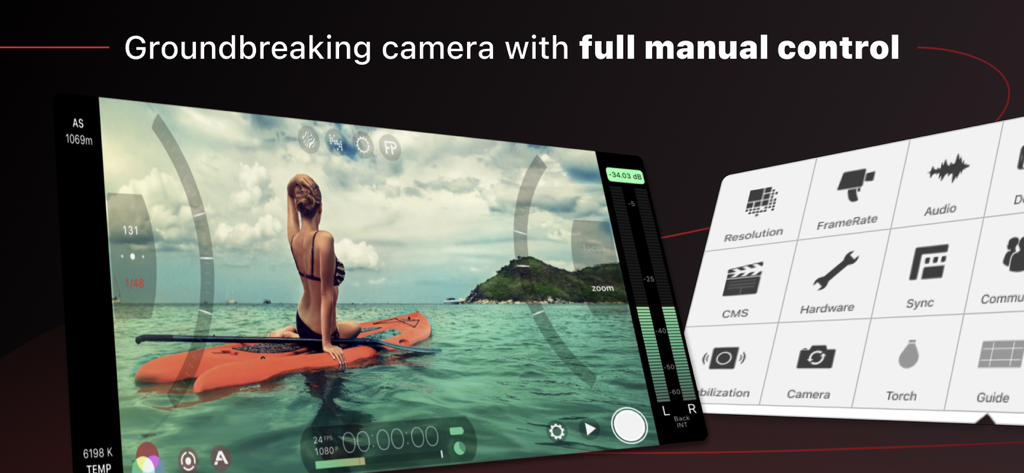
Filmic Legacy - Filmic Legacy video camera interface with manual arc sliders and settings menu
Filmic Legacy video camera interface with manual arc sliders and settings menu

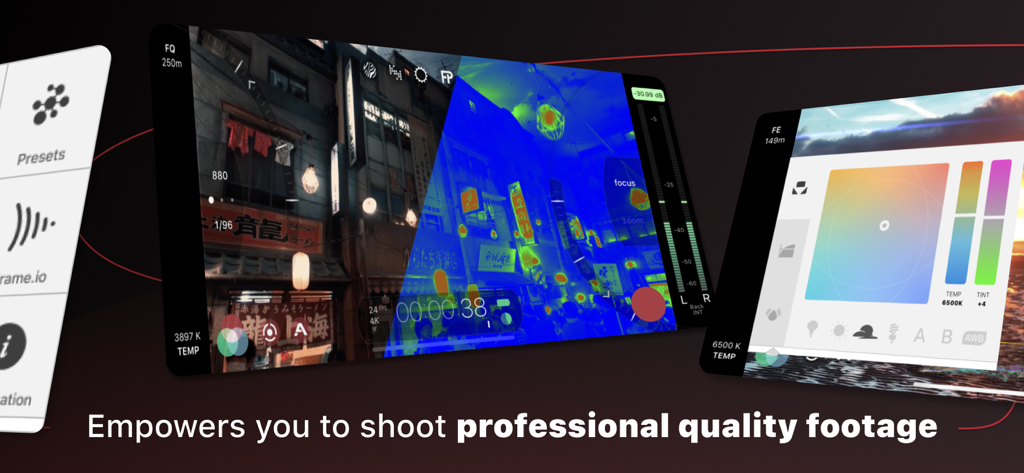
Filmic Legacy - Professional mobile cinematography tools and manual video controls in Filmic Legacy app
Professional mobile cinematography tools and manual video controls in Filmic Legacy app

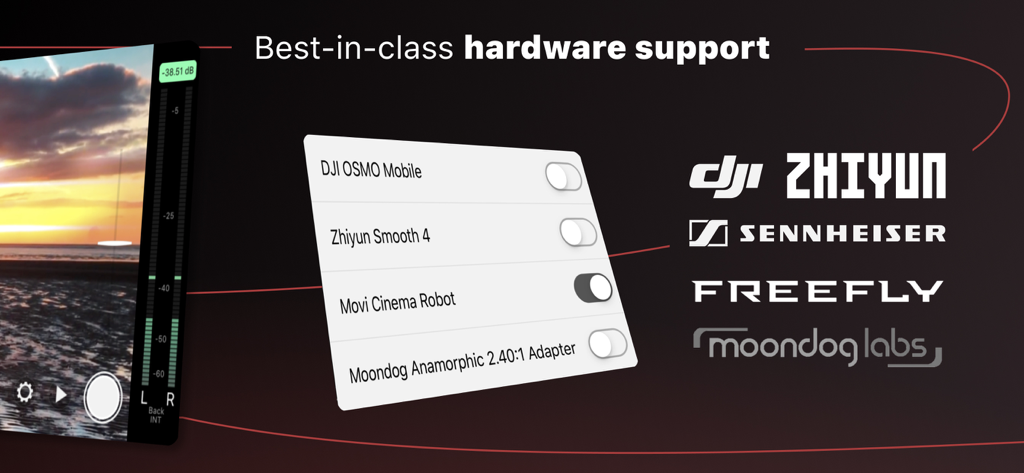
Filmic Legacy - Interface of Filmic Legacy showing compatibility with professional hardware like DJI gimbals and Sennheiser microphones

Interface of Filmic Legacy showing compatibility with professional hardware like DJI gimbals and Sennheiser microphones

Description

Filmic Legacy is available only to filmmakers who paid for Filmic Pro v6 before the 25th of August, 2022. It will continue to receive bug fixes but will not receive any new features. Filmic Legacy (previously FiLMiC Pro v6) features cutting-edge capabilities and a responsive manual filming experience. A multi-time iOS Video Camera App of the Year, Filmic Pro has been used in more high profile video projects by award winning directors than any other app: Unsane & High Flying Bird - Steven Soderbergh Tangerine - Sean Baker Lose You to Love Me - Selena Gomez Stupid Love - Lady Gaga Detour - Michel Gondry Snow Steam Iron - Zack Snyder Filmic Pro provides filmmakers, newscasters, teachers, vloggers, and artists with the capability to shoot in a true LOG gamma curve. LOG V2/V3/V3* allows for greater tonal range and flexibility in post production by expanding dynamic range and setting the iPhone’s capabilities on par with traditional camera systems costing thousands more. Filmic Pro also offers a range of cinematic film looks that can be applied in-camera at time of capture to deliver a truly cinematic aesthetic without the need for timely grading in post.* Note: Multicam support is not included in Filmic Pro but is available in our companion app: DoubleTake. v6 Banner Features: • Dual arc slider controls for manual focus and exposure • Live analytics suite of Zebras, False Color and Focus Peaking (limited to 30fps at 4k and 60fps at 1080p) • Dolby Vision HDR support (limited to 4K 30fps. Incompatible with CineKit) • ProRes support on 13/14 series • Realtime film looks (8-bit/DolbyVision)* • Frame.io Camera to Cloud integration on iPhone 11 & newer • 10-bit SDR support for 12 series & newer* • Clean HDMI Out for monitoring & webcam use • Ramped zoom rocker • Waveform monitor including tri-mode histogram • Manual white balance adjustment & custom presets • Content Management (CMS) for file naming • FiLMiC Sync account to store presets in the cloud and share between devices • Gamma curve controls for Natural, Dynamic, Flat and LOGv2/V3/V3+* • Shadow and highlight controls • RGB, saturation and vibrance controls Foundation Features: • Standard, manual and hybrid shooting modes. A shooting style for any skill level. • Apple Watch support for remote start/stop + video preview • Vertical and landscape support • Variable speed zoom • Sync audio frame rates of 24, 25, 30, 48, 50 and 60 fps • High speed frame rates of 60,120, 240 fps (hardware dependent) • Slow and fast motion FX • Time lapse capture • Tri-mode histogram, including waveform • Downsampling to lower resolutions • Saved shooting presets • Framing guide overlays • Image stabilization • Support for Filmic Remote. Remote allows you to control an iOS device running Filmic Pro with a second device running Filmic Remote. Full manual controls with pull capabilities for: • Exposure: ISO and shutter speed • Manual focus • Zoom 8 aspect ratios including: • Widescreen (16:9) • Super 35 (2.39:1) • Ultra Panavision (2.76:1) • Square (1:1) Share your video through any iOS share-capable apps like: Facebook, DropBox, FTP. 4 encoding options to balance quality and file size: • Filmic Extreme (~150Mbps encoding at 4K on latest gen devices) • Filmic Quality • Apple Standard • Economy 3rd Party Hardware Support: • 1.33x and 1.55x anamorphic desqueeze • 35mm lens adapters • Horizontal flip Supported Gimbals: • Zhiyun Smooth 4/5 • DJI OSMO Mobile 1/2/3/4/5 Advanced Audio Features: • Pro audio formats: PCM, AIFF, AAC • 44.1 & 48kHz • Headphone monitoring • Pro audio meter • Manual input gain • External microphone level control *Note: Not all features available on older devices and resolution and frame rate restrictions may apply.*

Download

Download on App Store

This page is not an official page of the app or its developer, but an independent editorial publication created for informational and commentary purposes. Unless expressly stated otherwise, neither the app nor its developer is affiliated with, endorsed by, sponsored by, authorized by, or otherwise officially connected with MWM, Apple, Google Play, the app publisher, or the app's developer, and nothing on this page implies that the app was developed using MWM's services. Any trademarks, logos, screenshots, and other content remain the property of their respective owners.