Vibe Cam - Moments Never Fade
Download on App Store

This page is not an official page of the app or its developer, but an independent editorial publication created for informational and commentary purposes. Unless expressly stated otherwise, neither the app nor its developer is affiliated with, endorsed by, sponsored by, authorized by, or otherwise officially connected with MWM, Apple, Google Play, the app publisher, or the app's developer, and nothing on this page implies that the app was developed using MWM's services. Any trademarks, logos, screenshots, and other content remain the property of their respective owners.

Logo of Vibe Cam - Moments Never Fade
Download on App Store

Vibe Cam - Moments Never Fade

Transform your iPhone into a pro-grade studio with manual exposure controls, authentic film simulations, and AI-powered subject tracking for cinematic results.

Key Figures

Downloads

68K+

User Rating

4.9/5

Total Ratings

2K+

Publisher

森 林

Category

Photo & Video

Locales

14

Latest Version

4.5.6

Size

182.7 MB

First Released

Nov 13, 2023
Features

Professional Power, Analog Soul

Turn your iPhone into a high-end mirrorless camera with the perfect blend of manual precision and vintage film aesthetics.

Authentic Film Simulation

Ditch the over-processed digital look for the soulful grain, rich textures, and soft-light ambiance of classic analog film.

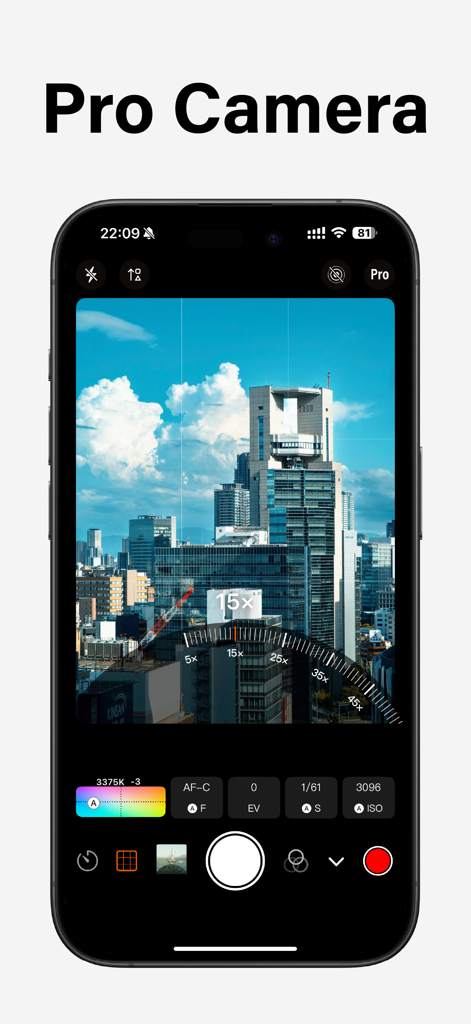
DSLR-Level Manual Control

Take total creative command with independent settings for ISO, shutter speed, and focus lock to capture exactly what you see.

The following screenshots and description are sourced directly from the app's official store listing and are the property of the app developer.

App Store

Screenshots
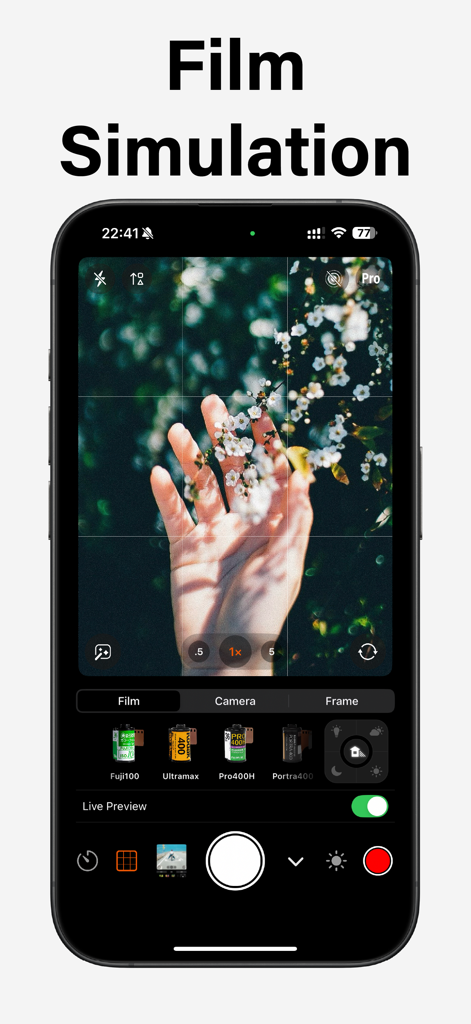
Vibe Cam - Moments Never Fade - Smartphone screen showing Vibe Cam app with various film simulation presets like Fuji100 and Portra400 for a vintage photography look.
Smartphone screen showing Vibe Cam app with various film simulation presets like Fuji100 and Portra400 for a vintage photography look.

Vibe Cam - Moments Never Fade - Smartphone displaying Vibe Cam app with professional DSLR level manual camera settings and a zoom dial over a city view
Smartphone displaying Vibe Cam app with professional DSLR level manual camera settings and a zoom dial over a city view

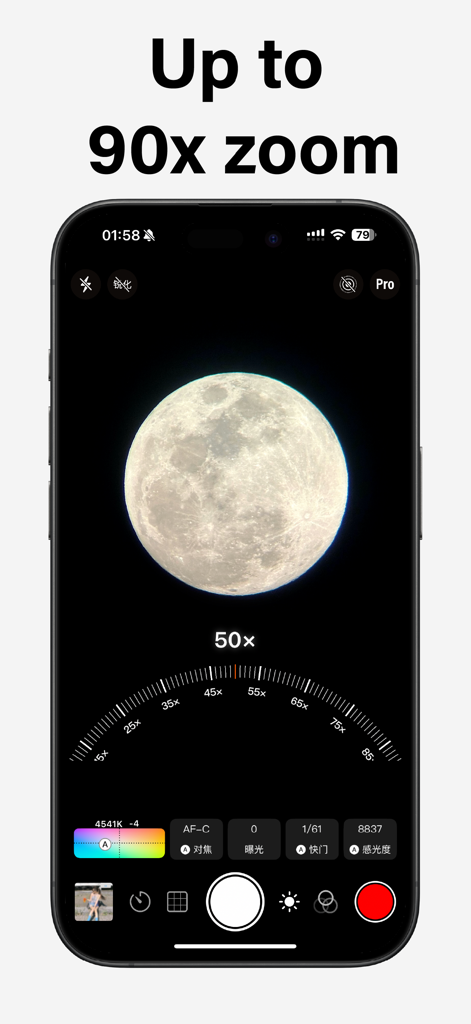
Vibe Cam - Moments Never Fade - A smartphone interface displaying Vibe Cam with a 50x zoom on a detailed moon and manual professional camera controls.
A smartphone interface displaying Vibe Cam with a 50x zoom on a detailed moon and manual professional camera controls.

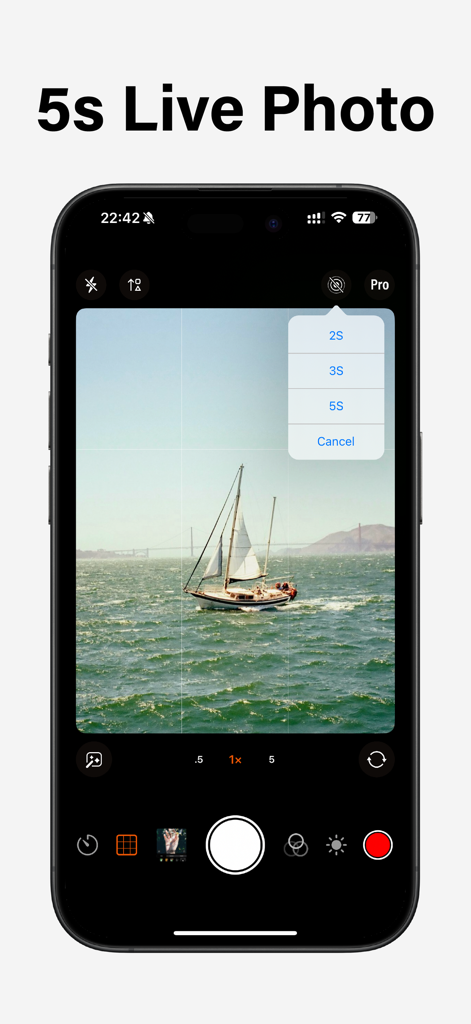
Vibe Cam - Moments Never Fade - Vibe Cam app interface on an iPhone displaying the 5s Live Photo selection menu over a scenic photo of a sailboat near a bridge
Vibe Cam app interface on an iPhone displaying the 5s Live Photo selection menu over a scenic photo of a sailboat near a bridge

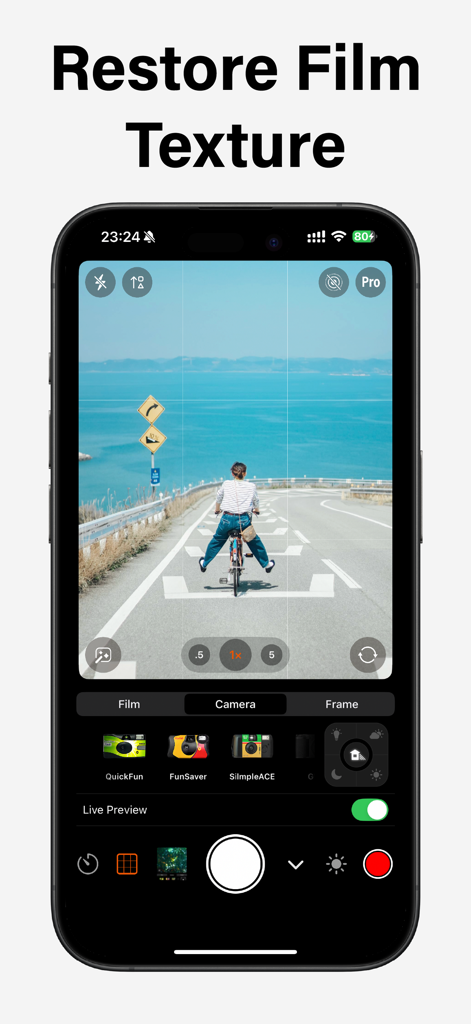
Vibe Cam - Moments Never Fade - Vibe Cam mobile app interface displaying a film texture simulation of a person on a bicycle by the sea
Vibe Cam mobile app interface displaying a film texture simulation of a person on a bicycle by the sea

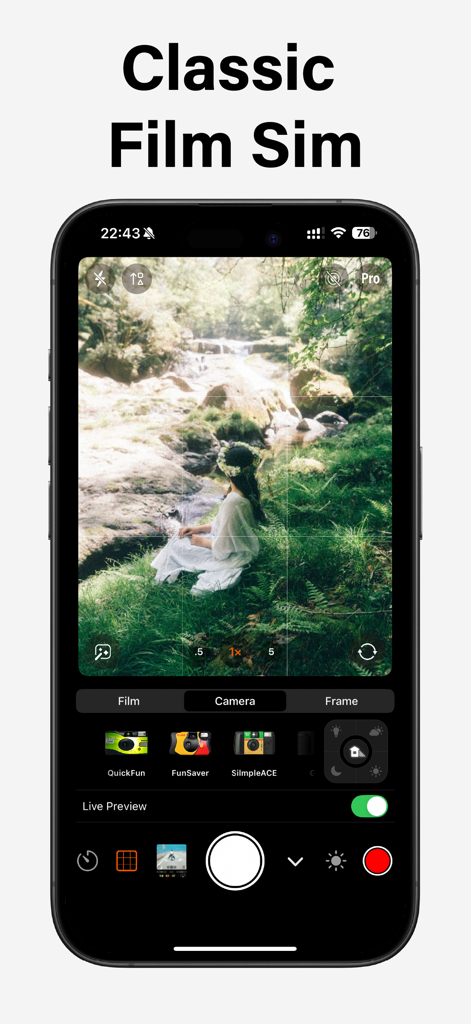
Vibe Cam - Moments Never Fade - iPhone screen showing Vibe Cam app interface with classic film simulation filters and a woman sitting in a forest by a stream.
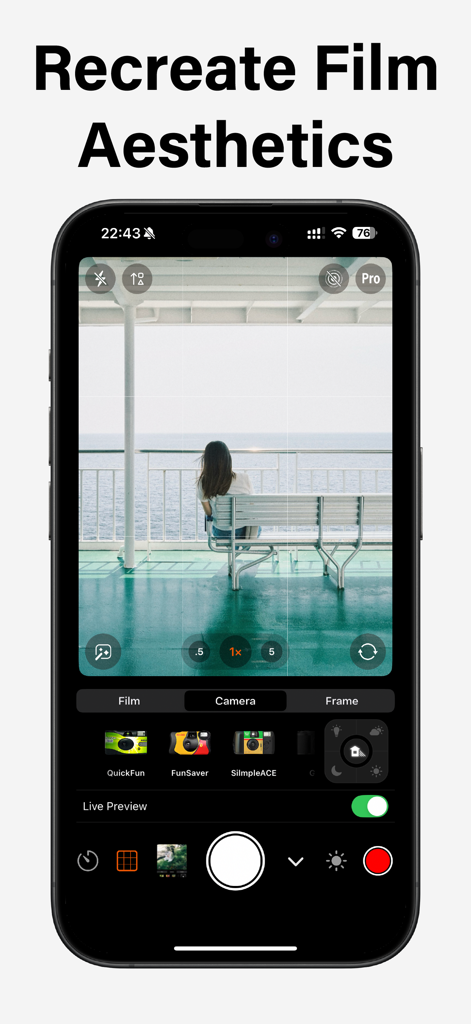
iPhone screen showing Vibe Cam app interface with classic film simulation filters and a woman sitting in a forest by a stream.

Vibe Cam - Moments Never Fade - Vibe Cam app interface showing a woman on a boat with vintage film simulation presets and camera controls
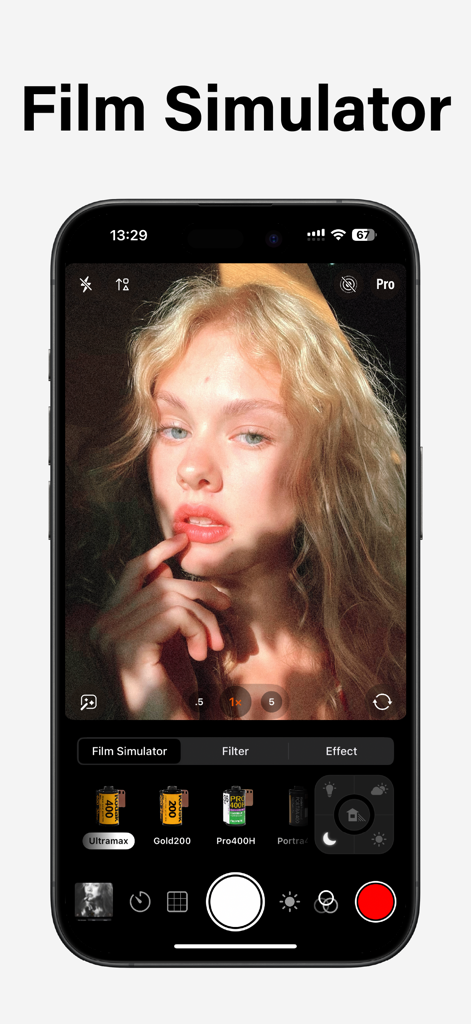
Vibe Cam app interface showing a woman on a boat with vintage film simulation presets and camera controls

Vibe Cam - Moments Never Fade - A professional camera app interface showing film simulation presets and analog photo filters for an aesthetic look.
A professional camera app interface showing film simulation presets and analog photo filters for an aesthetic look.

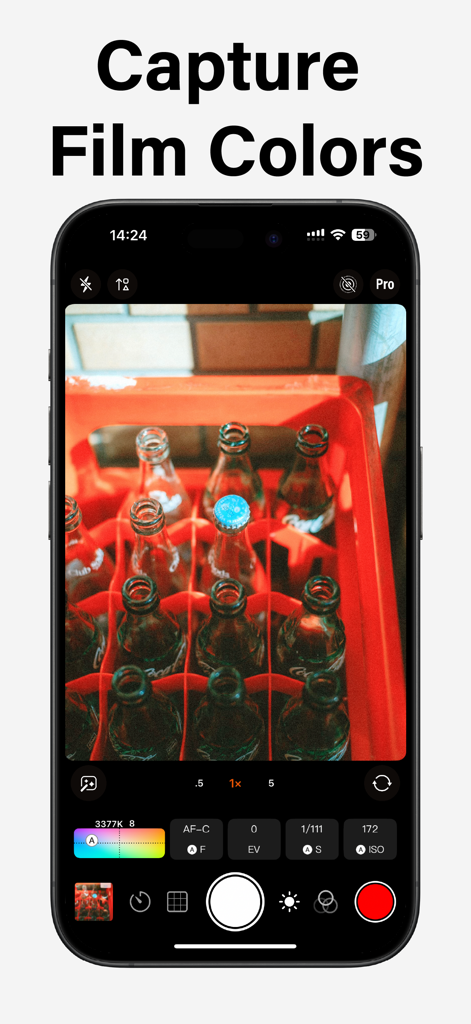
Vibe Cam - Moments Never Fade - Vibe Cam app interface showing professional manual camera controls and film simulation colors

Vibe Cam app interface showing professional manual camera controls and film simulation colors

Description

Vibe Cam is a professional all-in-one camera app! New Film Simulation: From exposure control to grain texture, from soft light ambiance to contrast adjustment, authentically recreating the charm of classic films. Features mirrorless-level photography functions and settings to meet all your expectations for professional shooting. # DSLR-level photography - Supports two exposure modes: P and M. P: Programmed continuous auto exposure mode, with shutter speed and ISO adjusted in real time based on ambient light. Customizable [Dynamic Exposure Zone] is supported. After setting the exposure zone, the exposure can be locked, i.e. turning on [AE-L] exposure lock. M: Both the shutter speed and ISO are controlled by you, and custom dynamic exposure zones are not supported. - Support AF-C, AF-S, and MF focus modes: AF-C: Continuous autofocus, where the focus point is continuously adjusted, supports [Live Tracking], and supports custom [Dynamic Focus Area]. After setting the focus area, the focus can be locked, which is to turn on [AF-L] focus lock. AF-S: Single-shot autofocus, which can be performed by tapping the screen to select [Touch Focus] and [Touch Shutter]. With Touch Shutter, the touch point is focused on, and the camera automatically captures the image after the focus is complete. AF-S does not support live tracking or custom dynamic focus areas. MF: Manual focus, the focus distance is controlled by you. - Live and Extended Display: Connecting the video capture card through a wired interface can transmit the clean image to the computer. Transmit the clean image to the TV or monitor through screen mirroring or wired interface. - External Storage: When connecting an external hard drive, it will be automatically recognized, and the storage path for video files will automatically switch to the external hard drive.This feature is only supported on iPhone 15 Pro and iPhone 15 Pro Max. - Stereo recording and In-Ear Monitor: Support for using Bluetooth headphones or wired headphones as monitoring headphones for recording; Support dual-channel Bluetooth microphone recording stereo video (such as DJI Mic); Support for recording stereo video with USB two-channel microphones (such as the Audio-Technica USB microphone); - Subject Detection: Live recognition supports face and body recognition, as well as cat and dog recognition. In the AF-C mode, the focus point will track and identify the object. When multiple objects are identified, the focus point will default to tracking the largest object. You can also lock the focus tracking object by clicking the tracking box. Live tracking is not supported in AF-S and MF modes. # Subscription Info - Subscribe for unlimited access to all features and content offered for purchase within the app. - Subscription options: $7.99 per year, $12.99 for one-time purchase. - Payment will be charged to your iTunes account at confirmation of purchase. - Subscriptions will automatically renew unless auto-renew is turned off at least 24 hours before the end of the current period. - Your account will be charged for renewal, in accordance with your plan, within 24 hours prior to the end of the current period. Terms of use: https://camera001.com/terms_conditions_en.html Privacy policy: https://camera001.com/privacy_policy_en.html

Download

Download on App Store

This page is not an official page of the app or its developer, but an independent editorial publication created for informational and commentary purposes. Unless expressly stated otherwise, neither the app nor its developer is affiliated with, endorsed by, sponsored by, authorized by, or otherwise officially connected with MWM, Apple, Google Play, the app publisher, or the app's developer, and nothing on this page implies that the app was developed using MWM's services. Any trademarks, logos, screenshots, and other content remain the property of their respective owners.