
This page is not an official page of the app or its developer, but an independent editorial publication created for informational and commentary purposes. Unless expressly stated otherwise, neither the app nor its developer is affiliated with, endorsed by, sponsored by, authorized by, or otherwise officially connected with MWM, Apple, Google Play, the app publisher, or the app's developer, and nothing on this page implies that the app was developed using MWM's services. Any trademarks, logos, screenshots, and other content remain the property of their respective owners.


Filmora: AI Video Editor&Maker
Video creation has changed. The app injects advanced AI directly into users' workflow, transforming raw concepts into polished, viral-ready narratives with remarkable ease.
Downloads
25M+User Rating
Total Ratings
335.1KPublisher
Category
Photo & VideoLocales
21Latest Version
15.3.50Size
654.6 MBFirst Released
Apr 28, 2016Key Features Analysis: Filmora: AI Video Editor&Maker
An evaluation of core functionalities and their impact on modern content creation workflows.
AI Smart Cutout
The app allows users to precisely isolate and cut out subjects from videos with intelligent AI, enabling background replacement or advanced visual compositions.
Dynamic Captions (Auto Speech-to-Text)
This tool automatically converts speech to text, generating dynamic, word-by-word captions that enhance accessibility and engagement for viewers.
AI Auto Cut
The app seamlessly identifies and stitches highlight moments together, allowing users to create cinematic stories with minimal effort.
Text to Video Generation
It allows users to generate full videos from text prompts, leveraging AI copywriting and subtitles to maintain visual quality and thematic adherence.
Smart Tracking
This tool supports intelligent tracking of faces, objects, or other targets, allowing for precise application of stickers, text, or picture-in-picture elements.
AI Remover
This tool effortlessly erases unwanted elements or objects from videos, ensuring a clean and professional final cut.
Image to Video Creation
The app magically transforms creative ideas and photos into dynamic videos using advanced AI technology.
Stunning Templates with AI Effects
The app provides stunning templates that enable users to create polished videos in one click, enhanced with built-in AI video effects.
Frequently Asked Questions
Everything you need to know about Filmora: AI Video Editor&Maker
What is Filmora AI Video Editor?
Filmora AI Video Editor is an AI-based video editor and movie maker. It features tools like Image to Video, VideoGen, AI Auto Cut, and Dynamic Captions to help users create and edit videos.
Does Filmora AI Video Editor offer an "Image to Video" feature?
Yes, Filmora AI Video Editor includes an "Image to Video" feature. Users input creative ideas, and the AI converts photos into dynamic videos. This feature is also visible in Screenshot #3.
Can Filmora AI Video Editor remove unwanted elements from videos?
Yes, Filmora AI Video Editor includes "AI Remover" for effortlessly erasing unwanted elements from videos. It also features "AI Smart Cutout" for customized object removal and background replacement.
What are the subscription options for Filmora Pro?
Filmora Pro subscriptions offer Monthly, Annual, or Perpetual billing options. These subscriptions grant access to all features and paid editing materials, while automatically removing watermarks and logo rolls.
Does Filmora AI Video Editor support Text to Speech conversion?
Yes, Filmora AI Video Editor supports Text to Speech. This feature transforms written text into professional voiceovers for videos, enhancing auditory content. Screenshot #4 displays the Text-To-Speech functionality.
How does Filmora AI Video Editor handle captions?
Filmora AI Video Editor provides "Dynamic Captions," which auto-convert speech to text into word-by-word captions. It also features "Text to Video" for generating videos with AI copywriting and subtitles.
Does Filmora AI Video Editor allow adjusting video speed?
Yes, Filmora AI Video Editor allows users to adjust video speed. It includes speed control with customizable and pre-set curves, enabling fast or slow-motion effects. Screenshot #7 shows the "Speed Curve" interface.
Can Filmora AI Video Editor extract music from videos?
Yes, Filmora AI Video Editor can extract music directly from videos. It also enables users to split audio to remove unwanted segments and to add various music, sound effects, or voice-overs.
Is Filmora AI Video Editor suitable for beginners?
Yes, Filmora AI Video Editor offers user-friendly features for beginners. These include trimming, splitting, merging clips, adding text and emojis, and using stunning templates for one-click video creation.
How do I contact support for Filmora AI Video Editor?
You can contact support for Filmora AI Video Editor via email at mailer@service.wondershare.com or by visiting their support website at http://support.wondershare.com.
The following screenshots and description are sourced directly from the app's official store listing and are the property of the app developer.
App Store
Screenshots
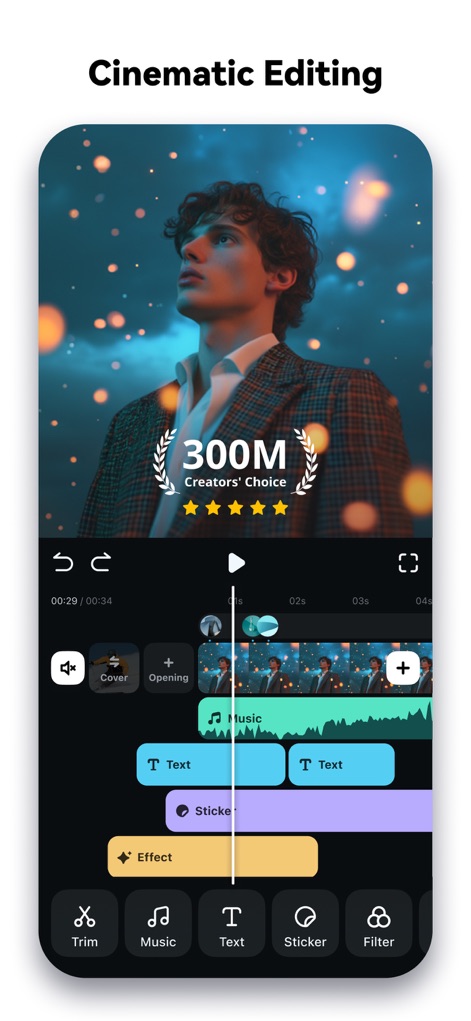
Multi-Layer Editing
See how the app facilitates multi-track editing with distinct layers for video, text, and music, showcasing its appeal to "300M Creators' Choice".
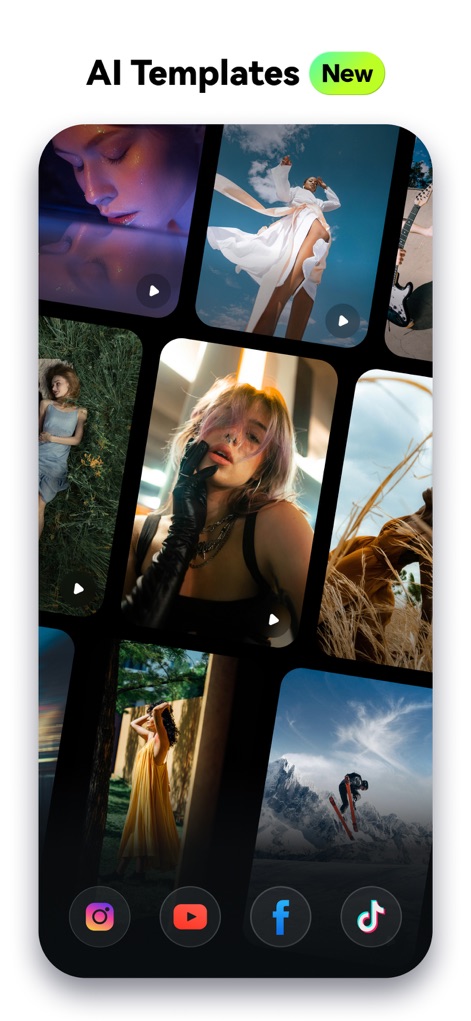
AI-Powered Templates
Explore the extensive gallery of AI templates designed to jumpstart video projects, featuring quick links for popular social media platforms.
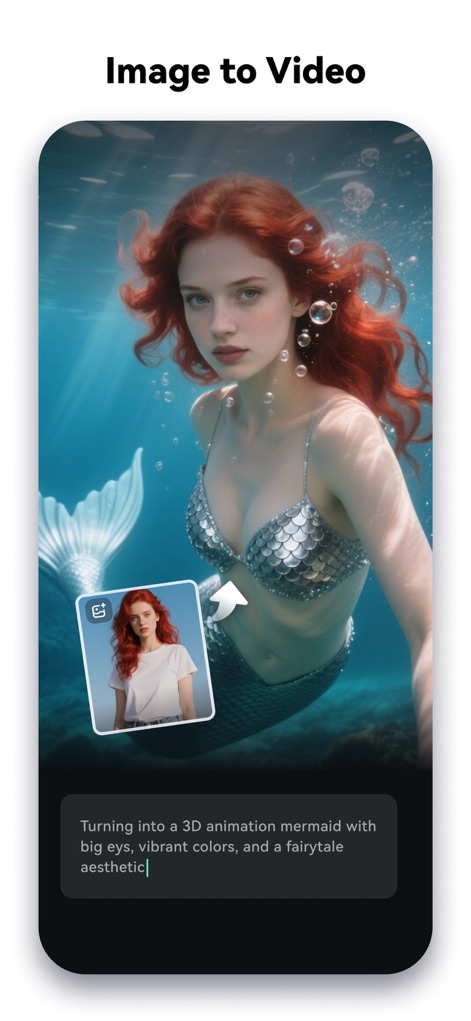
Image Transformation Magic
Witness the app's capability to transform static images into dynamic videos, powered by intelligent text prompts for creative generation.

Dynamic Speech Creation
Discover how users can instantly generate professional voiceovers using the Text-to-Speech (TTS) feature, integrating seamlessly with existing text elements on the timeline.

Smart Captioning Solutions
Observe the app's ability to create automatic captions and lyrics from spoken audio, presenting them as powerful animated text overlays for enhanced engagement.

AI Audio Generation
Experience the app's AI Audio generation feature, allowing users to select moods for bespoke soundscapes and visualize audio levels with the integrated equalizer.

Dynamic Speed Control
Master intricate video pacing with the customizable speed curve, allowing users to precisely adjust motion through an intuitive graphical interface.

Platform-Ready Exports
Prepare videos for any platform with ease using the app's social media optimized aspect ratio presets, ensuring content looks perfect across various dimensions.
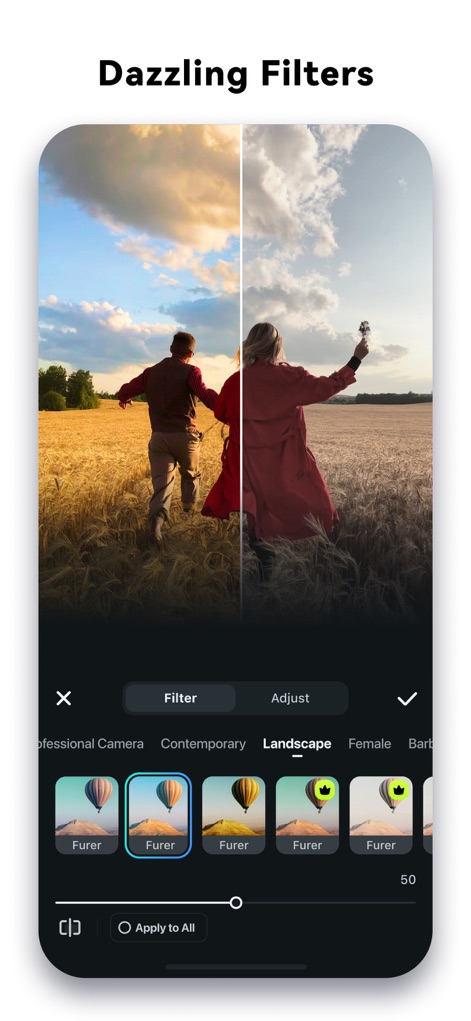
Creative Filter Library
Enhance visuals with a vast library of dazzling filters, utilizing the convenient before-and-after comparison and categorized filter options for precise adjustments.
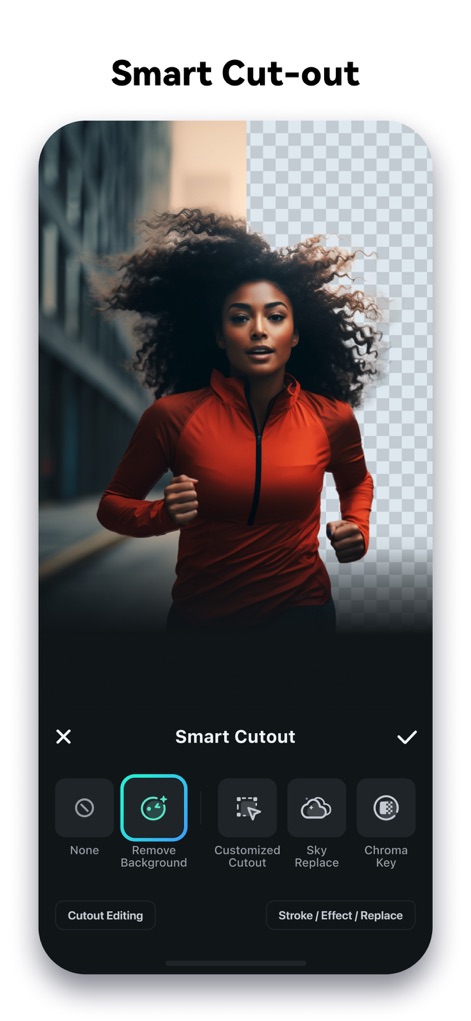
Precision Background Removal
Achieve flawless subject isolation with the app's smart cut-out tools, offering both automatic background removal and advanced options like Customized Cutout and Chroma Key.
Description
Download
More Like This
Apps with similar features and user experience

InShot - Video Editor
SHANTANU PTE. LTD.

快影
Beijing Kwai Technology Co., Ltd.

Leto: Font for Instagram Story
Leto.Fonts FZCO

Templify・ Photo & Video Editor
Templify Media, Inc.

Spring - Video Editor
KineMaster Corporation

Impresso - Video & Logo Maker
PIXERY BILGI TEKNOLOJILERI ANONIM SIRKETI

Movavi - Video Editor
Movavi Emea LLC

Zebra: Photo & Video Editor
Dmitriy Biserov

快剪辑-AI写真&视频大片一键制作
Wenzhou XunChi Digital Technology Co., Ltd.
This page is not an official page of the app or its developer, but an independent editorial publication created for informational and commentary purposes. Unless expressly stated otherwise, neither the app nor its developer is affiliated with, endorsed by, sponsored by, authorized by, or otherwise officially connected with MWM, Apple, Google Play, the app publisher, or the app's developer, and nothing on this page implies that the app was developed using MWM's services. Any trademarks, logos, screenshots, and other content remain the property of their respective owners.