
Find Metal


Locate lost keys, coins, and hidden metallic objects with real-time directional guidance and smart sensitivity controls—the ultimate pocket companion for the resourceful DIYer.
Publisher
Category
UtilitiesDownloads
0User Rating
Total Ratings
0Locales
3Discover the interface used by 0 users.
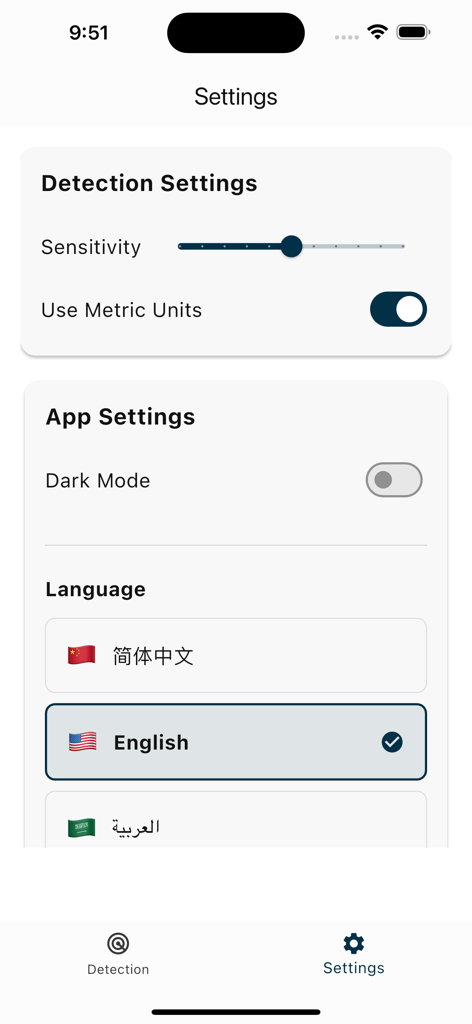
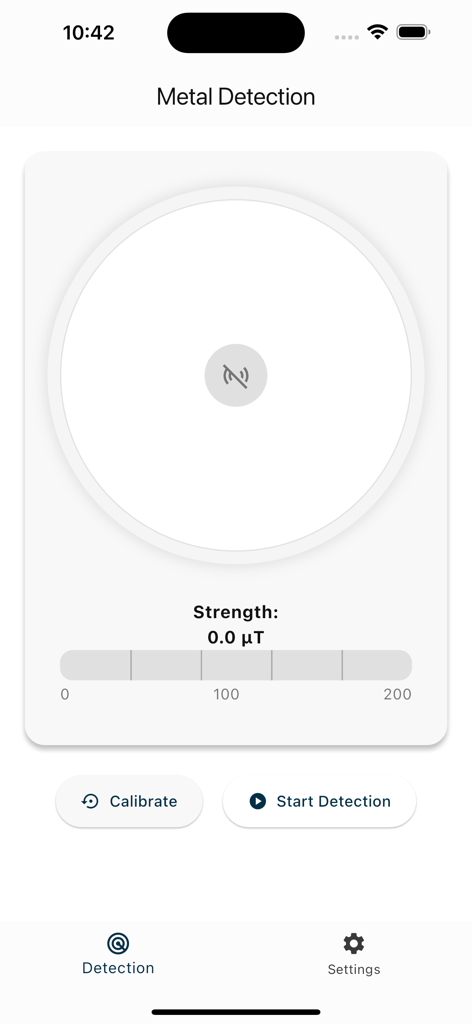
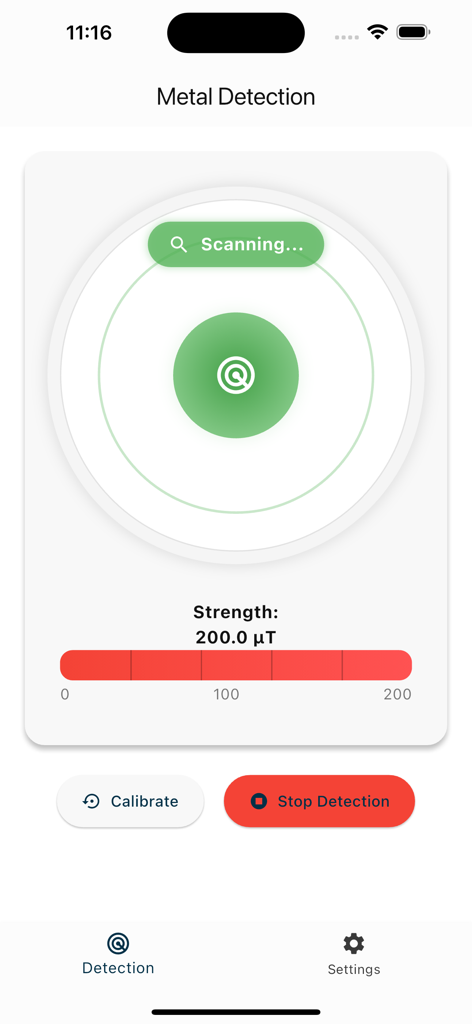
The tools that make this app stand out, trusted by 0 users.
Forget the guesswork. Our unique compass-style arrow points you directly toward the source of the metal for faster recovery.
Watch your iPhone react instantly. Use the dynamic bar graph to visualize proximity and pinpoint the exact location of hidden items.
Fine-tune your detection range to filter out interference and focus on specific objects, from tiny jewelry to large construction studs.
Everything you need to know about Find Metal.
Description
Latest Version
1.0.1
Size
117.7 MB
First Released
Apr 9, 2025
Stop searching and start finding. Download Find Metal now to locate lost keys, household hardware, or hidden treasures with real-time direction guidance.
Everything you need to know about Find Metal
Find Metal is a smart metal detection app that utilizes your device’s magnetometer sensor to locate metallic objects. It features real-time detection with a dynamic bar graph.
Find Metal detects metal by using your device’s magnetometer sensor. The app visualizes the strength of the magnetic field in real-time using a dynamic bar graph.
Yes, the Find Metal app allows you to adjust the detection sensitivity. You can customize this setting for precision directly within the app's settings menu.
Yes, the Find Metal app offers a Dark Mode. Users can enable or disable this feature from the App Settings section within the application.
The Find Metal app displays detection strength in microteslas (µT). Users can also toggle an option to "Use Metric Units" within the Detection Settings.
Find Metal is perfect for detecting metal objects such as keys, coins, and other metallic items. It provides real-time detection capabilities for these objects.
Yes, the Find Metal app supports multiple languages. Users can change the app's language from the "Language" section within the Settings menu, with English as an available option.
To start metal detection in the Find Metal app, navigate to the Detection screen. Press the "Start Detection" button to begin scanning for metallic objects.
Yes, the Find Metal app provides directional guidance. It features a compass-style arrow to indicate the location of detected metal.
Top-ranked apps in the same category

Google LLC

Google LLC

China Mobile Online Services Co., Ltd.

Google LLC

Servicos e Informacoes do Brasil

DEEP FLOW SOFTWARE SERVICES - FZCO

Servicos e Informacoes do Brasil

Microsoft Corporation

YUNFAN TECHNOLOGY CO., LIMITED
App information, icons, screenshots, and descriptions displayed on this page are sourced from the Apple App Store and are the property of their respective developers. Download estimates and rankings are based on MWM's proprietary models and may not reflect actual figures. This page is provided for informational and analytical purposes only.
Believe this page infringes your intellectual property? File a dispute