
This page is not an official page of the app or its developer, but an independent editorial publication created for informational and commentary purposes. Unless expressly stated otherwise, neither the app nor its developer is affiliated with, endorsed by, sponsored by, authorized by, or otherwise officially connected with MWM, Apple, Google Play, the app publisher, or the app's developer, and nothing on this page implies that the app was developed using MWM's services. Any trademarks, logos, screenshots, and other content remain the property of their respective owners.

FindTag
Stop searching and start finding. Connect your Bluetooth devices in seconds to keep a watchful eye on your keys, wallet, and luggage with real-time location tracking designed for your busy lifestyle.
Downloads
109K+User Rating
Total Ratings
200Publisher
Category
UtilitiesLocales
11Latest Version
1.1.11Size
20.8 MBFirst Released
Apr 8, 2024Smart Tracking for Your Everyday Essentials
The high-performance, budget-friendly solution to track your valuables, reduce daily stress, and keep your life organized.
Real-Time Precision Location
Never lose sight of your essentials. View the exact location of your keys, bags, or gear on a map with real-time updates.
One-Tap Sound Alerts
Stop the frantic search. Trigger a loud ring on your Bluetooth tag to find items hidden under pillows or lost in the car in seconds.
Frequently Asked Questions
Everything you need to know about FindTag
What is the primary function of the FindTag app?
The FindTag app is an application designed to work with smart Bluetooth devices. It helps users obtain the precise location of their paired devices, simplifying the process of finding lost items.
Does the FindTag app utilize Bluetooth technology?
Yes, the FindTag app operates by connecting to smart Bluetooth devices. It leverages Bluetooth technology to track and display the location of these devices within the application interface.
How does FindTag assist in finding connected devices?
The FindTag app helps users locate devices by showing their current position on a detailed map interface. This visual representation assists in easily identifying and retrieving connected smart Bluetooth devices.
Does the FindTag app show device locations on a map?
Yes, the FindTag app displays device locations on a comprehensive map. The main screen shows a map view, which allows users to visualize where their smart Bluetooth devices are located.
The following screenshots and description are sourced directly from the app's official store listing and are the property of the app developer.
App Store
Screenshots
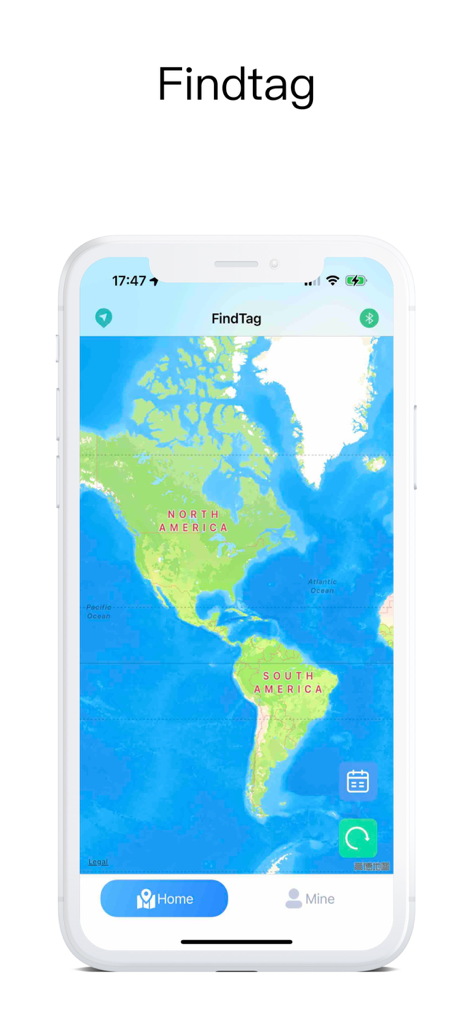
FindTag app showing a map on a smartphone for locating Bluetooth devices
Description
Download
More Like This
Apps with similar features and user experience
Wunderfind: Find Lost Device
Hendrik Folkerts

Device Tracker
Find My Device L.L.C-FZ

Find Device: Bluetooth Scanner
FIG FILMS LTD
tracker detect
Mustafa Uz
Air Find - My Devices Tracker
FIRESTAR TECHNOLOGY CO., LIMITED

Bluetooth Scanner, Find Device
Molly Baumstein

Bluetooth - BLE Device finder
Ruslan Voloshyn

Device Finder: Easy Find
GIEL POSTEL

Bluetooth Finder & Scanner.
Olexander Orlyk
This page is not an official page of the app or its developer, but an independent editorial publication created for informational and commentary purposes. Unless expressly stated otherwise, neither the app nor its developer is affiliated with, endorsed by, sponsored by, authorized by, or otherwise officially connected with MWM, Apple, Google Play, the app publisher, or the app's developer, and nothing on this page implies that the app was developed using MWM's services. Any trademarks, logos, screenshots, and other content remain the property of their respective owners.